Memory enables Qoder CN to learn about you, your projects, and the problems you mention through continuous chats. It keeps this information organized and up to date. Memory helps Qoder CN better interact with you and learn about you over time.
To use the memory feature, update Qoder CN to V2.5.0 or later in VS Code or JetBrains IDEs.
Active memory
Switch to Agent mode in the AI Chat panel and type what you want Qoder CN to memorize. Qoder CN will save the memory after you send your prompt.
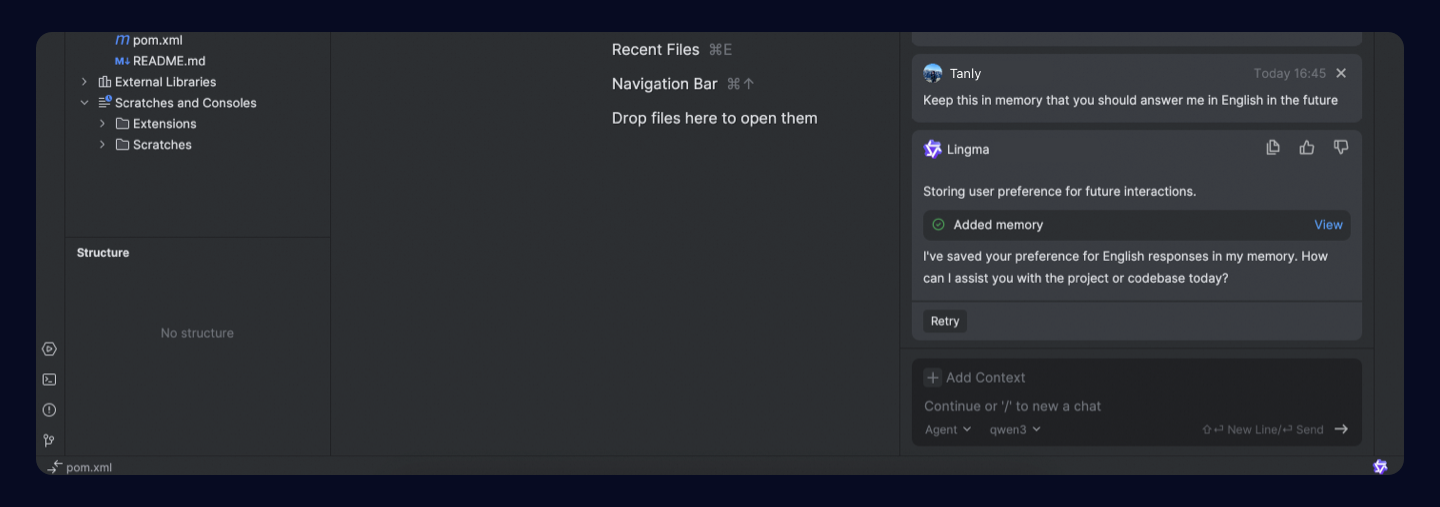
Automatic memory
Qoder CN usually remembers chats on its own. It learns about each of your coding style and project details over time. You don't need to initiate this process.
View memories
In the AI Chat panel, click to see the saved memories, scope, and keywords. You can also remove memories you don't want.
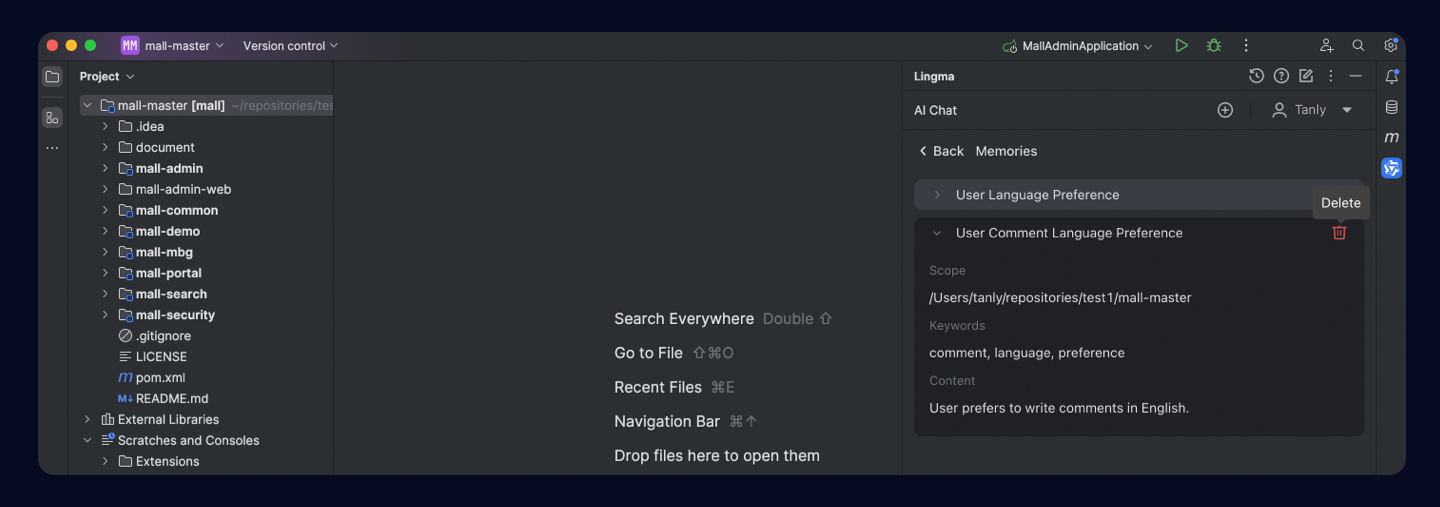
Memory scope
When you open a project, memories for your personal habits (global scope) and the current project (project-level scope) take effect during your interaction with Qoder CN.
When conflicts occur between Rules and Memory, Rules take precedence.