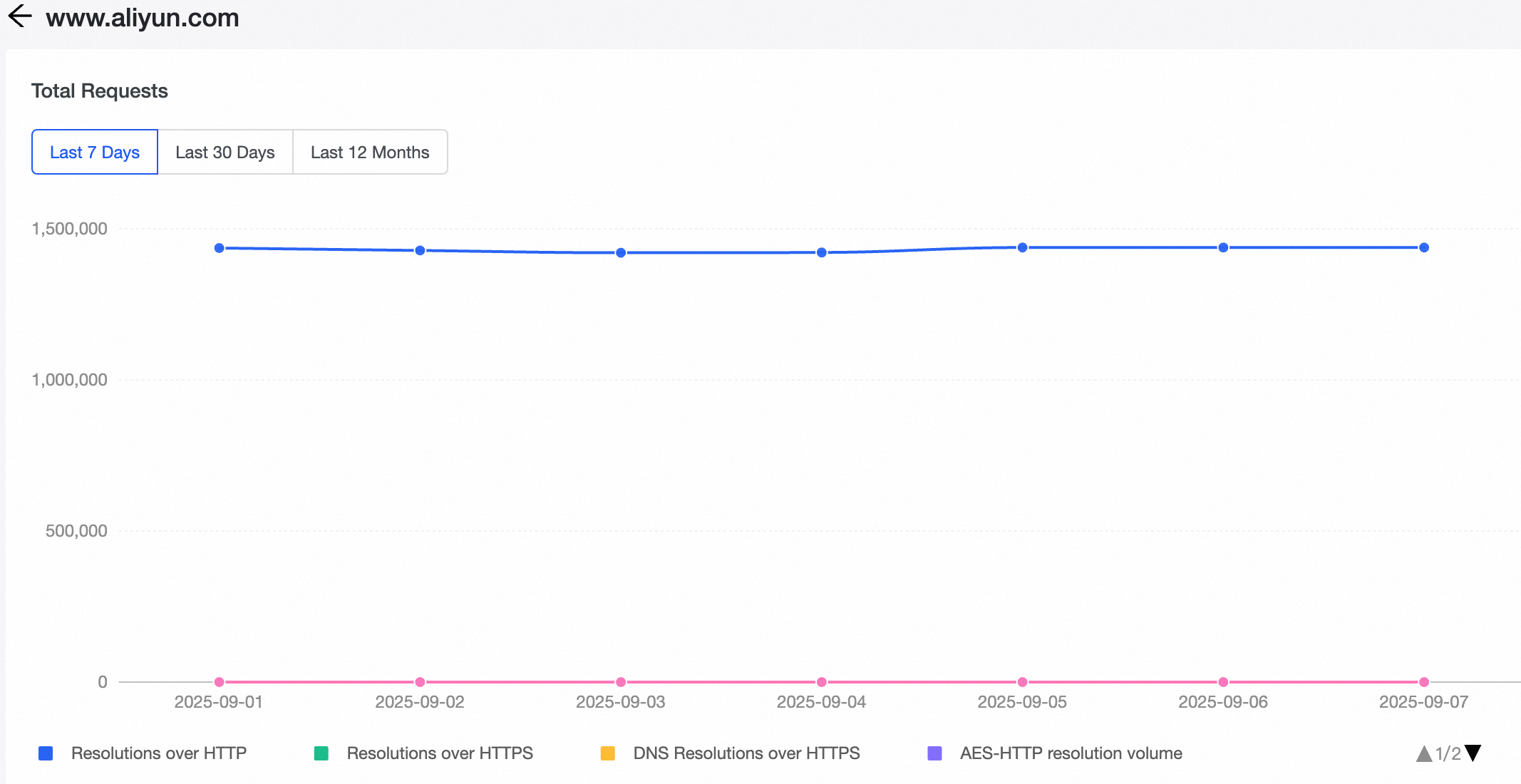
This topic describes how to add and manage domain names for resolution in the HTTPDNS console.
Procedure
Log on to the EMAS Management Console.
Find and click your project to go to the EMAS Overview page.
In the top navigation bar, choose Platform Service.
In the navigation pane on the left, choose HTTPDNS > Domain Name List.
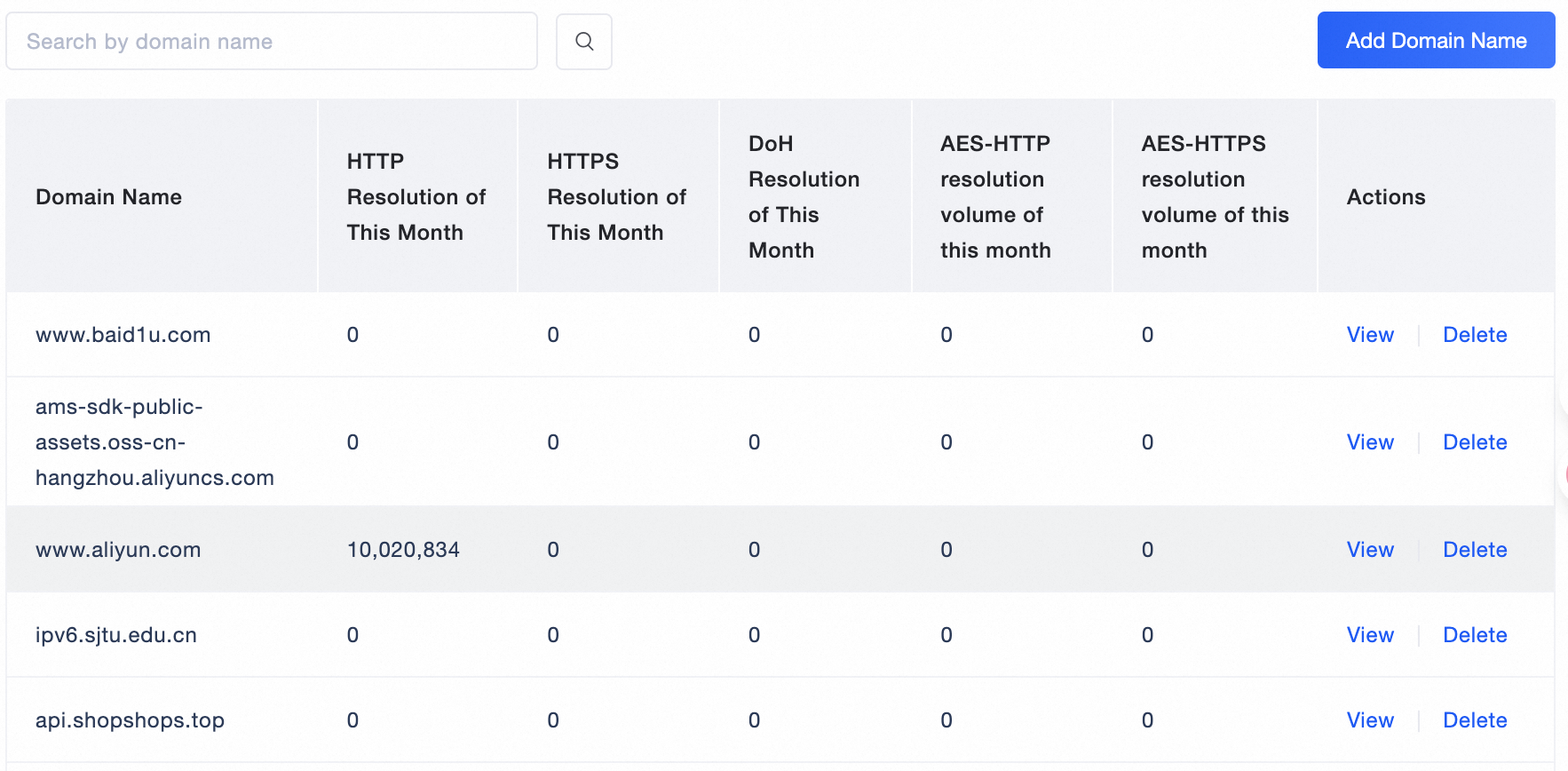
Click Add Domain Name. Enter a valid specific domain name or wildcard domain name, and then click OK.
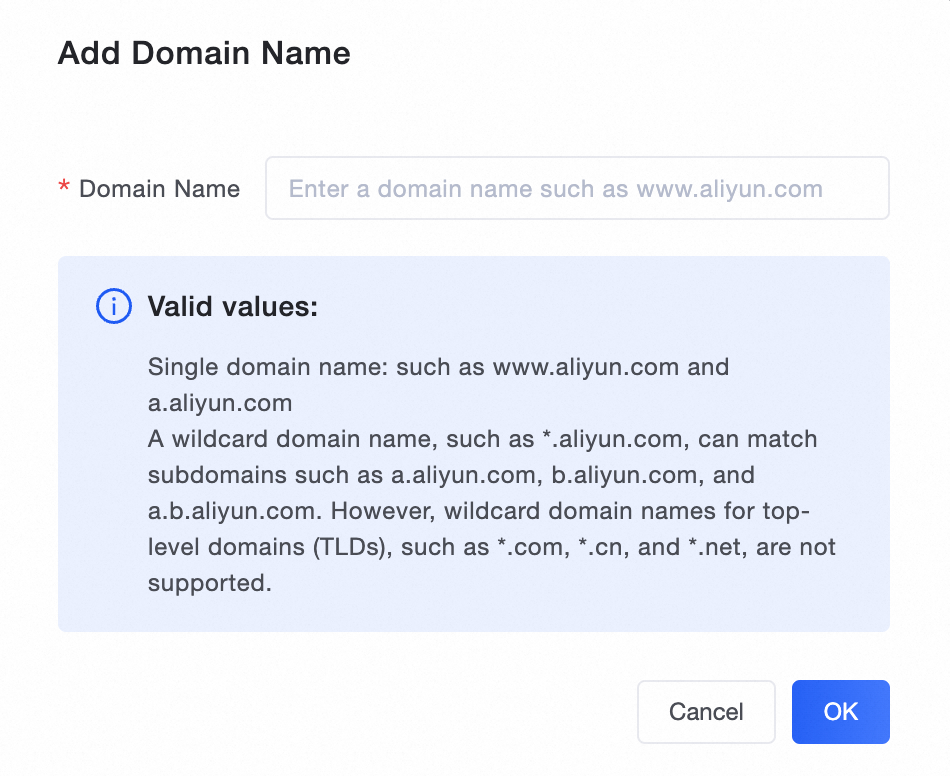 For example, adding *.aliyun.com matches all domain names that end with aliyun.com, such as aliyun.com, www.aliyun.com, and emas.console.alibabacloud.com.Note
Domain name additions and deletions take effect within 1 minute.
Each account can have a maximum of 50 domain name rules.
In the domain name list, click Delete to the right of a domain name, and then confirm the deletion to remove the rule.
NoteTo restore a deleted domain name rule, you must add it again.
In the domain name list, click Details to the right of a domain name to view its resolution data.