Node.js and Python functions are debugged in the same way. This topic uses Node.js as an example to describe how to use VSCode to debug local event functions.
The content described in this article will no longer be maintained later. If your Function Compute resources are managed by Funcraft, we recommend that you migrate the resources to Serverless Devs.
For more information about how to migrate Function Compute-related resources from Funcraft to Serverless Devs, see Migrate resources from Funcraft to Serverless Devs.
For more information about Serverless Devs, see What is Serverless Devs?.
We apologize for any inconvenience caused.
Procedure
This topic uses the function name demo and debugging port 3000 as an example.
Run the following command to debug the function:
fun local invoke -d 3000 --config VSCode demoExpected output:
using template: template.yml
skip pulling image aliyunfc/runtime-nodejs8:1.9.6...
you can paste these config to .vscode/launch.json, and then attach to your running function
///////////////// config begin /////////////////
{
    "version": "0.2.0",
    "configurations": [
        {
            "name": "fc/demo/demo",
            "type": "node",
            "request": "attach",
            "address": "localhost",
            "port": 3000,
            "localRoot": "C:\\Users\\XX\\Desktop\\target\\demo",
            "remoteRoot": "/code",
            "protocol": "inspector",
            "stopOnEntry": false
        }
    ]
}
///////////////// config end /////////////////
Debugger listening on ws://0.0.0.0:3000/b65c288b-bd6a-4791-849b-b03e0d******
For help see https://nodejs.org/en/docs/inspector
After executing the above command, the program will be blocked and will not continue debugging execution. You must follow these steps to connect to the IDE. The program will continue to execute only after you successfully connect to the IDE.
After the previous step is successfully performed, configure VSCode.
NoteVSCode only needs to be configured the first time you debug the function. If it has been configured, you do not need to configure it again.
Choose
 > create a launch.json file to create a launch.json file.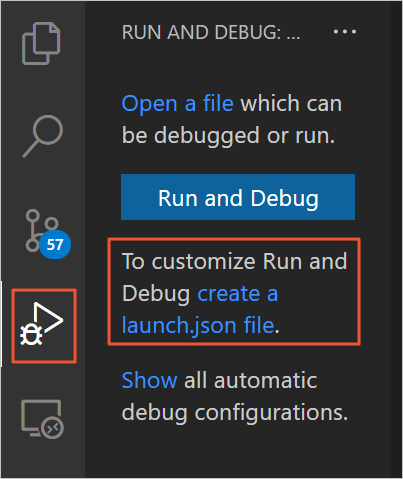
Copy the information between the output log
config beginand theconfig endto the launch.json. For more information about VSCode, see VSCode.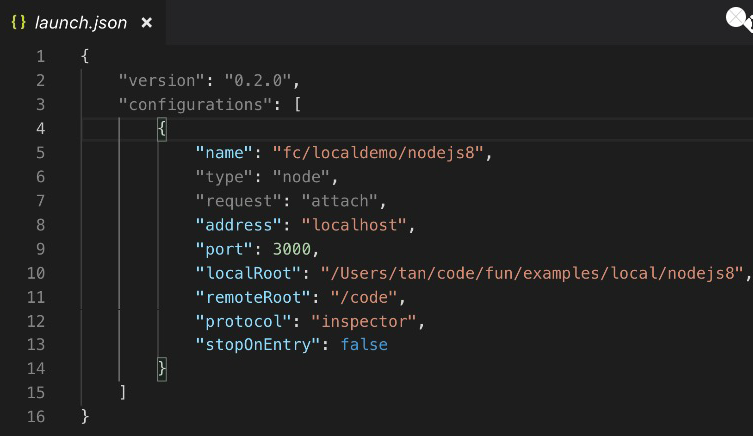
After you complete the preceding configurations, you can view the configured functions in the Debug view.
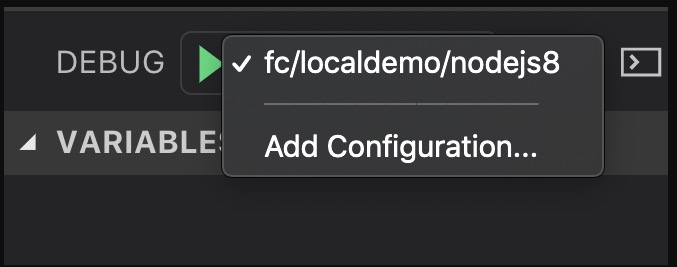
Use VSCode to debug Node.js functions.
Click the VSCode editor sidebar to set the breakpoint as follows.
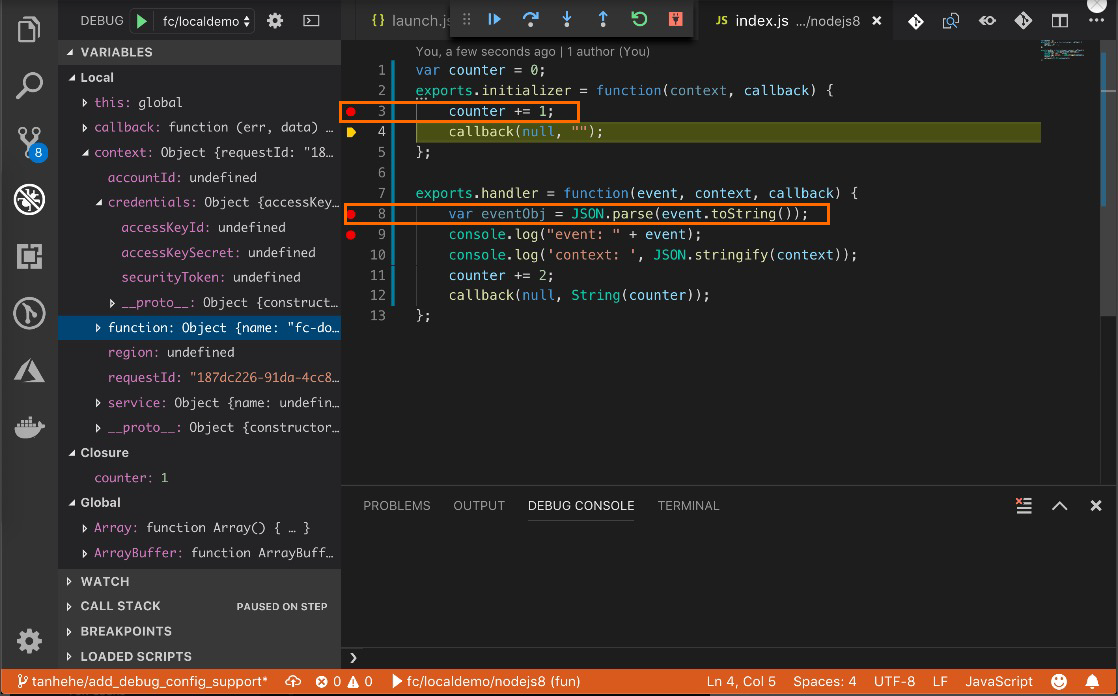
Then, click the
 icon to start debugging.
Video tutorial
The following is the operation video of the local single-step debugging of the function.