This topic describes how to resolve an issue where the df -h command displays duplicate or invalid mount paths on an Elastic Compute Service (ECS) instance that runs CentOS 6.
Problem description
On an ECS instance that runs CentOS 6, the df -h command returns many duplicate or non-existent mount paths, as shown in the following figure.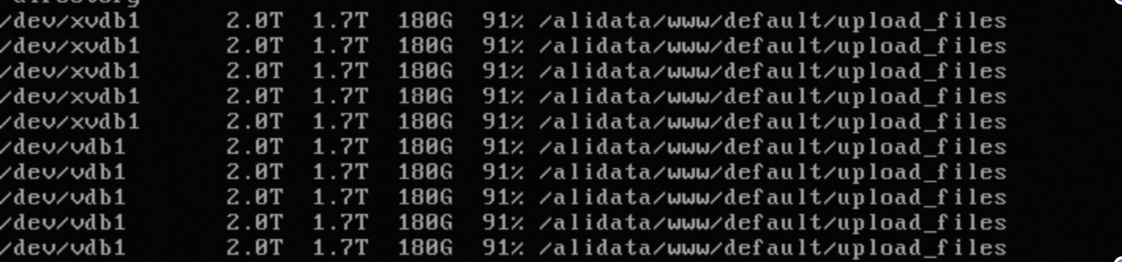
Cause
The /etc/mtab file is not symbolically linked to /proc/self/mounts. This causes the df command to return abnormal output.
Normally, the /etc/mtab file is a symbolic link to /proc/self/mounts. When this issue occurs, /etc/mtab is a regular file and the symbolic link is missing. You can run the ll /etc/mtab command to check whether the symbolic link is missing.
Solution
View the information in the
/proc/self/mountsfile and confirm that the mount information for all file system partitions is recorded correctly.cat /proc/self/mountsBack up the
/etc/mtabfile and then replace it with a symbolic link to/proc/self/mounts.# Back up the mtab file mv /etc/mtab /etc/mtab.bak # Create a symbolic link to /proc/self/mounts ln -s /proc/self/mounts /etc/mtabRun the
df -hcommand again to check whether the output is normal. If non-existent mount paths are still displayed, you can manually unmount the relevant paths using theumountcommand.