Overview
After you disable the secondary DNS feature, data synchronization between the primary and secondary DNS servers is stopped.
Procedure
Log on to the Alibaba Cloud DNS console.
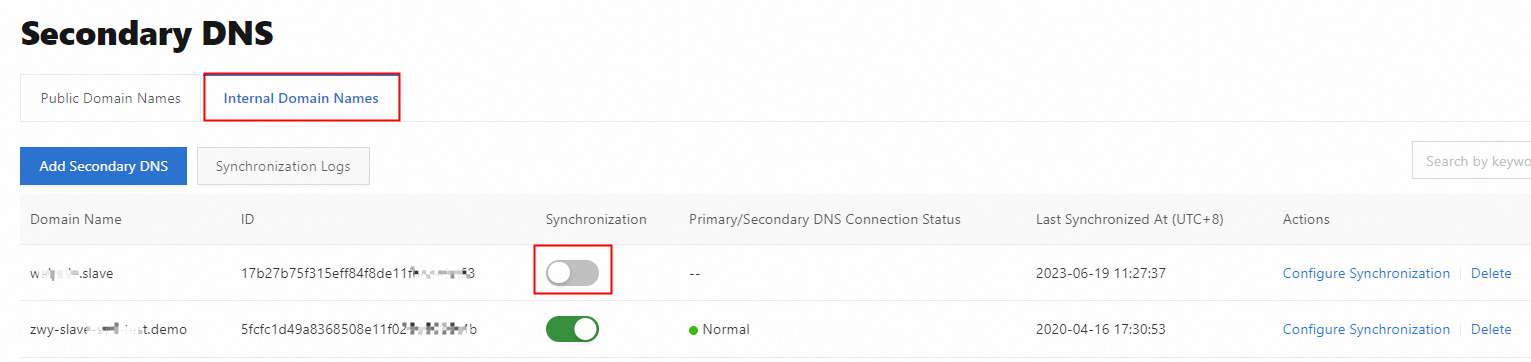
In the left-side navigation pane, click Secondary DNS. On the Secondary DNS page, click the Internal Domain Names tab.
Find the domain name that you want to manage and turn off the switch in the Synchronization column.
Find the BIND 9 software of the self-managed DNS service and delete the notification server configuration.