Overview
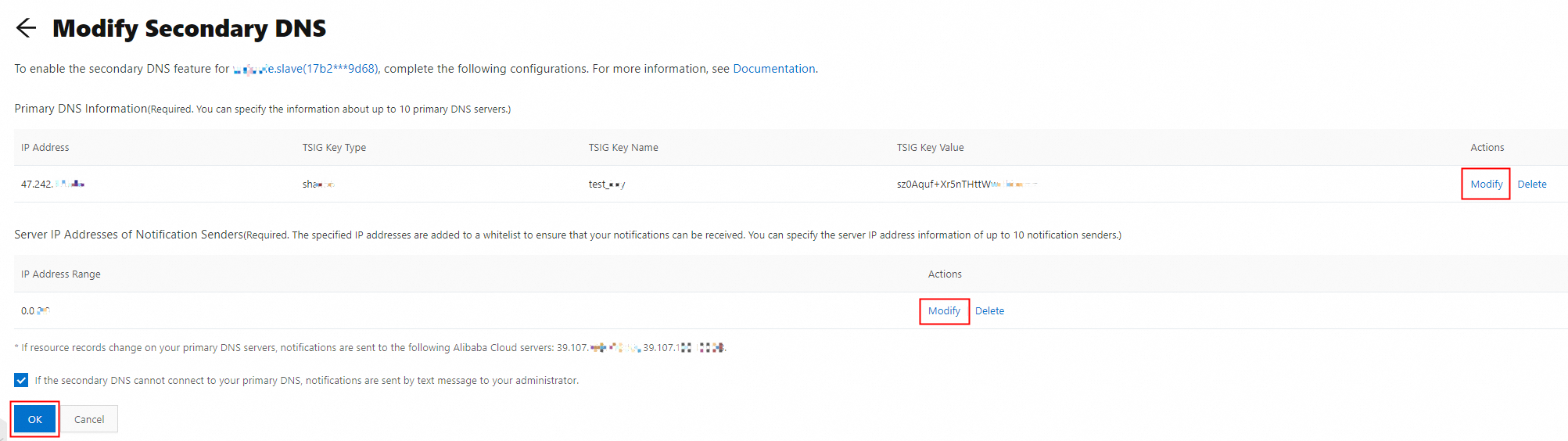
Modify Secondary DNS: This involves updating the Alibaba Cloud DNS secondary DNS configuration when there are changes to the primary DNS server. You need to update Set Primary DNS Information and Set The Server IP Address For Sending NOTIFY Notifications.
Procedure
Log on to the Alibaba Cloud DNS console.
Click the Secondary DNS button in the left-side navigation pane to enter the Secondary DNS page. On the secondary DNS list page, click the Operation column next to the target domain name and then click the Sync Configuration button.

On the Modify Secondary DNS page, click the Modify button. After modification, click Confirm .
After modifying the configuration parameters, the secondary DNS will actively initiate a connection request to the primary DNS to retrieve the latest data of the primary DNS resource record.