This topic describes how to open a SQL window using the table list.
Prerequisites
You have access permissions to DMS and you have logged on to the DMS console.
Background
This example uses MySQL databases.
Procedure
Select a MySQL database, and click Log on to Database.
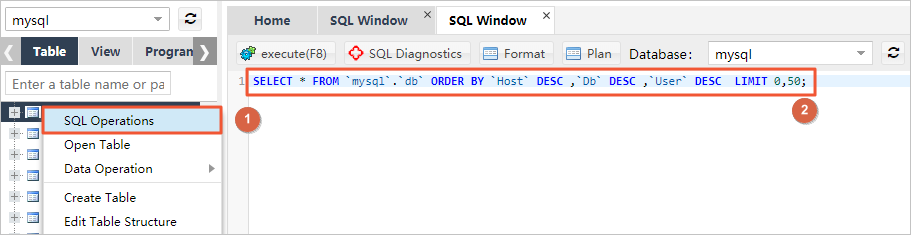
In the left-side table list, right-click a table and select Open in SQL Window to open a SQL window. DMS automatically executes the SQL statement to query the first 50 data entries in the table.