Without email authentication, your messages are more likely to be flagged as spam or spoofed by attackers. DomainKeys Identified Mail (DKIM) lets Direct Mail attach a digital signature to each outgoing message, so receiving servers can verify the sender and confirm the message was not altered in transit — improving deliverability and protecting your domain's reputation.
Set a DKIM record
Step 1: Get the DKIM record value
In the Direct Mail console, go to the Email Domains page, find your domain name, and copy the DKIM record value from the configuration details.
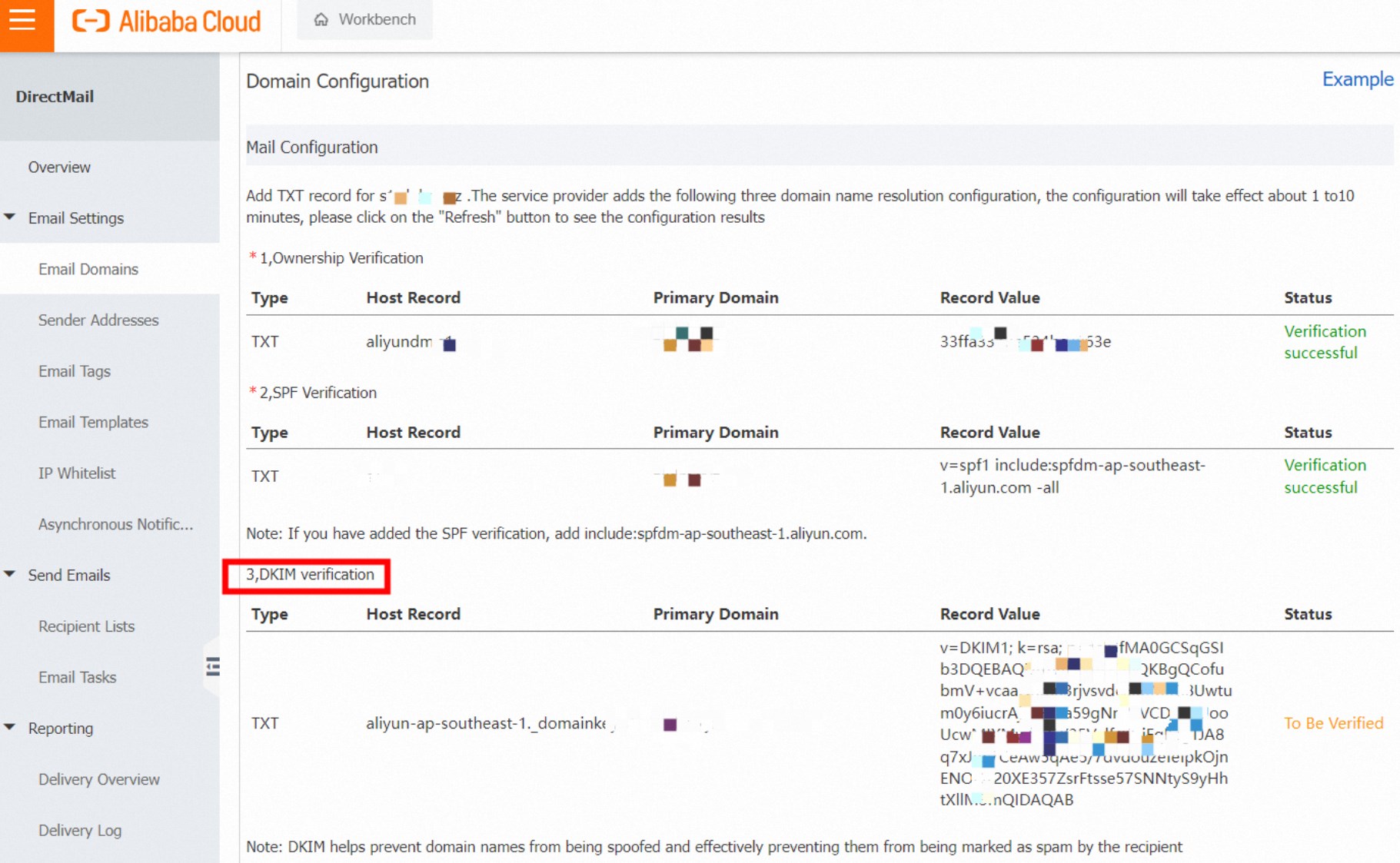
Step 2: Add a TXT record in your DNS console
Log on to the Domain Names console. Under your primary domain name, add a TXT record with the following fields:
|
Field |
Value |
|
Record type |
TXT |
|
Host |
|
|
Record value |
The value copied from the Direct Mail console |
|
TTL |
Use your DNS provider's default |

DNS changes typically propagate within a few minutes, but can take up to 48 hours depending on your DNS provider and TTL settings.
Step 3: Verify the record
Run the following command to confirm the TXT record has propagated. Replace xxx.example.net with your actual subdomain.
nslookup -qt=txt aliyun-ap-southeast-1._domainkey.xxx.example.netA successful result returns the DKIM record value you added. If the command returns no result or an error, wait a few minutes and try again — DNS propagation may still be in progress.
Previously, the DKIM record value was based on your Alibaba Cloud account and the region of the Direct Mail console. A new record was not required for different domain names. If your account and region remained the same, you could use the same record value for your domain name resolution.
Currently, each domain name has a unique DKIM record value.
Troubleshoot DKIM verification failures
|
Symptom |
Likely cause |
Resolution |
|
|
DNS has not propagated yet |
Wait up to 48 hours, then retry |
|
|
Incorrect record value or host |
Confirm the record value and host prefix in the Direct Mail console, then update the TXT record |
|
DKIM record was set up earlier but email authentication still fails |
Old account-level DKIM record still active |
Each domain now requires a unique DKIM record value. Delete the old shared record and add the domain-specific value shown in the console |