This topic describes how to use the automatic parameter tuning feature of Database Autonomy Service (DAS). This feature uses machine learning algorithms to intelligently recommend optimum values for parameters based on the workload and specifications of a database instance.
Prerequisites
An ApsaraDB RDS for MySQL database instance is connected to DAS.Procedure
- Log on to the DAS console.
- In the navigation pane on the left, click Automatic Parameter Tuning.
- On the Task Center page, click Create Task.
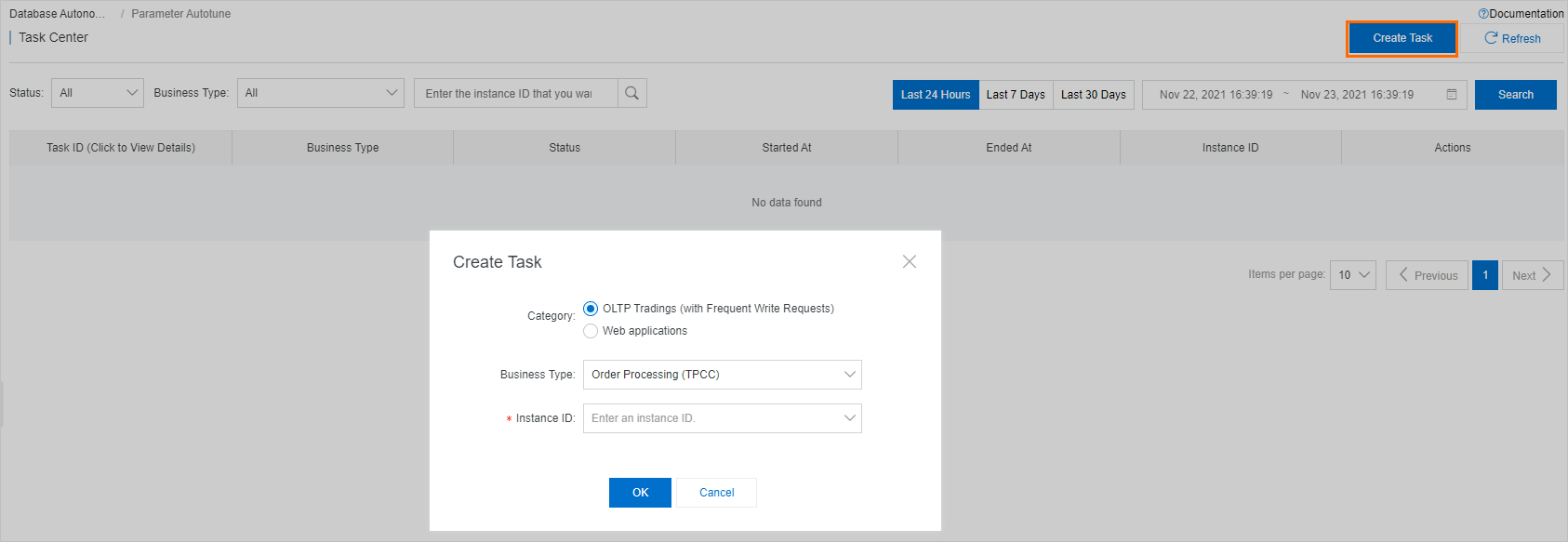
- In the Create Task dialog box, select the instance and business type to tune, and then click Confirm.
Note After the task is complete, DAS provides the tuning results. On the task details page, the Basic Information section displays fields such as the Task ID, business type, instance type, instance ID, task status, and business benefits. The configuration comparison table below lists the default configuration, current configuration, and recommended configuration values for each parameter, which enables a detailed comparison.