When hotlink protection is enabled on your CDN domain, requests that do not pass the Referer header validation are denied with a 403 status code. This topic describes how to diagnose and resolve 403 errors caused by hotlink protection misconfigurations.
Symptom
After you configure hotlink protection for a CDN-accelerated domain, accessing resources through the domain returns a 403 error. The response header X-Tengine-Error contains the value denied by Referer ACL.
Cause
Hotlink protection works by checking the Referer header of incoming requests against the whitelist or blacklist configured on your CDN domain. A 403 error occurs when the Referer header does not match the configured rules. This typically happens in one of the following scenarios:
Referer mismatch: The request contains a
Refererheader, but the referring domain is not included in the hotlink protection whitelist.Empty Referer blocked: The request does not contain a
Refererheader (for example, when you access a URL directly from the browser address bar), and the hotlink protection configuration does not allow empty Referer values.
Solution
First, identify whether the 403 error is caused by a Referer mismatch or by an empty Referer being blocked. Then, apply the corresponding fix.
Step 1: Identify the cause
Test with a Referer header: Run the following curl command. Replace
demo.aliyundoc.comwith the actual referring domain andexample.aliyundoc.comwith your CDN-accelerated domain.curl -voa -e "http://demo.aliyundoc.com" http://example.aliyundoc.comIf the response returns a 403 error and the
X-Tengine-Errorheader showsdenied by Referer ACL, the Referer domain is not in the hotlink protection whitelist. See the fix in the Fix a Referer mismatch section.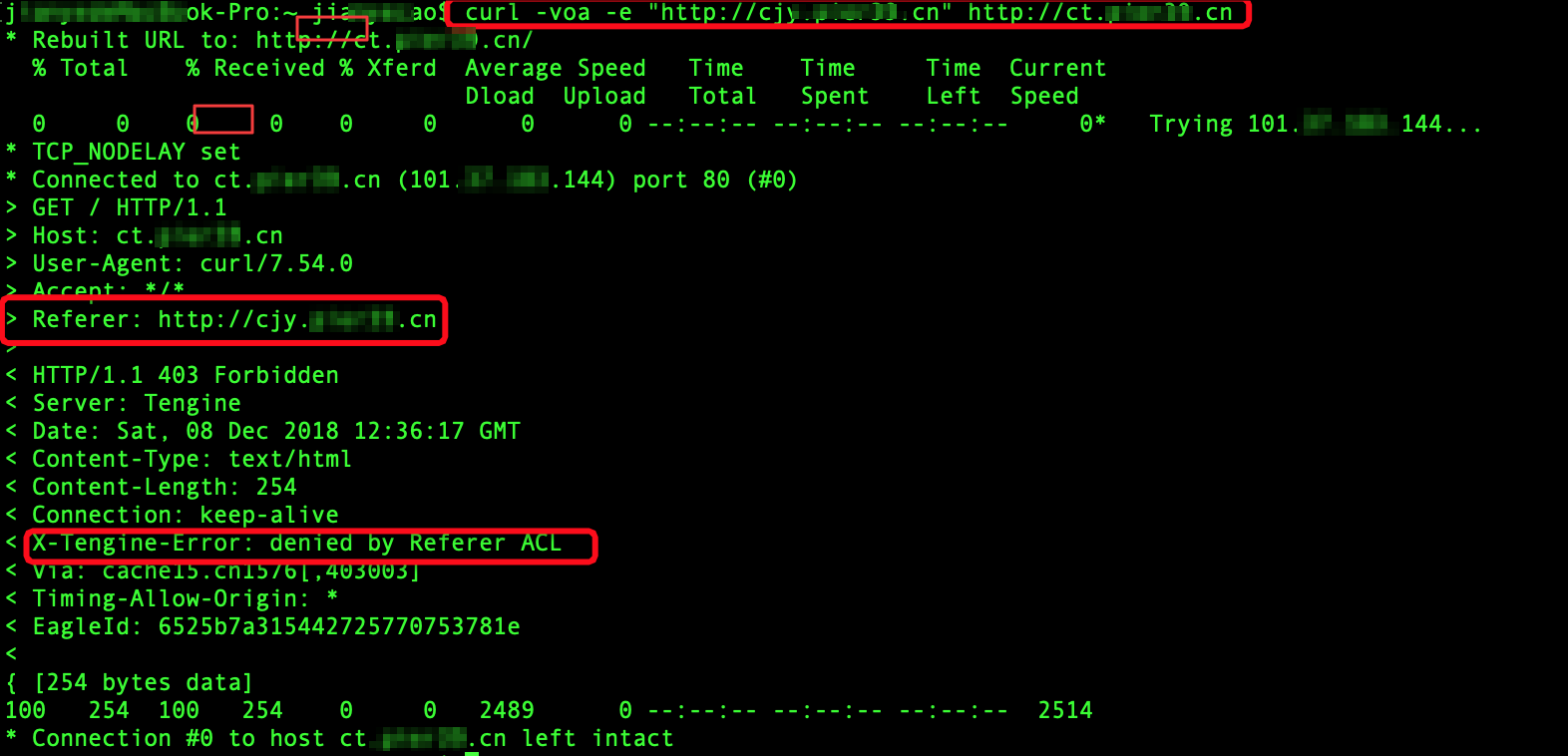
Test without a Referer header: Run the following curl command without the
-eflag.curl -voa http://example.aliyundoc.comIf the response returns a 403 error and the
X-Tengine-Errorheader showsdenied by Referer ACL, the hotlink protection configuration does not allow requests with an empty Referer. See the fix in the Fix empty Referer blocked section.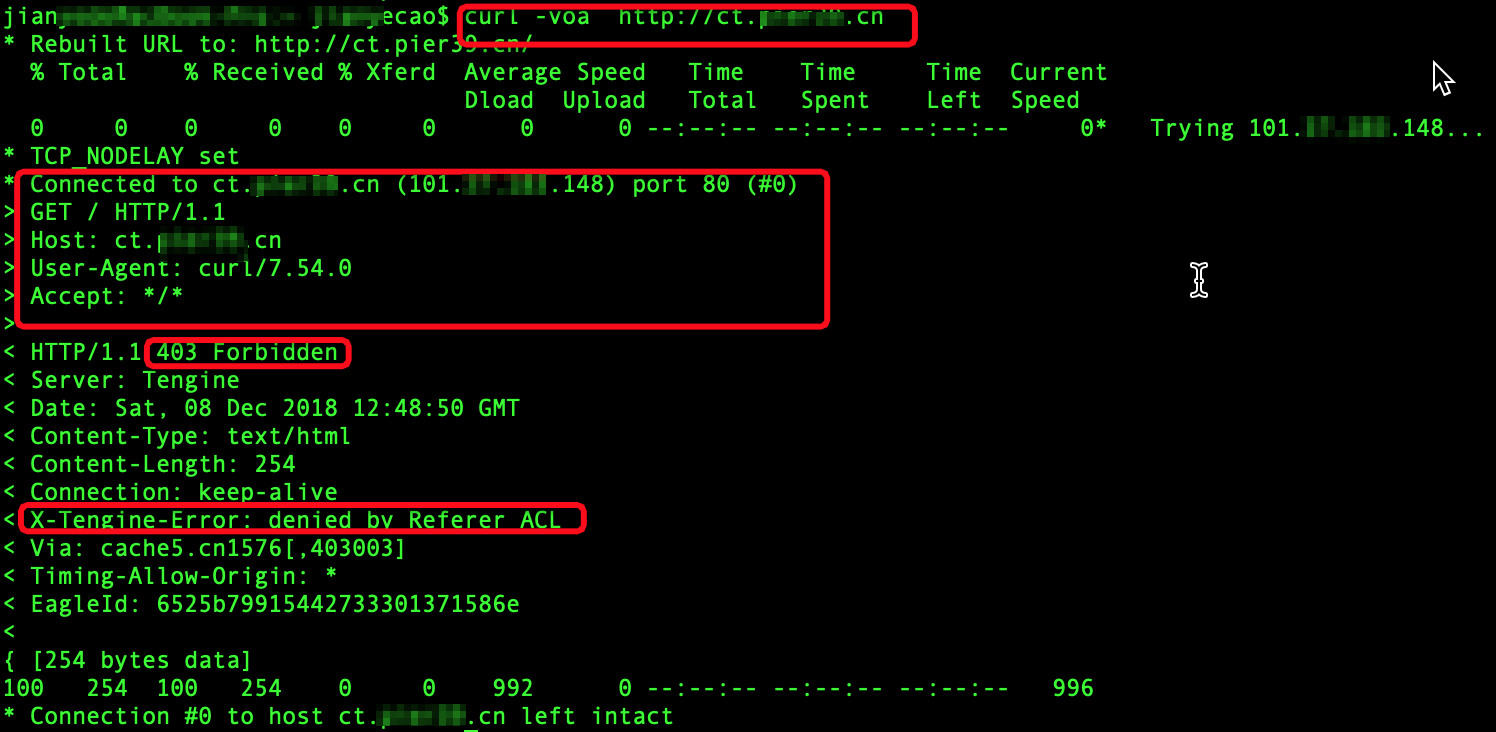
Test in a browser: Open the CDN-accelerated URL directly in the browser address bar and open the browser DevTools (F12). Check the Network tab. If the request does not include a
Refererheader and the response is 403, the hotlink protection configuration does not allow empty Referer values.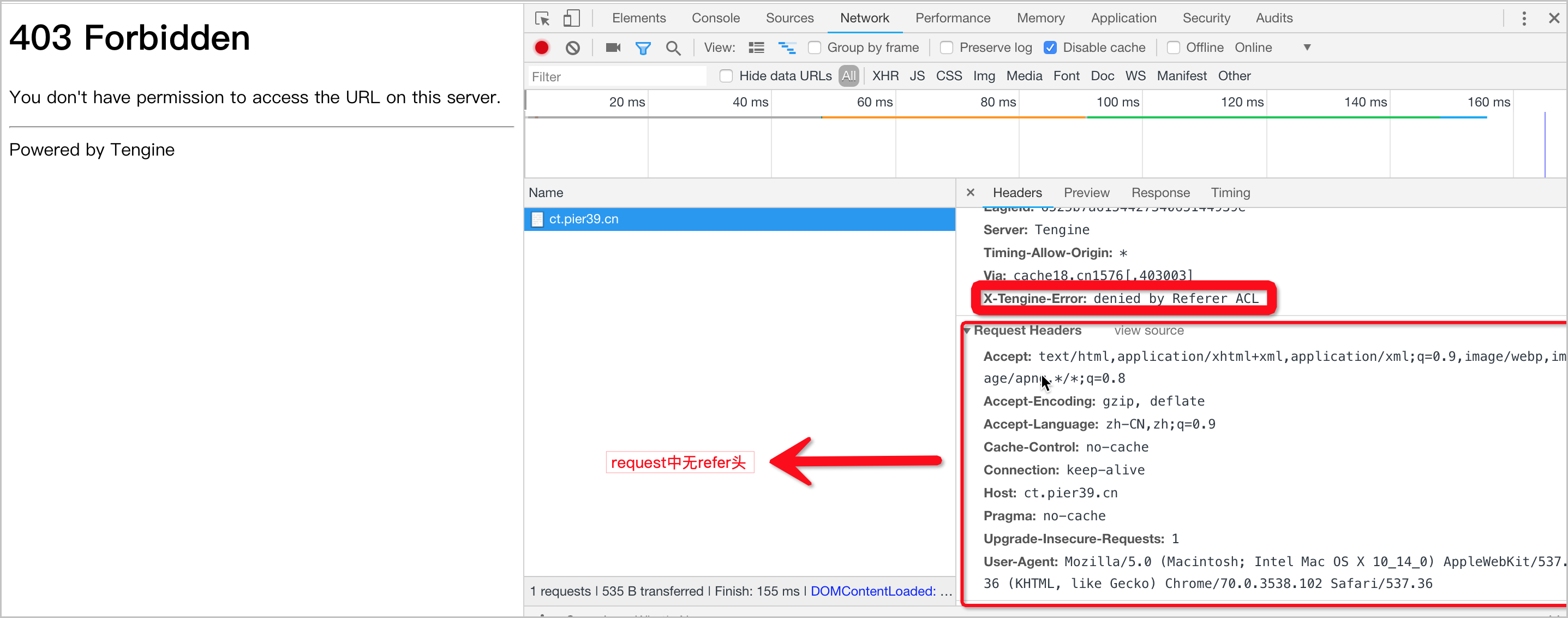
Step 2a: Fix a Referer mismatch
If the 403 error occurs because the Referer domain does not match the whitelist, add the referring domain to the hotlink protection whitelist:
Log on to the Alibaba Cloud CDN console.
In the left-side navigation pane, choose Domain Names.
Find the target domain and click Manage.
Choose Access Control > Referer Black/Whitelist > Modify.
Verify that the Whitelist is selected. Add the referring domain (for example,
demo.aliyundoc.com) to the whitelist, then click OK.
Step 2b: Fix empty Referer blocked
If the 403 error occurs because requests without a Referer header are blocked, allow empty Referer access:
Log on to the Alibaba Cloud CDN console.
In the left-side navigation pane, choose Domain Names.
Find the target domain and click Manage.
Choose Access Control > Referer Black/Whitelist > Modify.
Select Allow resource URL access from browsers, then click OK.
Note: Allowing empty Referer access means that anyone who enters the resource URL directly in a browser can access the resource. This may reduce the effectiveness of hotlink protection. Enable this option only when necessary.