The 'Configure back-to-origin HTTP request header (Old)' feature is a legacy feature. This feature is hidden by default in the Alibaba Cloud CDN console and appears only for domains that previously used it. For these domains, you can only view or delete existing configurations. You cannot add or modify configurations.
Background information
HTTP request headers are part of the header of an HTTP request and carry specific parameters to the server.
If a requested resource is not cached on a CDN PoP, the PoP sends a back-to-origin request to your origin server to retrieve it. The origin server can obtain the information carried in the back-to-origin HTTP request header. To help your origin server identify users, you can rewrite the headers in back-to-origin requests to include specific parameters. For example, you can use the X-Forwarded-For header to include the client IP address and pass it to the origin server.
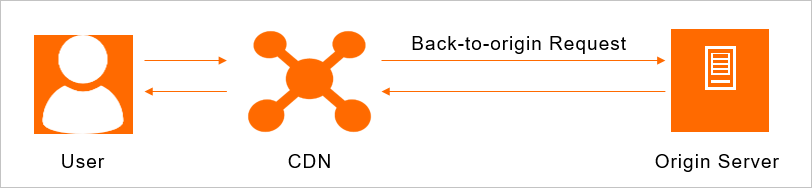
CDN provides an upgraded feature to configure back-to-origin HTTP request headers. The upgraded feature supports more rewrite operations such as replace, modify, and delete, and includes features such as duplicate header checking and cross-origin validation. For more information, see Modify outgoing request headers.
Procedure
-
Log on to the CDN console.
-
In the left navigation pane, click Domain Names.
-
On the Domain Names page, find the target domain name and click Manage in the Actions column.
-
In the domain's navigation pane, click Origin Fetch.
-
Click the Modify Outgoing Request Header tab.
-
You can view your existing header settings in the Back-to-origin HTTP request header (Old) section.
The table in this section includes the Parameter, Value, Status, and Actions columns. You can click Delete in the Actions column to remove a legacy header configuration that is no longer needed.