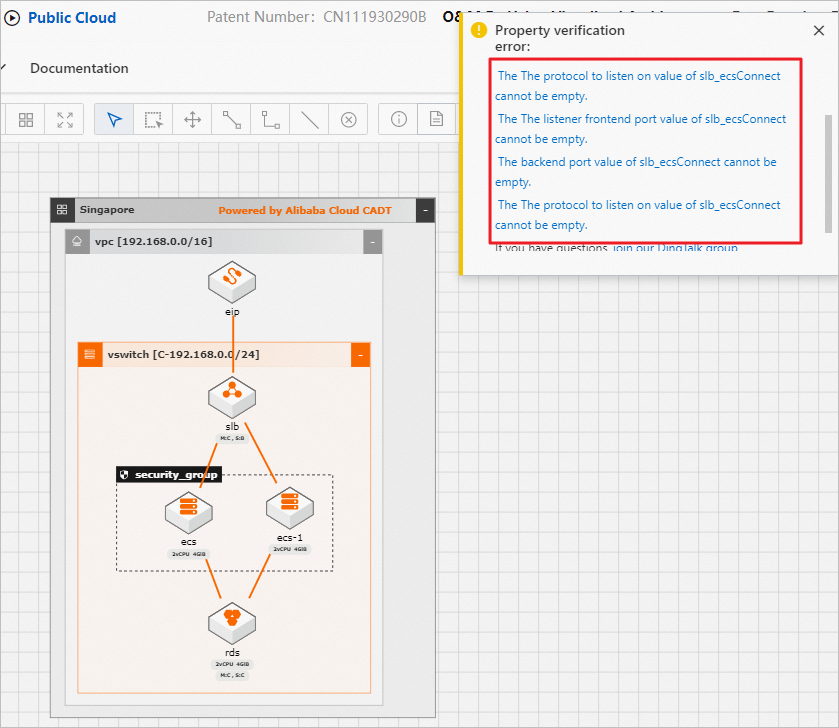
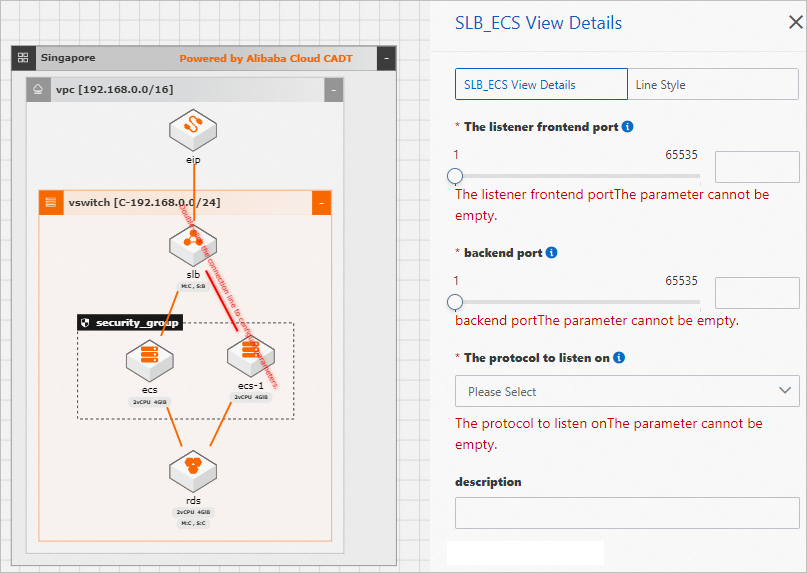
If a property verification error is reported when you deploy an application, you can modify or add resource configurations as prompted. The error may be caused by the following reasons: Not all required parameters are configured for your resources or the resources that are connected to each other lack listener protocols or ports. In the following figure, a property verification error is reported because the frontend and backend ports are missing. To fix this issue, you must click the lines that connect the Server Load Balancer (SLB) instance to the Elastic Compute Service (ECS) instances to configure ports.