The Workspace Information page in Managed Service for Grafana provides a central place to view and update a workspace's name, version, connection protocol, and endpoint. You can also upgrade or release the workspace and integrate Alibaba Cloud services from this page.
Prerequisites
Before you begin, make sure that you have:
An Alibaba Cloud account with access to Application Real-Time Monitoring Service (ARMS)
A Grafana workspace created in Workspace Management
Open the Workspace Information page
Log on to the ARMS console.
In the left-side navigation pane, choose Managed Service for Grafana > Workspace Management.
On the Workspace Management page, click the ID of the workspace that you want to manage. The Workspace Information page appears.
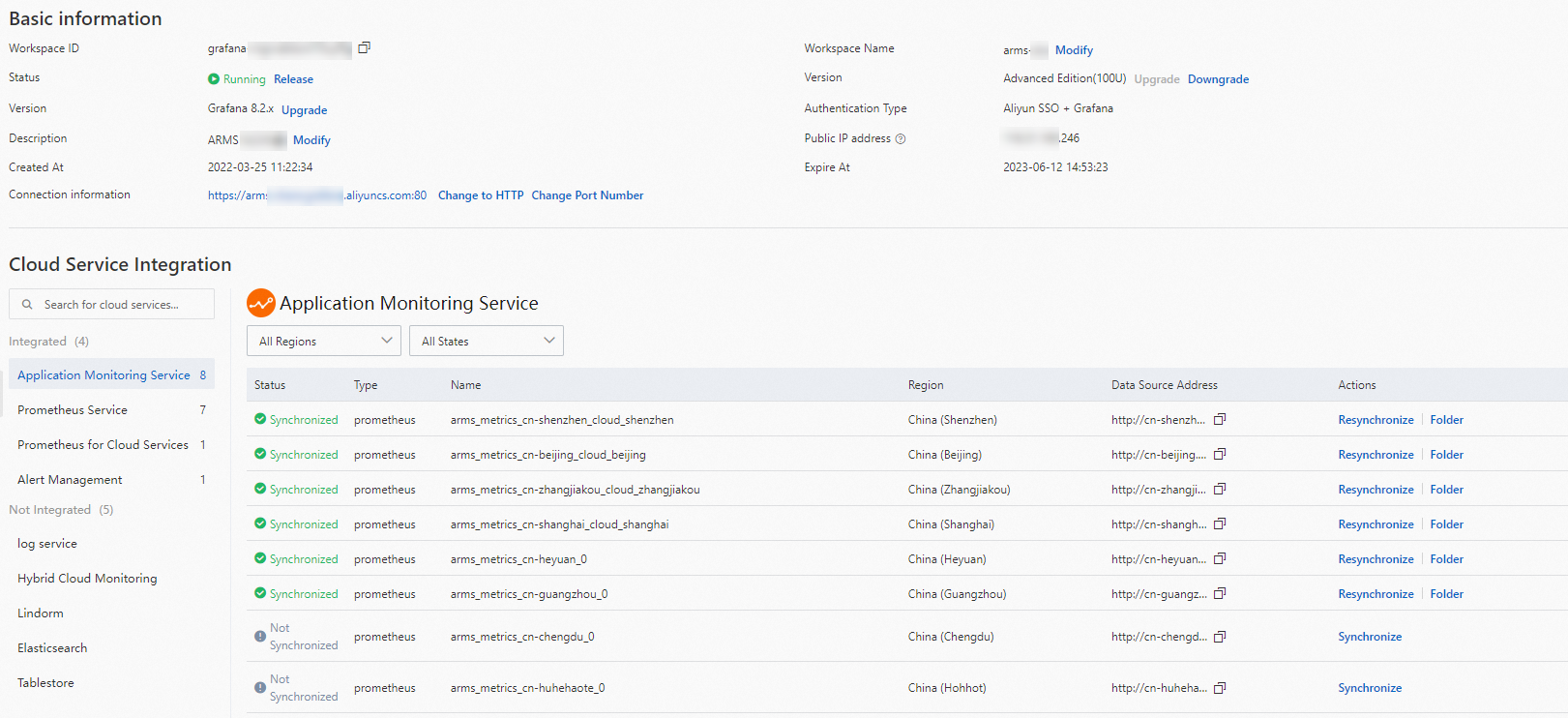
Basic information
The Basic information section displays the workspace name, description, version, protocol, and endpoint. The following table describes the available operations.
| Operation | Description | Notes |
|---|---|---|
| Edit name or description | Change the workspace name or description. | -- |
| Release the workspace | Deallocate the workspace and free its resources. | The IP address is not retained. Grafana data such as dashboards and data sources is retained. |
| Upgrade or downgrade | Change the workspace tier to scale resources up or down. | A new server starts automatically during the upgrade to keep your service running without interruption. |
| Update the Grafana version | Apply a newer version of Grafana to the workspace. | Back up your data before you update. After the workspace runs the latest version, the Upgrade button next to Version Number is no longer displayed. |
| Change protocol or port | Switch between HTTP and HTTPS, or modify the port number or domain name. | -- |
| Access the Grafana UI | Click the endpoint URL to open Grafana in your browser. | See Log on to Grafana for authentication options. |
Log on to Grafana
After you click the endpoint to open the Grafana UI, two authentication methods are available on the logon page:
Administrator account -- Use the administrator username and password that you specified when you created the workspace.
Sign in with Alibaba Cloud -- Use your current Alibaba Cloud account for single sign-on.
Integrate cloud services
Managed Service for Grafana supports integration with Alibaba Cloud services. After you complete the integration, data sources and dashboards from those services are automatically synchronized to your workspace.
For setup instructions, see Integrate cloud services.