This topic provides a guide for adding DNS records for subdomain in different business scenarios.
User guide
For example, example.com is the domain name, and you want to configure the DNS record for the subdomain abc.example.com.
Scenario 1: Subdomain and primary domain are not separately managed
Procedure
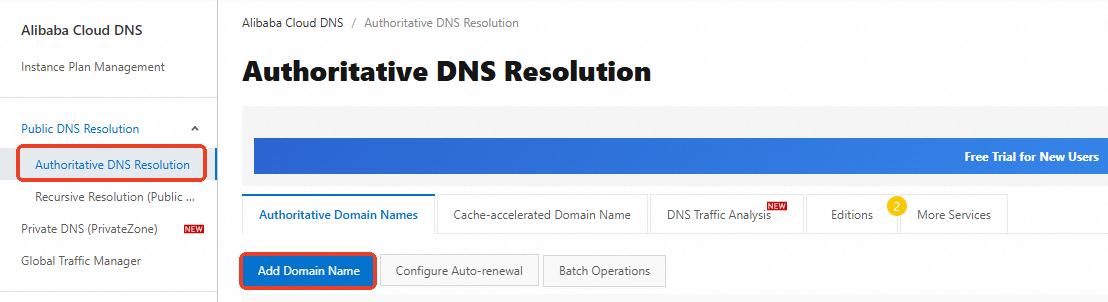
Add the domain name: Log on to the Alibaba Cloud DNS console. On the Authoritative Domain Names tab of the Authoritative DNS Resolution page, click Add Domain Name to add the domain name
example.com.
Add a DNS record: Find the domain name you added and click the DNS Settings in the Actions column. On the page that appears, enter abc as the Hostname. For information about other parameters, see Add a DNS record.
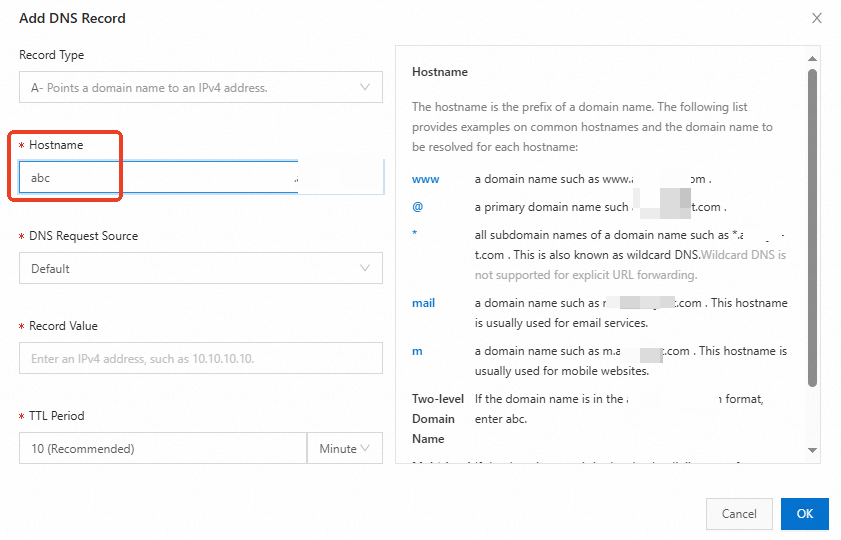
If the hostname value is not @ when you add a DNS record for a domain name, the DNS record is added as the DNS record for the subdomain.
Scenario 2: Subdomain and primary domain are separately managed
The DNS servers that contain the DNS records of your primary domain are hosted by a third-party DNS service. For specific reasons, all DNS records cannot be migrated to Alibaba Cloud DNS. You want to first migrate the DNS records of the subdomains to Alibaba Cloud DNS.
The primary domains of multinational companies or large groups are managed by their headquarters, and their branch offices need to apply for subdomains for separate management.
Government-owned enterprises and financial institutions use self-managed DNS servers. However, the cost of using and maintaining such DNS servers is high. These enterprises and institutions want to authorize Alibaba Cloud DNS to separately manage their subdomains.
Procedure
Add a domain name: Log on to the Alibaba Cloud DNS console. On the Authoritative Domain Names tab of the Authoritative DNS Resolution page, click Add Domain Name to add subdomain
abc.example.com. For more information, see Manage subdomains.Add a DNS record: Find the subdomain you added and click the DNS Settings in the Actions column. On the page that appears, enter @ as the Hostname. For information about other parameters, see Add a DNS record.
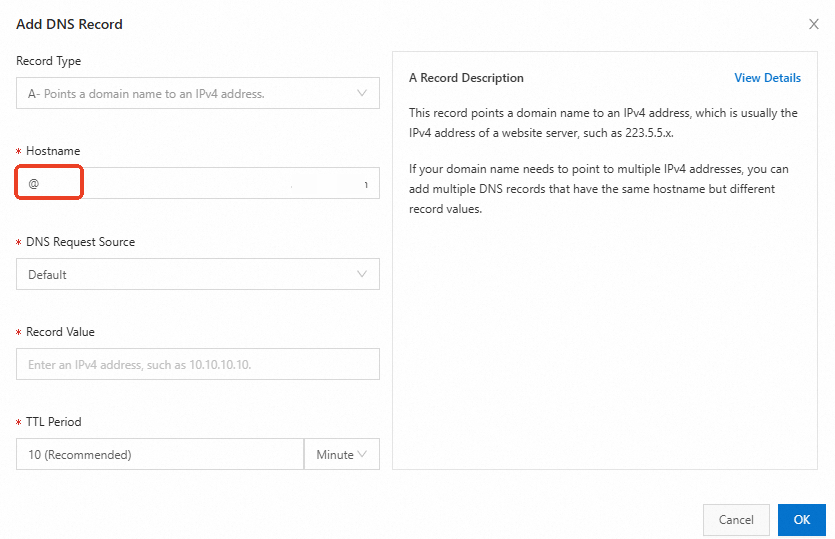
If the DNS records for subdomains are added under both scenarios, the DNS record in Scenario 2 takes precedence over Scenario 1 during DNS resolution.