This topic describes how to use EventBridge and the distributed workflow engine Argo Workflows to build an efficient, fast, and cost-effective event-driven CI pipeline. This solution simplifies and accelerates application delivery.
Prerequisites
-
You have activated ACK One.
-
You have activated ECI.
-
You have activated EventBridge and granted the required permissions.
-
You have created a workflow cluster.
-
You have created a NAS file system.
-
You have created an ACR EE instance.
-
You have attached the AliyunAdcpFullAccess policy to a RAM user. For more information, see Grant permissions to a RAM user.
Overview
An event-driven automated CI pipeline consists of two parts:
-
Git event trigger: An event is triggered when you commit code to a Git repository.
-
CI workflow execution: The CI system runs pre-build tests, builds a Docker image, and pushes it to an image repository.
After the image is successfully built, you can use a Continuous Deployment (CD) system, such as ACK One GitOps, to sync the new image tag to your Kubernetes cluster.

In this tutorial, the event-driven solution uses EventBridge, which offers advantages in areas such as availability, ease of use, security, and scalability. The CI component is built on Argo Workflows, a CNCF graduated project. The ACK One workflow cluster fully manages Argo Workflows, improves performance in aspects such as stability and observability, provides operations and maintenance (O&M) capabilities, and helps you implement larger-scale CI pipelines with faster execution speeds and at lower costs.

-
A user commits code to the Git repository.
-
EventBridge captures the Git event based on the configured event rule and delivers the event to the ACK One workflow cluster to trigger the CI workflow.
-
A CI workflow in the ACK One workflow cluster builds a Docker image and pushes it to an image repository. You can then use GitOps to automatically sync the image changes to an ACK cluster.
Step 1: Prepare the CI environment
-
Create access credentials for ACR EE and mount a NAS volume. For more information, see Step 1 and Step 2 in Create a CI pipeline for a Go project in a workflow cluster.
NoteEnsure the namespace is the same as the one specified for the Workflow resource.
-
The sample app code repository for this topic is the echo-server project. Fork this project to your GitHub account and modify the
WorkflowTemplateby following the instructions in Clone a private Git repository in a CI pipeline.
Step 2: Implement a Git event-driven CI pipeline
-
Integrate EventBridge with GitHub. For more information, see GitHub integration.
-
(Optional) Configure an event rule. This example uses the following configuration. For more information about configuring an event rule, see Manage event rules.
-
Event pattern: The following pattern triggers events only for changes to the
release-v1branch.{ "source": [ "github.event" ], "data": { "body": { "ref": [ "refs/heads/release-v1" ] } } } -
Configure an event target.
-
Service Type: Select Container Service for Kubernetes.
-
Kubernetes Cluster File: Enter the kubeconfig of the ACK One workflow cluster.
-
YAML Configuration: For this example, select Template.
-
Variable: Add the
workflowNamevariable and set it to the event ID.{ "workflowName": "$.id" } -
Template: Enter the Workflow CI custom resource (CR). Use the following example as a reference and configure the CR with your information.
ImportantIn the resource configuration, you must explicitly set the
nameandnamespace. You cannot usegenerateName. Even if the resource belongs to thedefaultnamespace, you must still declare it.apiVersion: argoproj.io/v1alpha1 kind: Workflow metadata: name: ci-go-v1-eb-${workflowName} namespace: default labels: workflows.argoproj.io/workflow-template: ackone-ci spec: arguments: parameters: - name: repo_url value: https://github.com/ivan-cai/echo-server.git - name: repo_name value: echo-server - name: target_branch value: release-v1 - name: container_image value: "YOUR-IMAGE-REGISTRY-ADDRESS" # The address of your image repository. Replace this with your actual address. - name: container_tag value: "v1.0.0" - name: dockerfile value: ./Dockerfile - name: enable_suffix_commitid value: "true" - name: enable_test value: "true" workflowTemplateRef: name: ci-go-v1 clusterScope: true -
Network Access: For this example, select Internet.
-
-
-
With this configuration, any code change committed to the
release-v1branch of your GitHub repository triggers the automated workflow. You can verify this in the following ways:-
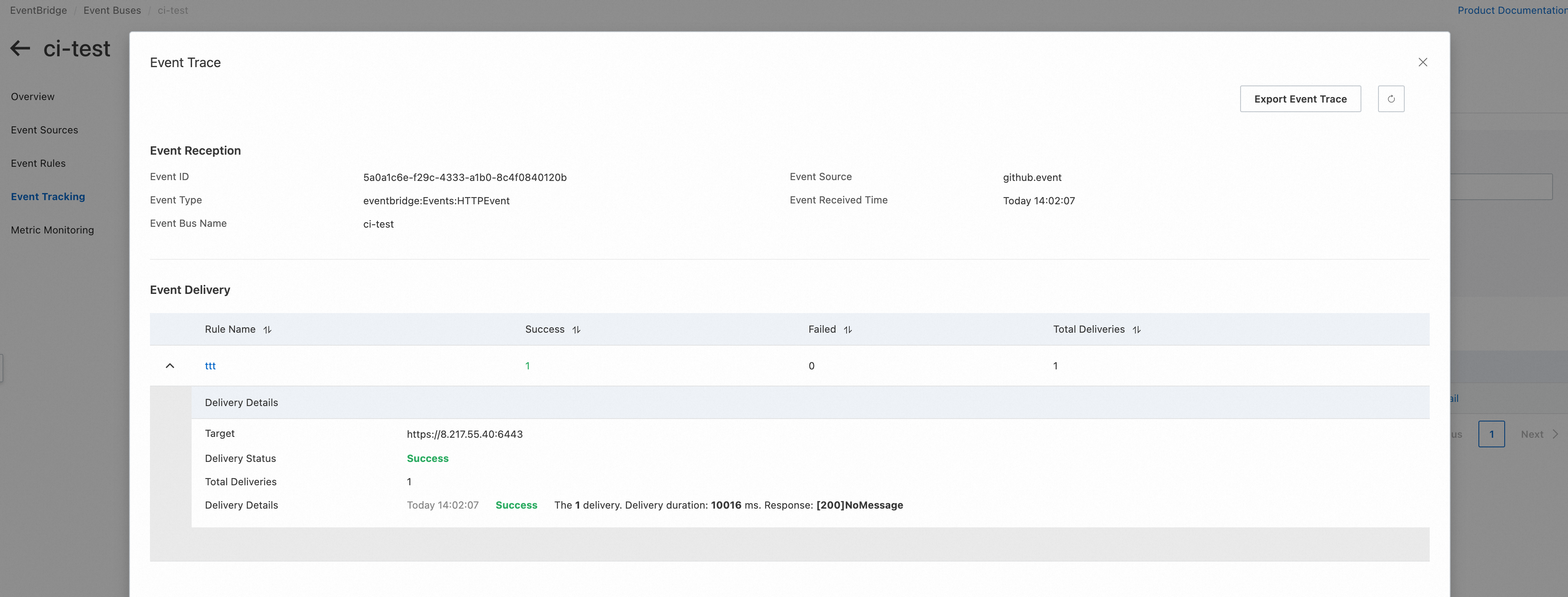
View the event trace.
Log on to the EventBridge console. In the left-side navigation pane, click Event Buses.
-
Click the name of the target event bus. In the left-side navigation pane, click Event Tracking.
-
On the Event tracing page, you can view the corresponding event trace.
-
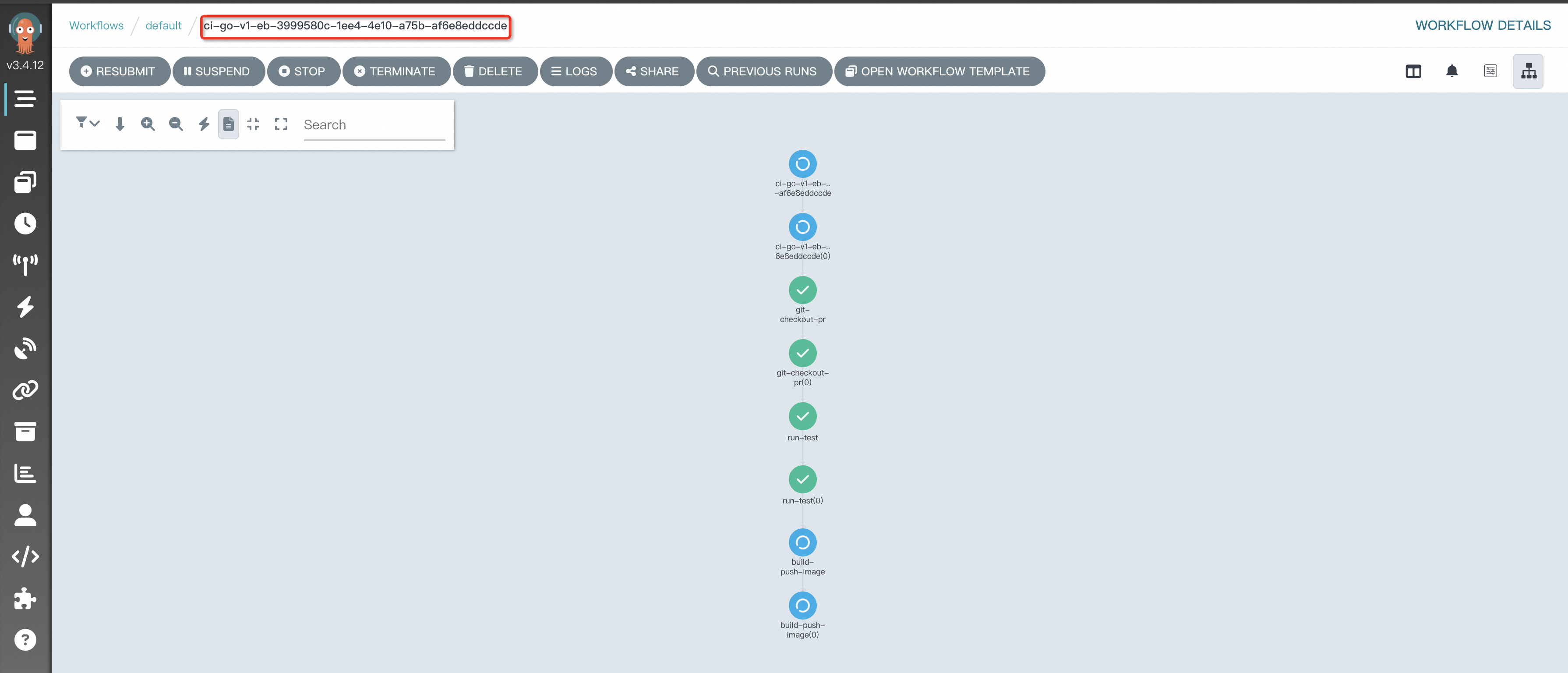
View the execution topology of the new workflow.
View the execution topology of the new workflow in the ACK One workflow cluster. For more information, see Enable the Argo server to access a workflow cluster.
-