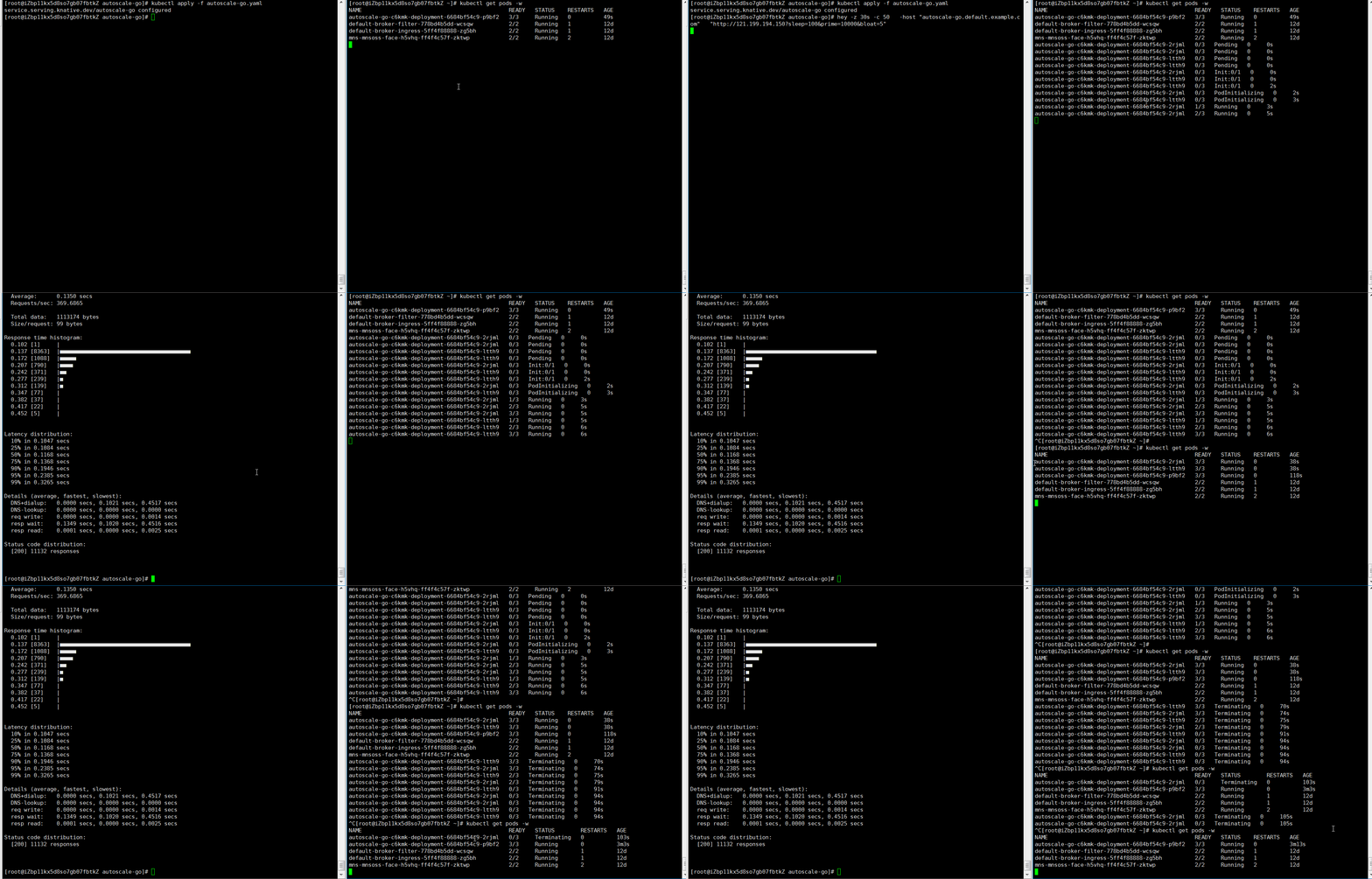
Configure Knative Pod Autoscaler (KPA) to scale Knative Serving pods by concurrency or RPS on ACK.
Prerequisites
Before you begin, ensure that you have:
-
An ACK managed cluster or ACK Serverless cluster running Kubernetes 1.20 or later is created.
-
Knative is deployed in the cluster.
How it works
Knative Serving injects a queue-proxy sidecar container into each pod. The sidecar reports concurrency metrics to KPA, which adjusts pod count based on those metrics and the configured algorithm.

Scaling algorithm
KPA calculates the target pod count with this formula:
Number of pods = Number of concurrent requests / (Pod maximum concurrency × Target utilization)Example: With containerConcurrency set to 10 and target utilization at 70%, 100 concurrent requests produce: 100 / (10 × 0.7) = 15 pods (rounded up).
Stable and panic modes
KPA uses two modes to respond to traffic patterns:
Stable mode — the default. KPA averages concurrency across pods over the stable window (default: 60 s) and adjusts pod count to match.
Panic mode — triggered during traffic bursts. KPA uses a shorter panic window (default: 6 s; stable window × panic-window-percentage) to detect spikes. When panic-mode pod count ≥ panic-threshold-percentage / 100 × ready pods (default: 2×), KPA uses the panic count instead of the stable count.
Configure the config-autoscaler ConfigMap
Global KPA defaults are in the config-autoscaler ConfigMap in the knative-serving namespace. Per-revision annotations override these defaults.
Inspect the current configuration:
kubectl -n knative-serving describe cm config-autoscalerThe following table lists key parameters. All values are defaults.
| Parameter | Default | Description |
|---|---|---|
container-concurrency-target-default |
100 |
Maximum concurrent requests per pod (soft limit, global) |
container-concurrency-target-percentage |
70 |
Target utilization percentage for concurrency-based scaling |
requests-per-second-target-default |
200 |
Target RPS per pod |
target-burst-capacity |
211 |
Burst capacity before the Activator buffers requests. 0: Activator only at scale-to-zero. Greater than 0 with container-concurrency-target-percentage at 100: always use the Activator. -1: unlimited. |
stable-window |
60s |
Time window for stable mode averaging |
panic-window-percentage |
10.0 |
Panic window as a percentage of the stable window (default: 6 s) |
panic-threshold-percentage |
200.0 |
Panic triggers when desired pods ≥ panic-threshold-percentage / 100 × ready pods |
max-scale-up-rate |
1000.0 |
Maximum ratio of desired pods per scale-out event: ceil(max-scale-up-rate × readyPodsCount) |
max-scale-down-rate |
2.0 |
Pods scale in to at most half the current count per activity |
enable-scale-to-zero |
true |
Whether to scale idle services to zero pods |
scale-to-zero-grace-period |
30s |
Maximum time for network teardown during scale-to-zero |
scale-to-zero-pod-retention-period |
0s |
Minimum time the last pod is kept after traffic stops |
pod-autoscaler-class |
kpa.autoscaling.knative.dev |
Autoscaler type. Supported values: kpa.autoscaling.knative.dev, hpa.autoscaling.knative.dev, aha.autoscaling.knative.dev. Use mpa with MSE in ACK Serverless clusters to scale to zero. |
activator-capacity |
100.0 |
Request capacity of the Activator service |
initial-scale |
1 |
Initial pod count per revision |
allow-zero-initial-scale |
false |
Whether a revision can start with zero pods |
min-scale |
0 |
Minimum pods per revision (0 = no floor) |
max-scale |
0 |
Maximum pods per revision (0 = unlimited) |
scale-down-delay |
0s |
Time at reduced concurrency before scale-in. Unlike min-scale, pods eventually scale in after the delay. Avoids cold starts during short traffic lulls. |
scale-to-zero-grace-period limits how long network programming can take during scale-to-zero. Adjust only if you see dropped requests during scale-to-zero — this does not control how long the last pod stays alive. To hold the last pod after traffic ends, use scale-to-zero-pod-retention-period instead.
Configure scaling metrics
Set the scaling metric per revision with the autoscaling.knative.dev/metric annotation. Default: concurrency.
| Metric | Autoscaler class required | Description |
|---|---|---|
concurrency |
kpa.autoscaling.knative.dev (default) |
Concurrent in-flight requests per pod |
rps |
kpa.autoscaling.knative.dev (default) |
Requests per second per pod |
cpu |
hpa.autoscaling.knative.dev |
CPU utilization |
memory |
hpa.autoscaling.knative.dev |
Memory utilization |
| Custom metrics | Varies | Custom metrics per application requirements |
Concurrency metric (default)
apiVersion: serving.knative.dev/v1
kind: Service
metadata:
  name: helloworld-go
  namespace: default
spec:
  template:
    metadata:
      annotations:
        autoscaling.knative.dev/metric: "concurrency"
RPS metric
apiVersion: serving.knative.dev/v1
kind: Service
metadata:
  name: helloworld-go
  namespace: default
spec:
  template:
    metadata:
      annotations:
        autoscaling.knative.dev/metric: "rps"
CPU metric
CPU-based scaling requires the HPA autoscaler class.
apiVersion: serving.knative.dev/v1
kind: Service
metadata:
  name: helloworld-go
  namespace: default
spec:
  template:
    metadata:
      annotations:
        autoscaling.knative.dev/class: "hpa.autoscaling.knative.dev"
        autoscaling.knative.dev/metric: "cpu"
Memory metric
Memory-based scaling also requires the HPA autoscaler class.
apiVersion: serving.knative.dev/v1
kind: Service
metadata:
  name: helloworld-go
  namespace: default
spec:
  template:
    metadata:
      annotations:
        autoscaling.knative.dev/class: "hpa.autoscaling.knative.dev"
        autoscaling.knative.dev/metric: "memory"
Configure scaling targets
Scaling targets set the metric value KPA maintains per pod. Configure per revision or globally.
Concurrency target
Per revision — use autoscaling.knative.dev/target:
apiVersion: serving.knative.dev/v1
kind: Service
metadata:
  name: helloworld-go
  namespace: default
spec:
  template:
    metadata:
      annotations:
        autoscaling.knative.dev/target: "50"
Global — update the config-autoscaler ConfigMap:
apiVersion: v1
kind: ConfigMap
metadata:
  name: config-autoscaler
  namespace: knative-serving
data:
  container-concurrency-target-default: "200"
RPS target
Per revision:
apiVersion: serving.knative.dev/v1
kind: Service
metadata:
  name: helloworld-go
  namespace: default
spec:
  template:
    metadata:
      annotations:
        autoscaling.knative.dev/target: "150"
        autoscaling.knative.dev/metric: "rps"
    spec:
      containers:
        - image: registry.cn-hangzhou.aliyuncs.com/knative-sample/helloworld-go:73fbdd56
Global:
apiVersion: v1
kind: ConfigMap
metadata:
  name: config-autoscaler
  namespace: knative-serving
data:
  requests-per-second-target-default: "150"
Configure concurrency limits
Concurrency limits cap concurrent requests per pod. KPA supports two types.
Soft concurrency limit
A soft limit is the target KPA scales toward. It is not strictly enforced — bursts can exceed it momentarily.
Per revision:
apiVersion: serving.knative.dev/v1
kind: Service
metadata:
  name: helloworld-go
  namespace: default
spec:
  template:
    metadata:
      annotations:
        autoscaling.knative.dev/target: "200"
Global:
apiVersion: v1
kind: ConfigMap
metadata:
  name: config-autoscaler
  namespace: knative-serving
data:
  container-concurrency-target-default: "200"
Hard concurrency limit
A hard limit is strictly enforced — excess requests are buffered. Set a hard limit only when your application has a firm concurrency upper bound; low values reduce throughput and increase latency.
Per revision — use the containerConcurrency spec field (not an annotation):
apiVersion: serving.knative.dev/v1
kind: Service
metadata:
  name: helloworld-go
  namespace: default
spec:
  template:
    spec:
      containerConcurrency: 50
Target utilization
Target utilization controls how full pods run before KPA scales out. At 70% utilization with containerConcurrency: 10, KPA creates a new pod when average concurrency across existing pods reaches 7. Lower values make KPA scale out earlier, reducing cold start latency.
Per revision:
apiVersion: serving.knative.dev/v1
kind: Service
metadata:
  name: helloworld-go
  namespace: default
spec:
  template:
    metadata:
      annotations:
        autoscaling.knative.dev/target-utilization-percentage: "70"
    spec:
      containers:
        - image: registry.cn-hangzhou.aliyuncs.com/knative-sample/helloworld-go:73fbdd56
Global:
apiVersion: v1
kind: ConfigMap
metadata:
  name: config-autoscaler
  namespace: knative-serving
data:
  container-concurrency-target-percentage: "70"
Configure scale-to-zero
Enable or disable scale-to-zero globally
Set enable-scale-to-zero to "false" to keep at least one pod running when a service is idle:
apiVersion: v1
kind: ConfigMap
metadata:
  name: config-autoscaler
  namespace: knative-serving
data:
  enable-scale-to-zero: "false"
Configure the scale-to-zero grace period
scale-to-zero-grace-period limits how long network programming can take during scale-to-zero.
Increase only if you see dropped requests during scale-to-zero. This does not control how long the last pod stays alive. To hold the last pod, use scale-to-zero-pod-retention-period instead.
apiVersion: v1
kind: ConfigMap
metadata:
  name: config-autoscaler
  namespace: knative-serving
data:
  scale-to-zero-grace-period: "40s"
Configure the pod retention period
scale-to-zero-pod-retention-period holds the last pod for a minimum duration after traffic stops, avoiding cold starts on services with intermittent traffic.
Per revision:
apiVersion: serving.knative.dev/v1
kind: Service
metadata:
  name: helloworld-go
  namespace: default
spec:
  template:
    metadata:
      annotations:
        autoscaling.knative.dev/scale-to-zero-pod-retention-period: "1m5s"
    spec:
      containers:
        - image: registry.cn-hangzhou.aliyuncs.com/knative-sample/helloworld-go:73fbdd56
Global:
apiVersion: v1
kind: ConfigMap
metadata:
  name: config-autoscaler
  namespace: knative-serving
data:
  scale-to-zero-pod-retention-period: "42s"
Configure scale bounds
Scale bounds set the minimum and maximum replica counts for a revision.
| Annotation | Parameter (global) | Purpose |
|---|---|---|
autoscaling.knative.dev/min-scale |
min-scale |
Floor — KPA never scales below this count |
autoscaling.knative.dev/max-scale |
max-scale |
Ceiling — KPA never scales above this count (0 = unlimited) |
min-scalekeeps a permanent pod floor. To delay scale-in without a permanent floor, usescale-down-delayinconfig-autoscalerinstead — pods still scale in after the delay.
Examples
Example 1: Scale by concurrency target
Deploy an auto-scaling application with a concurrency target of 10 and test with 50 concurrent requests.
-
Deploy Knative in an ACK cluster or an ACK Serverless cluster.
-
Create
autoscale-go.yamlwith the following content:apiVersion: serving.knative.dev/v1 kind: Service metadata: name: autoscale-go namespace: default spec: template: metadata: labels: app: autoscale-go annotations: autoscaling.knative.dev/target: "10" # Concurrency target: 10 requests per pod spec: containers: - image: registry.cn-hangzhou.aliyuncs.com/knative-sample/autoscale-go:0.1 -
Apply the manifest:
kubectl apply -f autoscale-go.yaml -
Get the Ingress gateway address. ALB:
kubectl get albconfig knative-internetExpected output:
NAME               ALBID                    DNSNAME                                              PORT&PROTOCOL   CERTID   AGE
knative-internet   alb-hvd8nngl0lsdra15g0   alb-hvd8nng******.cn-beijing.alb.aliyuncs.com                            2
MSE:
kubectl -n knative-serving get ing stats-ingressExpected output:
NAME            CLASS                  HOSTS   ADDRESS                         PORTS   AGE
stats-ingress   knative-ingressclass   *       101.201.XX.XX,192.168.XX.XX   80      15d
ASM:
kubectl get svc istio-ingressgateway --namespace istio-system --output jsonpath="{.status.loadBalancer.ingress[*]['ip']}"Expected output:
121.XX.XX.XXKourier:
kubectl -n knative-serving get svc kourierExpected output:
NAME TYPE CLUSTER-IP EXTERNAL-IP PORT(S) AGE kourier LoadBalancer 10.0.XX.XX 39.104.XX.XX 80:31133/TCP,443:32515/TCP 49m -
Send 50 concurrent requests for 30 seconds with hey:
hey -z 30s -c 50 \
  -host "autoscale-go.default.example.com" \
  "http://121.199.XXX.XXX"  # Replace with your Ingress gateway address
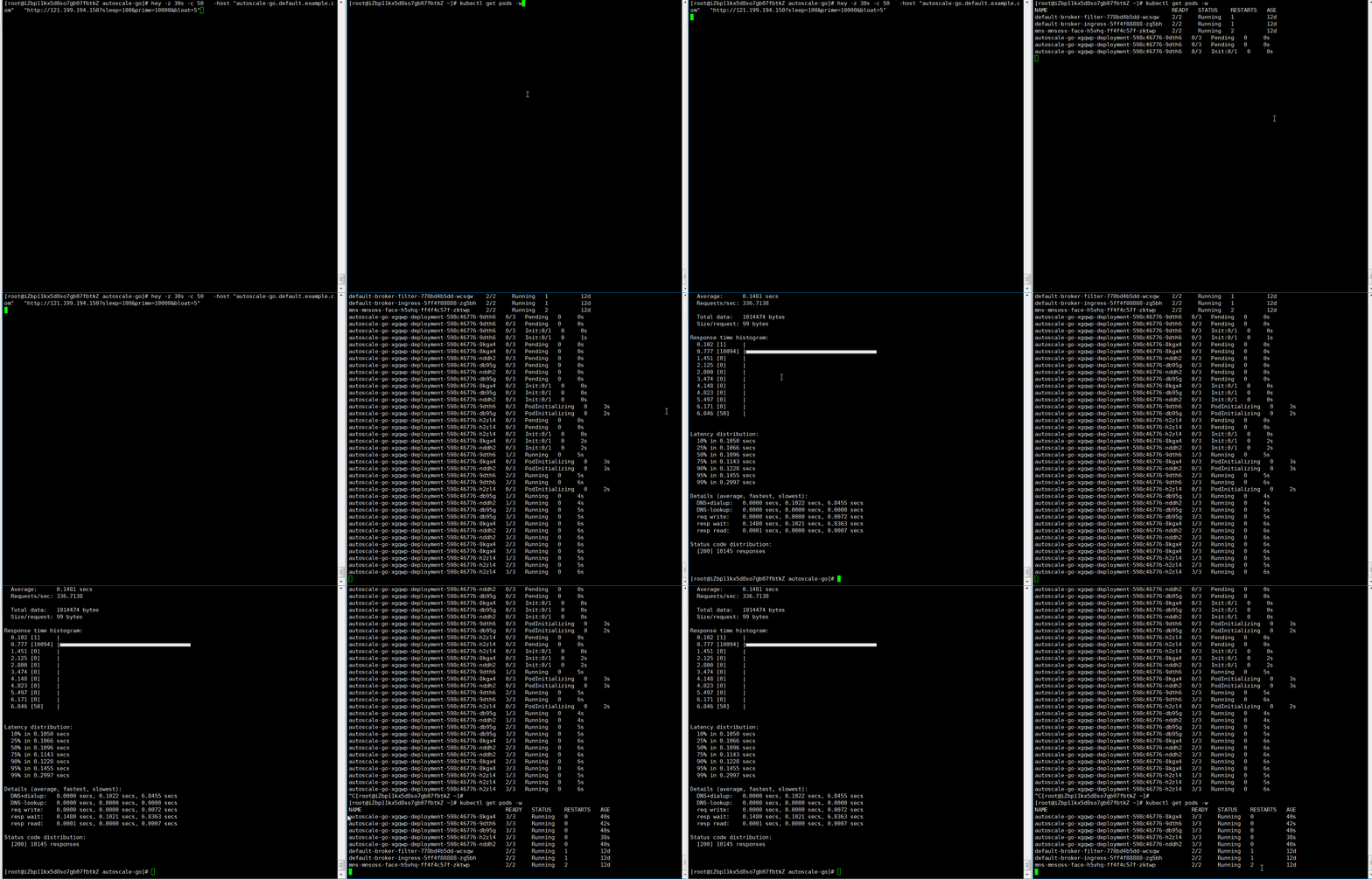
Expected output: KPA adds 5 pods: 50 concurrent requests ÷ target of 10 = 5 pods.
Example 2: Scale with bounds
Add min-scale: 1 and max-scale: 3 to keep one pod running and cap the deployment at three pods.
-
Deploy Knative in an ACK cluster or an ACK Serverless cluster.
-
Create
autoscale-go.yamlwith the following content:apiVersion: serving.knative.dev/v1 kind: Service metadata: name: autoscale-go namespace: default spec: template: metadata: labels: app: autoscale-go annotations: autoscaling.knative.dev/target: "10" autoscaling.knative.dev/min-scale: "1" # Keep at least 1 pod running autoscaling.knative.dev/max-scale: "3" # Cap at 3 pods spec: containers: - image: registry.cn-hangzhou.aliyuncs.com/knative-sample/autoscale-go:0.1 -
Apply the manifest:
kubectl apply -f autoscale-go.yaml -
Get the Ingress gateway address (Example 1, step 4).
-
Send 50 concurrent requests for 30 seconds:
hey -z 30s -c 50 \
  -host "autoscale-go.default.example.com" \
  "http://121.199.XXX.XXX"  # Replace with your Ingress gateway address
Expected output: KPA scales to 3 pods (maximum) during load, then back to 1 pod (minimum) — no cold starts on the next request.