This topic describes how to authorize and configure private buckets.
Background information
Before an accelerated domain name can fetch content from a private bucket in your account, you must grant authorization. After you grant authorization and enable the back-to-origin configuration, the domain name can access the private bucket. You can use features such as Referer-based hotlink protection and authentication provided by ApsaraVideo VOD to protect your resources.
After you grant authorization and enable the private bucket feature for a domain name, the accelerated domain name can access the resources in your private bucket. Make this decision carefully. Do not grant authorization or enable this feature if the content in the private bucket is not suitable for Content Delivery Network (CDN) acceleration.
If your accelerated domain name uses a private bucket as its origin, do not disable the back-to-origin for private buckets feature.
If your website is at risk of attacks, purchase an Anti-DDoS service. Do not grant authorization or enable the private bucket feature.
Procedure
Log on to the ApsaraVideo VOD console.
In the navigation pane on the left, under Configuration Management, click CDN Configuration > Domain Names.
Find the domain name that you want to configure and click Configure.
Grant authorization. If you have already granted authorization, skip this step.
Click the Back-to-Origin tab, and in the Back-to-Origin of Private Bucket section, click Authorize Now.
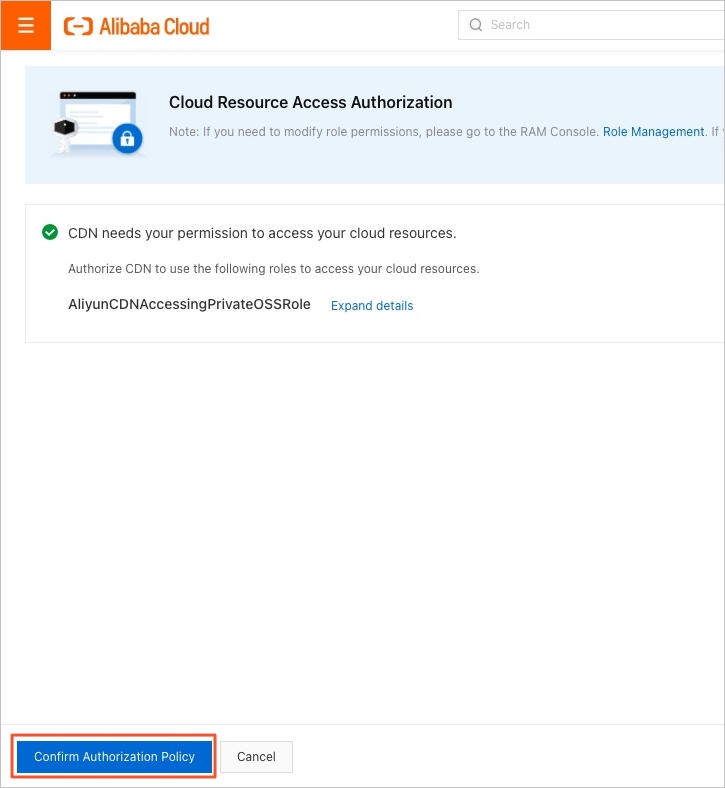
Click Agree to Authorization.
On the Back-to-Origin tab, turn on the switch for Back-to-Origin of Private Bucket to complete the configuration.