Application Real-Time Monitoring Service (ARMS) Browser Monitoring is a Real User Monitoring (RUM) solution that tracks how real users experience your web applications, Weex apps, and mini programs. It captures page load performance, JavaScript errors, and API call behavior from actual browser sessions, giving you visibility into problems that server-side monitoring alone cannot detect.
Why you need browser monitoring
Server monitoring tells you whether your backend is healthy. It does not tell you what users actually experience in the browser. Common blind spots include:
Uncaught JavaScript errors: Exceptions that crash the page for users but never reach your server logs.
Slow page loads: Real response times vary by region, network, and device. Server-side metrics do not capture this.
Failing API calls: Asynchronous requests may fail or slow down silently, degrading the user experience without triggering server alerts.
ARMS Browser Monitoring closes these gaps by collecting performance and error data directly from the browser at runtime.
How it works
When a user accesses your application, the process has three phases: page generation (on the server), page loading (in the browser), and page runtime (ongoing interaction). Server monitoring covers the first phase. ARMS Browser Monitoring covers the other two:
You embed an SDK in your application. The SDK collects page load performance metrics, runtime exceptions, and API call data from each user session.
The SDK reports this data to the logger.
ARMS monitors all real online users based on its real-time log analytics and processing services, and presents dashboards so you can detect and diagnose issues quickly.
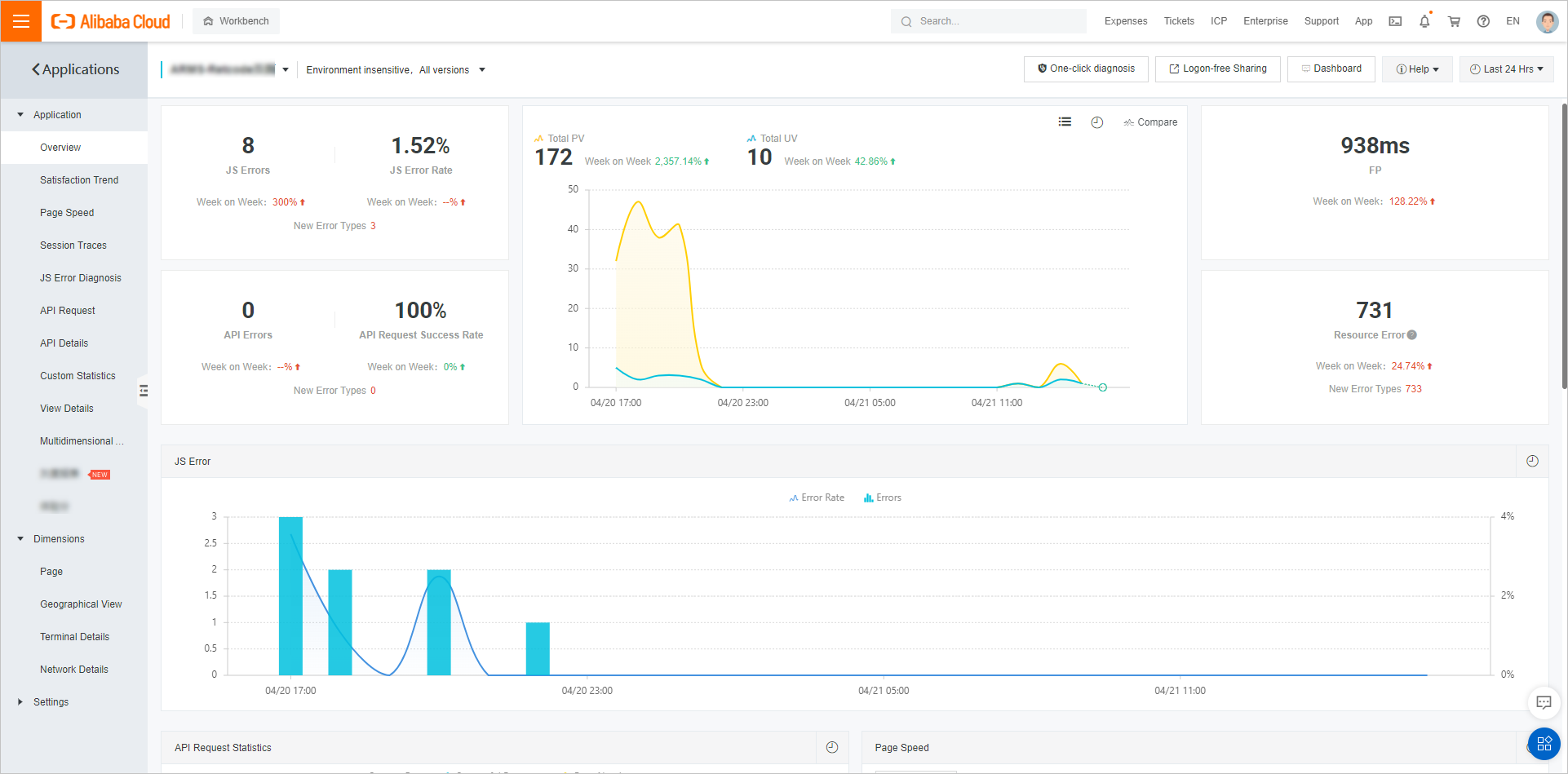
Key capabilities
Page loading speed
Measure how fast pages load for real users with metrics such as first rendering time, first screen time, DOM Ready time, and resource loading time. Identify slow-loading pages and pinpoint bottlenecks at the resource level.
For details, see Diagnose slow page loading.
JS error diagnostics
Track JavaScript errors across your application. View the basic information and distribution of JS errors, and backtrack user behaviors leading up to each error to reproduce and fix issues faster.
For details, see Diagnose JS errors.
API request monitoring
Monitor the success rate, returned information, and average time consumed for successful and failed API calls in your application. Quickly identify failing or slow endpoints.
For details, see API request monitoring.
Front-to-back tracing
Trace an API request from the browser through your backend services. By connecting frontend API requests with backend calls, you get a complete picture of code execution across the full stack.
For details, see Diagnose API errors with front-to-back tracing.
Browser and platform compatibility
ARMS Browser Monitoring supports web applications, Weex apps, and mini programs. The following table lists supported browsers and platforms.
Browser or platform | Minimum version | Automatic reporting (SDK) | Manual reporting |
Safari | 9+ | Supported | Supported |
Chrome | 49+ | Supported | Supported |
IE | 9+ | Supported | Supported |
Edge | 12+ | Supported | Supported |
Firefox | 36+ | Supported | Supported |
Opera | 43+ | Supported | Supported |
Safari for iOS | 9.2+ | Supported | Supported |
Android Browser | 4.4.2+ (android_webkit) | Supported | Supported |
Weex | 0.16.0+ | Not supported | Supported |
Get started
Set up ARMS Browser Monitoring for your platform: