Data statistics separately count the usage of tags and materials.
Tag Usage Statistics
Choose Workspace> Content Marketing > Data Kanban > Tag Statistics to go to the Tag Data page, as shown in the following figure.
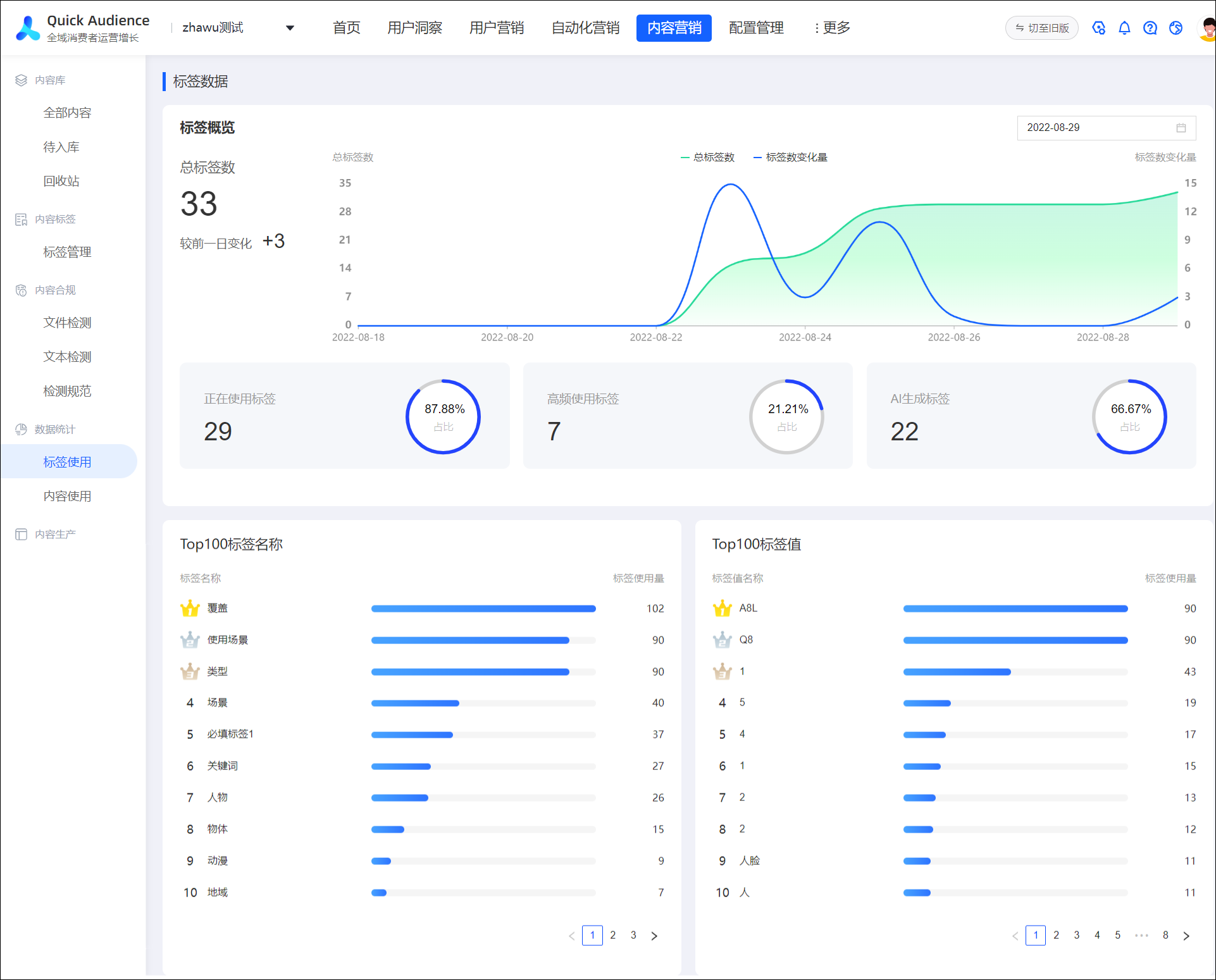
Supports selecting the date of the statistics from the upper right corner of the page.
Page display:
The total number of tags and the change from the previous day.
The trends of the total number of tags and the number of tags in the last 10 days.
The number and proportion of in-use tags, high-frequency tags, and AI-generated tags.
Tags use the Top100 leaderboard.
The tag value uses the Top 100 ranking list.
Material Usage Statistics
Choose Workspace> Content Marketing > Data Kanban > Material Statistics to go to the Content Statistics page, as shown in the following figure.
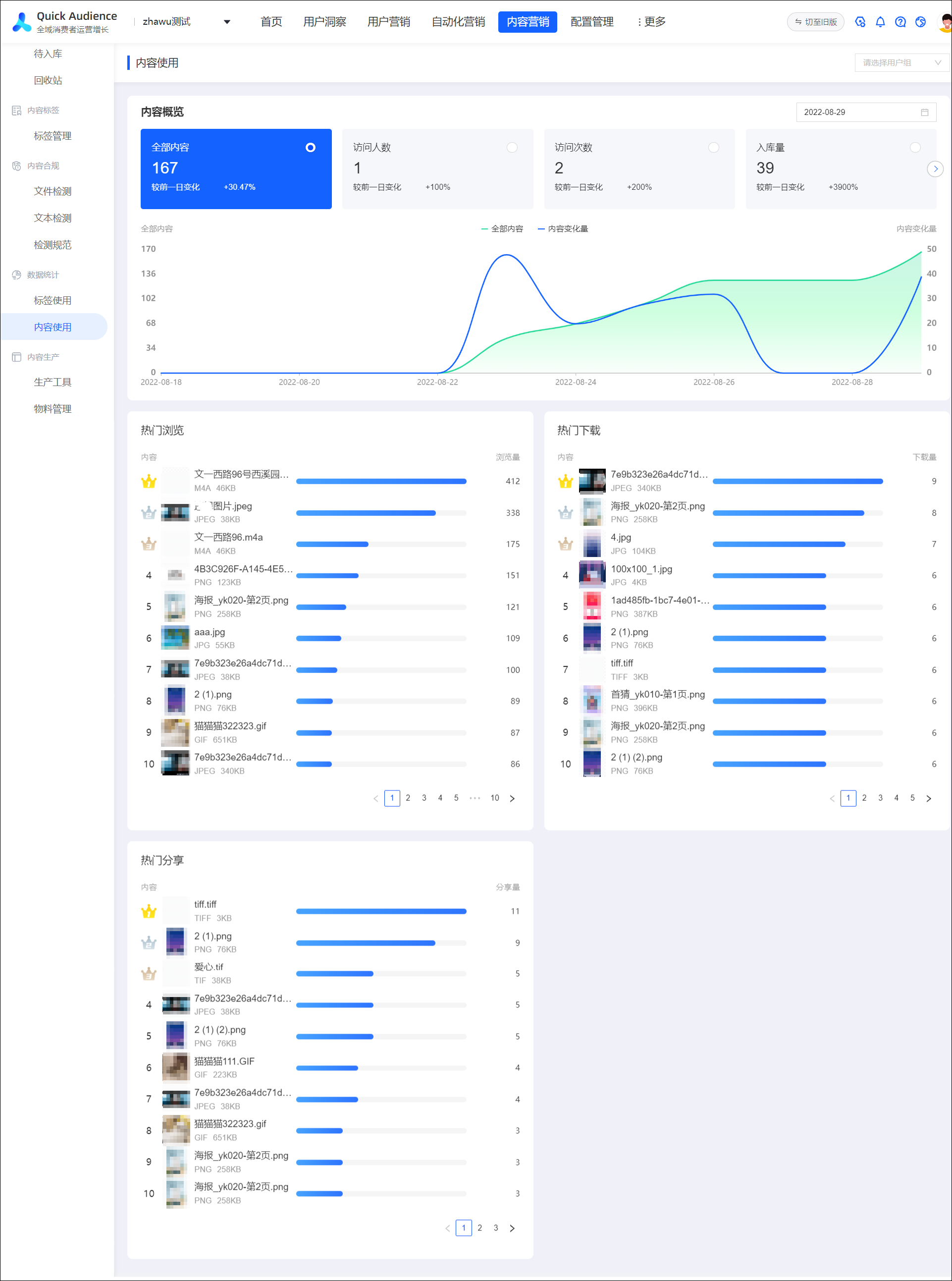
Supports selecting the date of the statistics from the upper right corner of the page.
Page display:
The total content, number of visitors, number of visits, inbound volume, and changes from the previous day.
The last ten-day trend chart of all content and content changes.
Content browsing Top100 leaderboard.
Content download Top100 leaderboard.
Top 100 ranking of content sharing.