Among the authentication flows supported by OpenID Connect (OIDC), Device Flow allows all types of clients to complete the logon process by using IDaaS.
Due to display limitations, devices may not have built-in logon pages. The OIDC Device Flow separates the logon process from devices by allowing users to log on through an external browser.
Note: This topic describes the applicable scenarios and processes of logon by using the OIDC Device Flow. For more information about the APIs used in implementing the OIDC Device Flow, see API Reference.
Step 1: Prepare for logon
The preparation phase requires no actions from the user. The device interacts with IDaaS and obtains the user_code, device_code, and verification_url.
The user_code and verification_url must be presented to the user. The user opens the verification_url in a browser and enters the user_code.
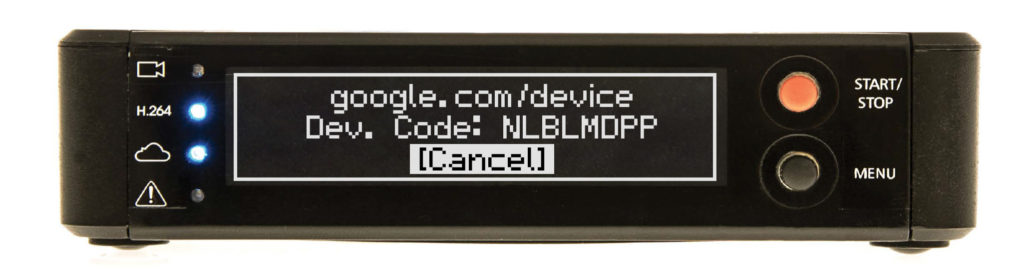
Note: You can add the user password to the logon URL in the {{verification_url}}?user_code={{user_code}} format to provide a hyperlink or generate a QR code. In this way, the user can quickly access this URL without entering the user_code.
After the preceding information is obtained, the device sends a polling request to IDaaS to obtain the logon result.
Step 2: Authorize the user to log on to the device in a browser
After the verification_url is opened, the user will follow the instructions displayed on the page in sequence to complete logon.
After the logon, the user can go back to the device to check the logon status. The polling request initiated by the device will return the authentication success message, which contains the id_token of the user.
You can use the JSON Web Key Set (JWKS) endpoint provided in the IDaaS OIDC application to obtain the public keys of the application, and use public keys to verify the logon status and obtain the user ID.