Before you deploy a ranking model, run a feature consistency check. This check ensures that the online service correctly retrieves all required offline features. It also ensures that the online feature processing logic is identical to the offline training logic. Note that this check evaluates only offline features because it is difficult to evaluate real-time features.
Prerequisites
A ranking model service and a PAI-Rec engine service are deployed.
Configure and enable feature consistency
In the left-side menu bar, click Model Scoring Consistency and then click Create Task. Configure the following key parameters.
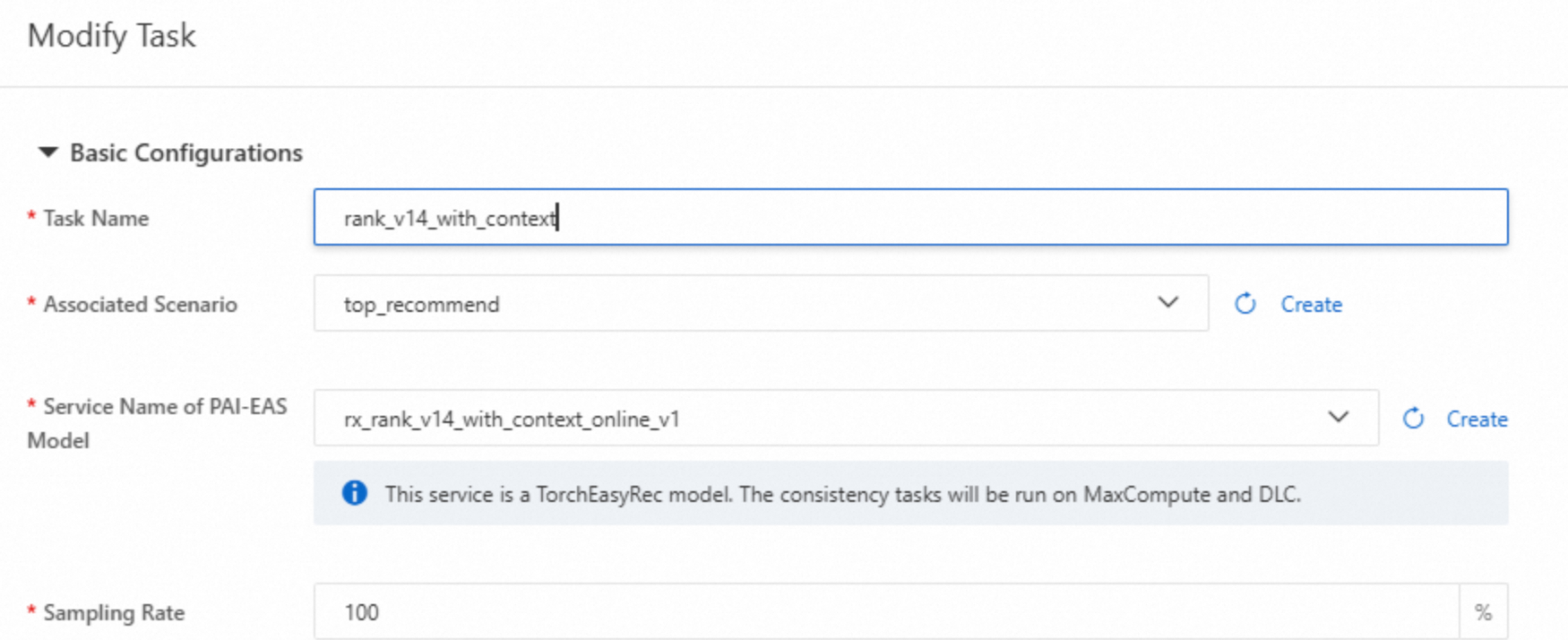
Service Name of PAI-EAS Model : Select a model service, not an engine service.
Sampling Rate: Set this parameter based on your traffic volume. If you have high traffic, set a smaller value to avoid overloading the online service.
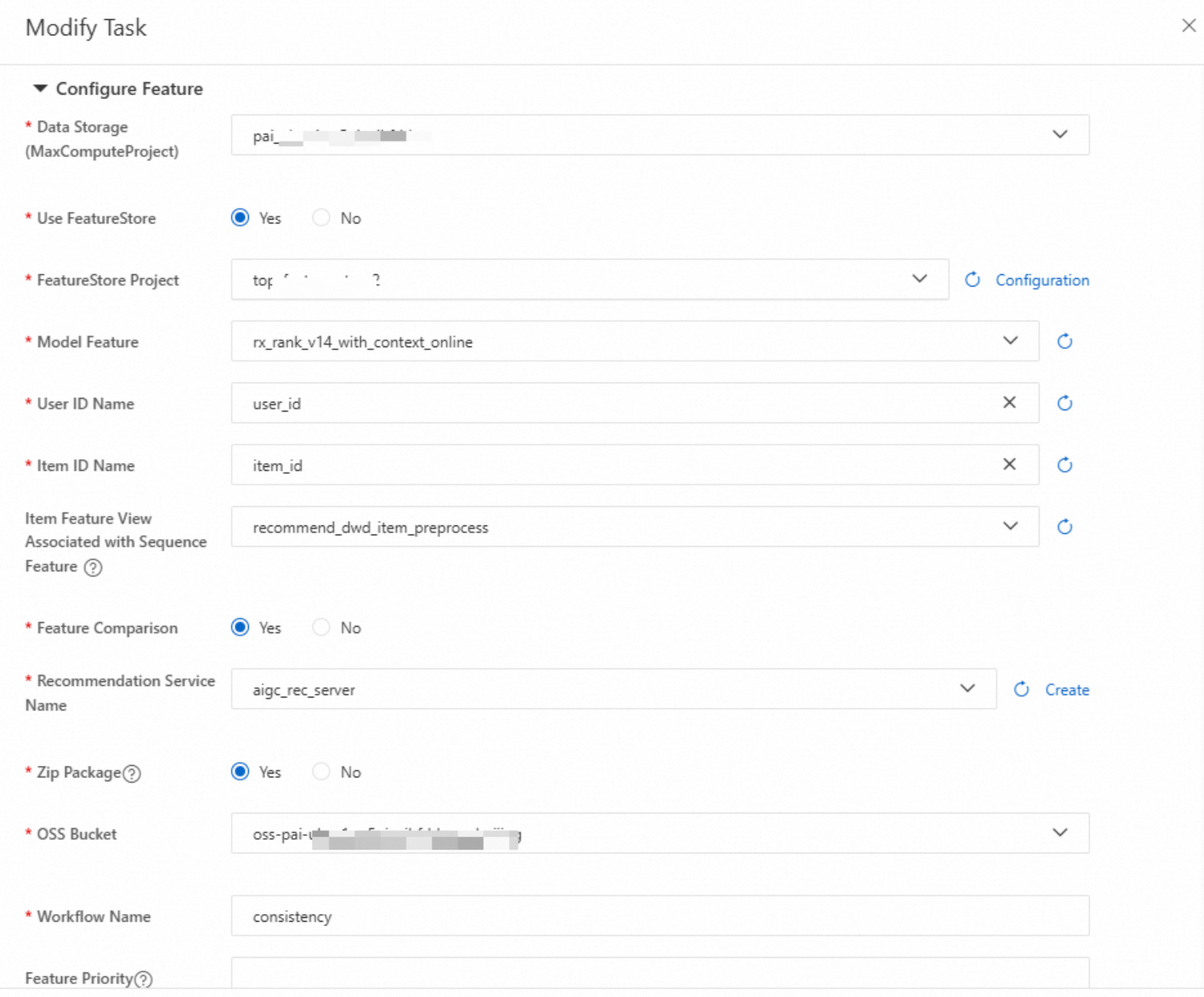
FeatureStore Project: Enter the required configurations.
Item Feature View Associated with Sequence Feature: If the model uses sequence features, configure this option.
Zip Package: Select Yes to generate a package for the consistency task in the specified OSS path. This package contains node details for troubleshooting.
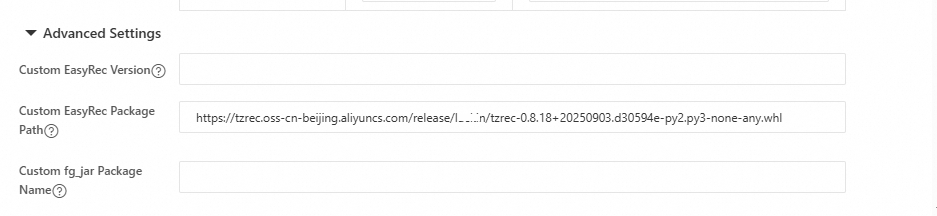
In Advanced Configuration, if you use a non-standard EasyRec or TorchEasyRec package, enter a custom EasyRec package path.
After the task is created, click Run Task. Select the runtime environment and specify the duration for log collection.
ImportantIf the runtime environment has no traffic, you must manually send some requests to the environment after the task starts. Otherwise, the system cannot receive online logs, and downstream evaluation tasks cannot run.
View and locate results
Task failed
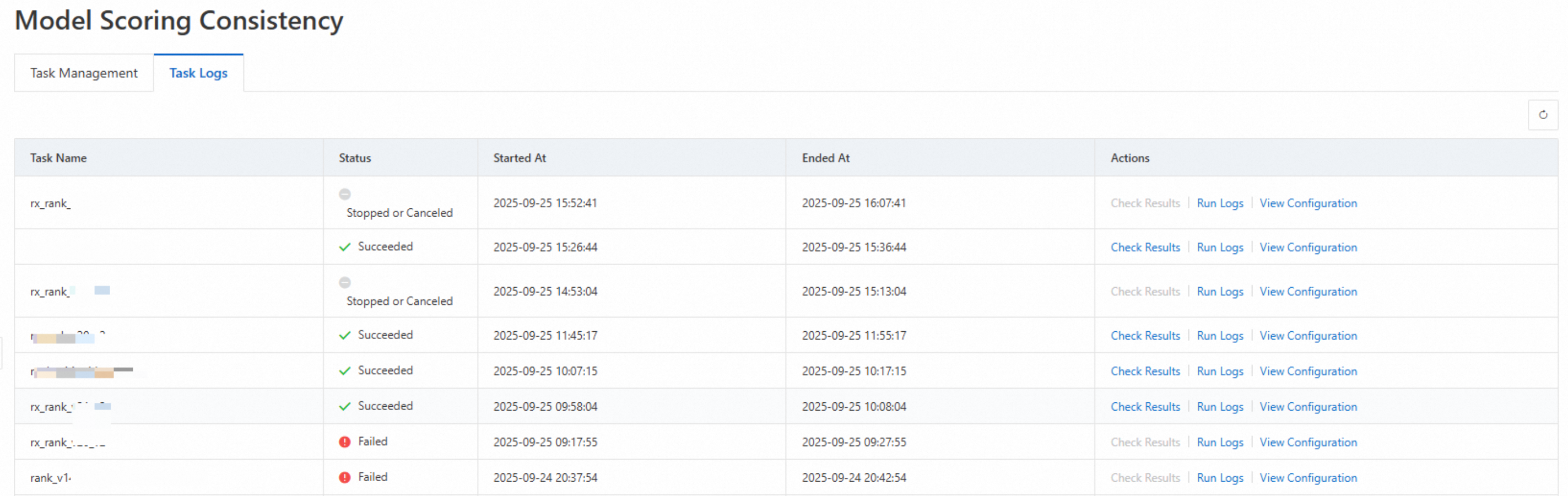
The following image shows an example of a failed task. If a task fails, contact the PAI-Rec helpdesk to identify and resolve the issue.
Task succeeded, offline and online features are identical
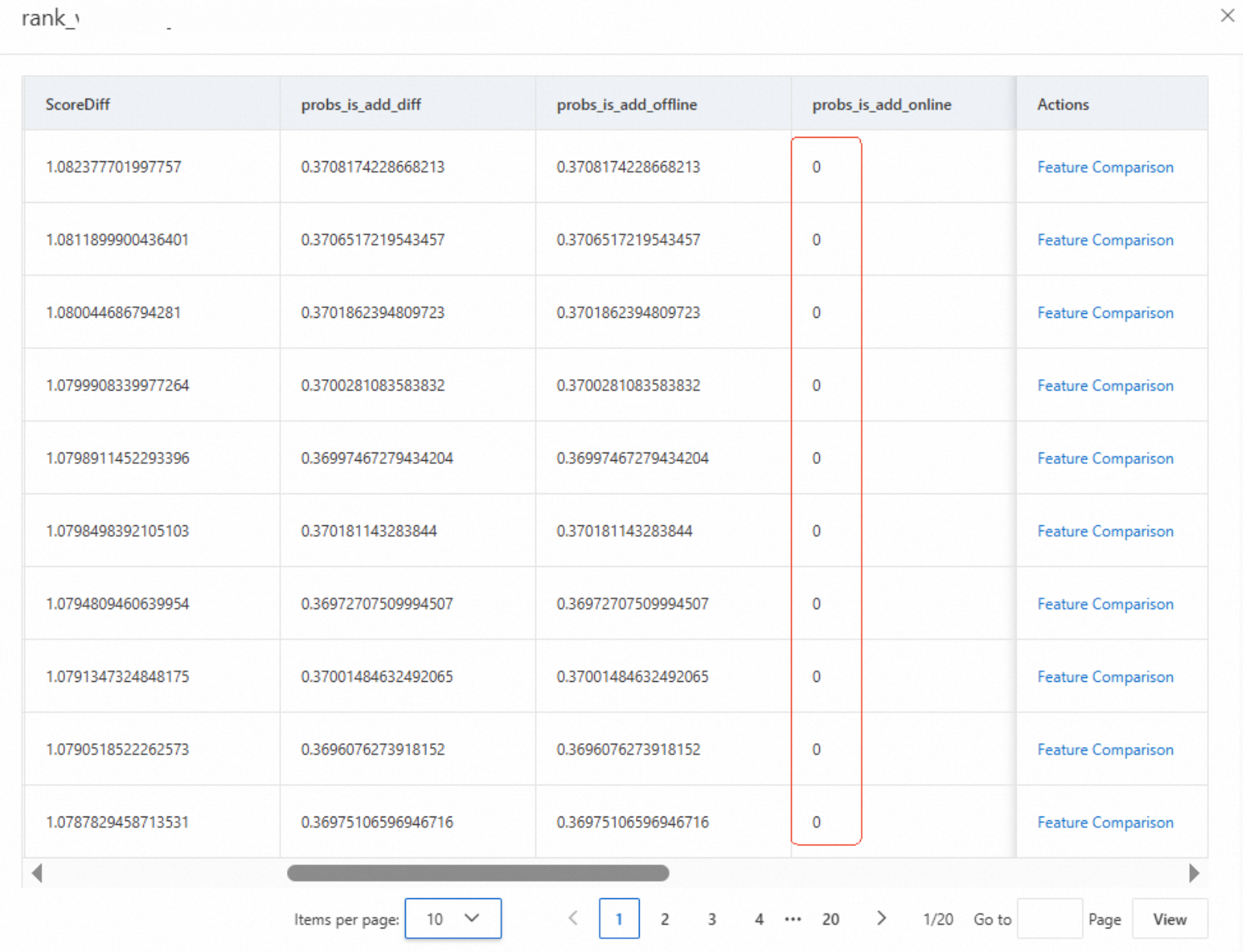
Click the task to view the results. If the offline score has a value but the online score is 0, this is usually caused by a timeout, as shown in the following figure.
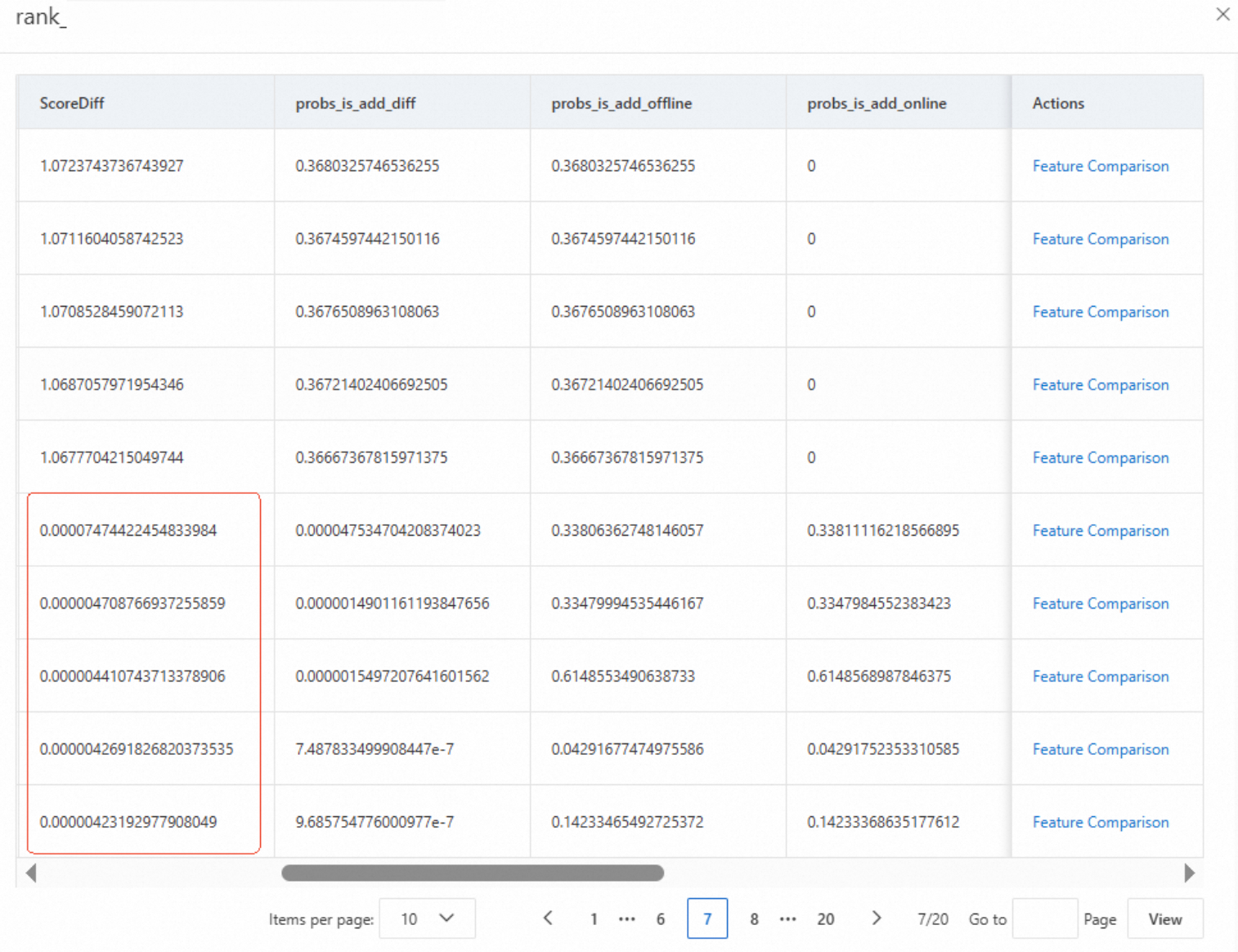
If both the offline and online scores have values, check the ScoreDiff. A small difference indicates that the offline and online features are identical. Click Feature Comparison to verify the features.
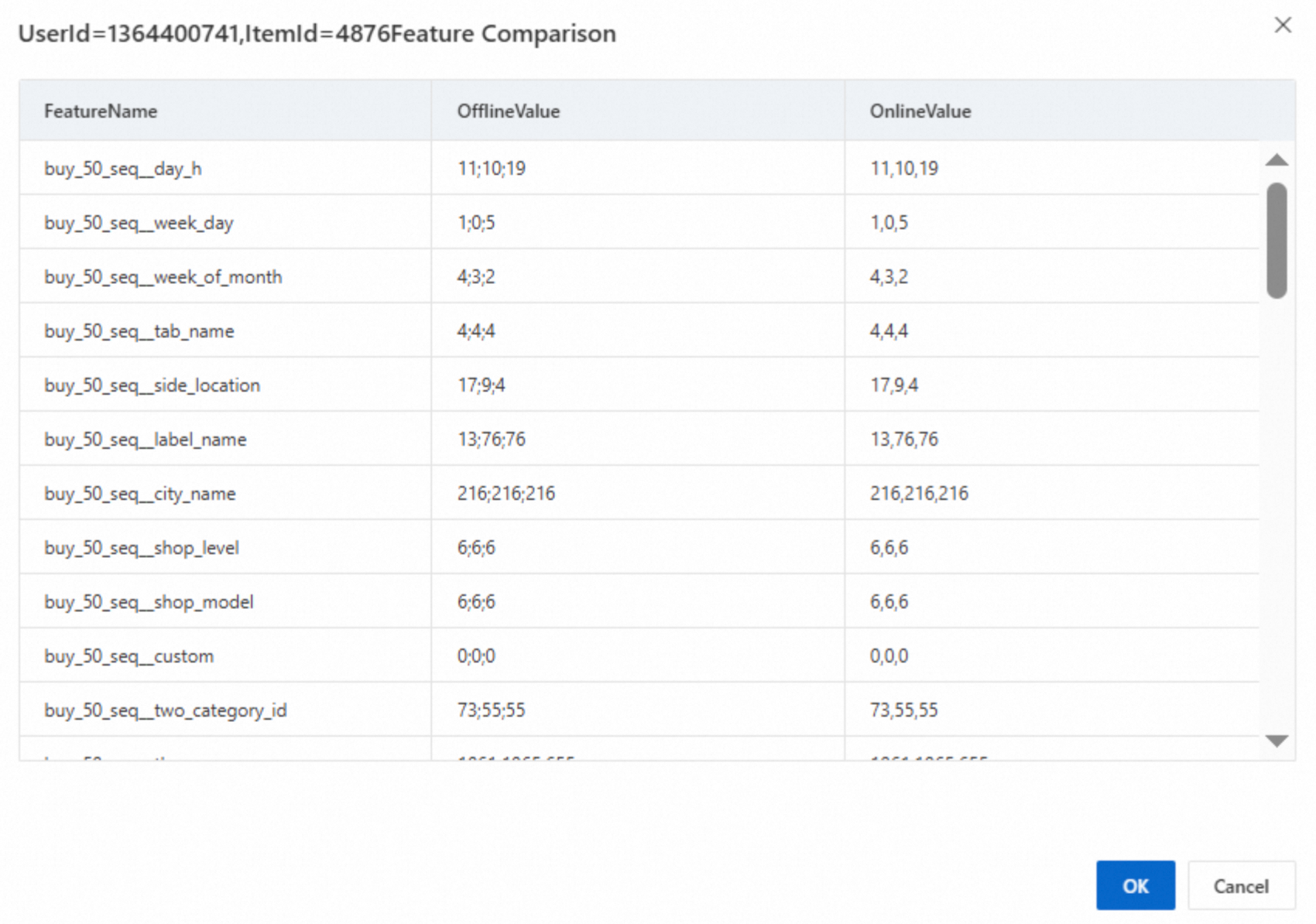
If sequence features have different delimiters but are otherwise identical, this is normal, as shown in the following figure.
Task succeeded, but offline and online features are different
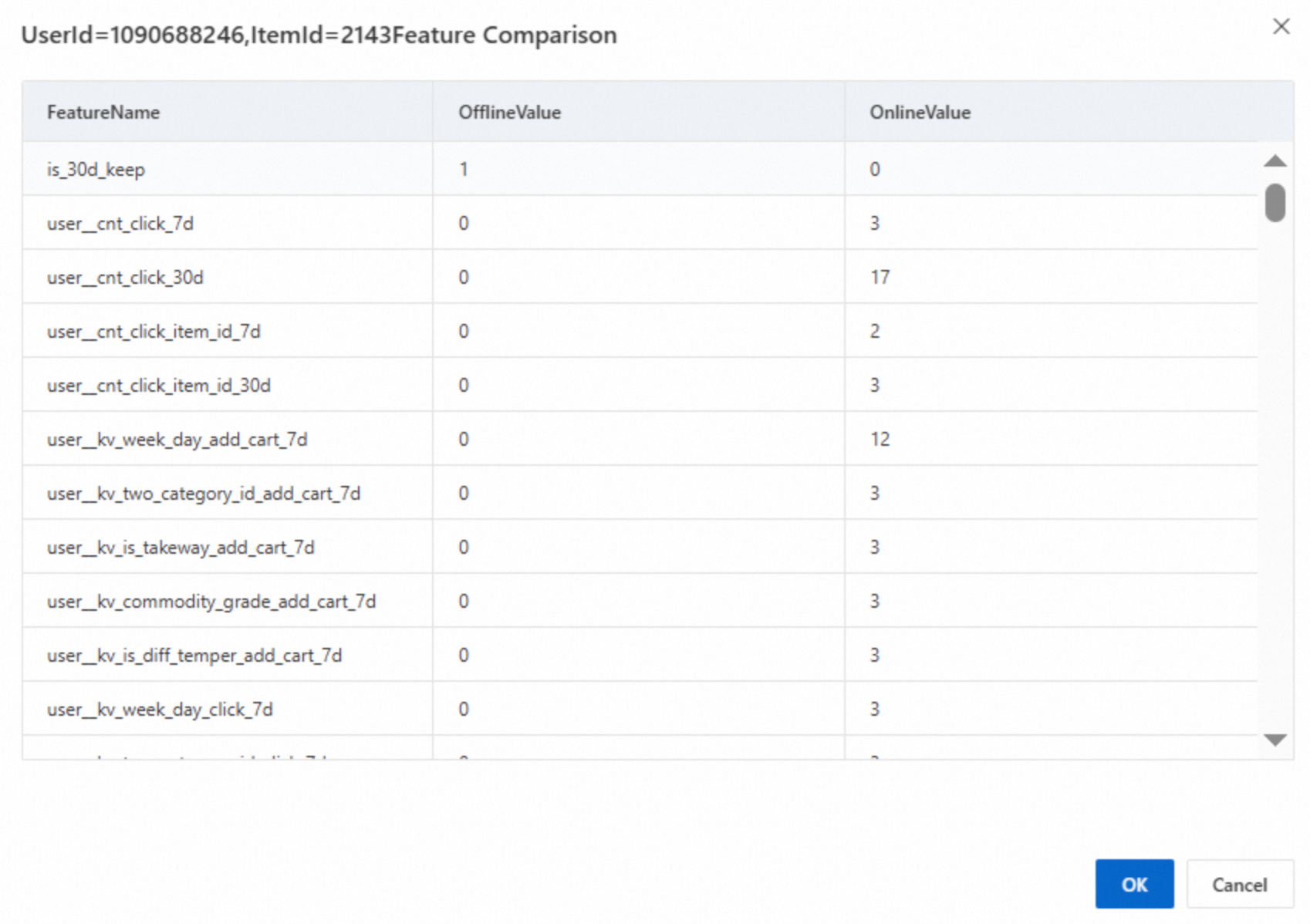
The following figure shows inconsistent offline and online features. This requires further analysis.
Import the ZIP package of the consistency task
Click the view configuration button for the task to find the task ID.
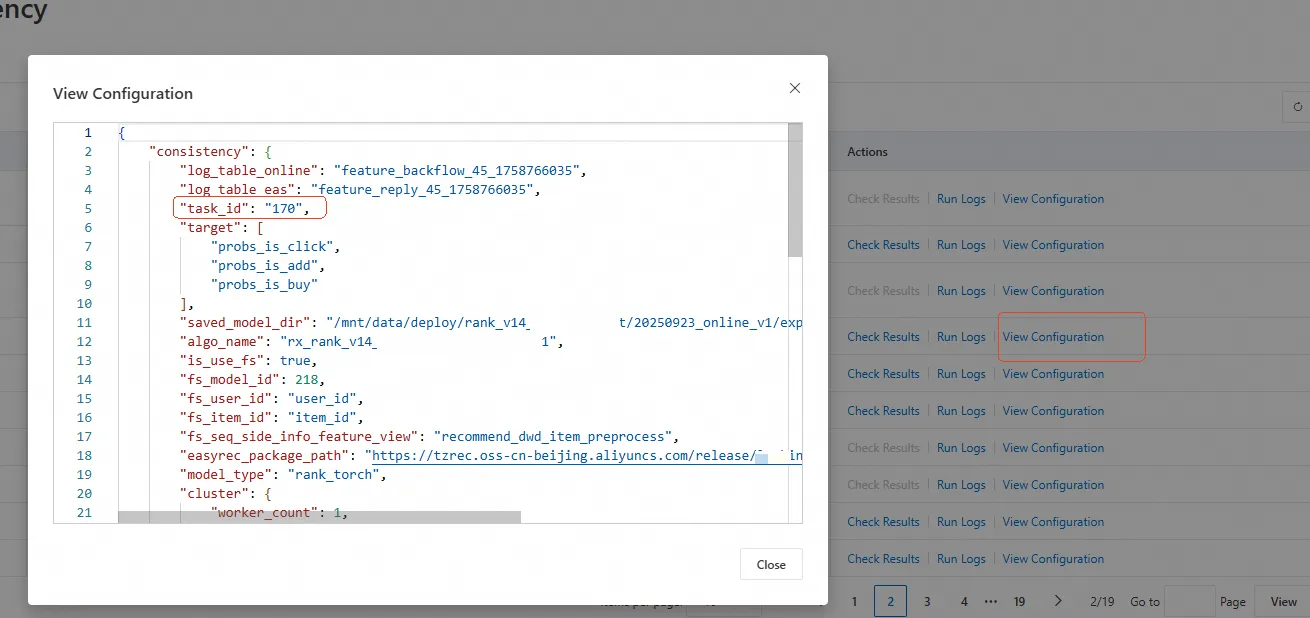
Find and download the ZIP package for the task from OSS. As shown in the following figure, the package is located in the
feature_consistency/{task_id}path. This ZIP package contains the workflow for the feature consistency task.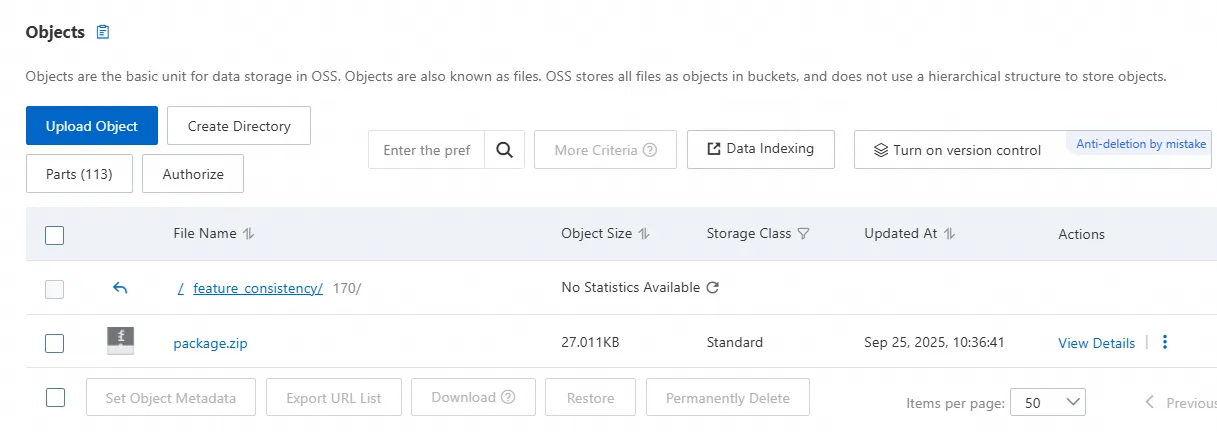
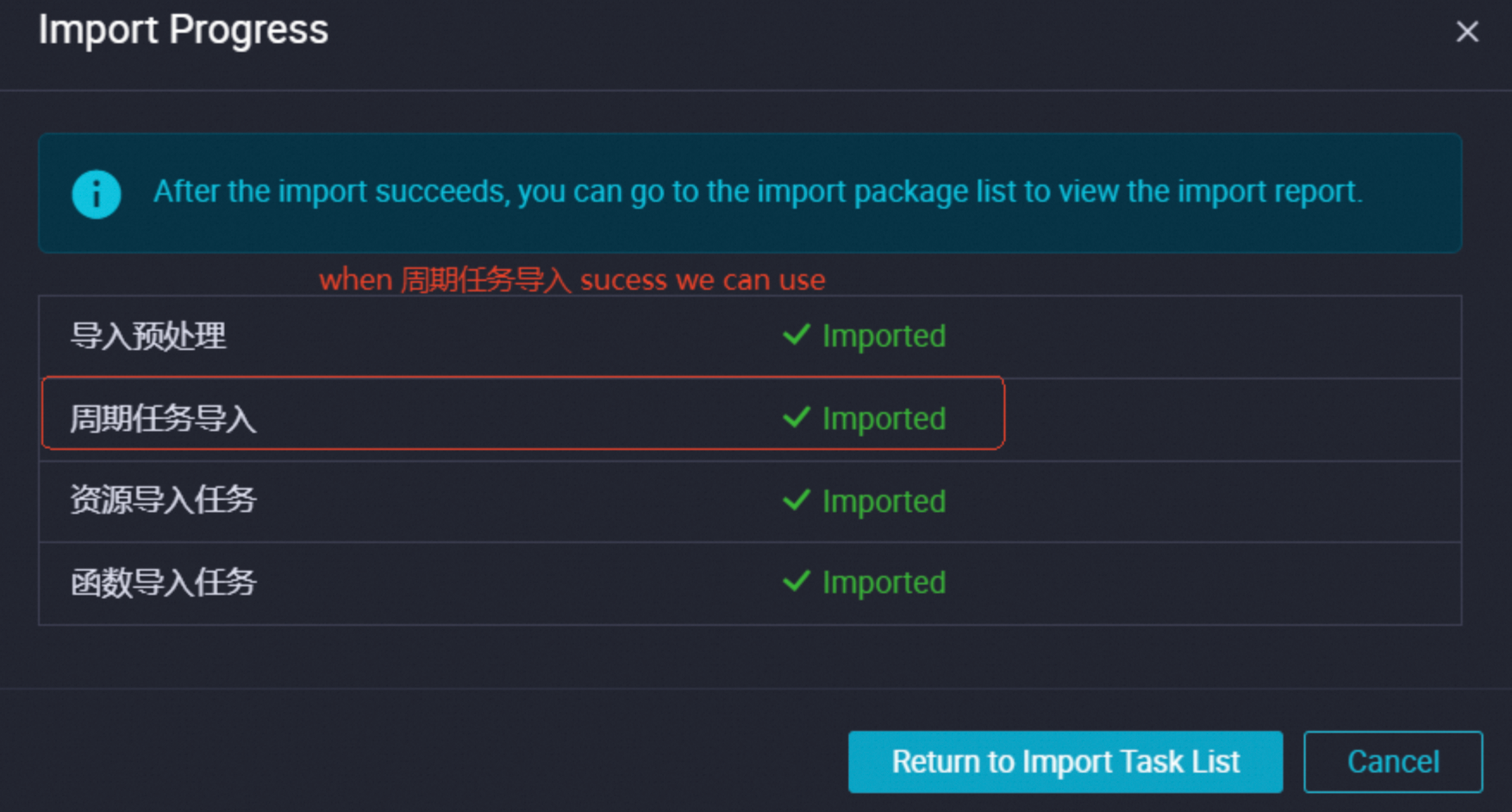
Import the ZIP package using the DataWorks Migration Assistant.
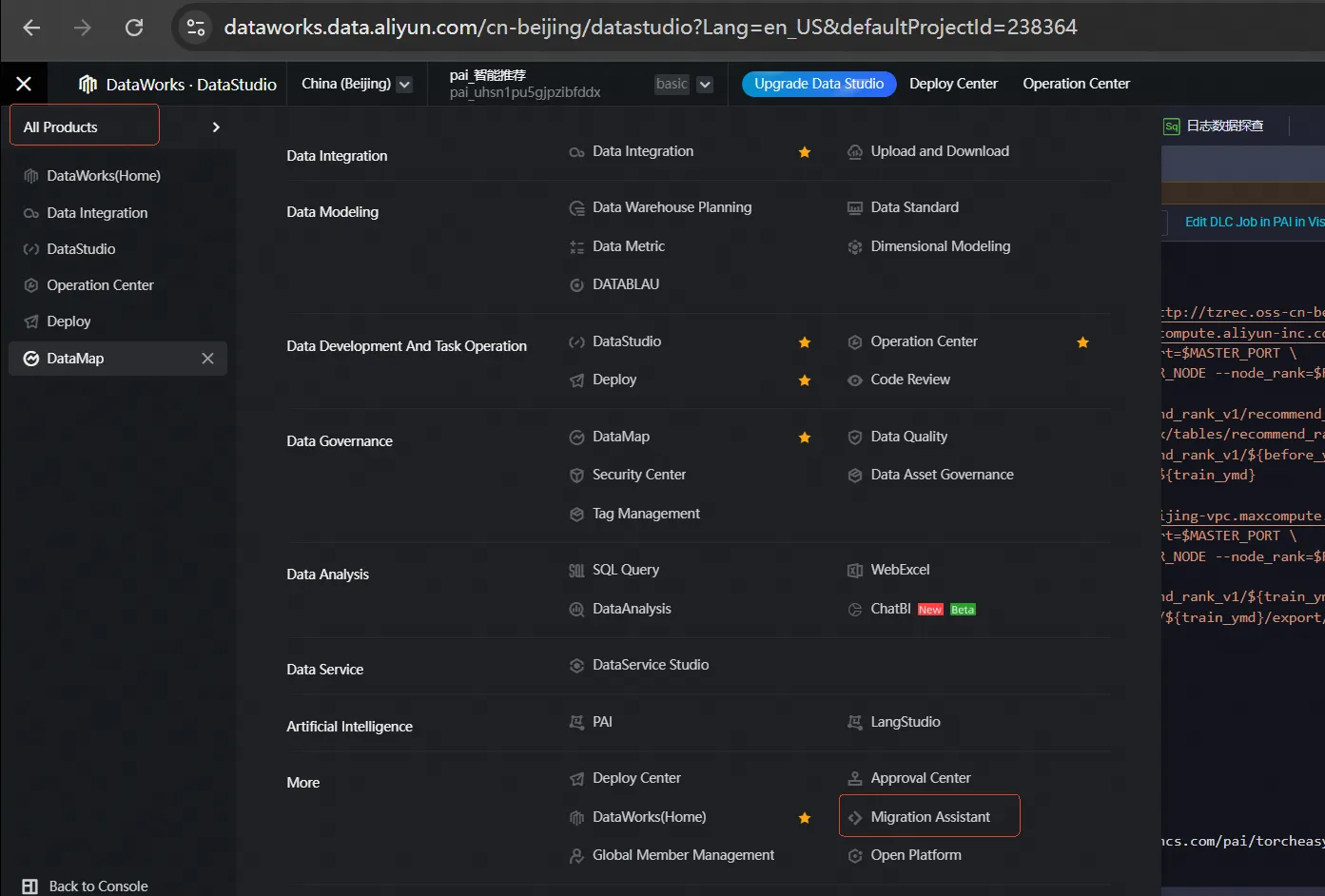
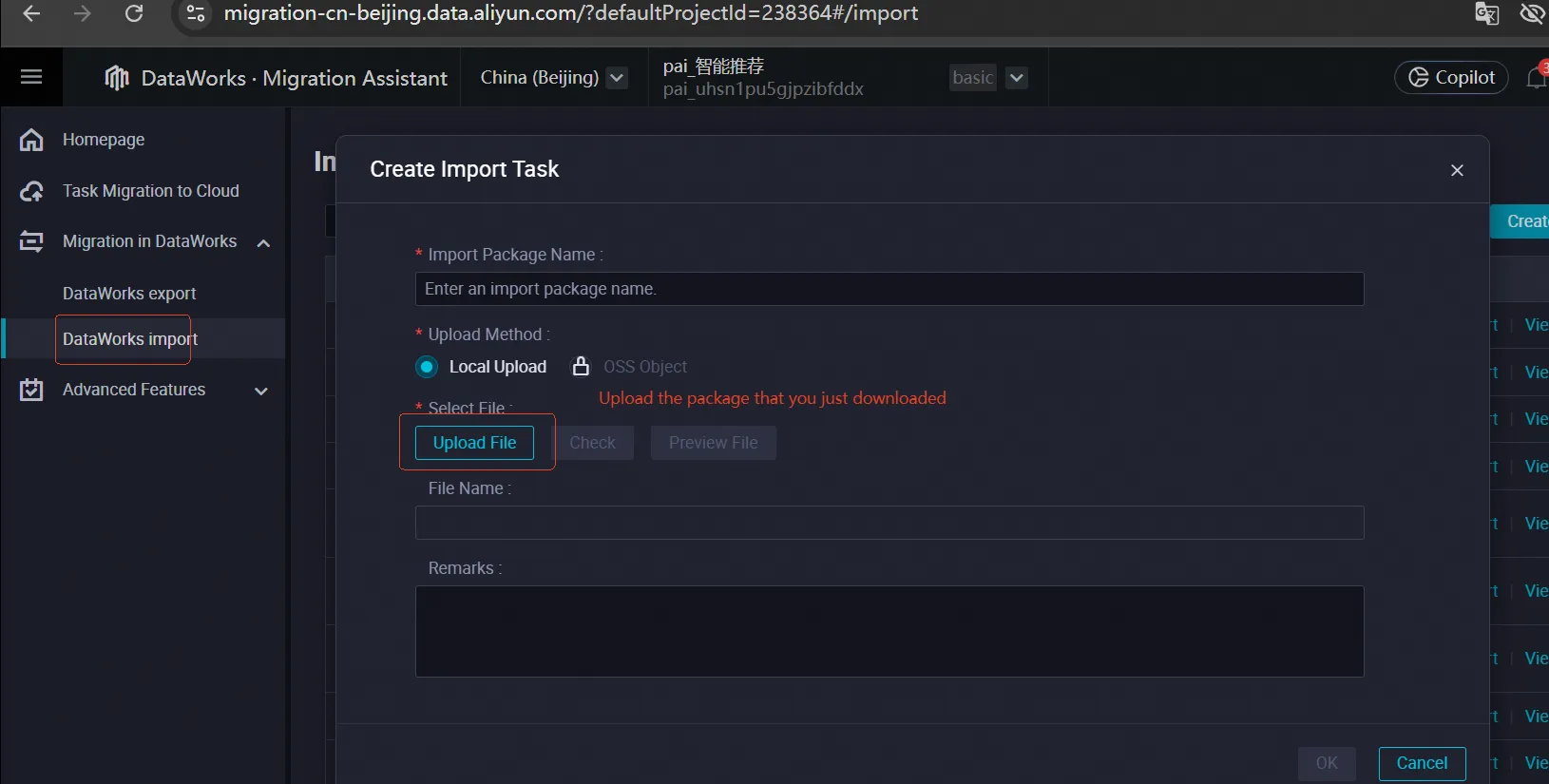
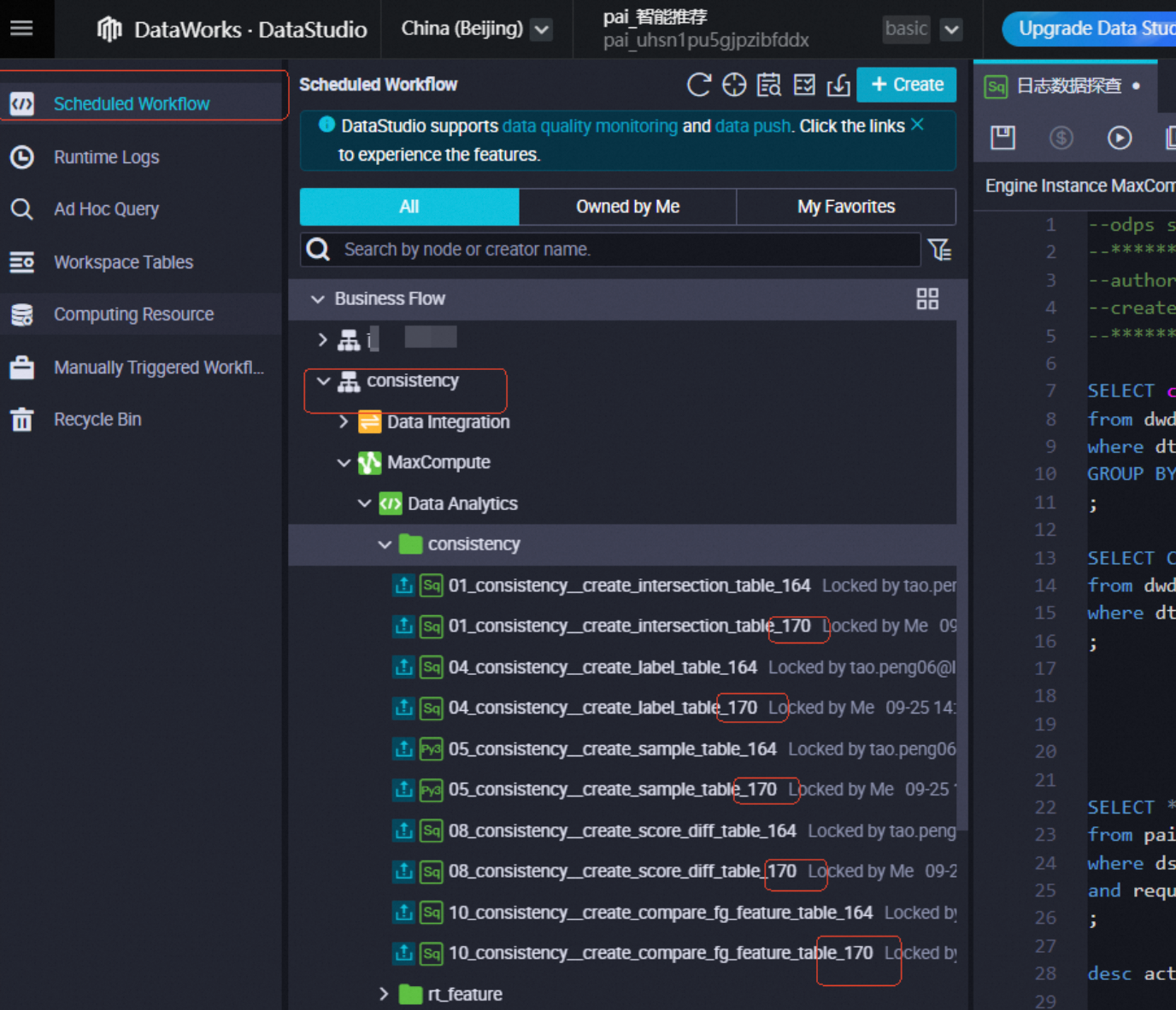
Go to DataStudio. Under `consistency`, find the imported consistency task. The task name is suffixed with the task ID.
Role of different nodes
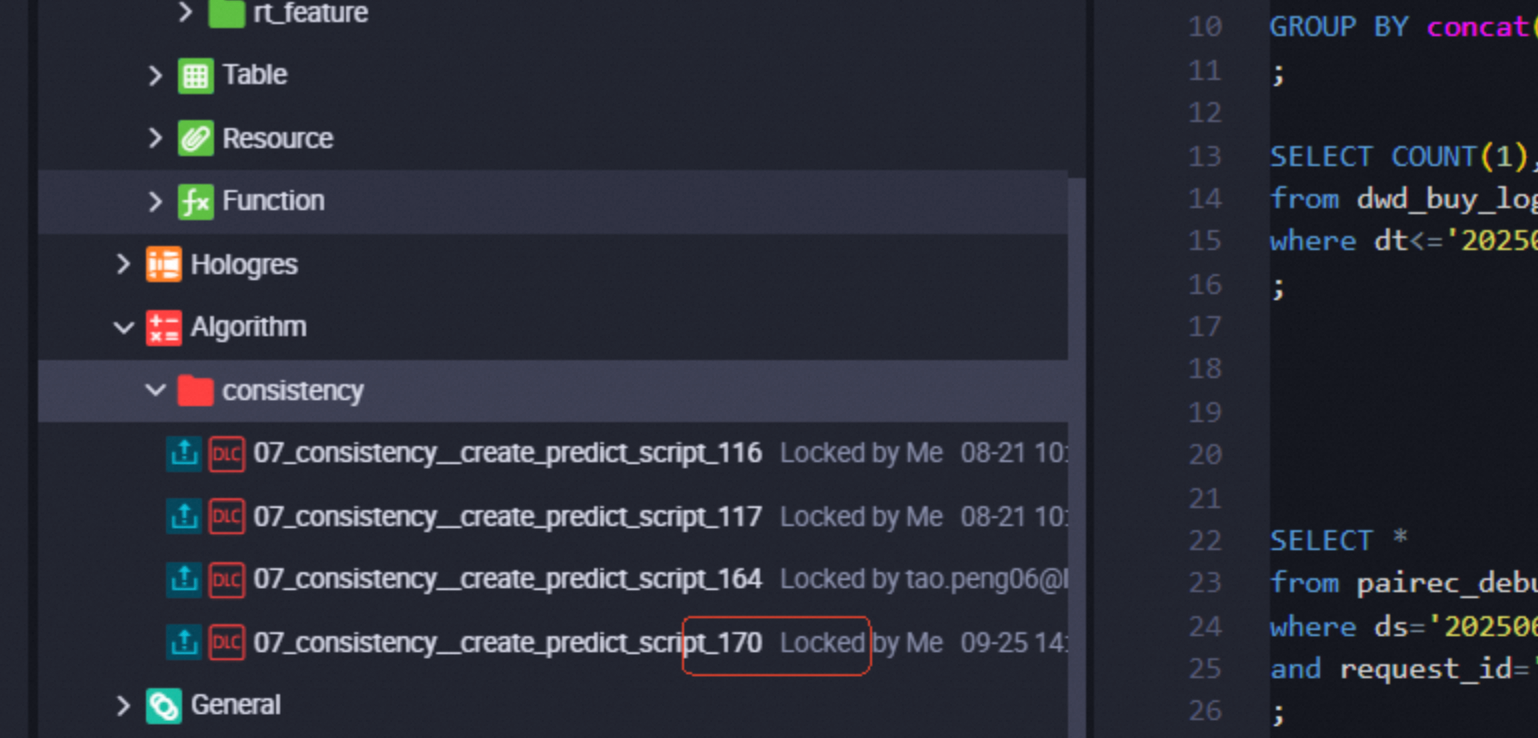
The nodes imported into DataStudio have the following roles:
01_consistency_create_intersection_table_xxx: Cleans the returned feature data.04_consistency_create_label_table_xxx: Builds samples and identifies which features are retrieved from the returned feature table.05_consistency_create_sample_table_xxx: Exports the sample table. This node builds a model and lets you view the source data table for each feature.07_consistency_create_predict_script_xxx: Runs offline prediction on the exported samples.08_consistency_create_score_diff_table_xxx: Retrieves the top-k samples with the largest difference between offline and online scores.10_consistency_create_compare_fg_feature_table_xxx: For the samples with the largest score differences, this node retrieves the names of the inconsistent features and their corresponding online values.
If other nodes exist, you can view their content to understand their roles.
Returned features
Open the 01_consistency_create_intersection_table_xxx node. It contains two tables: feature_backflow_xxxx and feature_reply_xxxx.
The
feature_backflow_xxxxtable records the features that the PAI-Rec engine uses to call the model service.user_featurerecords the user features sent during the model service call.item_featurerecords the features of the retrieved item passed from the interface and the resulting score after the model service call.The
feature_reply_xxxxtable records features from different stages of the model service.raw_featuresare the features before they are encoded using Feature Generation (FG).generate_featuresare the raw features after they are encoded using FG.
Get feature sources
View the 05_consistency_create_sample_table_xxx node to find the model_name, as shown in the following figure.
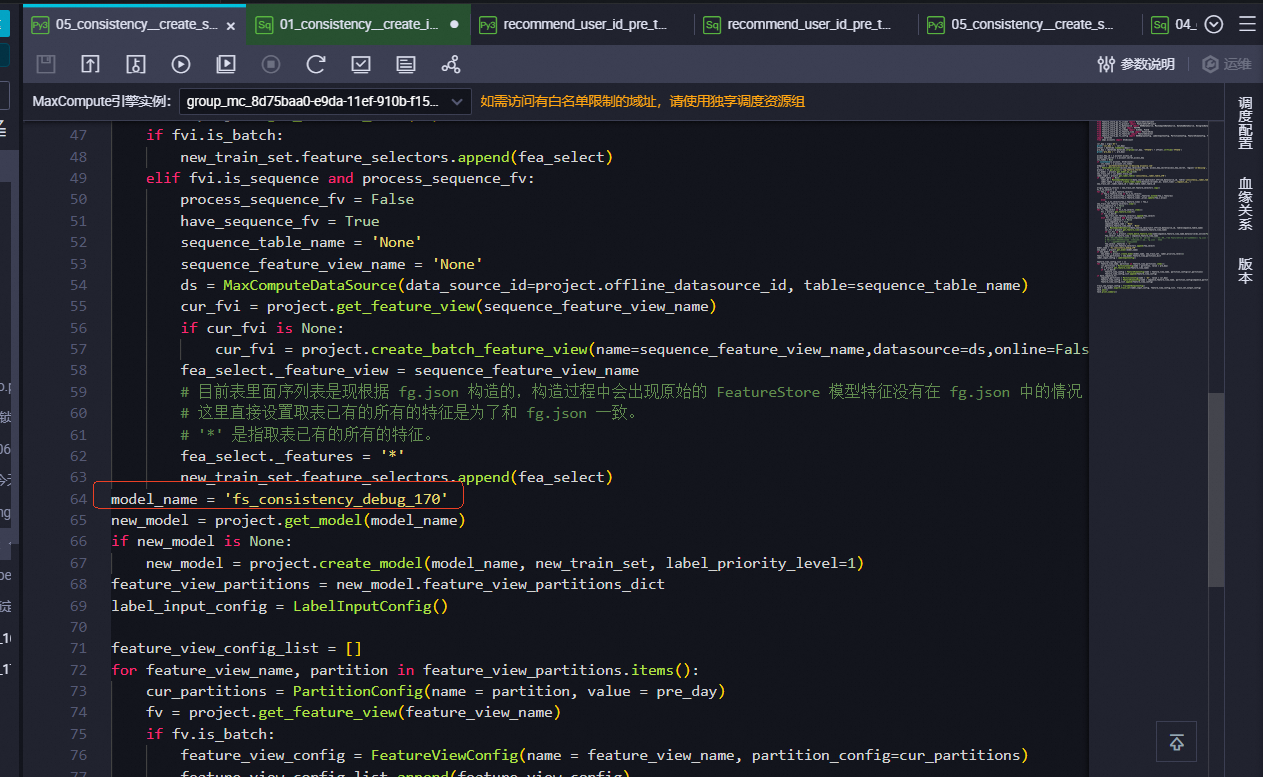
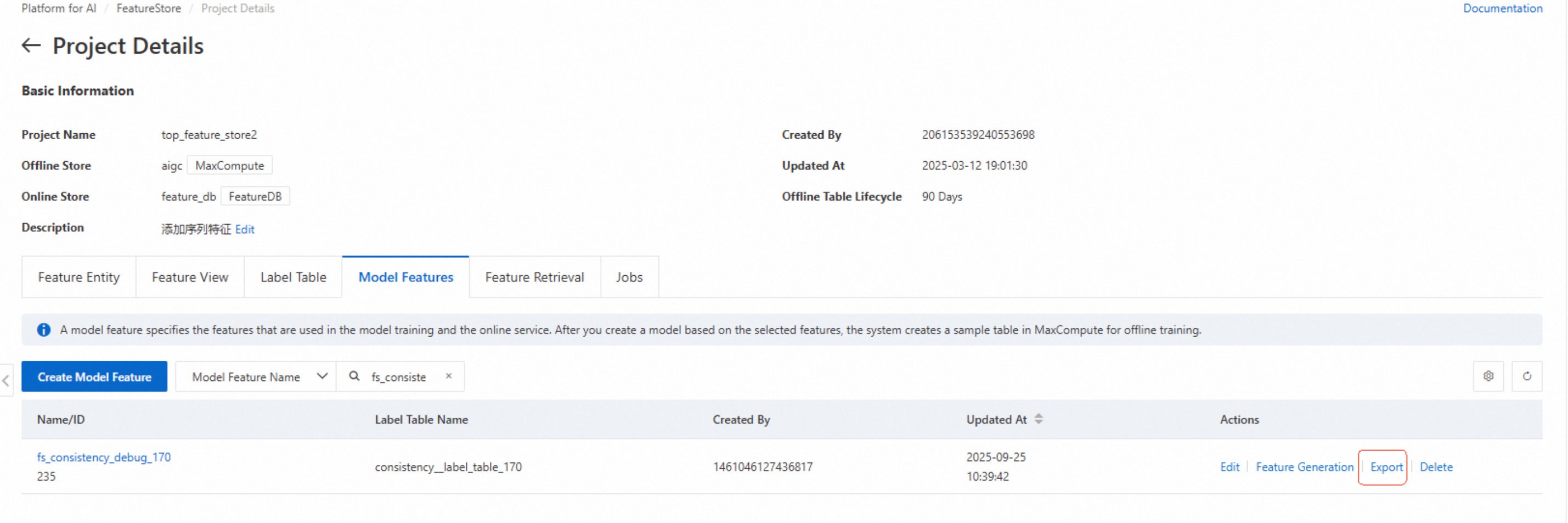
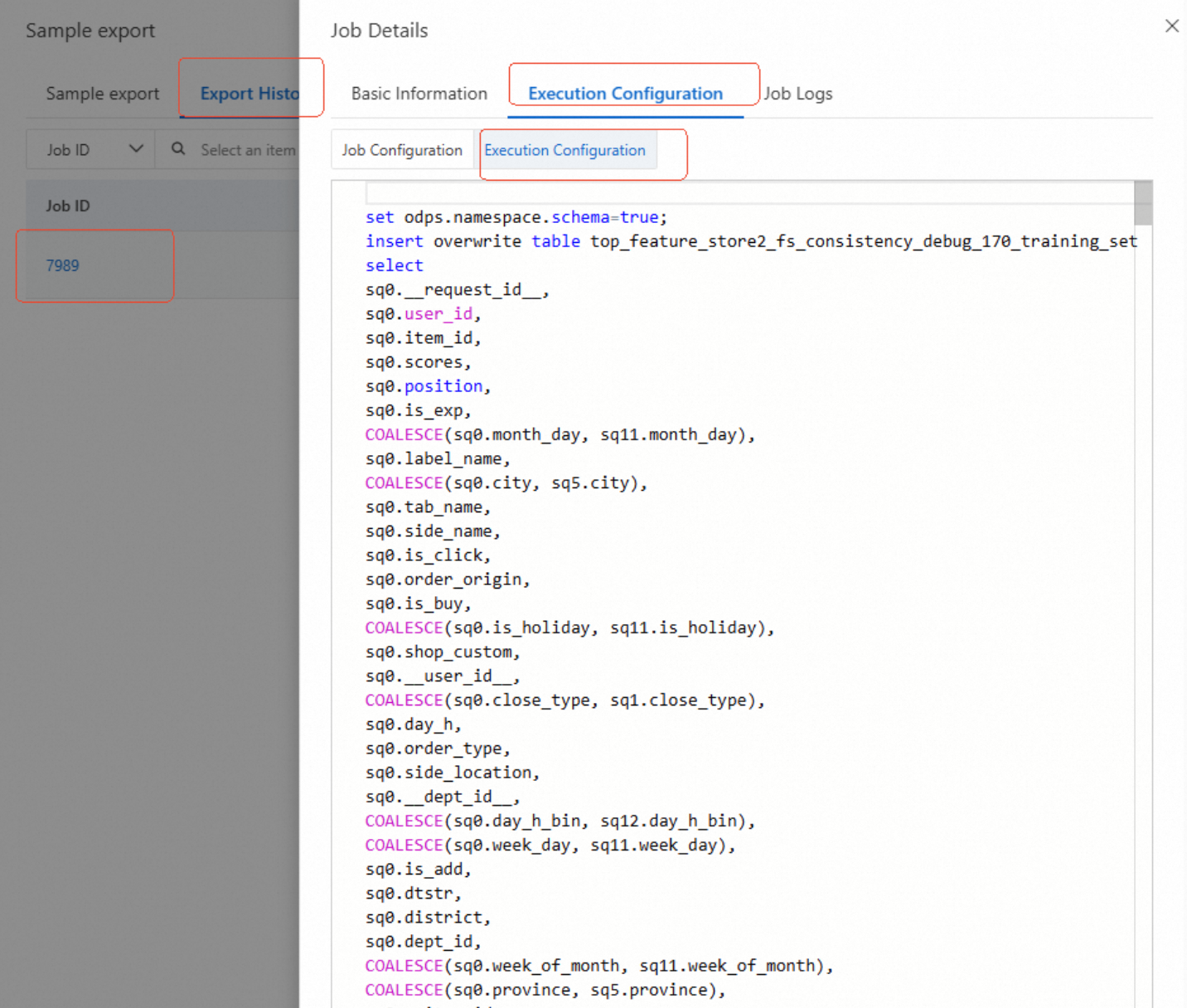
Find this model in the model features section of the corresponding FeatureStore. Click Export to view the exported SQL script. The SQL script shows the feature sources.
Find and compare inconsistent features
The preceding information indicates that inconsistent features come from the label table or other offline tables.
Inconsistent features usually do not come from the label table. For special cases, contact the PAI-Rec helpdesk.
If the source is an offline table, first check the corresponding feature view. The feature primary key is usually displayed on the feature comparison page. If it is not displayed, search feature_reply. Retrieve the other feature primary keys and check whether the features in the feature view are consistent with the returned data. Then, compare the features of the offline table with the returned data. If both are present, check whether the sync task is running correctly.
Common causes of feature inconsistency
The offline feature table is not generated.
The offline feature table is scheduled for a dry-run. It has partitions but no data, or the input data is missing.
The offline feature table is generated but not promptly synchronized.
The model features configured in the engine or A/B testing experiment are inconsistent with those used in the actual training.