Use case
Enterprise applications often operate across distributed infrastructures, including multiple regions, different carriers, and hybrid cloud environments (multi-vendor data centers). In such complex architectures, relying on a single IP address creates bottlenecks and limits high availability. While standard DNS can map a domain to multiple IP addresses, it lacks awareness of service availability (health checks). Consequently, standard DNS cannot effectively reroute traffic during outages or disaster recovery scenarios. Global Traffic Manager (GTM) addresses these challenges by enabling cross-region load balancing and intelligent failover. It acts as a traffic controller, ensuring high availability and scalability for your service architecture.
Cross-region traffic load distribution
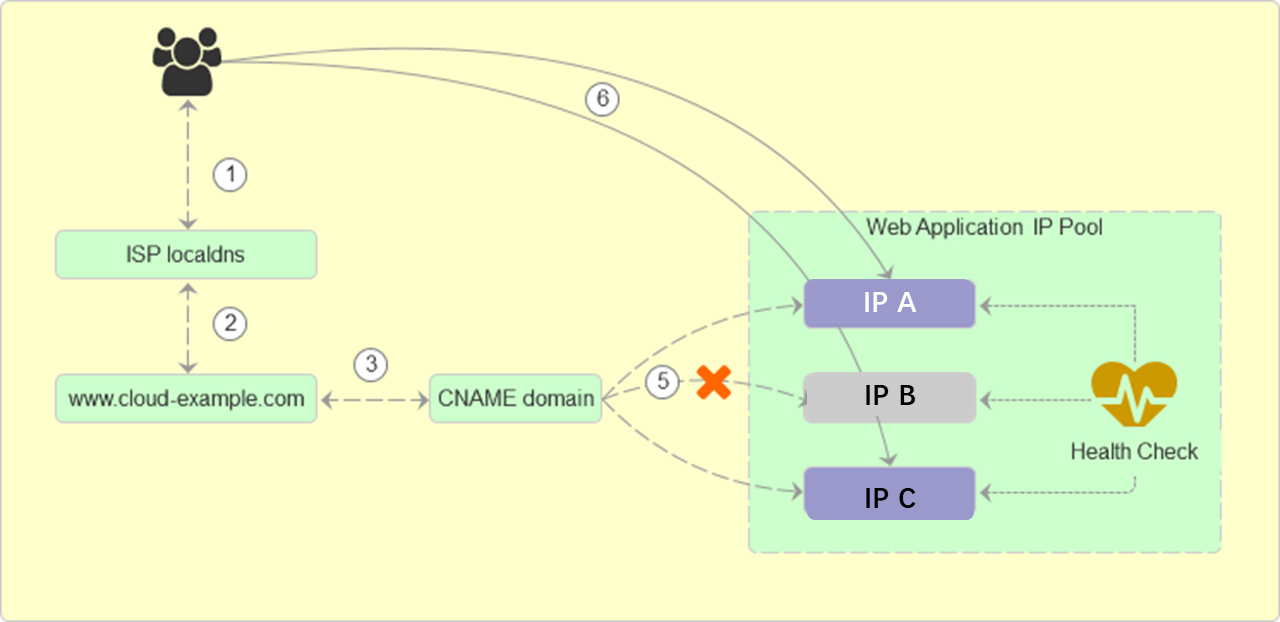
GTM implements Traffic Load Distribution to balance incoming requests across multiple IP addresses. When users access your application domain, GTM distributes the load among available endpoints concurrently, preventing any single node from becoming overloaded.
Architecture diagram:
Configuration method
Configure address pools.
Log on to Alibaba Cloud DNS-Global Traffic Manager. Locate the target instance, and click Settings in the Actions column.
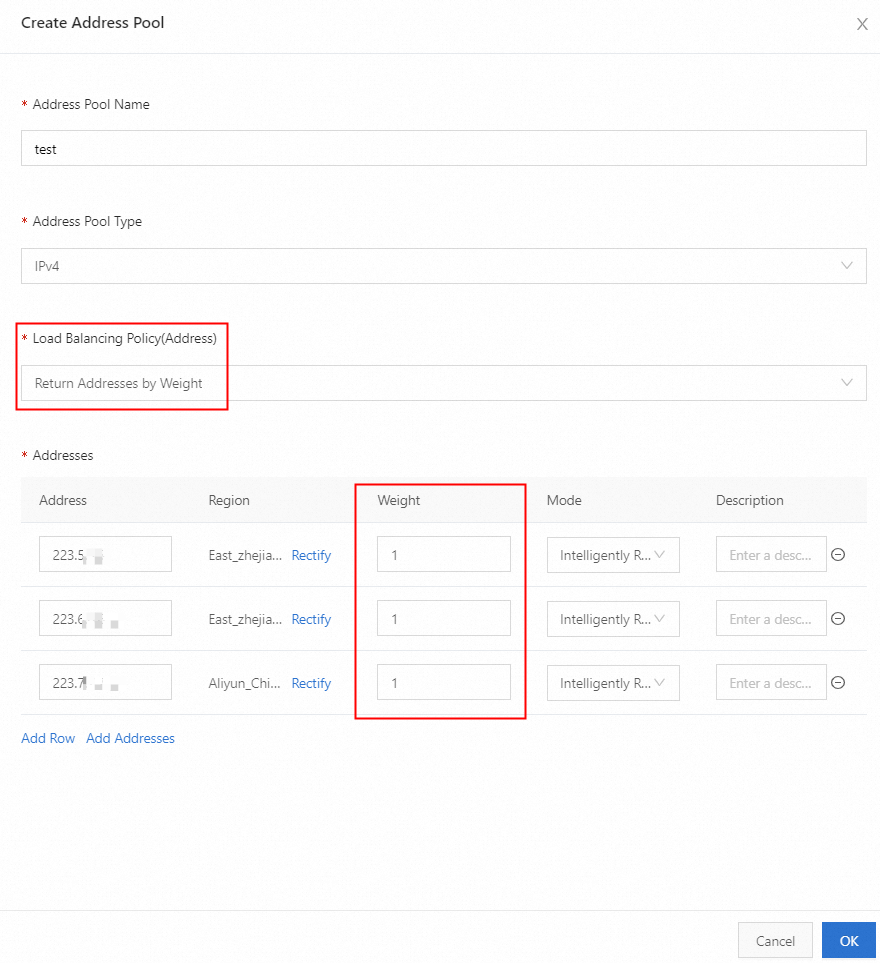
Select Address Pools and click Create Address Pool. Complete the required parameters and click OK.
Enable health check.
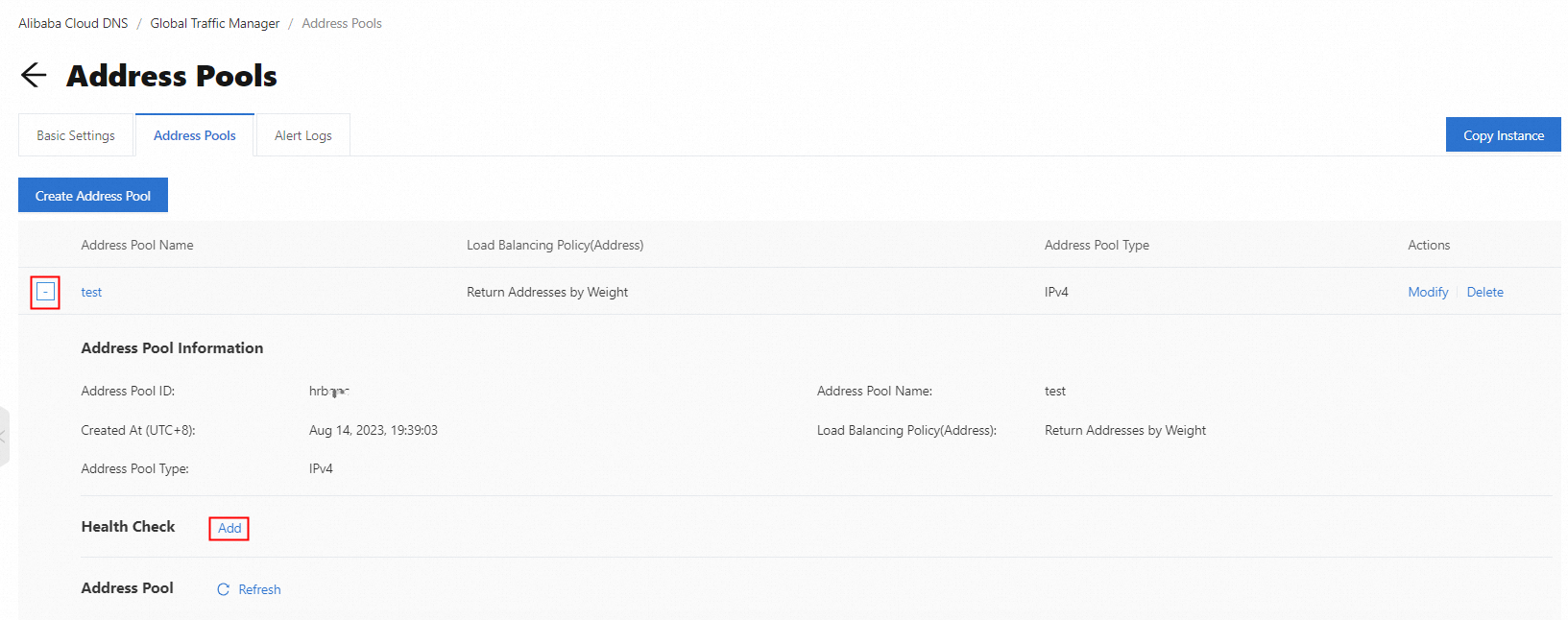
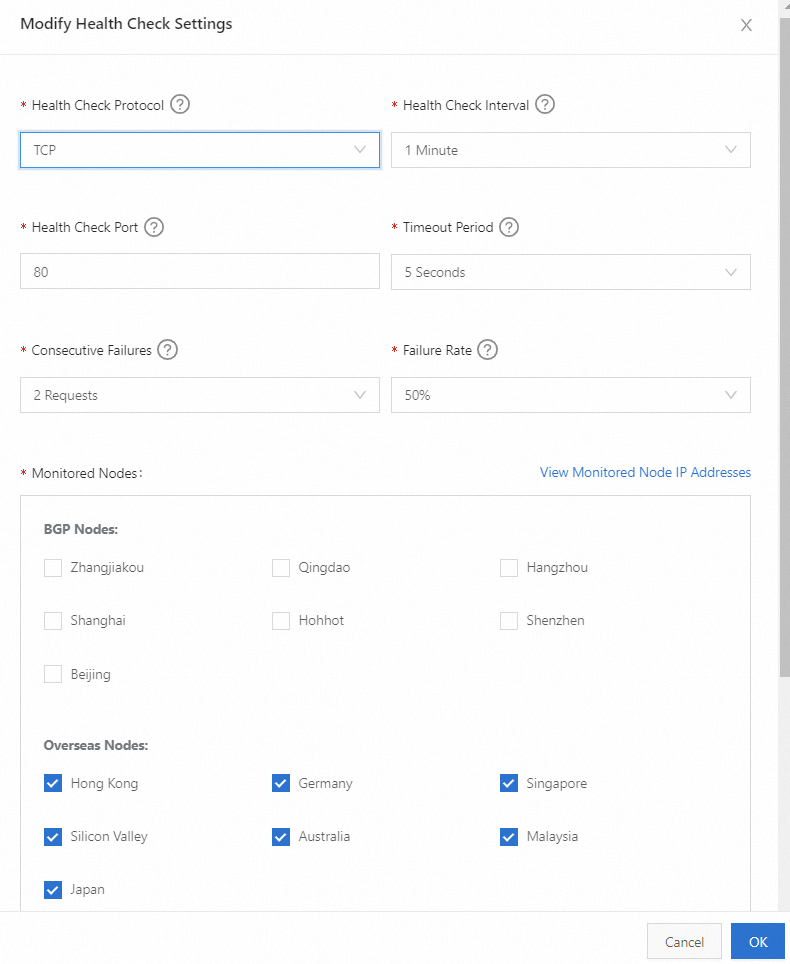
Click the "+" icon next to the created address pool to expand it. Then click Add next to Health Check. Configure the probe parameters and click OK.
Configure access policy.
Navigate to the Basic Settings tab. Click Settings in the Geographical Location-based Access Policy section. Click Add Access Policy, configure the routing rules, and click OK.
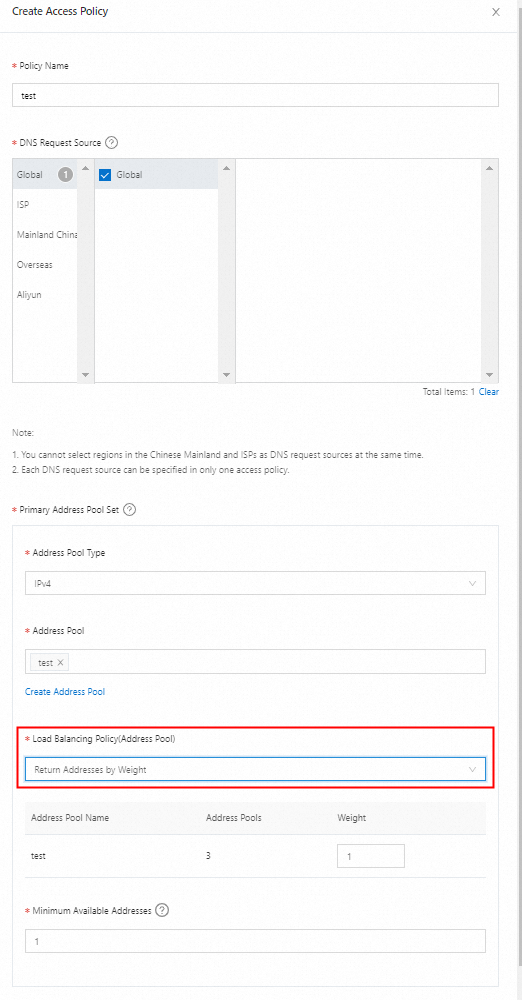 Important
The Weight assigned to IP addresses in the Address Pool will only take effect if the Load Balancing Policy is set to Return Addresses by Weight.
Basic settings.
In the Basic Settings tab, Click Modify. Review and complete the instance parameters, then click OK.
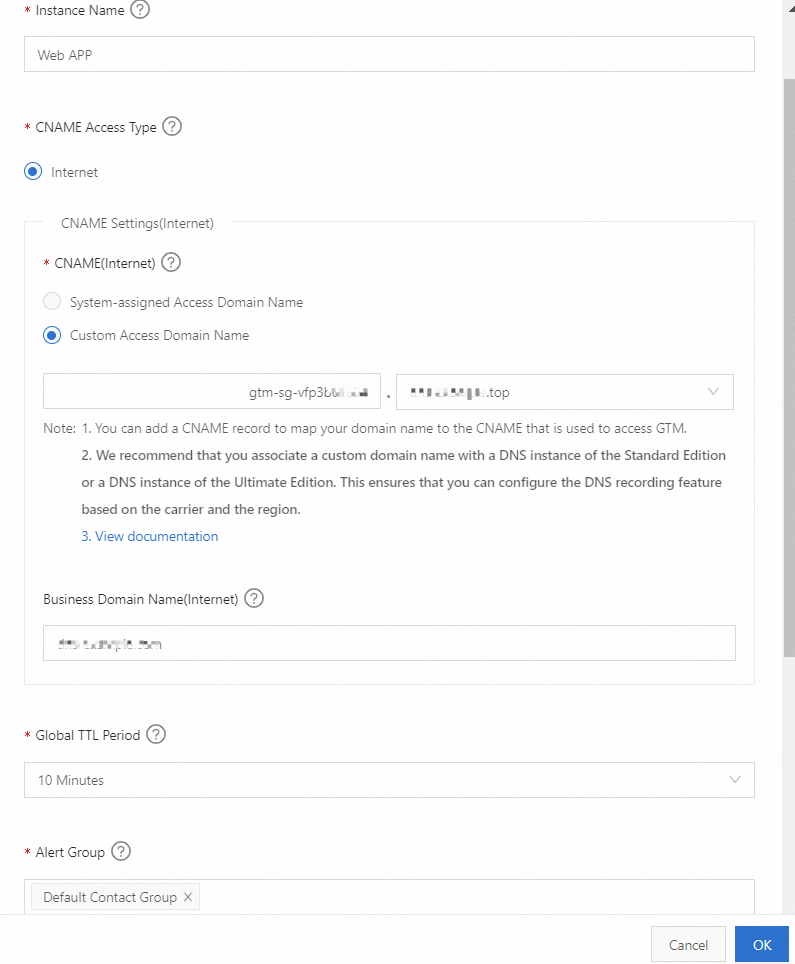
Connect business domain to GTM.
Go to Alibaba Cloud DNS - Hosted Public Zone, and click Settings for the target domain name.
Click the Add Record button to add a CNAME record, with the record value being the GTM CNAME access domain. After completing the resolution record addition, the application service is officially connected to Global Traffic Manager.
NoteIf your application servers vary in compute capacity or network bandwidth, you can assign different Weight to each IP address during Step 1 (Configure address pools). It ensures that traffic is distributed proportionally based on server capability (Weighted Round Robin).