In a single-tenant fully managed service, the business of a customer runs in a virtual private cloud (VPC) within the account of a service provider. The data security in the VPC is important to the customer. Compute Nest provides a security compliance check mechanism to ensure data security for customers.
Background information
In a single-tenant fully managed service, the business of a customer runs in a VPC within the account of a service provider, and the data of the customer also resides in the VPC. The VPCs for different customers are isolated from each other, which prevents data security and privacy issues that may occur in a multi-tenant scenario. Resources of the service are managed and maintained by the service provider. If the service provider fails to provide technical support that meets the security standards or the operations of the service provider are noncompliant, business operations and data security of the customer may be affected. The data of a customer within a VPC faces the following security risks:
1. Internet access risk: If the resources in the VPC can be accessed over the Internet, network attacks or data breaches may occur.
2. Resource change risk: If unrelated resources are deployed in the VPC, the application of the customer may be accessed by using a jump server. This may lead to service interruptions or data tampering.
3. Data breaches upon migration: Customer data breaches may occur when data in the VPC is migrated or exported.
4. Risk in private connections: Customer data breaches or tampering may occur if the VPC in which the data resides is connected to another VPC of the service provider through a private connection.
Configure compliance checks
Enable compliance package check as a service provider
A service provider can enable the compliance package check feature for the current version of a fully managed service in the Advanced Configuration (Optional) section when the service provider creates or updates the service. The compliance package check feature is free of charge.
After the compliance package check feature is enabled for a service, you cannot disable the feature.
This feature checks the data security within a VPC. After you enable this feature, the system checks for potential data breach risks in a VPC.
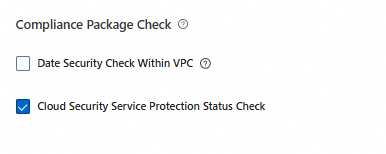
The data security compliance package for a single-tenant fully managed service detects risk events based on the following rules:
Prohibit resource access over the Internet: The system checks whether public IP addresses or public gateways are configured for resources such as servers and databases.
Prohibit resource changes in a VPC: The system checks for resource change records in a VPC. For example, the system checks whether unrelated servers are added to a VPC.
Permit access to data services only within a VPC: The system checks whether the static data stored in a VPC can be assessed only within the VPC but not over the Internet.
Prohibit data export: The system checks for operation records for events such as configuration data synchronization, data migration, server image creation, and disk snapshot creation.
Prohibit private connections for a VPC: The system checks for records of configuring private connections between VPCs.
View the risk events of a service instance
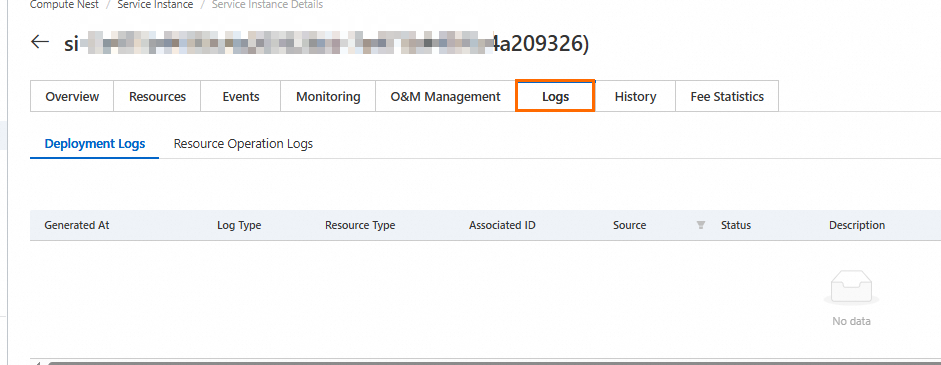
After the compliance package check feature is enabled for a fully managed service, if a risk event is triggered for a deployed service instance, the customer and the service provider can view the risk event on the Logs tab of the service instance.
View risk events as a service provider
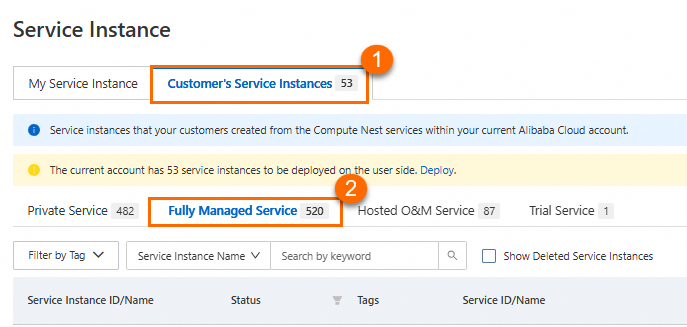
If a risk event is triggered for a service instance deployed by a customer, the service provider can click the compliance package log on the Logs tab of the service instance to view the risk event.
Note: If a red dot appears on the Logs tab, one or more risk events are not read.
Procedure:
Find the customer deployed service instance by following the steps shown in the following figure.
View the details of the risk event.
View risk events as a customer
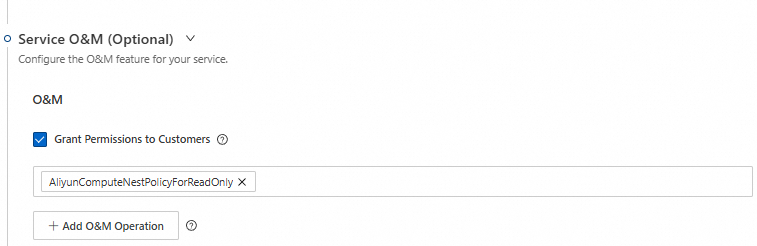
A service provider can authorize customers to view risk events by enabling hosted O&M for a service.
Procedure:
The service provider enables hosted O&M in the Service O&M (Optional) section for a service.
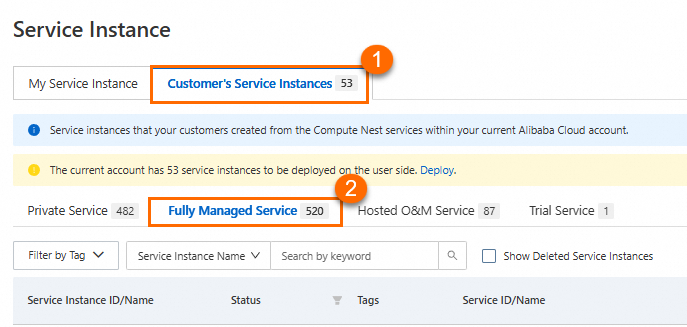
A customer finds the service instance by following the steps shown in the following figure.
The customer views the details of the risk event.
Subscribe to event notifications in CloudMonitor
In the Compute Nest console, customers and service providers can view risk events of service instances. If customers and service providers want to receive risk alerts at the earliest opportunity, they can subscribe to risk events and configure event notification policies in CloudMonitor.
Log on to the CloudMonitor console.
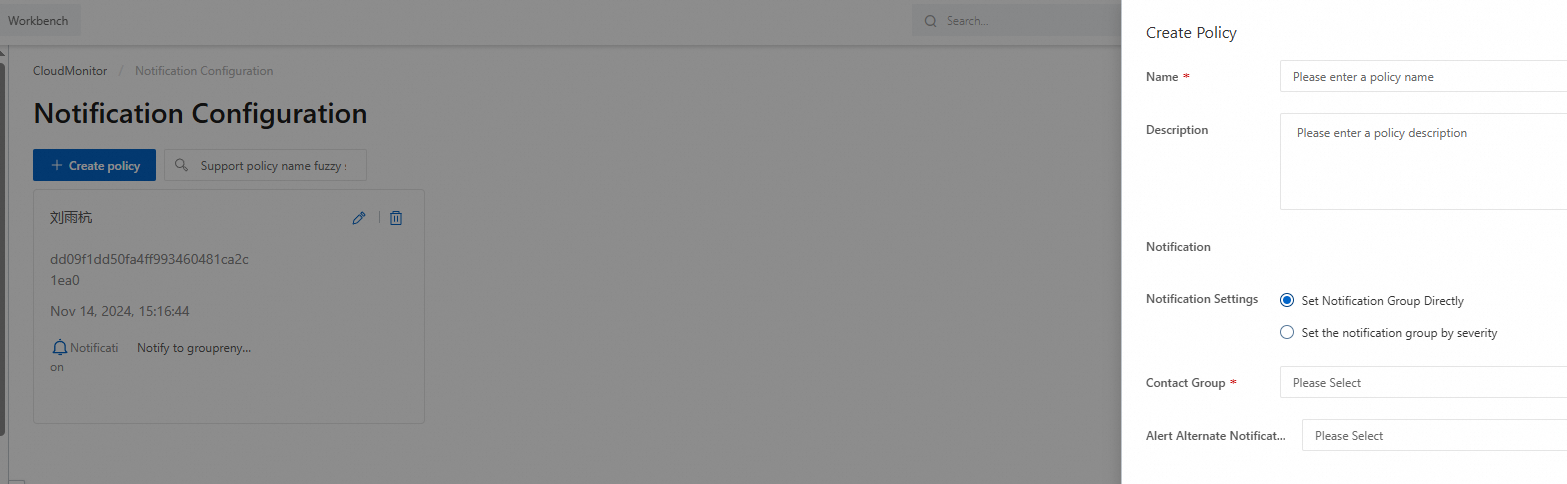
In the left-side navigation pane, choose Event Center > Notification Configuration. On the Notification Configuration page, click Create Policy. In the Create Policy panel, configure the Name and Contact Group parameters.
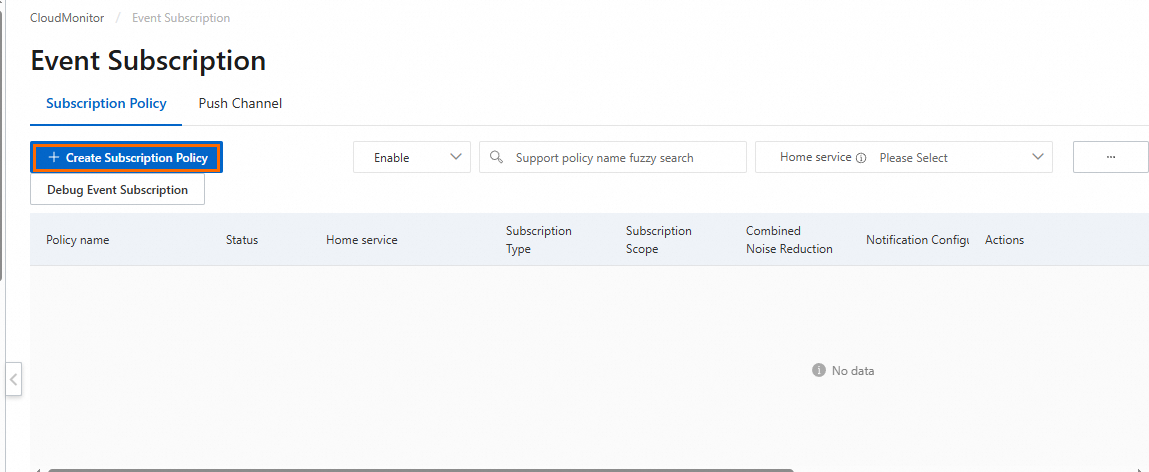
In the left-side navigation pane, choose Event Center > Event Subscription. On the Event Subscription page, click Create Subscription Policy.
Enter a policy name in the Basic information section. In the Subscription Scope section, select ComputeNest from the Products drop-down list and select ServiceInstanceNonCompliance from the Event name drop-down list.
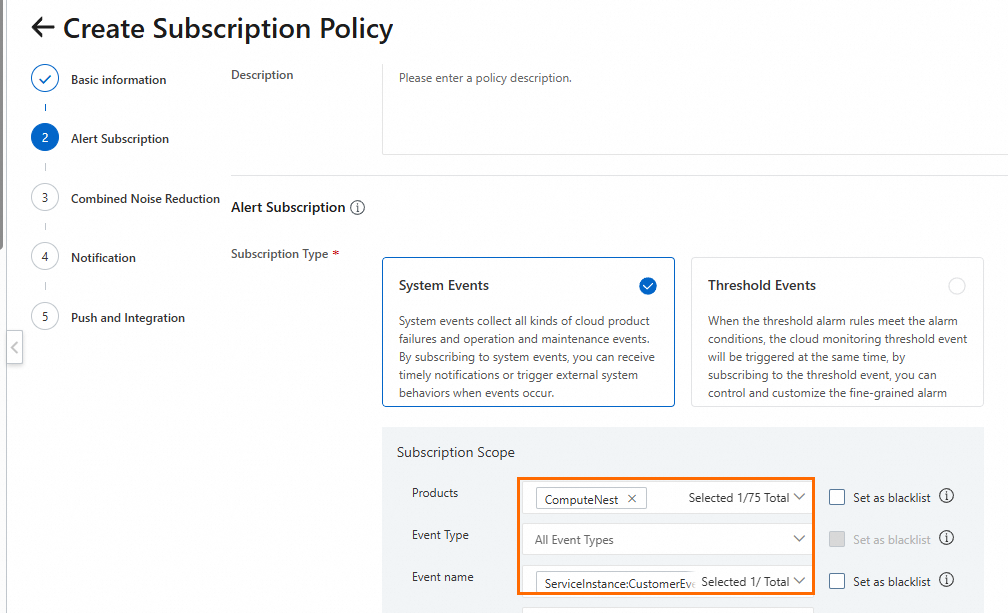
Select the notification configuration configured in Step 2 and configure custom notification methods.
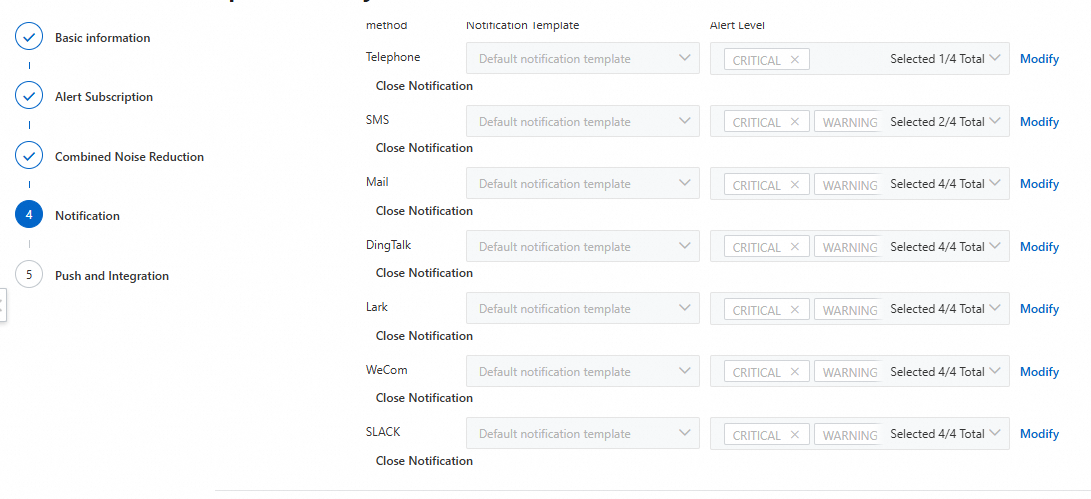
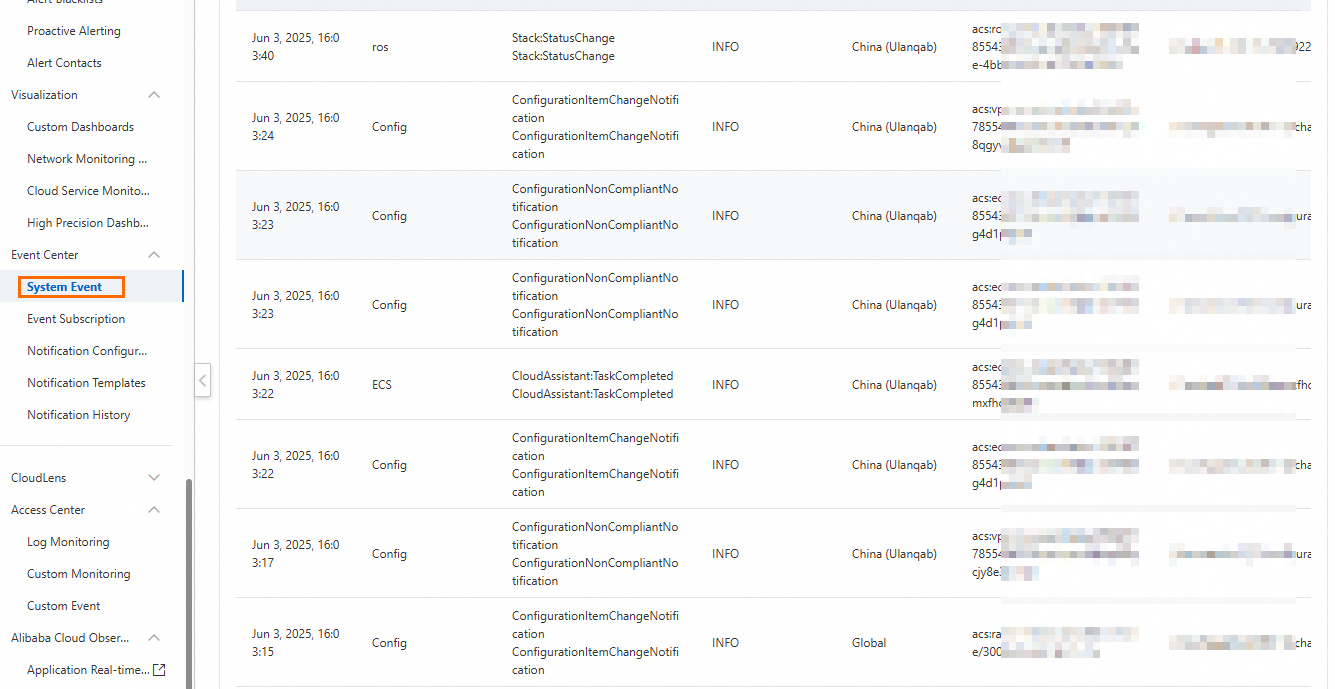
Click Submit. The specified contact group receives notifications if the specified event is triggered. You can also view non-compliance events on the System Event page of the CloudMonitor console.