As of July 4, 2024, the default port of a new PolarDB for PostgreSQL cluster is changed from 1921 to 5432. The default port of existing cluster remains unchanged.
Effective date
July 4, 2024
Change details
The default port of a new PolarDB for PostgreSQL cluster is changed from 1921 to 5432.
Impacts
For existing PolarDB for PostgreSQL clusters, the default port remains 1921.
If you purchase a PolarDB for PostgreSQL instance, the default port is 5432. The following table lists the impacts:
NoteFor more information about how to connect to a cluster, see Connect to a PolarDB for PostgreSQL cluster.
Connection method
Impact
Description
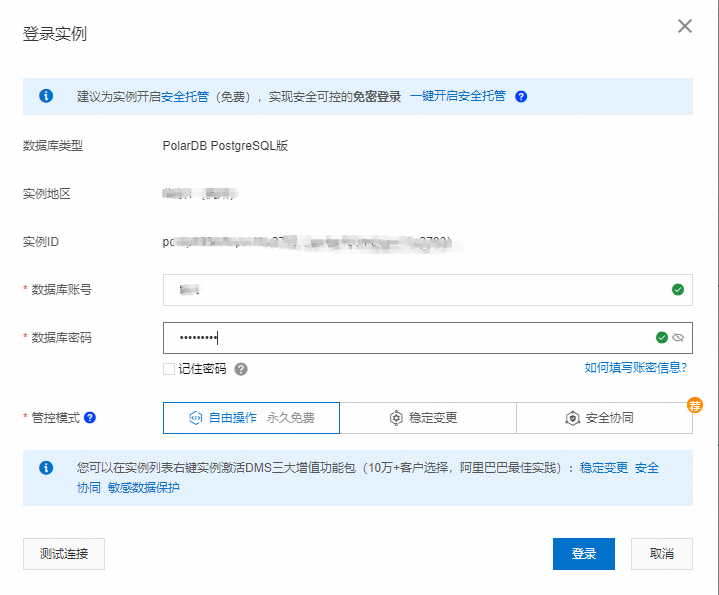
Use Data Management (DMS) to connect to the cluster
No impact.
You do not need to specify the port number.
You need only to configure the Database Account, and Database Password parameters.

Use the CLI to connect to the cluster
No impact.
You do not need to specify the port number. The client connects to the new PolarDB for PostgreSQL cluster over the default port 5432.
You need to only specify the endpoint of the new PolarDB for PostgreSQL cluster, username of the authorized account, and name of the database and enter a correct password.
psql -h <The endpoint of the cluster> -U <The username of the authorized account> -d <The name of the database>
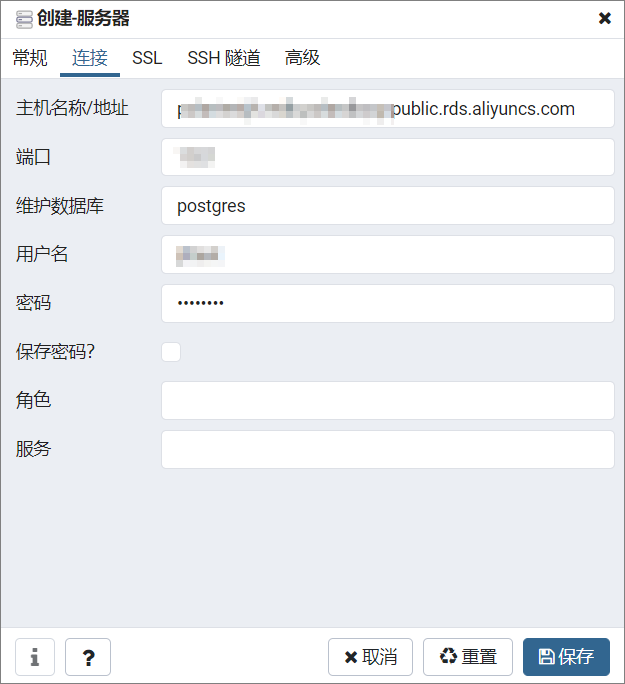
Use pgAdmin to connect to the new PolarDB for PostgreSQL cluster
You need to check the Port parameter.
The connection is established over the default port number 5432.
You need to only specify the host name/address, maintenance database, and username of the authorized account and enter a correct password.

Use an application to connect to the new PolarDB for PostgreSQL cluster
You need to check the port number in the business code.
Set the port number to 5432.
The following code snippet can be used for the Java Database Connectivity (JDBC) API:
String url = "jdbc:postgresql://<The endpoint of the cluster>:5432/<The name of the database>"; String user = "<The username of the authorized account>"; String password = "<The password of the authorized account>"; Class.forName("org.postgresql.Driver"); Connection connection= DriverManager.getConnection(url, user, password);