This topic describes the reasons why the number of accumulated messages reported by an alert is different from that displayed in the ApsaraMQ for Kafka console.
Description
The number of accumulated messages reported by an alert is different from that displayed in the ApsaraMQ for Kafka console.
Possible causes
Cause 1
This issue may be caused by the methods used to calculate the number of accumulated messages in a partition (Maximum offset of the partition - Consumer offset of the partition) and the total number of accumulated messages (the total sum of accumulated messages in all partitions).
For example, m consumer groups and n topics exist on an ApsaraMQ for Kafka instance, and each consumer group subscribes to all topics. When calculating the number of accumulated messages for a consumer group, you can use the following methods:
General request
In this method, a remote procedure call (RPC) request is initiated to obtain the consumer offsets of the consumer group, then another RPC request is initiated to obtain the maximum offsets of partitions in a subscribed topic. This method generates at least
m × n × Number of brokersRPC requests, significantly affecting the calculation efficiency of the monitoring system.Batch request
In this method, an RPC request is initiated to obtain the consumer offsets of all consumer groups, then another RPC request is initiated to batch obtain the maximum offsets of partitions in all subscribed topics. This method reduces the number of RPC requests from
m × n × Number of brokersto only the number of brokers. Due to the characteristics of batch requests, a latency exists between the time when the consumer offsets of consumer groups are obtained and the time when the maximum offsets of partitions are obtained. During the latency period, the maximum offsets of partitions may continue to increase as messages are sent. As a result, a difference exists between the time when the consumer offsets of consumer groups are obtained and the time when the maximum offsets of partitions are obtained, leading to an error when calculating the number of accumulated messages.
The total number of accumulated messages displayed on the Group Details page in the ApsaraMQ for Kafka console is obtained by separately requesting the consumer offsets of the current consumer group and the maximum offsets of partitions in a subscribed topic. Since the time difference between the two RPC requests is small, the error between the displayed number of accumulated messages and the actual number of accumulated messages is also small. The number of accumulated messages displayed in an alert is obtained using the batch request method. Due to the difference between the time when the consumer offsets of consumer groups are obtained and the time when the maximum offsets of partitions are obtained, an error is caused when calculating the number of accumulated messages. As a result, the number of accumulated messages reported by an alert is different from that displayed in the ApsaraMQ for Kafka console.
Cause 2
If the message consumption rate is excessively low and the disk usage is excessively high in an instance, messages in the instance may be deleted before they are consumed. As a result, the consumer offsets of some partitions may be smaller than the minimum offsets. Open source Apache Kafka and ApsaraMQ for Kafka use different methods to handle the issue.
Open source Apache Kafka
When calculating the number of accumulated messages, the system automatically ignores the accumulated messages generated in this situation.
ApsaraMQ for Kafka
The system sends a message accumulation alert to notify you of the issue based on the monitoring and alerting policy. You can handle the issue based on your business requirements.
To help you distinguish between abnormal partitions and normal partitions, the total number of accumulated messages displayed on the Group Details page in the ApsaraMQ for Kafka console does not include accumulated messages in abnormal topics. Therefore, the number of accumulated messages in an alert is larger than that displayed in the console.
If you want to ignore message accumulation alerts for topics subscribed by a consumer group, you can reset the consumer offsets of the consumer group to 0 in the ApsaraMQ for Kafka console. This way, ApsaraMQ for Kafka will no longer generates alerts for message accumulation in the topics. For information about how to reset consumer offsets, see Reset consumer offsets.
If you want to temporarily disable the message accumulation alert feature, submit a ticket.
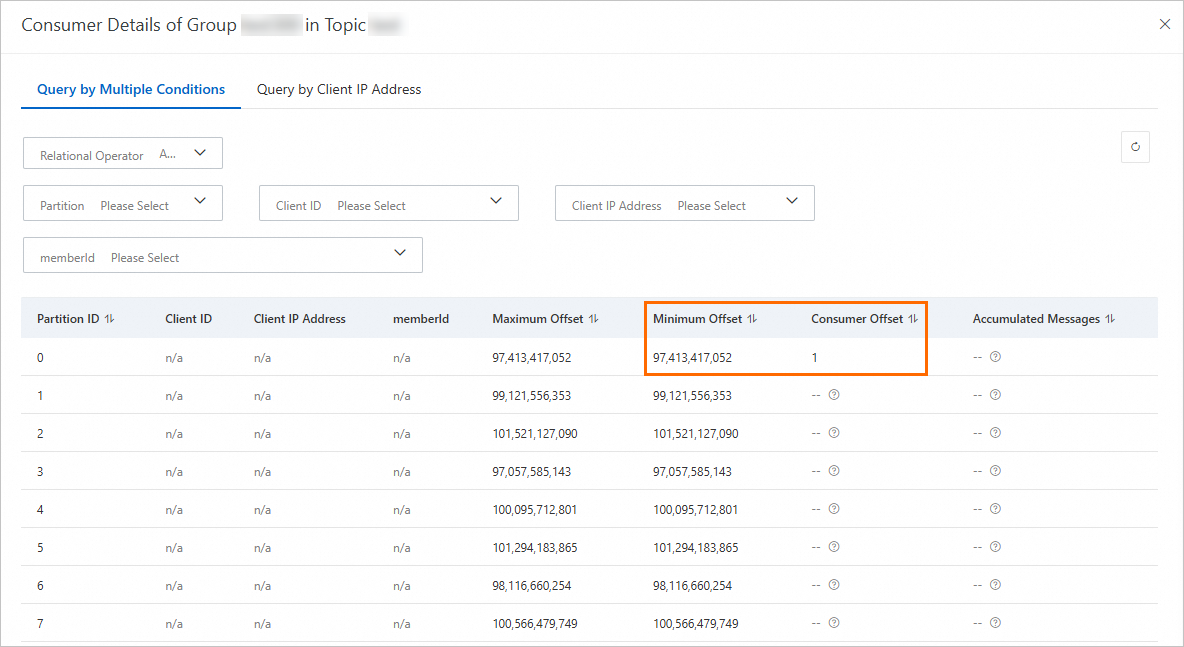
The following items shows the phenomena of this cause:
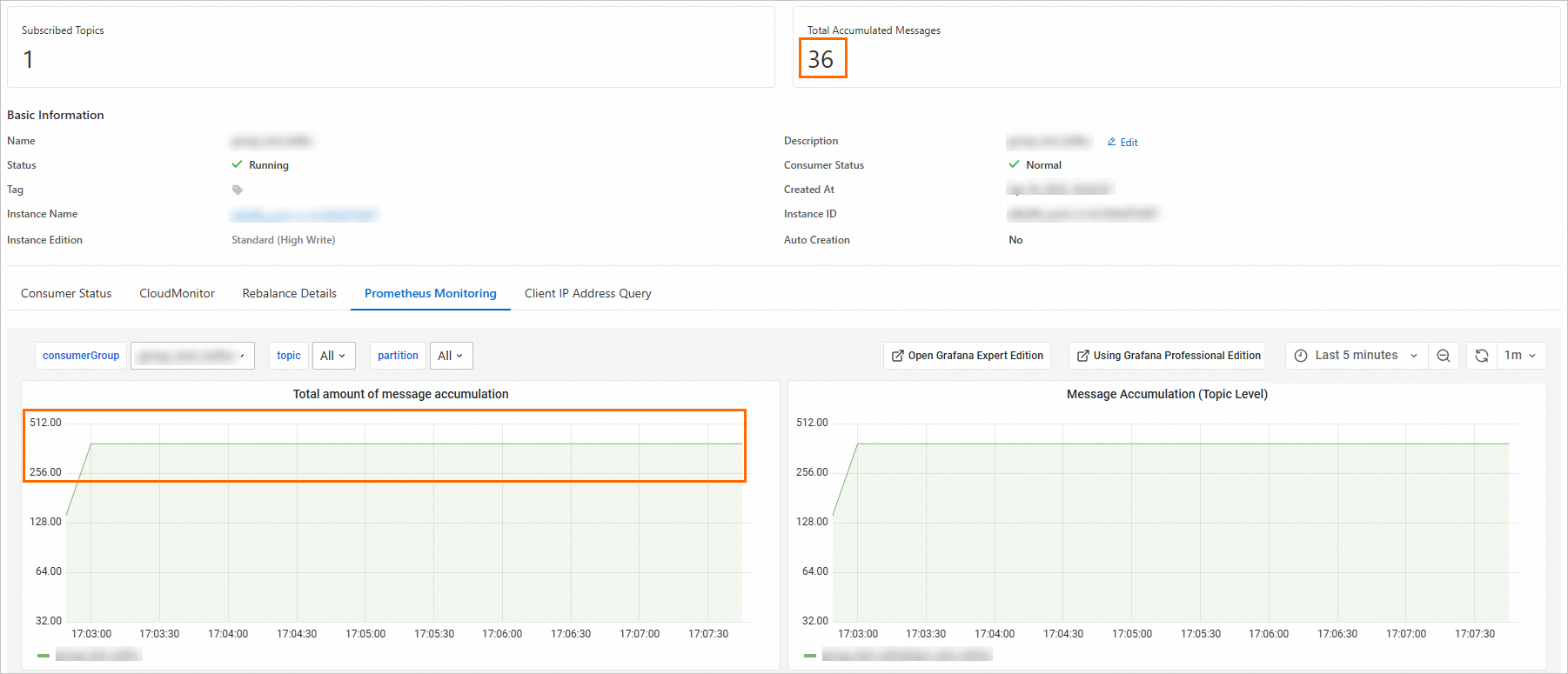
The total number of accumulated messages displayed in the console is different from that reported by an alert.
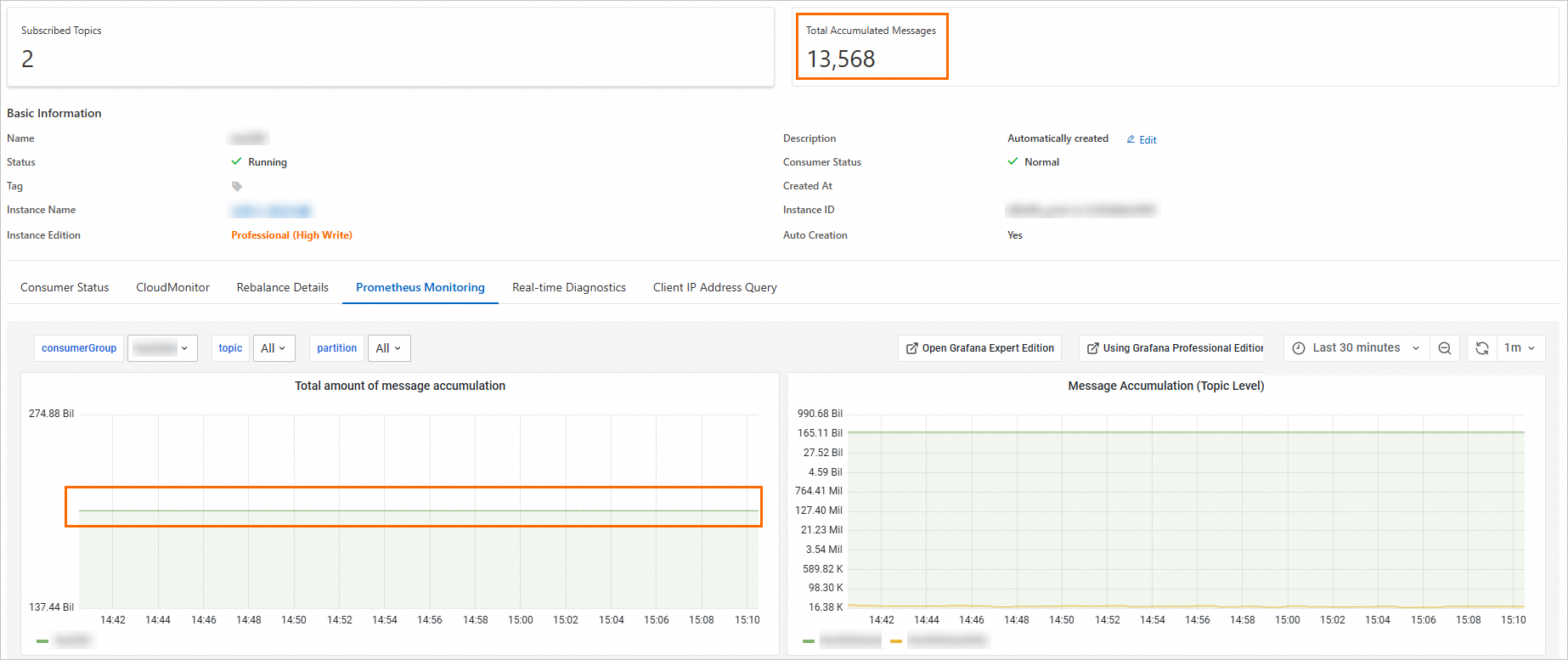
The total number of accumulated messages displayed in the console does not include the accumulated messages in abnormal topics.
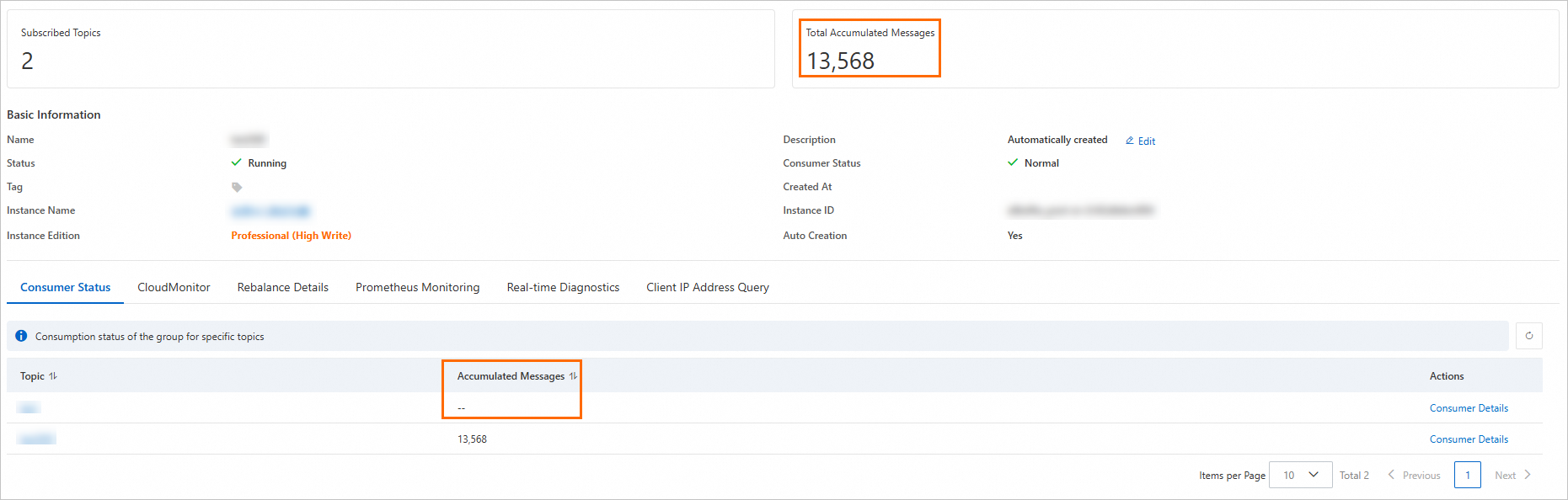
The total number of accumulated messages displayed in the console does not include accumulated messages generated in the case where the consumer offsets of partitions are smaller than the minimum offsets.