In today's digital landscape, establishing an online presence is no longer optional - it's essential. Alibaba Cloud's Lightweight Application Server (Lighthouse) offers the perfect balance of simplicity and power, enabling anyone from individual creators to growing businesses to deploy professional-grade websites without infrastructure complexities.
This comprehensive guide will show you how to:
✔ Launch your website in as little as 5 minutes using pre-configured solutions
✔ Implement enterprise-grade security measures with minimal effort
✔ Optimize performance for global audiences
✔ Maintain your site with confidence using Alibaba Cloud's robust tools
Whether you're building a personal blog, business showcase, or e-commerce platform, our three-tiered approach caters to all skill levels. By the end of this tutorial, you'll have a fully functional website with:
HTTPS security
Automated backups
Performance-optimized infrastructure
Scalability options for future growth
Let's transform your ideas into a live website with Alibaba Cloud's cost-effective and reliable hosting solution.
Visit Alibaba Cloud International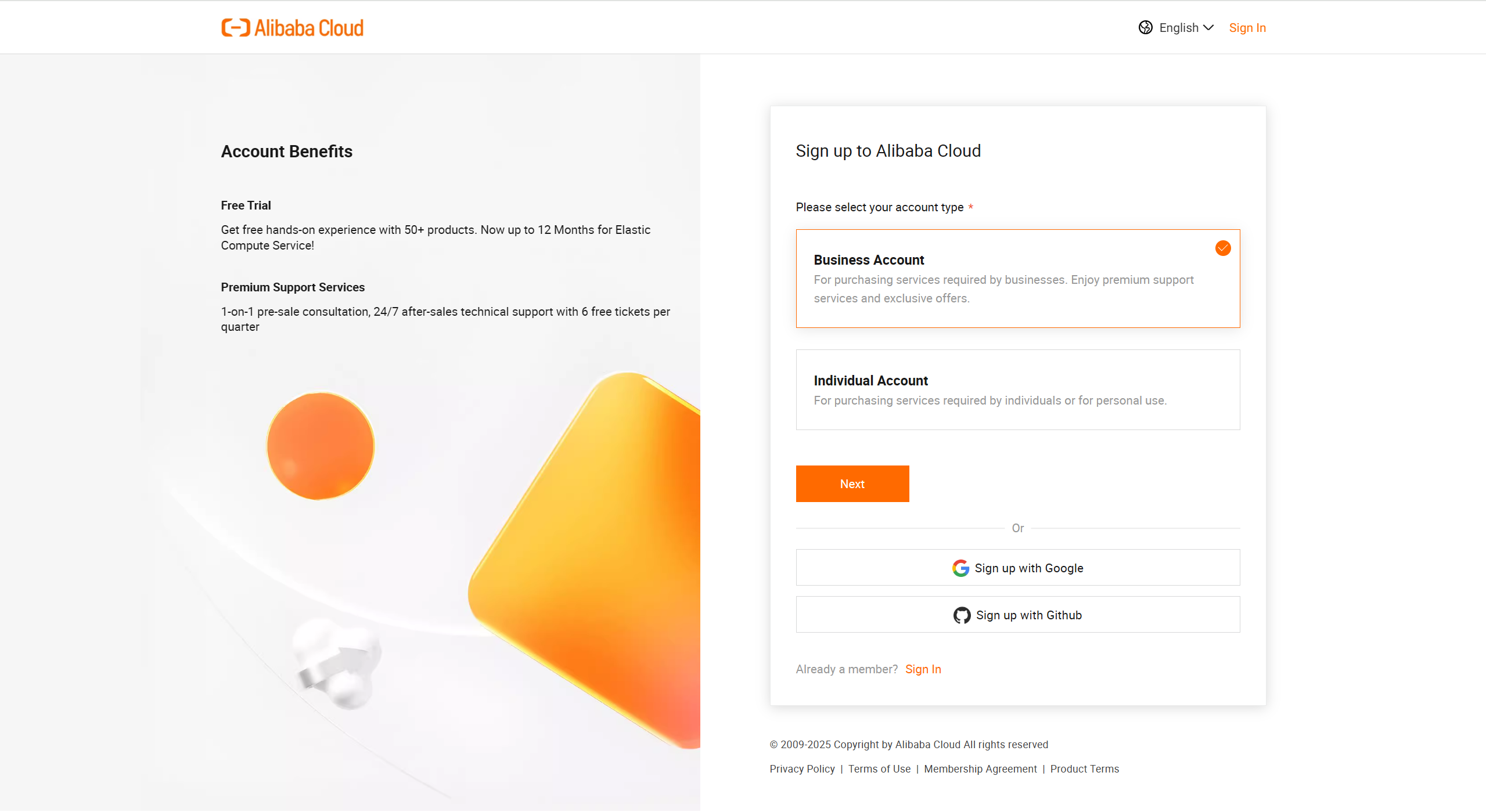
Click "Free Account" (Requires international credit card/PayPal)
1.2 Purchase a Lighthouse Server
Navigate to Lightweight Application Server in Console
Click Create Instance
Recommended Configurations:
Image Type:
Application Image (Pre-configured)
System Image (Customizable)
Region:
Asia: Singapore/Japan
Europe: Frankfurt
Americas: Silicon Valley
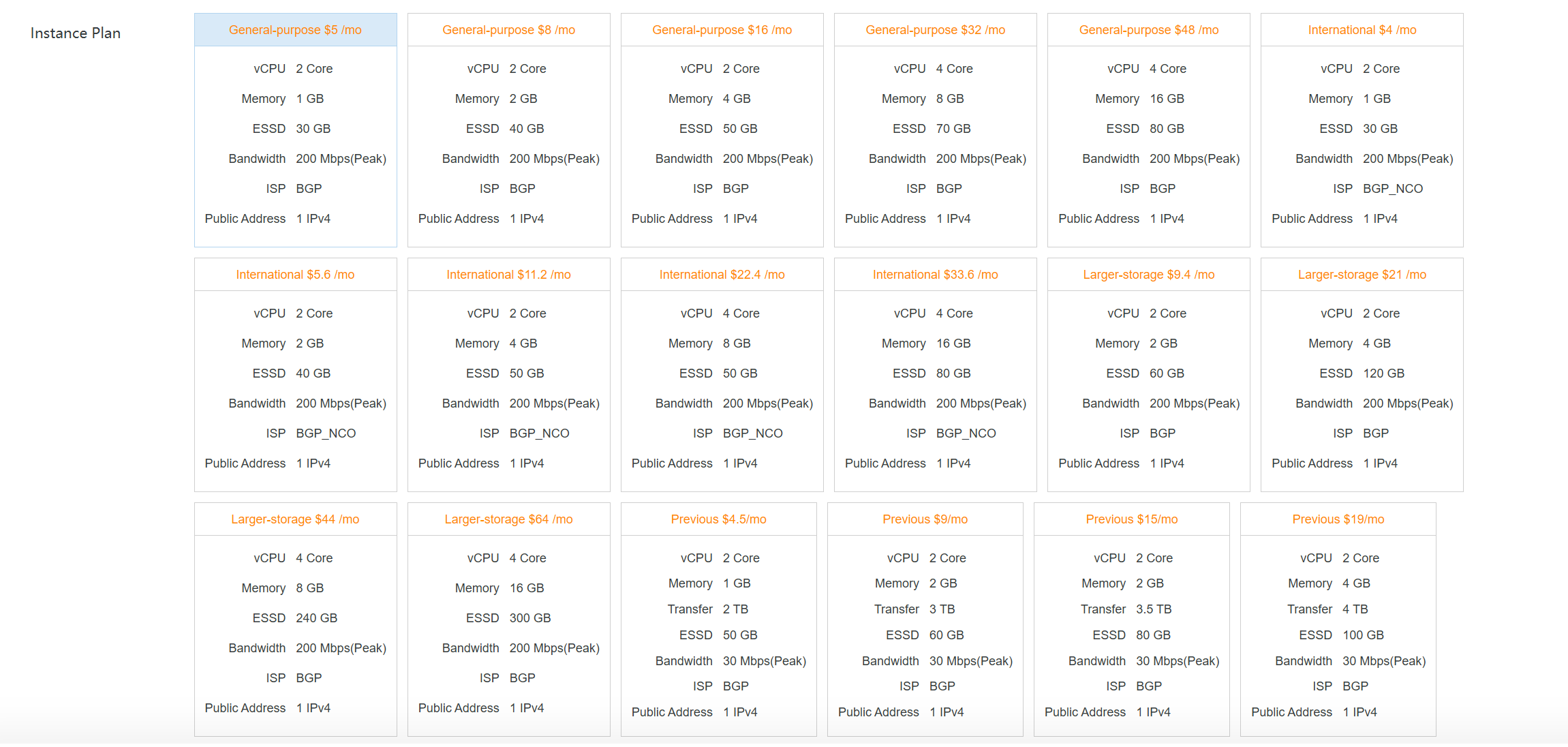
Plans:
Personal Blog: $3.5/mo (1C1G)
Business Site: $8/mo (2C2G)
E-commerce: $16/mo (2C4G)
Set SSH Key (Recommended) or Password
bash
ssh root@your_server_ip -i ~/.ssh/your_key.pem
2.2 Security Hardening
bash
sudo apt update && sudo apt upgrade -y
adduser deployer
usermod -aG sudo deployer
sudo ufw allow OpenSSH
sudo ufw enable
Select WordPress image during purchase
Access http://your_server_ip to complete setup
Optimization Tips:
Install caching plugin (WP Rocket)
Configure SMTP service (e.g., SendGrid)
Enable automated backups (Snapshots + UpdraftPlus)
Method 2: Manual LAMP Stack Deployment
bash
sudo apt install apache2 mysql-server php libapache2-mod-php php-mysql -y
sudo mysql_secure_installation
sudo mysql -e "CREATE DATABASE wpdb;"
sudo mysql -e "CREATE USER 'wpadmin'@'localhost' IDENTIFIED BY 'SecurePass123!';"
sudo mysql -e "GRANT ALL ON wpdb.* TO 'wpadmin'@'localhost';"
cd /var/www/html
sudo wget https://wordpress.org/latest.tar.gz
sudo tar -xzvf latest.tar.gz
sudo chown -R www-data:www-data wordpress
Method 3: Docker Deployment (Advanced)
bash
curl -fsSL https://get.docker.com | sudo bash
sudo docker run -d --name wordpress \
-e WORDPRESS_DB_HOST=db \
-e WORDPRESS_DB_USER=wpuser \
-e WORDPRESS_DB_PASSWORD=YourStrong@Pass \
-e WORDPRESS_DB_NAME=wpdb \
-p 80:80 \
--network wordpress-net \
wordpress:latest
Add A record in DNS management:
Host: @
Value: Server IP
Configure virtual host:
apache
ServerName yourdomain.com
DocumentRoot /var/www/html
ErrorLog ${APACHE_LOG_DIR}/error.log
CustomLog ${APACHE_LOG_DIR}/access.log combined
4.2 Free SSL with Let's Encrypt
bash
sudo snap install --classic certbot
sudo certbot --apache -d yourdomain.com
4.3 Performance Optimization
Enable Gzip compression
Configure Redis caching
Set up Alibaba Cloud CDN
Backup Strategy:
Daily incremental backups
Weekly snapshots
Log Analysis:
bash
sudo tail -f /var/log/apache2/access.log
sudo journalctl -u apache2 --since "10 minutes ago"
Error establishing database connection Verify MySQL user privileges
403 Forbidden Check directory permissions: sudo chmod 755 -R /var/www
SSL certificate not working Renew certificate: sudo certbot renew --dry-run
Pro Tips:
Use Terraform for IaC deployments
Implement CI/CD with GitHub Actions
Enable Web Application Firewall (WAF)
You've now mastered the entire process of building a website from scratch! Feel free to share your feedback in the comments section below.
Neel_Shah - April 11, 2025
Alibaba Cloud Community - September 21, 2021
Alibaba Cloud Indonesia - March 17, 2026
Miles Brown - November 27, 2025
Alibaba Clouder - August 13, 2020
Alibaba Clouder - September 10, 2020
 Alibaba Cloud Linux
Alibaba Cloud Linux is a free-to-use, native operating system that provides a stable, reliable, and high-performance environment for your applications.
Learn More

