by Radityo Pradana, Solution Architect Alibaba Cloud Indonesia
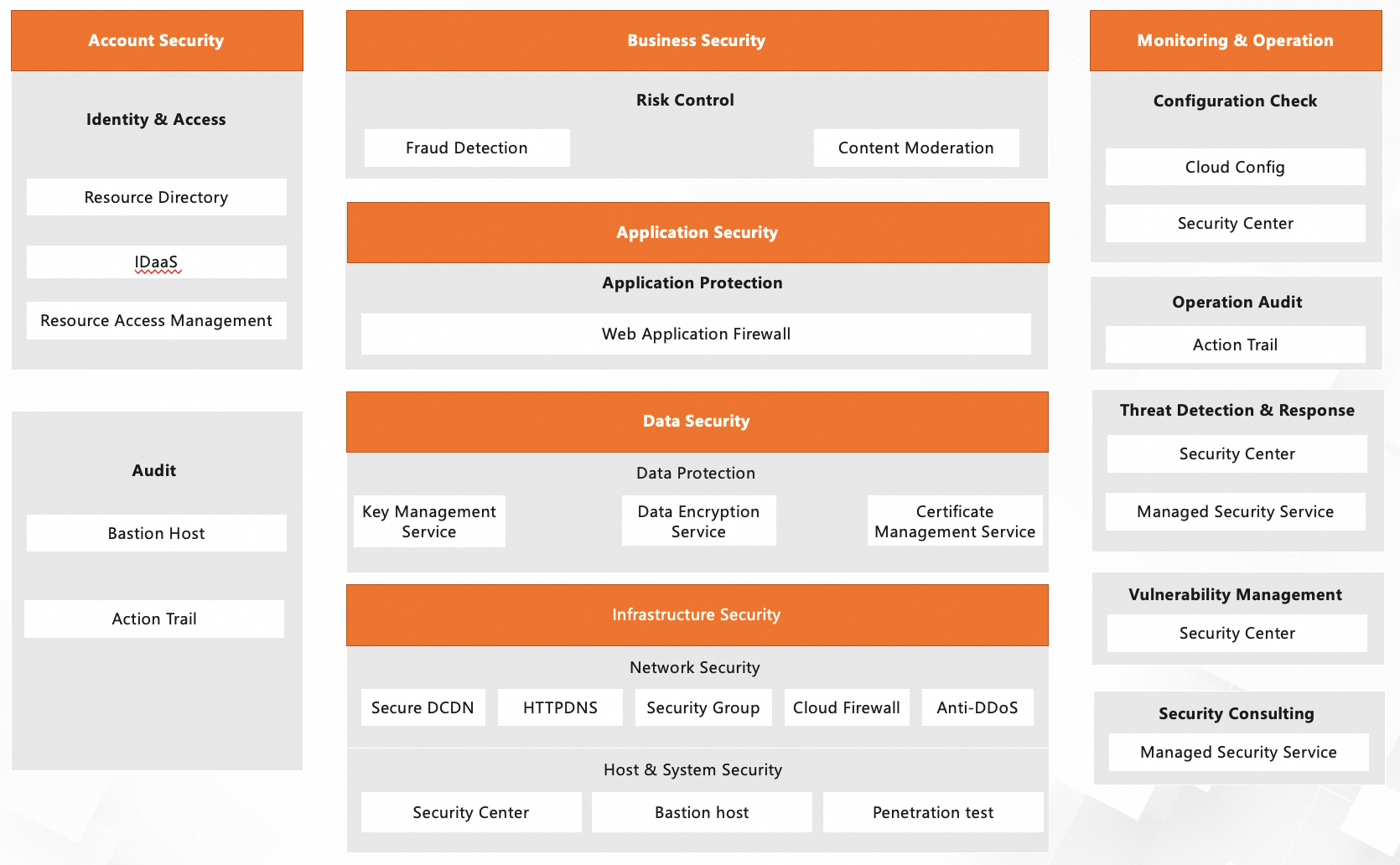
In today’s cloud-first world, Alibaba Cloud powers businesses of all sizes—from startups to global enterprises—by offering scalable infrastructure, AI-driven services, and robust data solutions. However, with great power comes great responsibility: your cloud environment is only as secure as the practices you implement to protect it. A compromised Alibaba Cloud account can lead to data breaches, financial losses, service disruptions, and even reputational damage. Whether you're a solo developer or part of a large IT team, understanding and applying account security best practices isn’t optional—it’s essential. In this blog, we’ll walk you through the why, what, when, who, where, and how of securing your Alibaba Cloud account using a structured, actionable approach.
Your Alibaba Cloud account is the gateway to your entire digital infrastructure—virtual machines, databases, storage buckets, APIs, and billing information. If an attacker gains unauthorized access, the consequences can be severe:
In short, your Alibaba Cloud account is a high-value target—and securing it is non-negotiable.
Securing your Alibaba Cloud environment involves protecting several key components:
Each of these elements represents a potential attack vector and must be protected accordingly.
Security isn’t a one-time task—it’s a continuous process that begins the moment you create your account:
Think of security as a foundation—you build it early and reinforce it continuously.
In an organization, cloud security is a shared responsibility—but clear ownership is critical:
Security controls should be applied at multiple layers:
Security isn’t just about passwords—it’s about creating a layered defense across people, processes, and technology.
Here’s a checklist of actionable best practices:
Go to Account Management > Security Settings and bind an authenticator app (like Google Authenticator or Authy) or a hardware token.
Create a RAM user with administrator permissions for routine tasks. Reserve the root account for rare, high-impact actions.
Assign minimal permissions using predefined or custom policies. For applications, use RAM roles with temporary credentials instead of static access keys.
✅ Rotate and protect access keys
Enable ActionTrail to log all API calls. Set up alerts for suspicious actions (e.g., logins from new regions, key deletions).
Since your Alibaba Cloud login is tied to an email, ensure that email account is also protected with MFA and strong passwords.
Conduct quarterly access reviews: disable inactive RAM users, remove excessive permissions, and validate role assignments.
Securing your Alibaba Cloud account isn’t just about ticking compliance boxes—it’s about protecting your business, your customers, and your future. By understanding why security matters, knowing what to protect, acting when it counts, assigning who is responsible, applying controls where they’re needed, and following how to implement them—you build a resilient cloud posture from day one.
Start today. Your cloud is only as strong as your weakest security link.
For more guidance, explore Alibaba Cloud’s official Security Best Practices documentation and leverage built-in tools like RAM, ActionTrail, and Cloud Config to automate and enforce your security policies.
Useful Links: https://www.alibabacloud.com/en/trust-center/security-compliance-practice?_p_lc=1
Vibe Coding using Alibaba Cloud's Tongyi Lingma Level Up Your Coding Skills with AI

127 posts | 23 followers
Followfrancisndungu - May 29, 2019
francisndungu - May 29, 2019
Alibaba Clouder - March 18, 2020
Nick Patrocky - January 5, 2024
Farruh - July 18, 2024
Farah Abdou - January 29, 2026
127 posts | 23 followers
Follow Security Center
A unified security management system that identifies, analyzes, and notifies you of security threats in real time
Learn More Data Security Center (Original SDDP)
An all-in-one data security solution that provides various features, such as sensitive data detection, classification, grading, and de-identification, to help you meet compliance requirements specified in General Data Protection Regulation (GDPR) and personal information protection
Learn More Security Solution
Alibaba Cloud is committed to safeguarding the cloud security for every business.
Learn More
Data Security on the Cloud Solution
This solution helps you easily build a robust data security framework to safeguard your data assets throughout the data security lifecycle with ensured confidentiality, integrity, and availability of your data.
Learn MoreMore Posts by Alibaba Cloud Indonesia

