Have you ever wondered why your cloud apps sometimes slow down or why resources are draining faster than you expect?
Well, managing cloud performance is quite challenging. That’s where Alibaba Cloud CloudMonitor comes in. It allows you to track and gain complete visibility into your cloud resource usage, as well as the health and status of your systems.
In this blog, we will explore the definition of Alibaba Cloud CloudMonitor, its benefits, why it matters, and effective ways to monitor and practices for monitoring.
Alibaba Cloud CloudMonitor is a cloud-native platform designed for real-time monitoring, alert setup, and managing Alibaba Cloud resources and internet services. It offers insights into the performance and health of different resources, including ECS instances, databases, local load balancers, and web applications.
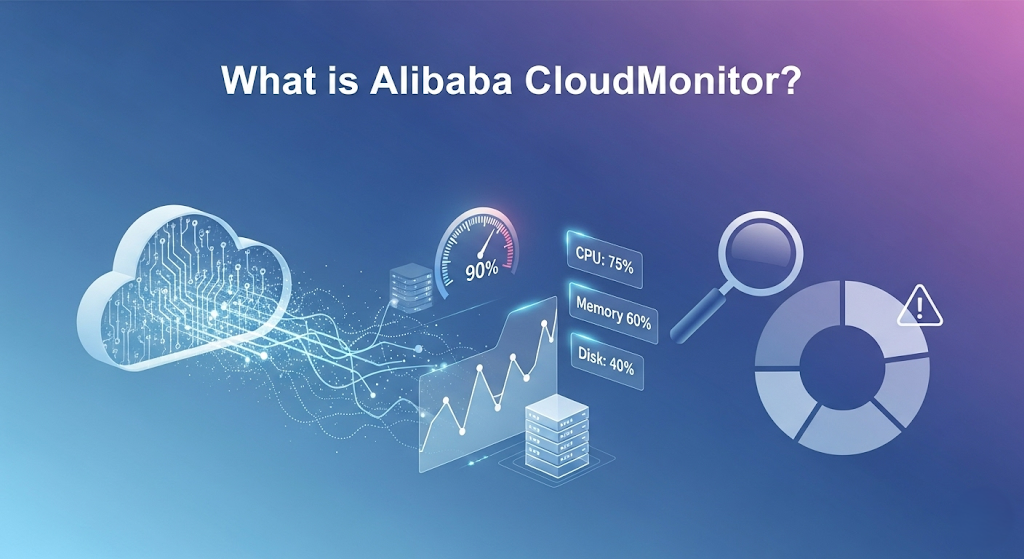
CloudMonitor collects metrics, detects availability issues, and sends notifications when predefined thresholds are exceeded, enabling proactive troubleshooting and resource optimization.
This proactive approach improves system reliability, minimizes downtime, and ensures smooth operations.
CloudMonitor offers numerous benefits, from providing real-time insights to proactive issue detection and cost-effectiveness.
Here are the key benefits of using CloudMonitor:
● Enhance visibility: With interactive dashboards and detailed reports, CloudMonitor gives clear insights into cloud consumption and costs. Teams can track resource usage trends in real-time. This transparency enables better budgeting and strategic planning.
● Simplified management: CloudMonitor allows resources to be grouped by business type for easier tracking. This streamlines monitoring and alarm configuration across complex environments. As a result, IT teams save time and reduce management overhead.
● Reduced costs: CloudMonitor helps identify underutilized or oversized resources and recommends optimization actions. This ensures you’re not overspending on unused services. As a result, businesses can lower operational expenses and improve overall cloud cost efficiency.
● End-to-end monitoring: It provides complete monitoring of applications, services, and custom metrics across the cloud. By tracking availability and performance, issues can be spotted early. This ensures smooth operations and better customer experiences.
Cloud performance matters because it directly influences the speed, reliability, and overall efficiency of business operations.
A high-performing cloud ensures that applications load quickly, services remain consistently available, and downtime is minimized. This enhances user and customer experience, strengthening business reliability. In industries where responsiveness and availability are vital, strong cloud performance can make the difference between satisfied customers and lost opportunities.
Beyond user experience, cloud performance also plays a key role in cost management and scalability. Poorly optimized systems often lead to wasted resources, higher operational expenses, and performance bottlenecks. On the other hand, effective monitoring and optimization allow businesses to allocate resources more efficiently, scale seamlessly to meet growing demands, and gain a competitive edge.
To maximize your cloud setup's effectiveness, regularly monitor its performance and make necessary adjustments.
Here’s how to keep track of and enhance cloud performance.
Start by monitoring every cloud resource, server, storage, database, and network. This ensures no hidden issues go unnoticed, preventing costly downtime. With comprehensive monitoring, you gain complete visibility into your infrastructure, making it easier to detect unusual activity.
Over time, this proactive approach builds a more stable and predictable cloud environment.
Dashboards give you a real-time overview of key metrics like CPU load, memory usage, and response times. These insights make it easier to spot performance issues and take action quickly. Custom dashboards can be tailored to highlight your most critical services, ensuring your team always sees what matters most.
The ability to visualize trends also helps in forecasting future capacity needs.
Alarms act as an early warning system by notifying you of potential issues before customers notice.
For example, if a service crashes or performance dips, real-time alerts allow your team to act immediately. By setting thresholds for different performance levels, you ensure minor issues are addressed before they escalate.
This level of automation reduces reliance on manual checks and increases operational efficiency.
Even the strongest systems have weak spots, such as slow databases, overloaded servers, or network congestion. Monitoring helps reveal these bottlenecks so you can address them proactively. Once identified, teams can redistribute workloads, scale resources, or adjust configurations to smooth out performance. This step improves speed as well as creates a better end-user experience.
Analyze usage patterns to determine whether your resources are over or under-provisioned. Paying for unused capacity drives up costs, while under-provisioning risks poor performance. Optimization ensures resources are matched to actual demand, avoiding waste.
Always make a habit of reviewing dashboards and updating alerts so that your system strongly aligns with your business. Updating thresholds, removing redundant alerts, and tracking new resources help teams focus on what matters, maintain system reliability, and align performance with business goals.
Here are some practical tips to implement the monitoring strategy:
One of the most effective ways to monitor is to set tiered alarms, which allow for the identification of issues. Minor risks can trigger low-priority notifications, while serious problems generate urgent alerts.
This allows the team to focus on issues that matter the most. Realistic thresholds avoid constant false alarms and enable quick responses without any distractions.
Focus only on relevant metrics that impact the system performance and user experience, such as CPU usage, memory, response time, and error rates. Tracking every metric creates confusion and slows down decision-making. Therefore, it is essential to track relevant metrics to detect problems and take action quickly.
Traffic and workloads can fluctuate dramatically. Leveraging auto scaling allows you to automatically adjust resources to match demand, adding capacity during peaks and scaling down when demand drops. This ensures consistent performance, avoids downtime, and optimizes costs without manual intervention.
Metrics indicate what is occurring, while logs explain why. Integrating log monitoring with metrics provides a greater understanding of system behavior, helps identify the source of errors, and speeds up troubleshooting. This strategy makes monitoring more precise and actionable.
Automation enables your system to identify anomalies and automatically implement corrective measures without delay. Whether it's restarting services or reallocating resources, automation minimizes downtime, enhances dependability, and allows teams to concentrate on more strategic tasks rather than constantly firefighting.
Even with the right tools in place, monitoring the cloud can still present challenges. Some of the significant challenges are:
When the system generates a constant notification, teams might feel overwhelmed, leading them to miss critical issues. This can reduce the effectiveness of monitoring and increase responses during real incidents.
To overcome this problem, set realistic thresholds for alerts and implement tiered notifications that differentiate between minor and urgent issues. Prioritizing alerts ensures teams focus on what truly matters, reducing noise and improving response times.
Monitoring only the insufficient parts brings huge gaps where the problem can go unnoticed. Ignoring components like APIs, database, or storage can result in hidden failures that affect performance and user experience.
To solve this problem, adopt end-to-end monitoring that covers every resource, from servers and applications to networks and storage. This comprehensive approach ensures issues are detected early and addressed before they escalate.
Monitoring tools generate massive amounts of data, which can be overwhelming for teams to analyze effectively. Too much information makes it harder to spot the metrics that truly matter.
So, focus on performance-critical metrics that impact user experience. Use dashboards and visualizations to filter irrelevant information and highlight key issues quickly, so teams can take action efficiently.
Even after issues are identified, delays in response can increase downtime and disrupt services. Without a clear response plan, small problems can quickly turn into major incidents. To prevent this, automate responses for common issues, establish a clear escalation path, and train teams to act promptly. Quick, coordinated responses help minimize downtime and keep services reliable.
Cloud systems are vulnerable to threats like unauthorized access, misconfigurations, and data breaches. If these risks are not addressed, they can lead to financial losses, operational disruptions, or damage to your reputation. To mitigate these threats, integrate security monitoring into your performance evaluations, regularly review access controls, monitor for suspicious activity, and follow best practices to reduce risk and maintain trust.
Effective cloud monitoring is essential for maintaining performance, controlling costs, and ensuring the reliability of your applications.
By actively monitoring resources, creating dashboards and alerts, pinpointing bottlenecks, and enhancing usage efficiency, businesses can avoid downtime and ensure a smooth user experience. While challenges like alert fatigue, incomplete monitoring, and security risks may arise, implementing best practices and automation ensures your cloud environment remains efficient, secure, and aligned with your business goals.
Alibaba Cloud resources can track metrics like ECS (CPU, memory, disk, network), RDS (connections, queries, latency), SLB (traffic, response time), OSS (storage, requests), CDN (bandwidth, cache ratio), EIP, VPC, message queues, and custom applications via the CloudMonitor Agent or API.
Yes. CloudMonitor is secure because it uses encryption, role-based access control, and complies with international standards (ISO, GDPR, SOC).
Disclaimer: The views expressed here in are for reference only and don't necessarily represent the official views of Alibaba Cloud.
Neel_Shah - July 2, 2025
Alibaba Cloud Native - June 21, 2024
Alibaba Cloud Native - June 27, 2024
Alibaba Cloud Community - March 31, 2022
Alibaba Clouder - May 7, 2019
Alibaba Cloud Native - June 28, 2024
 Application Real-Time Monitoring Service
Build business monitoring capabilities with real time response based on frontend monitoring, application monitoring, and custom business monitoring capabilities
Learn More CloudMonitor
Automate performance monitoring of all your web resources and applications in real-time
Learn More Real-Time Livestreaming Solutions
Stream sports and events on the Internet smoothly to worldwide audiences concurrently
Learn More Managed Service for Prometheus
Multi-source metrics are aggregated to monitor the status of your business and services in real time.
Learn More

