by Sunny Jovita, Solution Architect Alibaba Cloud Indonesia.
In cloud architecture, isolating resources into different Virtual Private Clouds (VPCs) is a standard security practice. However, there are often scenarios where resources in separate VPCs need to communicate privately and efficiently.
While you can use VPC Peering or VPN Gateways, Alibaba Cloud Cloud Enterprise Network (CEN) offers a robust, enterprise-level solution for creating interconnected networks.
In this tutorial, we will walk through how to use CEN to establish a private communications channel between two VPC networks within the same account, enabling seamless intercommunication between all resources.
Before beginning the configuration, ensure you have the following cloud resources ready:
● ECS Instances: At least two instances (one in each VPC).
● VPC Networks: Two distinct VPCs. For this example, we are using:
vpc-rj9ikihs6sw77l1oqn2yi (CIDR: 192.168.0.0/16)vpc-rj9lx3538jo13c1iyfuq9 (CIDR: 172.16.0.0/12)● Account: Both VPCs must be under the same Alibaba Cloud account.
Imagine you have two sets of resources deployed in separate VPCs under the same account:
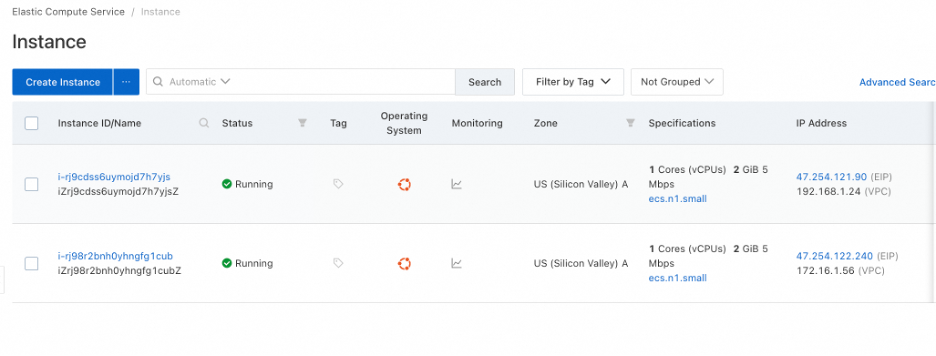
Without a connecting bridge, an ECS instance in VPC1 (e.g., 192.168.1.24) cannot communicate with an ECS instance in VPC2 (e.g., 172.16.1.56). Even with security groups configured to allow ICMP traffic, a ping test between these instances will fail because there is no routing path between the two networks.
By default, security groups may block external traffic. To test connectivity via ping, we need to allow ICMP traffic.
Note: Once this rule is added, the ECS instance can be pinged from other instances within the same VPC network. However, cross-VPC (different region or different account) ping will still fail until CEN is configured.
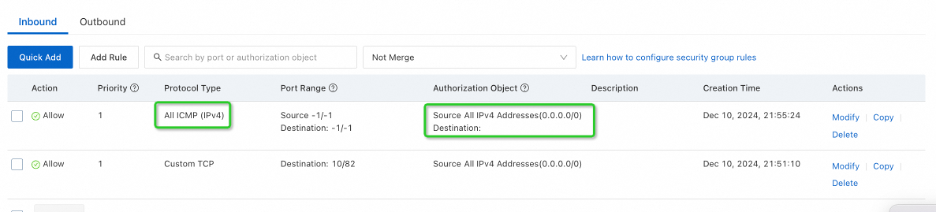
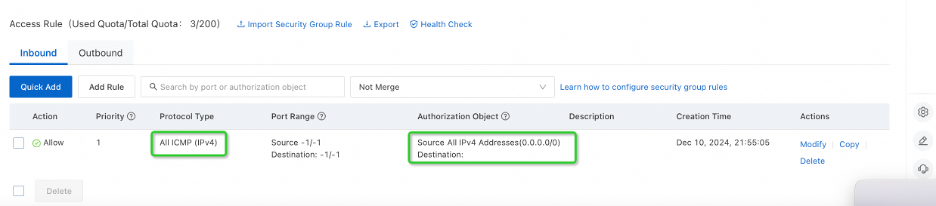
Before setting up CEN, it is good practice to verify that the networks are indeed isolated.
172.16.1.56).
Now, we will bridge the gap using Cloud Enterprise Network.
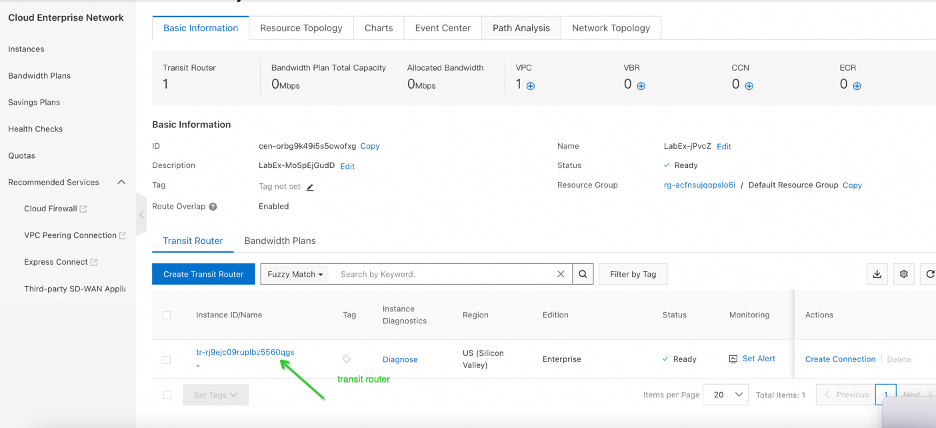
1. Create/Access CEN: Go to the CEN console and create a CEN instance (or use an existing one).
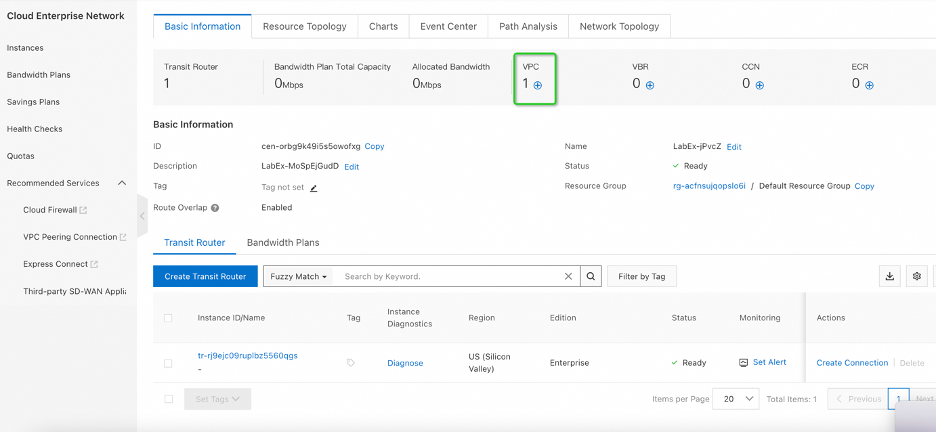
2. Attach First VPC:
3. Attach Second VPC:
4. Verification: Ensure both VPCs are listed as "Attached" in the CEN console.
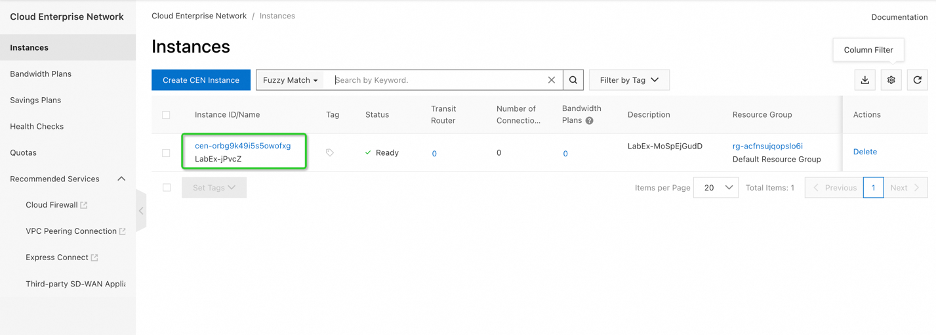
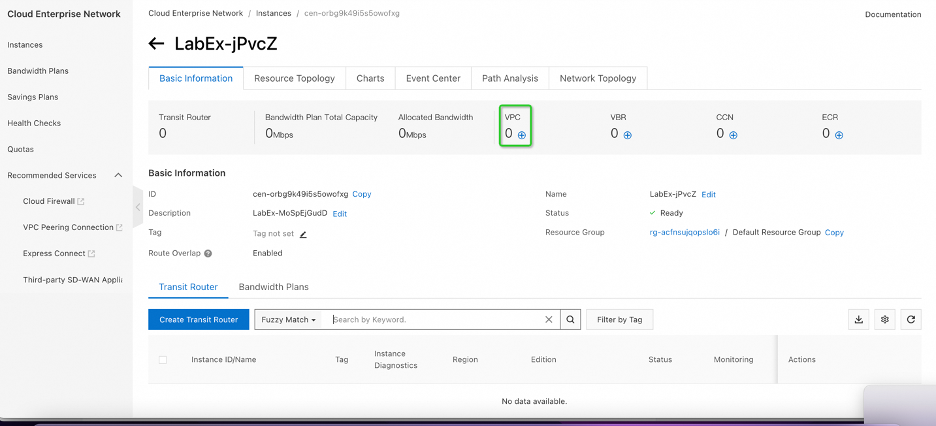
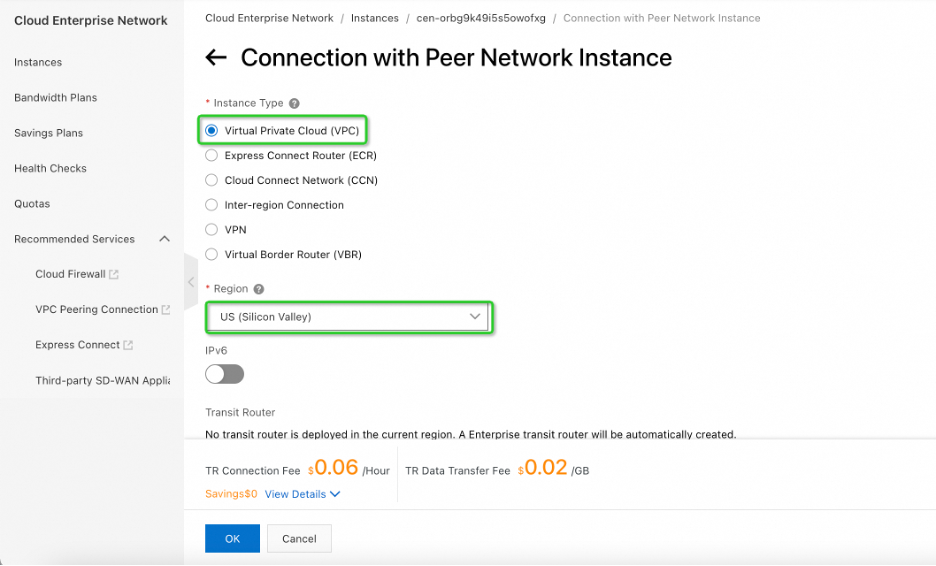
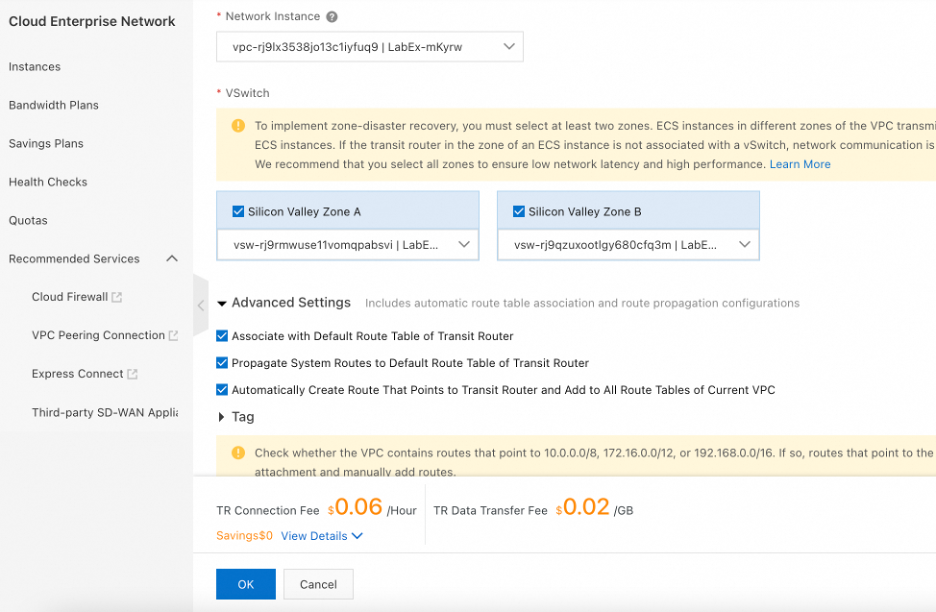
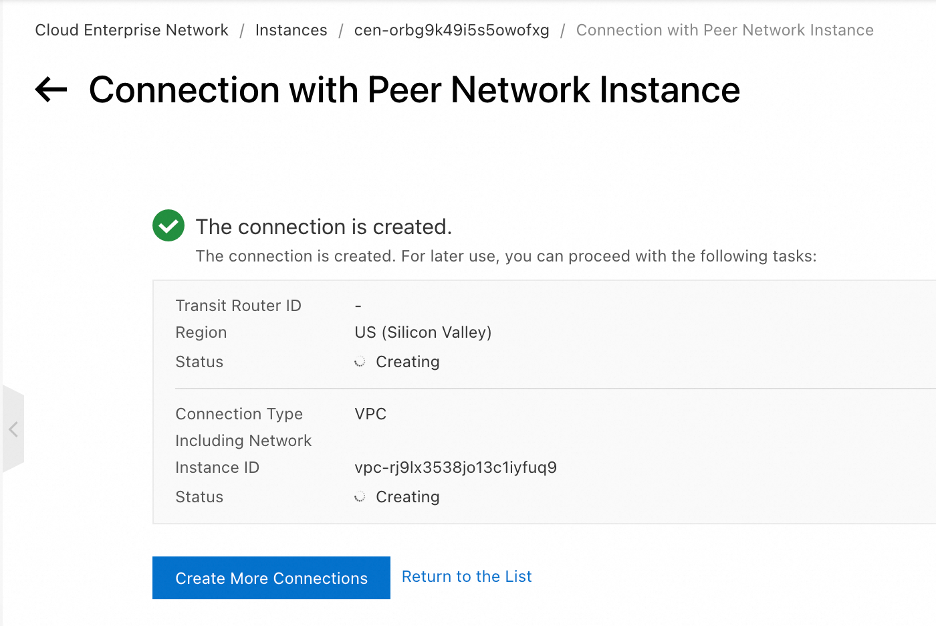
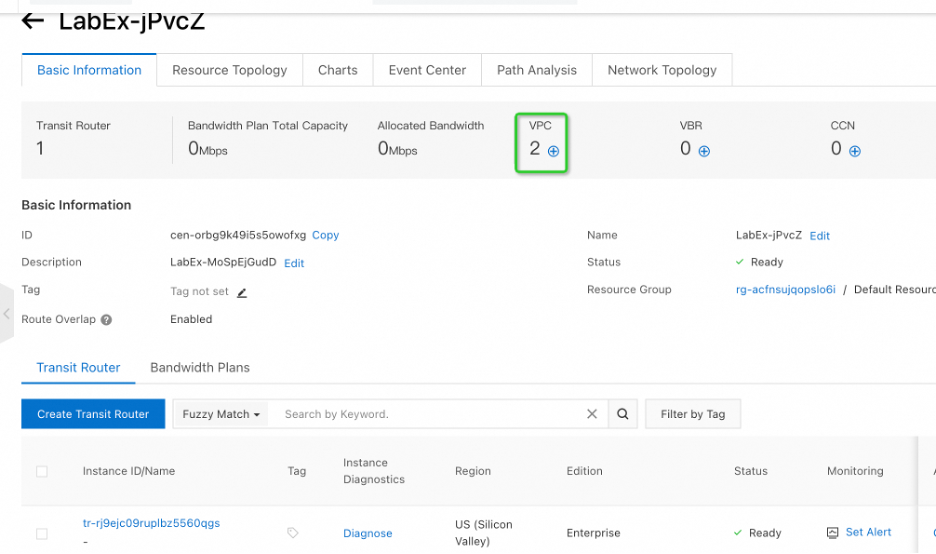
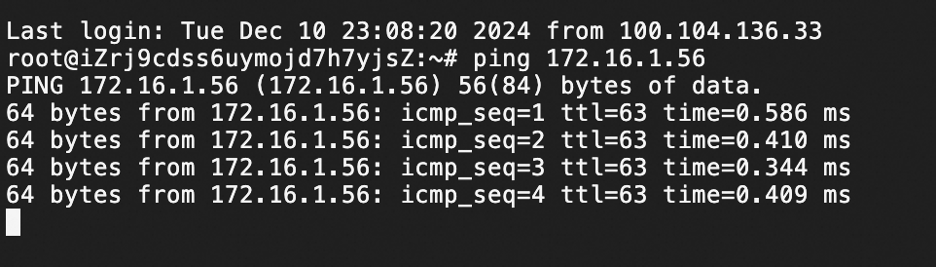
With the CEN instance connecting both VPCs, the routing tables are updated automatically.
This confirms that the two VPC networks are now connected via a private channel.
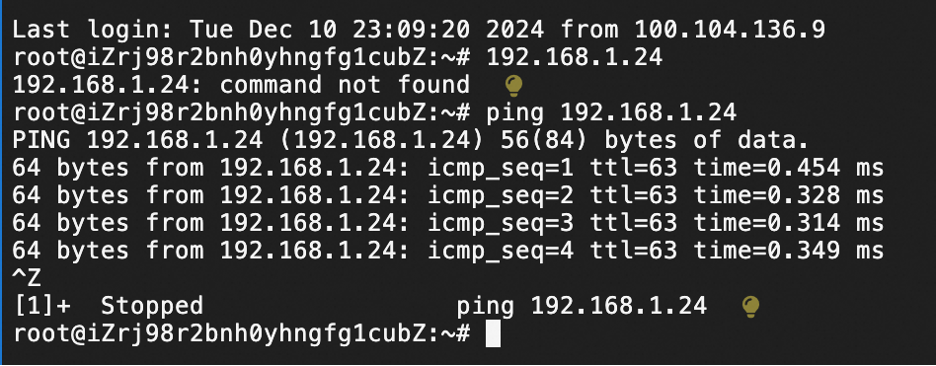
While VPC Peering and VPN Gateways are viable options, CEN provides distinct advantages for enterprise-level networks:
● High Speed & Low Latency: CEN provides high-speed network transmission. The maximum rate of local intercommunication reaches the port forwarding rate of your local IDC.
● Global Access: CEN has access and forwarding nodes in over 60 regions around the world.
● Private Backbone: Users can access Alibaba Cloud through nearby nodes to bypass public networks. This avoids latency and potential packet damage, ensuring quick intercommunication between your local IDC and Alibaba Cloud resources.
● Scalability: It supports the creation of an enterprise-level interconnected network, allowing intercommunication between all resources easily.
Connecting VPCs doesn't have to be complex. By leveraging Alibaba Cloud CEN, you can transform isolated networks into a unified, high-performance enterprise network. Whether you are connecting resources in the same region or across the globe, CEN ensures low latency and high reliability.
Ready to optimize your cloud network? Log in to your Alibaba Cloud console and try setting up CEN today!
Entering the AI-Native Era: How DAS Leverages LLMs to Revolutionize Database Autonomy

124 posts | 21 followers
FollowAlibaba Clouder - June 18, 2020
Sabith - October 25, 2018
PM - C2C_Yuan - August 16, 2021
Alibaba Clouder - March 26, 2018
Alibaba Clouder - February 18, 2021
Alibaba Clouder - January 10, 2020
124 posts | 21 followers
Follow Alibaba Cloud PrivateZone
Alibaba Cloud DNS PrivateZone is a Virtual Private Cloud-based (VPC) domain name system (DNS) service for Alibaba Cloud users.
Learn More VPC
VPC
A virtual private cloud service that provides an isolated cloud network to operate resources in a secure environment.
Learn More VPN Gateway
VPN Gateway is an Internet-based service that establishes a connection between a VPC and your on-premise data center.
Learn More Apsara Stack
Apsara Stack is a full-stack cloud solution created by Alibaba Cloud for medium- and large-size enterprise-class customers.
Learn MoreMore Posts by Alibaba Cloud Indonesia

