Expenses and Costs is the Alibaba Cloud financial management console. It helps you configure payment methods, manage discounts and orders, handle renewals and unsubscriptions, view bills, request invoices, and perform cloud cost optimization.
Funds and account
You can link a bank card and PayPal to your Alibaba Cloud account to purchase and use Alibaba Cloud products and services.
The Transaction Details page records every transaction in your account, including the transaction type and the parties involved.
You can check the status of your Available Credit on the Homepage or the Fund Account page. Your Available Credit is your account balance minus any unsettled charges.
-
If your Available Credit is greater than 0, your outstanding charges are settled automatically.
-
If your Available Credit is less than 0, your account has an overdue payment. If you do not settle the payment promptly, your running resources may be suspended and eventually released.
You can set an Available Credit Alert to receive a notification when your Available Credit falls below a specified threshold. Alibaba Cloud also provides a Suspension Grace Period, which offers a buffer after an account has an overdue payment to prevent irreversible service disruption.
Purchases and orders
Alibaba Cloud offers two billing methods: subscription and pay-as-you-go. Orders and Subscriptions help you view all your purchase and transaction information:
-
The subscription billing method includes yearly/monthly, Savings Plan, and Resource Plan options. You pay in advance to use resources for a specific period.
-
The pay-as-you-go billing method is mainly for resources that are charged based on usage. You can activate a service first, and the system continuously tracks your usage and costs and settles the fees after your monthly bill is generated.
Every action you take to purchase cloud resources is recorded as an order, covering the entire lifecycle of new purchase, renewal, upgrade/downgrade, and unsubscription.
Resource renewal: If you do not renew a subscription resource before it expires, the system stops the service and eventually releases the resource. After a resource is released, its data cannot be recovered. When you receive an expiration notification from the system, go to the Resource Renewal page to renew the resource manually or enable automatic renewal.
Resource unsubscription: If you want to unsubscribe from a purchased resource or cancel a pending renewal, go to the Resource Unsubscription page to unsubscribe. The system calculates and processes the refund based on the unsubscription rules. You can only unsubscribe from subscription resources, such as yearly/monthly instances and resource plans. You do not need to unsubscribe from pay-as-you-go resources. To stop charges for pay-as-you-go resources, back up your data and release the resources in the product console.
Benefits and discounts
A coupon is a promotional benefit that Alibaba Cloud offers to customers. Coupons are classified into cash coupon, conditional coupon, and discount coupon types. You can use coupons to offset payments for orders or have them automatically deducted after a bill is generated. Each coupon has its own terms of use, including applicable products and billing methods (subscription or pay-as-you-go). Some coupons cannot be combined with other discounts. You can view the details on the Coupons page.
Alibaba Cloud services offer Savings Plan and Resource Plan purchase options. When used with pay-as-you-go resources, these plans offer lower rates for usage within the plan's scope. Usage beyond the plan's scope is billed at the standard pay-as-you-go rate.
You can view detailed usage information on the Savings Plan or Resource Plan pages and adjust your plans based on metrics like utilization and coverage rates.
Analyze bills
Alibaba Cloud provides reports such as Monthly Bill, Spending Details, and Usage Details for various analysis scenarios. You can analyze data by time range, product, billing method, and other criteria.
Alibaba Cloud generates bills on a monthly basis based on your cloud consumption and resource usage. For subscription resources, bill data is generated after payment. For pay-as-you-go resources, the system tracks usage and creates detailed records over billing cycles, such as hourly, daily, or monthly, before consolidating them into a single bill.
The costs of a cloud service consist of one or more billable items. For example, the billable items of an ECS instance can include the instance type, disks, and public bandwidth. Each billable item is billed independently. Detailed bills provide information about usage, unit price, total price, and the billing formula. This helps you understand the billing principles and process for reconciliation and settlement.
|
Type |
Use case |
Data availability |
|
Monthly Bill |
View a monthly consumption summary. Summary data is generated monthly for reconciliation and settlement. |
Bills are continuously updated throughout the month. The final monthly summary is generated at 12:00 on the 2nd day of the following month. |
|
Spending Details |
View granular information about billable items, usage, and pricing for multi-dimensional analysis. |
The complete detailed bill for the current month is generated at 12:00 on the 3rd day of the following month. |
|
Usage Details |
Track raw usage details of cloud resources for usage analysis, capacity planning, and cost verification. |
Usage is continuously updated throughout the month. The final usage data for the current month is available after 12:00 on the 2nd day of the following month. |
You can export bill data in PDF or CSV format from the console. You can also subscribe to bill delivery to an OSS bucket for offline analysis.
Continuously optimize cloud costs
Cloud cost optimization is a continuous process throughout the service lifecycle of your cloud resources. During the purchasing phase, you can optimize costs by properly evaluating specifications and using cost-saving options like coupons, savings plans, and resource plans. During the operational phase, you can continuously monitor costs with analysis tools and implement system-generated recommendations for further optimization.
You can use tools like Cost Center and tags to perform cost allocation for resources by business line or project, which helps attribute the costs of shared resources.
Cost Analysis provides cost data from an amortization perspective, allowing you to allocate subscription costs over time periods such as months or days. You can perform custom analysis by product, region, time, and other dimensions.
Budget Management allows you to set spending limits for different projects or departments, dynamically track spending progress, and compare budgeted amounts against actual spending.
Anomaly Detection automatically identifies and sends alerts for abnormal costs to help reduce unexpected expenses.
You can also set up alerts for high product spending, Resource Plan usage, Available Credit, and budget status. The system sends timely notifications through the Message Center.
Console features
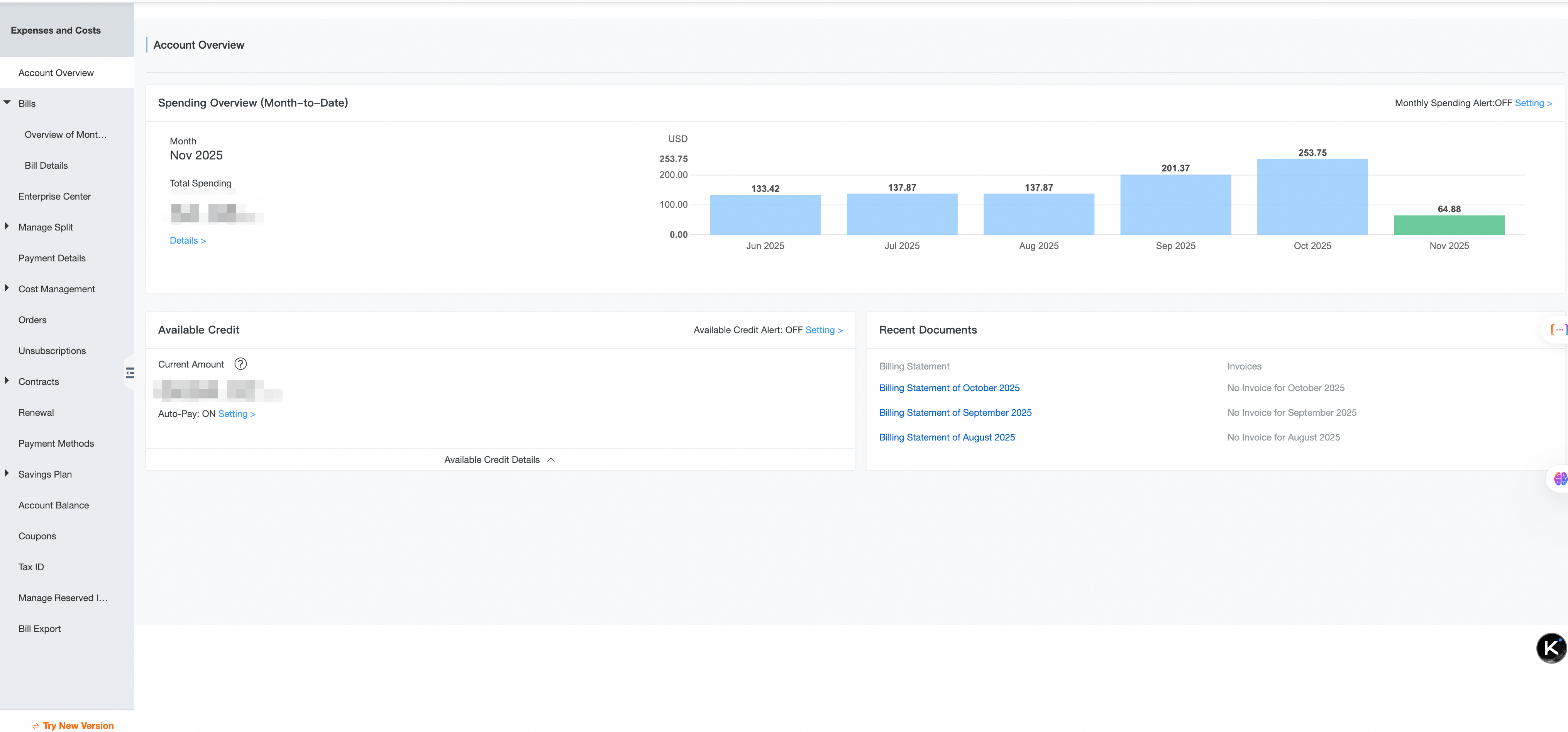
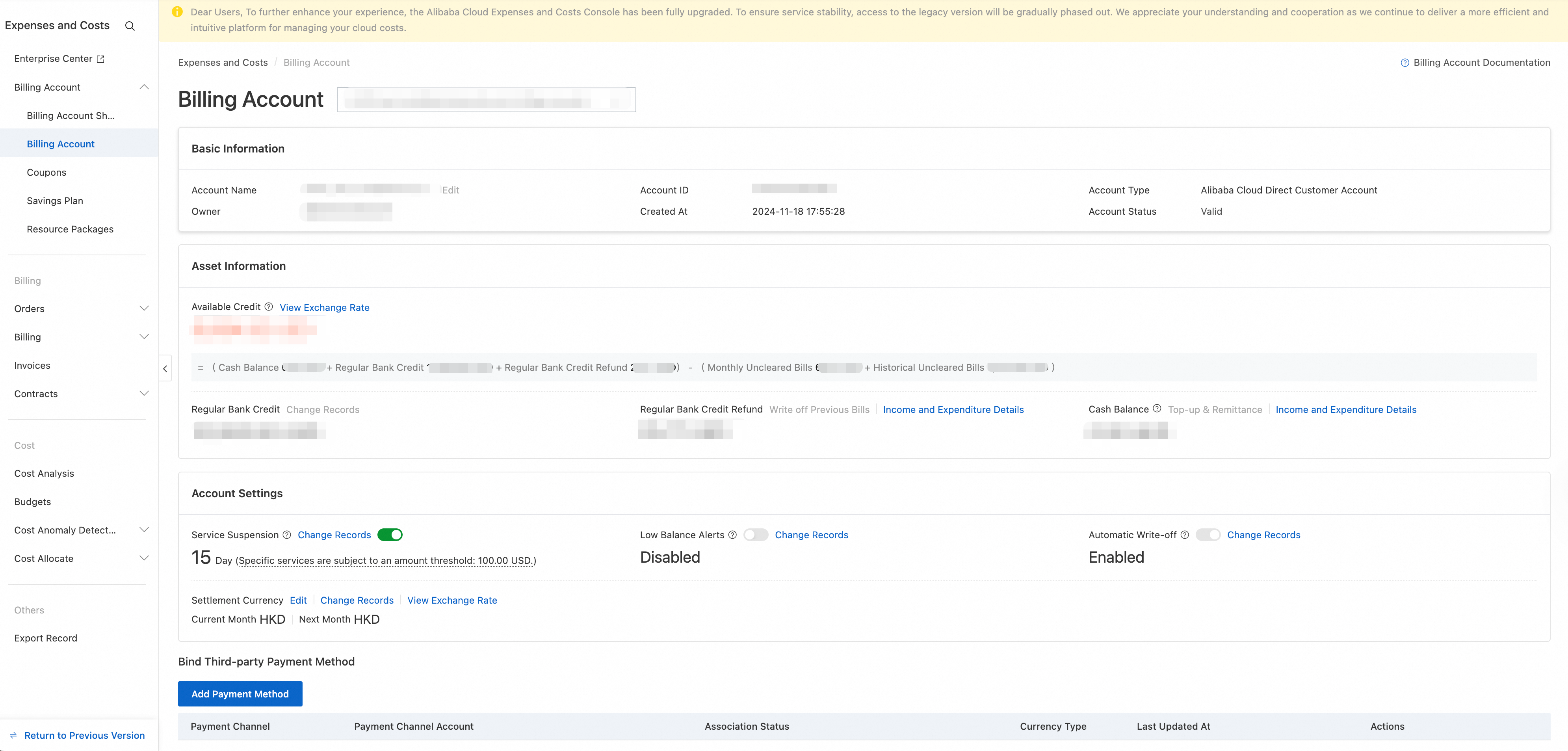
Expenses and Costs offers a new console and a legacy console. You can identify which version you are using by its interface style.
New console
The top Overview section of the new Expenses and Costs console homepage is divided into three columns: Available Credit (with links for Top-up, Withdraw, and Transaction Details), Invoicable Amount (with a Request Invoice button), and Total Amount Due (with a Make Payment button). The central Cost Overview bar chart displays five monthly cost categories: Non-invoicable, Invoiced, Invoicable, Awaiting Payment, and Paid. The bottom Expense Details section contains five tabs: Subscription Orders, Bills, Reconciliation, Invoices, and Repayment. The left-side navigation pane includes menus for Homepage, Enterprise Organization, Account, Expenses (Subscription Orders/Bills/Invoices), Contracts, and Costs (Cost Overview/Cost Analysis/Budget Management/Cost Monitoring/Cost Optimization/Cost Allocation).
Legacy console (phasing out)
The homepage of the legacy Enterprise Financial Management console includes several key areas. The top Available Credit section shows a calculation of your cash balance, credit limit, and unsettled amount. The Monthly Bill Overview table lists recent bill amounts and their status. The Cost Overview section displays the current month's cost and the end-of-month forecast, including month-over-month changes. The Cost Health card shows a health score, the number of optimization recommendations, and estimated savings. The left-side navigation pane provides access to features such as Enterprise Management, Fund Management, Bill Management, Cost Management, and Order Management.