Dear user,
Alibaba Cloud has upgraded the Expenses and Costs console to improve the financial management experience.
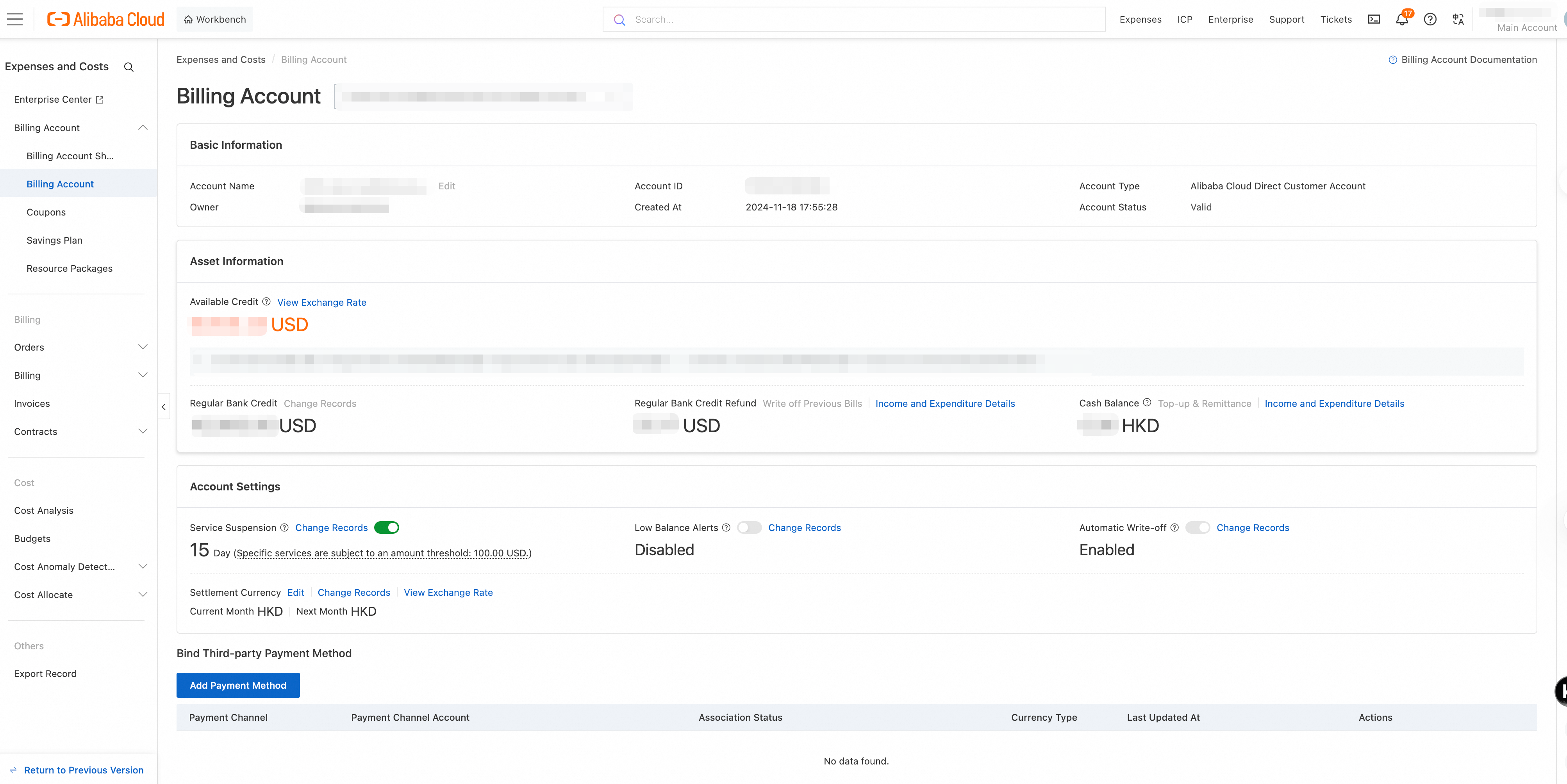
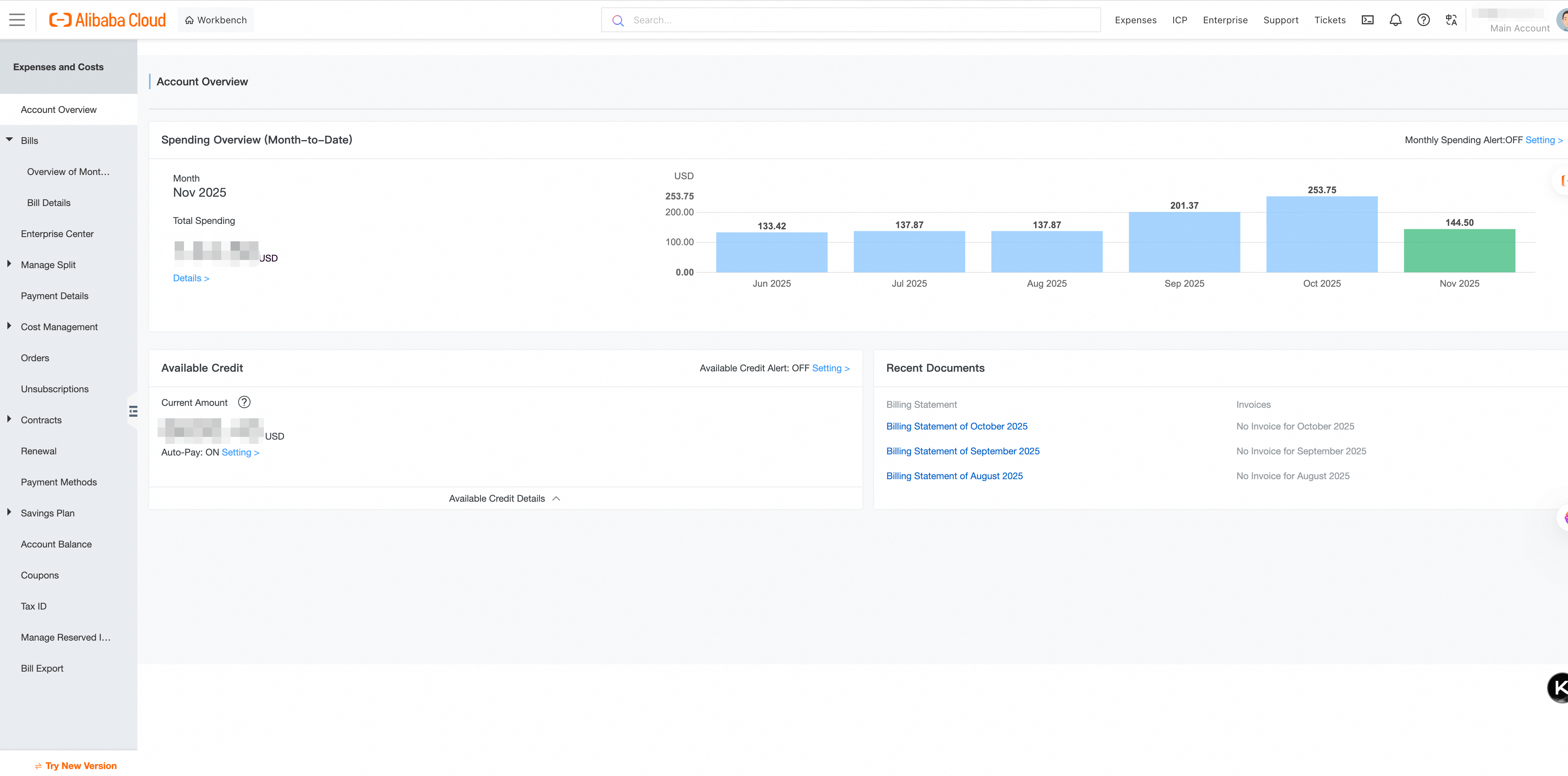
Log in to the Expenses and Costs console to check which version you're using. If your console has been upgraded to the new version, click Return to Previous Version or New Console in the lower-left corner to switch between versions.
New console
Legacy console
Key changes in the new console
The new console updates the navigation menu and features without affecting your existing API integrations. For a detailed overview, see Expenses and Costs.
|
Module |
Feature |
Changes and description |
|
Enterprise Organization |
- |
New module. Provides hierarchical multi-account management for enterprise users. Administrators can centrally manage funds, orders, bills, invoices, and discount benefits across member accounts. |
|
Account (New module. Each Alibaba Cloud account is associated with one billing account for financial settlement by default.) |
Account sharing |
New feature. In enterprise finance scenarios, administrators can query multiple accounts, transfer funds across accounts, allocate credit limits, and share discount assets such as coupons and savings plans. For more information, see Account sharing overview. |
|
Fund account |
Manage asset quotas and payment relationships. New features include transaction details, monthly transaction summaries, and account payment relationship queries. For more information, see What is a billing account?. |
|
|
Vouchers |
The coupon management menu from the legacy console has been reorganized. Query and manage coupons. |
|
|
Savings plans |
Query savings plans, analyze usage, and get purchase recommendations. Enterprise organizations support multi-account savings plan queries. |
|
|
Resource plans |
Query and manage resource plans, including the list of deductible regions. Enterprise organizations support multi-account resource plan queries. |
|
|
Expenses |
Subscription orders |
Query order records and manage resource renewals and unsubscriptions. Enterprise organizations support multi-account order queries. |
|
Bills |
Query and download monthly bills and consumption details. New high-spending alert feature, configurable by product. The Billing transactions report from the legacy console has been moved to the Overview of Monthly Bill > By Resource Purchase Account tab. Click Settlement Details in the Actions column to view the data. |
|
|
Invoices |
Query and download invoices. |
|
|
Contracts |
Query and manage contract discounts. |
|
|
Costs |
Cost analysis |
Analyze costs across multiple dimensions based on cost details. Enterprise organizations support multi-account cost analysis. |
|
Budget management |
Set budgets and compare actual spending against budgets with alerts. Enterprise organizations support multi-account budget planning. |
|
|
Cost monitoring |
Set up cost alerts for high spending, available fund quotas, budget progress, and resource plan usage. New anomaly detection feature that uses algorithms to identify spending fluctuations and automatically alert on abnormal costs. |
|
|
Cost allocation |
Allocate cloud resource costs to cost units based on how business teams or projects consume resources. Enterprise organizations support multi-account cost allocation rule configuration and allocation detail queries. |
|
|
Others |
Export details |
Query export records and download exported files for bills, costs, and other details. |
Billing upgrade details
The legacy Expenses and Costs console will be gradually decommissioned, after which you will no longer be able to access the legacy console or its billing pages. Familiarize yourself with the new console and billing system as soon as possible, and adapt your business integrations based on the following changes.
This upgrade covers changes to both the console and billing system. The following sections compare the pre-upgrade experience (legacy console + legacy billing) with the post-upgrade experience (new console + new billing) to highlight the differences that require your attention.
Core billing capability comparison
|
Comparison dimension |
Before upgrade (legacy console + legacy billing) |
After upgrade (new console + new billing) |
|
Bill query perspective |
Single-account queries and exports only. |
Enterprise management perspective with organization-wide or partial member account bill queries. |
|
Feature enhancements |
Fields displayed in a flat layout without grouping. |
Fields grouped for clearer reconciliation. Tiered pricing scenarios support per-tier usage and list price breakdowns. |
|
Billing reports |
Reports include billing transactions, statistics by account/product/financial unit, spending trends, and product spending distribution. |
Spending trend, product spending distribution, and statistics by account/product/financial unit reports have been discontinued. New reports include statistics by organization, by resource purchasing account, by product, by service provider, and by discount eligibility, plus repayment transaction reports. |
|
Settlement capabilities |
Each account settles independently. |
New unified settlement. Batch-select different service providers, products, and bill types to create customized settlement tasks. |
Billing field changes
The following field changes apply to all billing reports, including those queried and exported from the console.
New fields
The following fields are new in the upgraded billing system and don't exist in the legacy billing:
|
New field |
Description |
|
Service Entity |
The company name of the product or service provider, such as "Alibaba Cloud Computing Co., Ltd.". |
|
Line Item Type |
For example, "Subscription prepayment". Differs from the legacy transaction type. |
|
Resource ID |
A unique resource identifier added in the new billing system. |
|
Region Code |
Standardized region code, such as cn-beijing. |
|
Duration Details, Usage Details |
Extended information about duration and usage. |
|
List Price Tiers, Tiered Pricing Rules, List Price Conversion Information |
Fields for tiered pricing and pricing conversion. |
|
Subscription Deduct Details, Coupon Deduction Details |
Deduction breakdowns that replace the legacy savings plan instance ID and coupon deduction amount fields. |
|
Tax-exclusive Payable Amount |
Payable amount before tax. |
Discontinued fields
The following fields are no longer displayed in the new billing system:
|
Discontinued field |
Alternative |
|
Internet IP, Intranet IP, Resource Group, Instance Tag |
No longer displayed in bill details. View this information in the new Cost allocation details. |
|
Billing ID |
No longer displayed separately. Query associated information by order number. |
|
Billing cycle |
No longer displayed separately. Use the service start/end time instead. |
|
Subscription Type, Cost Center, Billing number, Business Type |
Legacy console fields that are no longer provided in the redesigned billing system. |
|
Item Discount,Portfolio Discount |
View in the discount details. |
|
Deducted By Resource Package |
View in the usage details. |
Renamed fields
The following fields have been renamed in the new billing system:
|
Legacy console field name |
New billing field name |
Description |
|
UID |
Resource Purchase Account ID |
Value unchanged |
|
Account |
Resource Purchase Account |
Value unchanged |
|
Owner account |
Resource Owner Account |
Value unchanged |
|
Billing period |
Billing Month |
Value unchanged |
|
Charge type (e.g., "New purchase") |
Consume Type (e.g., "New purchase") |
Some transaction type names have been adjusted, such as separate entries for "Upgrade" and "Downgrade" |
|
Product |
Product Name |
Value unchanged |
|
Product detail |
Commodity Name |
Value unchanged |
|
Instance nickname |
Resource name |
Value unchanged |
|
Bill start time |
Start Time Of Service |
Value unchanged |
|
Bill end time |
End Time Of Service |
Value unchanged |
|
Deducted By Reserved Instance |
Deduct Charge Usage |
Value unchanged |
|
Unit price |
List price |
Value unchanged |
|
Unit |
List Price Unit |
Value unchanged |
|
List price |
Gross Amount |
Value unchanged |
For details about all fields in the new billing system, see New billing report fields.
For end users who are associated with and settle directly through an Alibaba Cloud partner, bills no longer include settlement and invoicing information. These end users can't download bills with the Alibaba Cloud seal. Settlement and invoicing information includes cash payments, voucher deductions, stored-value card payments, overdue amounts, invoiceable amounts, and invoiced amounts.