本文介紹了利用Intelligent Media Management(IMM)媒體轉碼介面來實現音頻轉碼的能力。
功能簡介
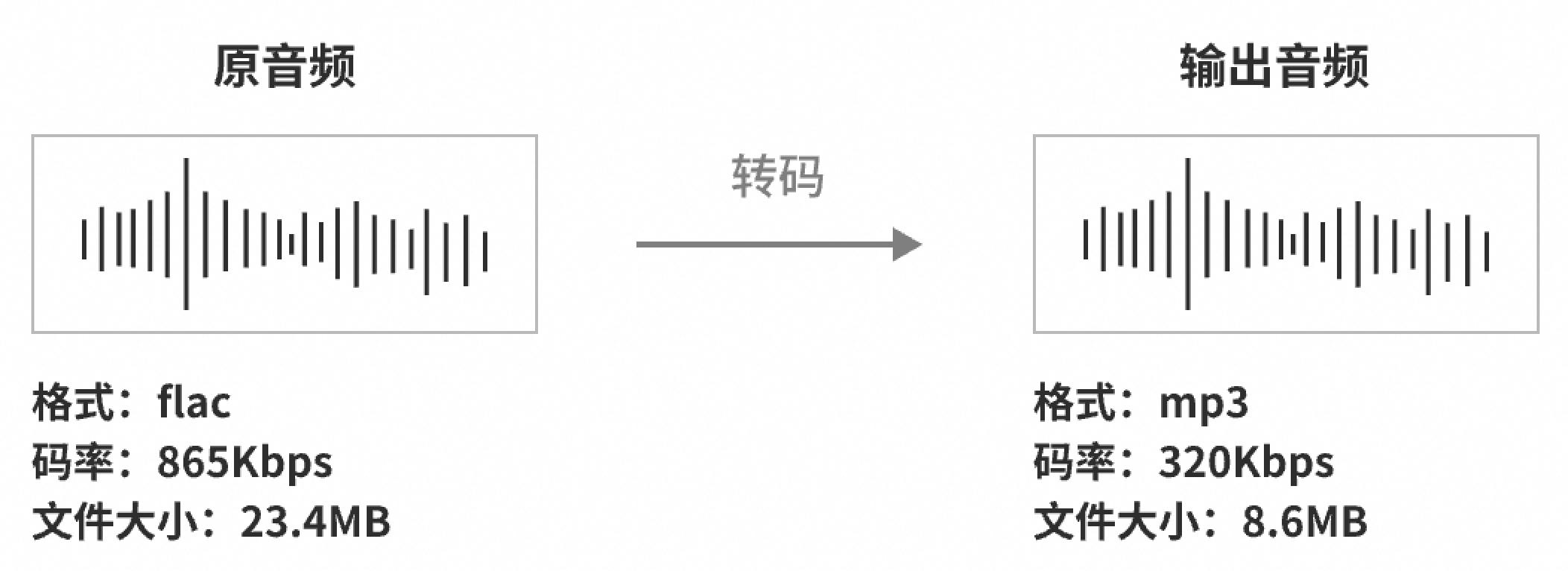
音頻轉碼功能是指將一種音頻格式轉換為另一種格式的技術,其目的是提升音頻檔案的相容性、在不降低音質的情況下減少檔案體積。
使用情境
音頻格式相容性:不同裝置和播放器支援的音頻格式可能各異,轉碼可以確保音頻檔案在目標裝置上正常播放。
音頻流媒體:在網路直播或流媒體服務中,音頻格式的轉碼能夠有效最佳化傳輸效率,以適應不同的網路條件和使用者裝置。
音頻壓縮:為了節省儲存空間或頻寬,音頻檔案通常需要轉碼為更高效或壓縮的格式,例如將WAV格式轉碼為MP3或AAC格式。
參數調整:根據需求調整音訊採樣率和聲道數。
支援音視頻格式列表
分類 | 格式 |
音頻 | AAC、MP3、WAV、FLAC、WMA、AC3、OPUS等所有主流格式。 |
視頻 | MP4、MPEG-TS、MKV、MOV、AVI、FLV、M3U8、WebM、WMV、RM、VOB等所有主流格式。 |
如何使用
前提條件
已建立並擷取AccessKey。具體操作,請參見建立AccessKey。
已開通OSS服務、建立儲存空間。具體操作,請參見建立儲存空間。
已開通Intelligent Media Management服務。具體操作,請參見開通產品。
已通過Intelligent Media Management控制台建立專案。具體操作,請參見建立專案。
說明您也可以調用API介面建立專案。具體操作,請參見CreateProject - 建立專案。
您可以調用ListProjects - 列出所有專案資訊的列表介面列出指定地區下已建立的所有專案資訊。
步驟一:上傳檔案
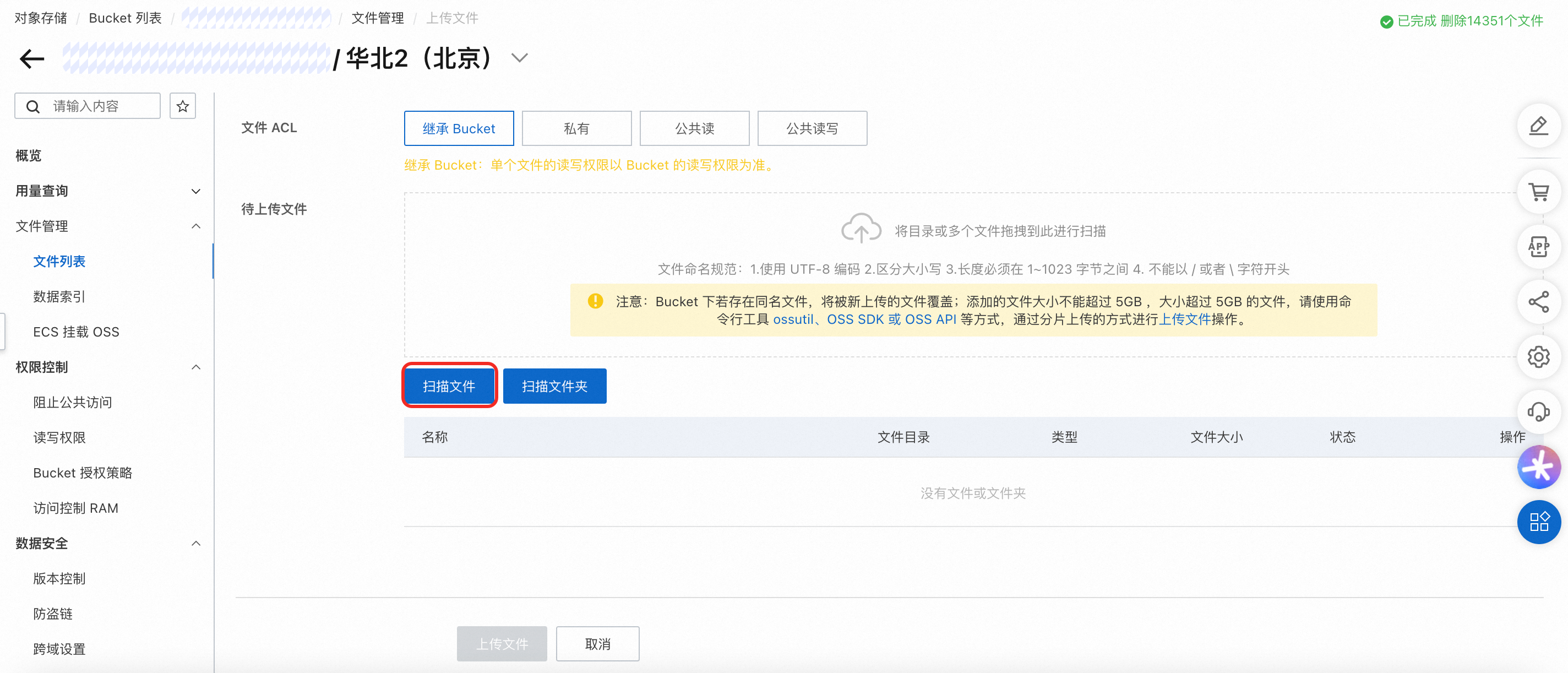
請使用OSS管理主控台將媒體檔案上傳至IMM專案所在地區的Bucket。
步驟二:使用IMM音頻轉碼
調用CreateMediaConvertTask - 建立媒體轉碼任務介面建立音頻轉碼任務。
參數樣本
以下樣本使用IMM專案test-project來進行音頻轉碼處理。
更多有關ApsaraVideo for Media Processing各功能介紹和使用,請參見媒體轉碼。
您可以通過OpenAPI 門戶使用媒體轉碼介面對音頻檔案進行處理,可參考SDK代碼。
將音頻轉碼為aac格式
轉碼資訊
輸入檔案路徑:oss://test-bucket/video-demo/test.mp3
編碼格式:mp3 -> aac
音頻配置:碼率96Kbps,雙聲道,採樣率44.1kHz
輸出音頻儲存路徑:oss://test-bucket/video-demo/test.aac
轉碼完成訊息通知:發送MNS訊息到MNS主題“test-mns-topic”
SDK樣本請參見OpenAPI門戶,已為您自動填滿樣本的參數,請您按需修改後再進行調試。
請求參數如下
{
  "ProjectName": "test-project",
  "Notification": {
    "MNS": {
      "TopicName": "test-mns-topic"
    }
  },
  "Sources": [
    {
      "Subtitles": [],
      "URI": "oss://test-bucket/video-demo/test.mp3"
    }
  ],
  "Targets": [
    {
      "Audio": {
        "TranscodeAudio": {
          "Bitrate": 96000,
          "Channel": 2,
          "Codec": "aac",
          "SampleRate": 44100
        }
      },
      "Container": "aac",
      "URI": "oss://test-bucket/video-demo/test.{autoext}"
    }
  ]
}
將音頻轉碼為mp3格式
轉碼資訊
輸入檔案路徑:oss://test-bucket/video-demo/test.aac
編碼格式: aac -> mp3
音頻配置:碼率128Kbps,雙聲道,採樣率44.1kHz
輸出音頻儲存路徑:oss://test-bucket/video-demo/test.mp3
轉碼完成訊息通知:發送MNS訊息到MNS主題“test-mns-topic”
SDK樣本請參見OpenAPI門戶,已為您自動填滿樣本的參數,請您按需修改後再進行調試。
請求參數如下
{
  "ProjectName": "test-project",
  "Notification": {
    "MNS": {
      "TopicName": "test-mns-topic"
    }
  },
  "Sources": [
    {
      "URI": "oss://test-bucket/video-demo/test.aac"
    }
  ],
  "Targets": [
    {
      "Audio": {
        "TranscodeAudio": {
          "Bitrate": 128000,
          "Channel": 2,
          "Codec": "mp3",
          "SampleRate": 44100
        }
      },
      "Container": "mp3",
      "URI": "oss://test-bucket/video-demo/test.{autoext}"
    }
  ]
}
提取視頻中的音頻
提取視頻中的單個音頻,在不改變採樣率與聲道數的前提下獨立儲存為音頻檔案。
轉碼資訊
輸入檔案路徑:oss://test-bucket/video-demo/test.mp4
音頻配置:提取視頻中單個音頻流,轉為aac編碼格式
輸出音頻儲存路徑:oss://test-bucket/video-demo/test-audio-%d.aac
轉碼完成訊息通知:發送MNS訊息到MNS主題“test-mns-topic”
SDK樣本請參見OpenAPI門戶,已為您自動填滿樣本的參數,請您按需修改後再進行調試。
請求參數如下
{
  "ProjectName": "test-project",
  "Notification": {
    "MNS": {
      "TopicName": "test-mns-topic"
    }
  },
  "Sources": [
    {
      "URI": "oss://test-bucket/video-demo/test.mp4"
    }
  ],
  "Targets": [
    {
      "Audio": {
        "TranscodeAudio": {
          "Codec": "aac"
        }
      },
      "Container": "aac",
      "URI": "oss://test-bucket/video-demo/test-audio-{streamindex}.{autoext}"
    }
  ]
}
若檔案中有多個音頻需要提取,在不改變採樣率與聲道數的前提下獨立儲存為音頻檔案。
轉碼資訊:
輸入檔案路徑:oss://test-bucket/video-demo/test.mp4
音頻配置:提取視頻中所有音頻流,轉為aac編碼格式,碼率256Kbps
輸出音頻儲存路徑:oss://test-bucket/video-demo/test-audio-%d.aac
轉碼完成訊息通知:發送MNS訊息到MNS主題“test-mns-topic”
SDK樣本請參見OpenAPI門戶,已為您自動填滿樣本的參數,請您按需修改後再進行調試。
請求參數如下:
{
  "ProjectName": "test-project",
  "Notification": {
    "MNS": {
      "TopicName": "test-mns-topic"
    }
  },
  "Sources": [
    {
      "URI": "oss://test-bucket/video-demo/test.mp4"
    }
  ],
  "Targets": [
    {
      "Audio": {
        "Stream": [
          101
        ],
        "TranscodeAudio": {
          "Bitrate": 256000,
          "Codec": "aac"
        }
      },
      "Container": "aac",
      "URI": "oss://test-bucket/video-demo/test-audio-{streamindex}.{autoext}"
    }
  ]
}