With Drive and Photo Service (PDS), you can quickly build an open platform for enterprise and personal data management, content recognition, and collaboration.
Prerequisites
-
You have an Alibaba Cloud account.
-
Real-name verification is complete for the account. For more information, see Real-name verification.
-
You have the permissions to operate the PDS console. If you log on as a RAM user that has not been granted the relevant permissions (AliyunPDSFullAccess), you need to grant the permissions to the RAM user.
-
You have activated PDS.
Procedure
Step 1: Create a domain
Each account supports up to three domains per region. Domain fees are based on the number of users.
PDS console
Log on to the PDS console.
In the upper-left corner, select a region.
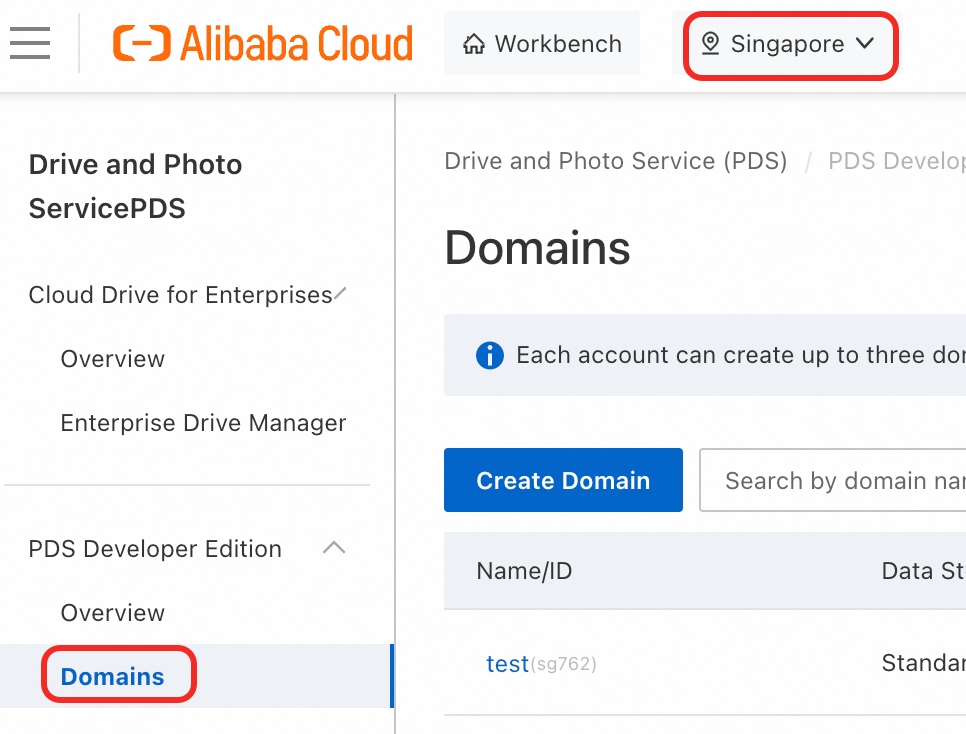
Choose .
-
Click Create Domain and configure the domain parameters in the dialog box.
Parameter
Required
Description
Name
Yes
The domain name. Changeable after creation.
Description
No
Optional description of the domain.
Personal space
Yes
When enabled, PDS creates a default personal space for each user on first login. You can adjust the space size in the management console.
Default Personal Space Size
Required if Personal space is enabled.
Select Custom Size or Not Limited.
Custom Size
Required if you select Custom Size.
Specify the size in TB, GB, or MB.
-
Click OK.
API
-
Authentication
PDS supports two authentication methods: access token and Alibaba Cloud AccessKey signature.
-
Obtain an access token through JWT-based application integration.
-
Sign requests with an AccessKey through AccessKey-based API calls.
-
-
Call the CreateDomain operation to create a domain.
Step 2: Manage PDS
-
Use BasicUI to manage PDS.
-
Developers can manage PDS using the API overview or SDK.