Wan イメージから動画生成モデルは、最初のフレームのイメージ、最後のフレームのイメージ、およびオプションのテキストプロンプトからスムーズな動画を生成します。
- 動画仕様:固定 5 秒の持続時間、カスタム解像度(480P/720P/1080P)。
- 追加機能:プロンプトリライトおよびウォーターマーク。
クイックリンク: API リファレンス | プロンプトガイド
クイックスタート
| プロンプト | 最初のフレーム | 最後のフレーム | 出力動画 |
少し悲しげな表情をしたかわいい青いモンスターが雨の中に立っています。カメラがゆっくりとズームインし、空を見上げる瞬間で停止します。 |  |  |
API を呼び出す前に、API キーを取得し、環境変数として設定し、DashScope SDK をインストールしてください。
Python SDK
重要以下のコードを実行する前に、DashScope Python SDK ≥ 2.0.1 が必要です。古いバージョンでは「url error, please check url!」というエラーが表示される場合があります。SDK のインストール。
import os
import dashscope
from dashscope.v2 import DashScopeError

# 以下の設定はシンガポールリージョン用です。{WorkspaceId} を実際のワークスペース ID に置き換えてください。region の値はリージョンによって異なります。各リージョンのエンドポイントについては、https://www.alibabacloud.com/help/model-studio/image-to-video-by-first-and-last-frame-api-reference をご参照ください。
# API キーはリージョンによって異なります。API キーの取得: https://www.alibabacloud.com/help/model-studio/get-api-key
client = dashscope.Client(
    api_key=os.getenv("DASHSCOPE_API_KEY", "YOUR_API_KEY"),
    workspace="{WorkspaceId}",
    region="ap-southeast-1",
)

print('please wait...')
# generate はワンステップ呼び出し(タスクを送信して完了を待機)で、完了済みの Job を返します
# first_frame_url / last_frame_url は input セクションのフィールドで、名前付きシグネチャに含まれないため、extra_input 経由で渡します
try:
    job = client.videos.generate(model="wan2.2-kf2v-flash",
                                 prompt="A cute blue monster with a slightly sad expression stands in the rain. The camera slowly zooms in and stops on the moment it looks up at the sky.",
                                 extra_input={'first_frame_url': "https://help-static-aliyun-doc.aliyuncs.com/file-manage-files/zh-CN/20260126/ixdxvt/wan-kf2v-blue-1.png",
                                              'last_frame_url': "https://help-static-aliyun-doc.aliyuncs.com/file-manage-files/zh-CN/20260126/nhtdrc/wan-kf2v-blue-2.png"},
                                 duration=5,  # 固定 5 秒です。変更しないでください。
                                 prompt_extend=True,
                                 watermark=True)
    print(job)
    print("video_url:", job.video_url)
except DashScopeError as e:
    print(f"HTTP status code: {e.status_code}")
    print(f"Error code: {e.code}")
    print(f"Error message: {e.message}")
    print("See the documentation: https://www.alibabacloud.com/help/ja/model-studio/developer-reference/error-code")
Java SDK
重要以下のコードを実行する前に、DashScope Java SDK ≥ 2.22.6 が必要です。古いバージョンでは「url error, please check url!」というエラーが表示される場合があります。SDK のインストール。
import com.alibaba.dashscope.aigc.videosynthesis.VideoSynthesis;
import com.alibaba.dashscope.aigc.videosynthesis.VideoSynthesisParam;
import com.alibaba.dashscope.aigc.videosynthesis.VideoSynthesisResult;
import com.alibaba.dashscope.exception.ApiException;
import com.alibaba.dashscope.exception.InputRequiredException;
import com.alibaba.dashscope.exception.NoApiKeyException;
import com.alibaba.dashscope.utils.JsonUtils;
import com.alibaba.dashscope.utils.Constants;

public class Image2Video {

    static {
        // この URL はシンガポールリージョン用です。URL はリージョンによって異なります。URL を確認するには、https://www.alibabacloud.com/help/ja/model-studio/image-to-video-by-first-and-last-frame-api-reference を参照してください。
        Constants.baseHttpApiUrl = "https://{WorkspaceId}.ap-southeast-1.maas.aliyuncs.com/api/v1";
    }

    // 環境変数を設定していない場合は、下記の行を apiKey="sk-xxx" に置き換えてください。
    // API キーはリージョンによって異なります。API キーを取得するには、https://www.alibabacloud.com/help/ja/model-studio/get-api-key を参照してください。
    static String apiKey = System.getenv("DASHSCOPE_API_KEY");

    public static void image2video() throws ApiException, NoApiKeyException, InputRequiredException {
        VideoSynthesis vs = new VideoSynthesis();
        VideoSynthesisParam param =
                VideoSynthesisParam.builder()
                        .apiKey(apiKey)
                        .model("wan2.2-kf2v-flash")
                        .prompt("A cute blue monster with a slightly sad expression stands in the rain. The camera slowly zooms in and stops on the moment it looks up at the sky.")
                        .firstFrameUrl("https://help-static-aliyun-doc.aliyuncs.com/file-manage-files/zh-CN/20260126/ixdxvt/wan-kf2v-blue-1.png")
                        .lastFrameUrl("https://help-static-aliyun-doc.aliyuncs.com/file-manage-files/zh-CN/20260126/nhtdrc/wan-kf2v-blue-2.png")
                        .resolution("720P")
                        .promptExtend(true)
                        .watermark(true)
                        .build();
        System.out.println("please wait...");
        VideoSynthesisResult result = vs.call(param);
        System.out.println(JsonUtils.toJson(result));
    }

    public static void main(String[] args) {
        try {
            image2video();
        } catch (ApiException | NoApiKeyException | InputRequiredException e) {
            System.out.println(e.getMessage());
        }
        System.exit(0);
    }
}
curl
ステップ 1:タスクを作成してタスク ID を取得するcurl --location 'https://{WorkspaceId}.ap-southeast-1.maas.aliyuncs.com/api/v1/services/aigc/image2video/video-synthesis' \
-H 'X-DashScope-Async: enable' \
-H "Authorization: Bearer $DASHSCOPE_API_KEY" \
-H 'Content-Type: application/json' \
-d '{
"model": "wan2.2-kf2v-flash",
"input": {
"first_frame_url": "https://help-static-aliyun-doc.aliyuncs.com/file-manage-files/zh-CN/20260126/ixdxvt/wan-kf2v-blue-1.png",
"last_frame_url": "https://help-static-aliyun-doc.aliyuncs.com/file-manage-files/zh-CN/20260126/nhtdrc/wan-kf2v-blue-2.png",
"prompt": "A cute blue monster with a slightly sad expression stands in the rain. The camera slowly zooms in and stops on the moment it looks up at the sky."
},
"parameters": {
"resolution": "720P",
"prompt_extend": true,
"watermark": true
}
}'
{task_id} は、前の API 呼び出しで返された task_id の値に置き換えてください。task_id は 24 時間有効です。
curl -X GET https://{WorkspaceId}.ap-southeast-1.maas.aliyuncs.com/api/v1/tasks/{task_id} \
--header "Authorization: Bearer $DASHSCOPE_API_KEY"
video_urlは 24 時間後に有効期限切れになります。動画は速やかにダウンロードしてください。
{
    "request_id": "c1209113-8437-424f-a386-xxxxxx",
    "output": {
        "task_id": "966cebcd-dedc-4962-af88-xxxxxx",
        "task_status": "SUCCEEDED",
        "video_url": "https://dashscope-result-sh.oss-accelerate.aliyuncs.com/xxx.mp4?Expires=xxx",
         ...
    },
    ...
}
可用性
- サポートされているモデルはリージョンによって異なります。リソースはリージョン間で分離されています。各リージョンでサポートされているモデルについては、Model Studio コンソールをご参照ください。
- 呼び出しを行う際は、モデル、エンドポイント URL、API キーがすべて同じリージョンに属していることを確認してください。クロスリージョンの呼び出しは失敗します。
注記このトピックのサンプルコードはシンガポールリージョン向けです。
コア機能
最初と最後のフレームから動画を生成
サポートモデル:すべてのモデル。
最初のフレームと最後のフレームのイメージからスムーズな動画を生成します。
パラメーター:first_frame_url:必須。最初のフレームのイメージを指定します。last_frame_url:必須。最後のフレームのイメージを指定します。prompt:オプション(推奨)。動画の時間経過に伴う変化を制御します。
| プロンプト | 最初のフレーム | 最後のフレーム | 出力動画 |
写実的なスタイル。好奇心旺盛な黒い子猫が空を見上げています。カメラは目線の高さから始まり、徐々に上昇して子猫の好奇心に満ちた視線を上から捉えます。 | 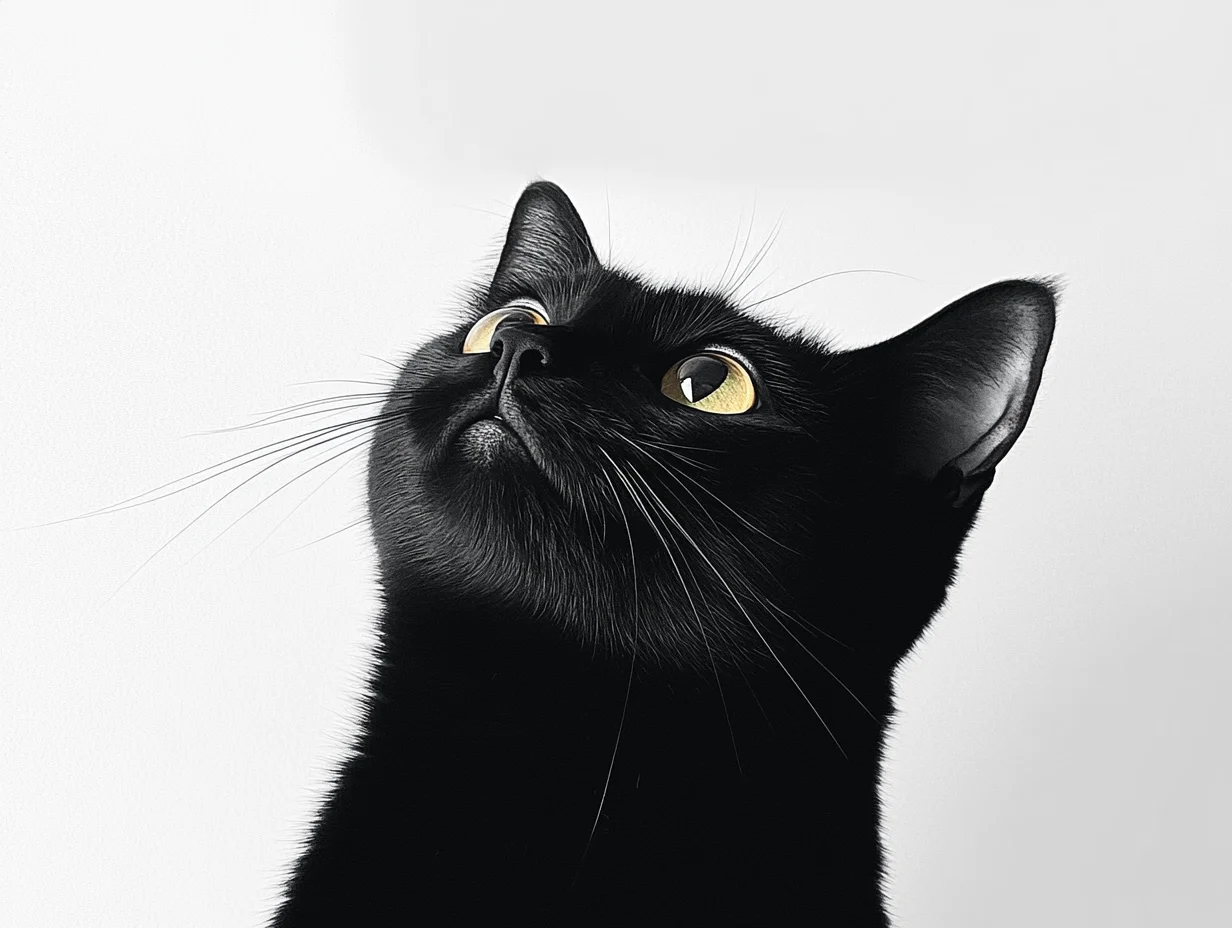 |  |
Python SDK
DashScope Python SDK ≥
2.0.1が必要です。必要に応じてアップグレードしてください。
import os
import dashscope
from dashscope.v2 import DashScopeError

# 以下の設定はシンガポールリージョン用です。{WorkspaceId} を実際のワークスペース ID に置き換えてください。region の値はリージョンによって異なります。各リージョンのエンドポイントについては、https://www.alibabacloud.com/help/model-studio/image-to-video-by-first-and-last-frame-api-reference をご参照ください。
# API キーはリージョンによって異なります。API キーの取得: https://www.alibabacloud.com/help/model-studio/get-api-key
client = dashscope.Client(
    api_key=os.getenv("DASHSCOPE_API_KEY", "YOUR_API_KEY"),
    workspace="{WorkspaceId}",
    region="ap-southeast-1",
)

def sample_async_call_kf2v():
    # 非同期呼び出しは task_id を返します。
    # first_frame_url / last_frame_url は input セクションのフィールドで、名前付きシグネチャに含まれないため、extra_input 経由で渡します
    try:
        job = client.videos.jobs.create(model="wan2.2-kf2v-flash",
                                        prompt="Realistic style. A curious black kitten looks up at the sky. The camera starts at eye level and gradually rises until it captures the kitten’s curious gaze from above.",
                                        extra_input={'first_frame_url': "https://wanx.alicdn.com/material/20250318/first_frame.png",
                                                     'last_frame_url': "https://wanx.alicdn.com/material/20250318/last_frame.png"},
                                        duration=5,  # 固定 5 秒です。変更しないでください。
                                        prompt_extend=True,
                                        watermark=True)
        print(job)
        print("task_id: %s" % job.task_id)
    except DashScopeError as e:
        print(f"HTTP status code: {e.status_code}")
        print(f"Error code: {e.code}")
        print(f"Error message: {e.message}")
        print("See the documentation: https://www.alibabacloud.com/help/ja/model-studio/developer-reference/error-code")
        return

    # 非同期タスクの完了を待ちます(指数バックオフによるポーリング、デフォルトの合計待機時間は 24 時間)。
    try:
        done = client.videos.jobs.wait(job)
        print(done)
        print(done.video_url)
    except DashScopeError as e:
        print(f"HTTP status code: {e.status_code}")
        print(f"Error code: {e.code}")
        print(f"Error message: {e.message}")
        print("See the documentation: https://www.alibabacloud.com/help/ja/model-studio/developer-reference/error-code")

if __name__ == '__main__':
    sample_async_call_kf2v()
Java SDK
DashScope Java SDK ≥
2.22.6が必要です。必要に応じてアップグレードしてください。
import com.alibaba.dashscope.aigc.videosynthesis.VideoSynthesis;
import com.alibaba.dashscope.aigc.videosynthesis.VideoSynthesisParam;
import com.alibaba.dashscope.aigc.videosynthesis.VideoSynthesisResult;
import com.alibaba.dashscope.exception.ApiException;
import com.alibaba.dashscope.exception.InputRequiredException;
import com.alibaba.dashscope.exception.NoApiKeyException;
import com.alibaba.dashscope.utils.JsonUtils;
import com.alibaba.dashscope.utils.Constants;

public class Image2Video {

    static {
        // この URL はシンガポールリージョン用です。URL を確認するには、https://www.alibabacloud.com/help/ja/model-studio/image-to-video-by-first-and-last-frame-api-reference を参照してください。
        Constants.baseHttpApiUrl = "https://{WorkspaceId}.ap-southeast-1.maas.aliyuncs.com/api/v1";
    }

    // 環境変数を設定していない場合は、下記の行を apiKey="sk-xxx" に置き換えてください。
    // API キーはリージョンによって異なります。API キーを取得するには、https://www.alibabacloud.com/help/ja/model-studio/get-api-key を参照してください。
    static String apiKey = System.getenv("DASHSCOPE_API_KEY");

    public static void image2video() throws ApiException, NoApiKeyException, InputRequiredException {
        VideoSynthesis vs = new VideoSynthesis();
        VideoSynthesisParam param =
                VideoSynthesisParam.builder()
                        .apiKey(apiKey)
                        .model("wan2.2-kf2v-flash")
                        .prompt("Realistic style. A curious black kitten looks up at the sky. The camera starts at eye level and gradually rises until it captures the kitten’s curious gaze from above.")
                        .firstFrameUrl("https://wanx.alicdn.com/material/20250318/first_frame.png")
                        .lastFrameUrl("https://wanx.alicdn.com/material/20250318/last_frame.png")
                        .resolution("720P")
                        .promptExtend(true)
                        .watermark(true)
                        .build();
        // 非同期呼び出し
        VideoSynthesisResult task = vs.asyncCall(param);
        System.out.println(JsonUtils.toJson(task));
        System.out.println("please wait...");

        // 結果を取得
        VideoSynthesisResult result = vs.wait(task, apiKey);
        System.out.println(JsonUtils.toJson(result));
    }

    public static void main(String[] args) {
        try {
            image2video();
        } catch (ApiException | NoApiKeyException | InputRequiredException e) {
            System.out.println(e.getMessage());
        }
        System.exit(0);
    }
}
curl
ステップ 1:タスクを作成してタスク ID を取得するcurl --location 'https://{WorkspaceId}.ap-southeast-1.maas.aliyuncs.com/api/v1/services/aigc/image2video/video-synthesis' \
-H 'X-DashScope-Async: enable' \
-H "Authorization: Bearer $DASHSCOPE_API_KEY" \
-H 'Content-Type: application/json' \
-d '{
"model": "wan2.2-kf2v-flash",
"input": {
"first_frame_url": "https://wanx.alicdn.com/material/20250318/first_frame.png",
"last_frame_url": "https://wanx.alicdn.com/material/20250318/last_frame.png",
"prompt": "Realistic style. A curious black kitten looks up at the sky. The camera starts at eye level and gradually rises until it captures the kitten’s curious gaze from above."
},
"parameters": {
"resolution": "720P",
"prompt_extend": true,
"watermark": true
}
}'
{task_id} は、前の API 呼び出しで返された task_id の値に置き換えてください。task_id は 24 時間有効です。
curl -X GET https://{WorkspaceId}.ap-southeast-1.maas.aliyuncs.com/api/v1/tasks/{task_id} \
--header "Authorization: Bearer $DASHSCOPE_API_KEY"
入力イメージ
- イメージ数:最初のフレームのイメージ 1 枚と最後のフレームのイメージ 1 枚。
- 入力方法:イメージ URL、ローカルファイルパス。

方法 2:ローカルファイルパス(SDK のみ)
パスの要件は言語によって異なります。
Python SDK:絶対パスおよび相対パスをサポートします。
オペレーティングシステム | 入力ファイルパス | 例(絶対パス) | 例(相対パス) |
|---|---|---|---|
Linux / macOS | file://{absolute or relative path} | file:///home/images/test.png | file://./images/test.png |
Windows | file://D:/images/test.png | file://./images/test.png |
Java SDK:絶対パスのみをサポートします。
オペレーティングシステム | 入力ファイルパス | 例(絶対パス) |
|---|---|---|
Linux / macOS | file://{absolute path} | file:///home/images/test.png |
Windows | file:///{absolute path} | file:///D:/images/test.png |
サンプルコード:複数のイメージ入力方法
import os
import dashscope
from dashscope.v2 import DashScopeError

# 以下の設定はシンガポールリージョン用です。{WorkspaceId} を実際のワークスペース ID に置き換えてください。region の値はリージョンによって異なります。
client = dashscope.Client(
    # 環境変数を設定していない場合は、次の行を Model Studio API キーに直接置き換えてください: api_key="sk-xxx"
    api_key=os.getenv("DASHSCOPE_API_KEY"),
    workspace="{WorkspaceId}",
    region="ap-southeast-1",
)

# ========== イメージ入力方法(いずれかを選択) ==========
# [方法 1] パブリックイメージ URL を使用
first_frame_url = "https://wanx.alicdn.com/material/20250318/first_frame.png"
last_frame_url = "https://wanx.alicdn.com/material/20250318/last_frame.png"

# [方法 2] ローカルファイルパスを使用(file:// + ファイルパス)
# 絶対パスを使用:
# first_frame_url = "file://" + "/path/to/your/first_frame.png"  # Linux/macOS
# last_frame_url = "file://" + "C:/path/to/your/last_frame.png"  # Windows
# または相対パスを使用:
# first_frame_url = "file://" + "./first_frame.png"              # 実際のパスを使用してください。
# last_frame_url = "file://" + "./last_frame.png"                # 実際のパスを使用してください。

def sample_sync_call_kf2v():
    print('please wait...')
    # generate はワンステップ呼び出し(タスクを送信して完了を待機)で、完了済みの Job を返します
    # first_frame_url / last_frame_url は input セクションのフィールドで、名前付きシグネチャに含まれないため、extra_input 経由で渡します
    try:
        job = client.videos.generate(model="wan2.2-kf2v-flash",
                                     prompt="Realistic style, a small black cat looks up at the sky curiously, the camera gradually rises from eye level, and finally captures its curious gaze from a top-down view.",
                                     extra_input={'first_frame_url': first_frame_url,
                                                  'last_frame_url': last_frame_url},
                                     resolution="720P",
                                     prompt_extend=True)
        print(job)
        print(job.video_url)
    except DashScopeError as e:
        print(f"HTTP status code: {e.status_code}")
        print(f"Error code: {e.code}")
        print(f"Error message: {e.message}")
        print("See the documentation: https://www.alibabacloud.com/help/ja/model-studio/developer-reference/error-code")

if __name__ == '__main__':
    sample_sync_call_kf2v()
// Copyright (c) Alibaba, Inc. and its affiliates.

// DashScope SDK >= 2.20.1
import com.alibaba.dashscope.aigc.videosynthesis.VideoSynthesis;
import com.alibaba.dashscope.aigc.videosynthesis.VideoSynthesisParam;
import com.alibaba.dashscope.aigc.videosynthesis.VideoSynthesisResult;
import com.alibaba.dashscope.exception.ApiException;
import com.alibaba.dashscope.exception.InputRequiredException;
import com.alibaba.dashscope.exception.NoApiKeyException;
import com.alibaba.dashscope.utils.Constants;
import com.alibaba.dashscope.utils.JsonUtils;

import java.util.HashMap;
import java.util.Map;

public class Kf2vSyncIntl {

    static {
        Constants.baseHttpApiUrl = "https://{WorkspaceId}.ap-southeast-1.maas.aliyuncs.com/api/v1";
    }

    // 環境変数から DashScope API キー(Model Studio API キー)を取得します。
    static String apiKey = System.getenv("DASHSCOPE_API_KEY");

    /**
     * イメージ入力方法(いずれかを選択):
     *
     * [方法 1] パブリック URL
     */
    static String firstFrameUrl = "https://wanx.alicdn.com/material/20250318/first_frame.png";
    static String lastFrameUrl = "https://wanx.alicdn.com/material/20250318/last_frame.png";

     /**
     * [方法 2] ローカルファイルパス(file://+絶対パスまたはfile:///+絶対パス)
     */
    // static String firstFrameUrl = "file://" + "/your/path/to/first_frame.png";  // Linux/macOS
    // static String lastFrameUrl = "file:///" + "C:/path/to/your/img.png";        // Windows

    public static void syncCall() {

        Map<String, Object> parameters = new HashMap<>();
        parameters.put("prompt_extend", true);
        parameters.put("resolution", "720P");

        VideoSynthesis videoSynthesis = new VideoSynthesis();
        VideoSynthesisParam param =
                VideoSynthesisParam.builder()
                        .apiKey(apiKey)
                        .model("wan2.2-kf2v-flash")
                        .prompt("Realistic style, a small black cat looks up at the sky curiously, the camera gradually rises from eye level, and finally captures its curious gaze from a top-down view.")
                        .firstFrameUrl(firstFrameUrl)
                        .lastFrameUrl(lastFrameUrl)
                        .parameters(parameters)
                        .build();
        VideoSynthesisResult result = null;
        try {
            // 同期呼び出しを行います。これには時間がかかる場合があります。
            result = videoSynthesis.call(param);
        } catch (ApiException | NoApiKeyException e){
            throw new RuntimeException(e.getMessage());
        } catch (InputRequiredException e) {
            throw new RuntimeException(e);
        }
        System.out.println(JsonUtils.toJson(result));
    }

    public static void main(String[] args) {
        syncCall();
    }
}
出力動画
-
動画数:1 本。
-
仕様:仕様はモデルによって異なります。動画仕様をご参照ください。
-
URL の有効期限:24 時間。
-
ディメンション:最初のフレームのイメージと
resolution設定によって決定されます。- モデルは最初のフレームの縦横比を保持し、合計ピクセル数をターゲットにスケーリングします。出力ディメンションはエンコーディング要件により自動的に 16 で割り切れるように調整されます。
- 例:750×1000 入力(3:4)で resolution="720P"(ターゲット ≈920K ピクセル)の場合、出力は 816×1104(≈0.739 の比率、≈900K ピクセル、どちらも 16 で割り切れる)になる可能性があります。
課金とレート制限
-
無料クォータおよび価格の詳細については、「Wanx-Image-to-Video-First-Last-Frame」をご参照ください。
-
モデルのレート制限については、「Wanx Series」をご参照ください。
-
課金の詳細:
API リファレンス
イメージから動画生成 - 最初と最後のフレーム - API リファレンス
よくある質問
Q:特定の縦横比(例:3:4)の動画を生成するにはどうすればよいですか?
A:API は縦横比の直接的な制御をサポートしていません。resolution のみサポートしています。
resolution パラメーターはピクセル数を制御しますが、縦横比は制御しません。モデルは最初のフレームの縦横比(first_frame_url)を保持し、エンコーディング要件(ディメンションは 16 の倍数である必要があります)のためにわずかに調整します。3:4 の動画を生成するには、3:4 の最初のフレームのイメージをアップロードしてください。
例:750×1000 入力(3:4)で resolution="720P"(ターゲット ≈920K ピクセル)の場合、出力は 816×1104(≈0.739 の比率、≈900K ピクセル、どちらも 16 で割り切れる)になる可能性があります。
Q:SDK コードを実行すると「url error, please check url!」というエラーが表示されるのはなぜですか?
A:SDK バージョンが最小要件を満たしていることを確認してください。DashScope Python SDK ≥ 2.0.1 または DashScope Java SDK ≥ 2.22.6 が必要です。古いバージョンでは「url error, please check url!」というエラーが表示される場合があります。SDK をアップグレードしてください。