The Memcache management console is a web application used for managing Memcache instances. You can perform operations such as instance creation, network settings, instance management, and password settings through the intuitive user interface of the console.
Prerequisites
Log on to the Memcache management console using an Alibaba Cloud account. If you do not have an Alibaba Cloud account, please click Register.
Console overview
Console home page
For all types of Memcache instances, the interface information on the console home page is the same.
Log on to the Memcache management console and go to the Instance list page, as shown in the following figure (for reference only, please refer to the actual interface).
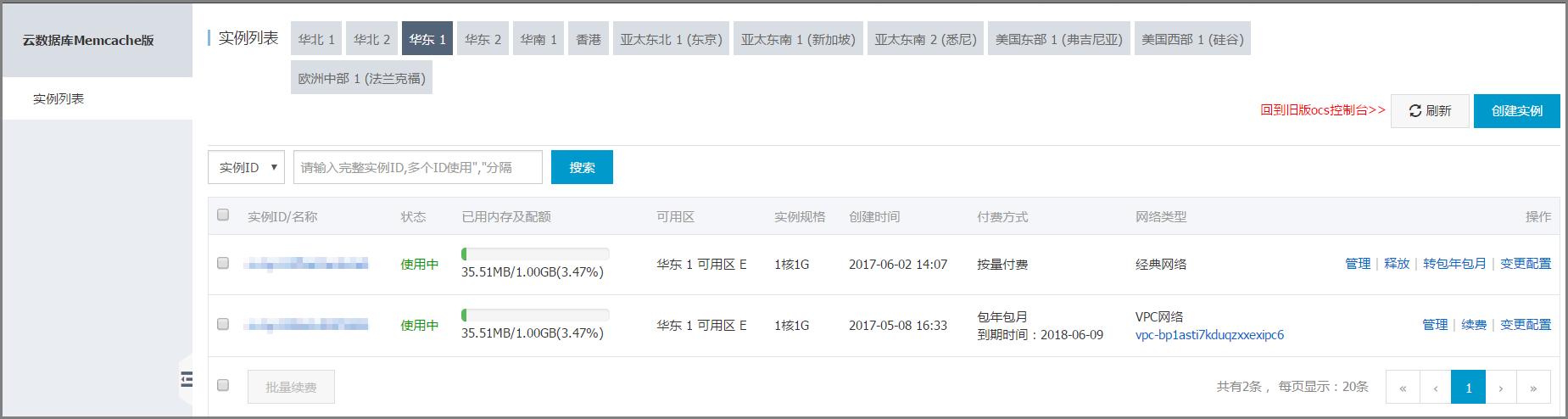
The Instance list page displays information such as Instance ID, Status, Used memory and quota, Zone, Instance type, Creation time, Billing method, and Network type.
Note: The used memory and quota information is an offline summary compiled by the underlying system based on collected information, so there is a time delay of about 10 minutes.
Maintenance window
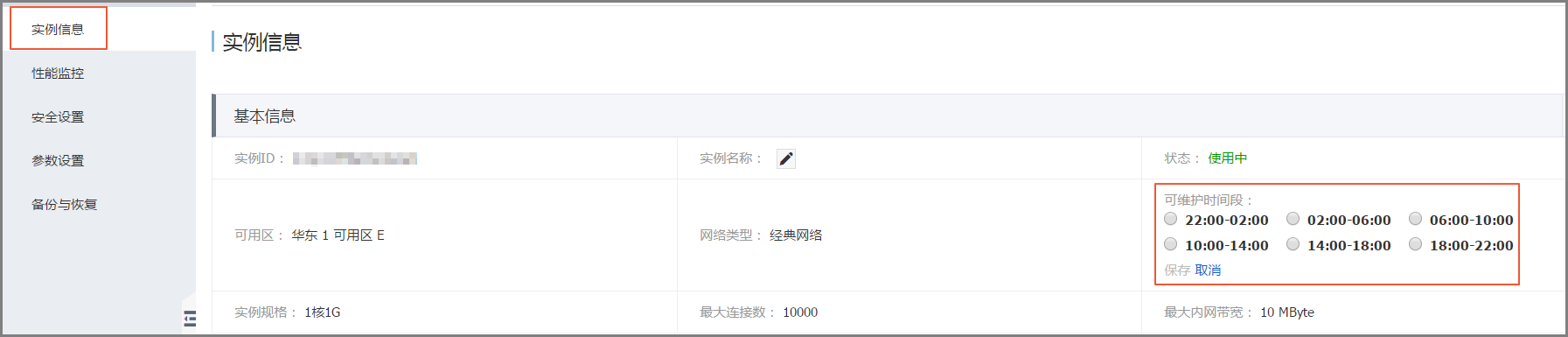
You can modify the maintenance window on the Instance information page. Alibaba Cloud will perform production maintenance on the instance during the maintenance window. Transient connections may occur during maintenance. It is recommended that you choose a low-peak period for business as the maintenance window.
Performance monitoring
Click Instance ID to enter the Instance information page. In the left-side navigation pane, select Performance monitoring to view the historical performance data of Memcache. You can view different metrics.
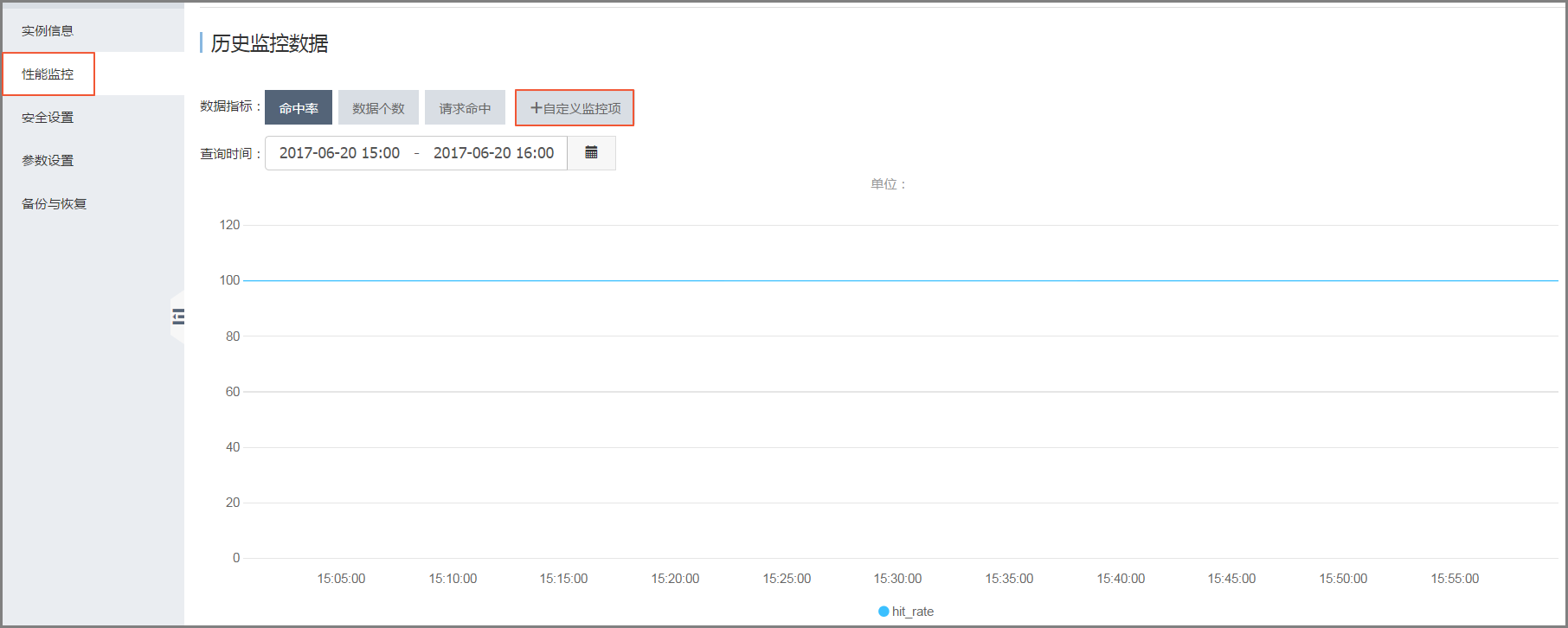
After clicking Custom monitoring items, you can add to different metrics. For more information, see Performance monitoring.
Security settings
Select Security settings in the left-side navigation pane. You can add IP addresses that are allowed to access Memcache instances. For detailed operations, see Set IP whitelist.

Parameter settings
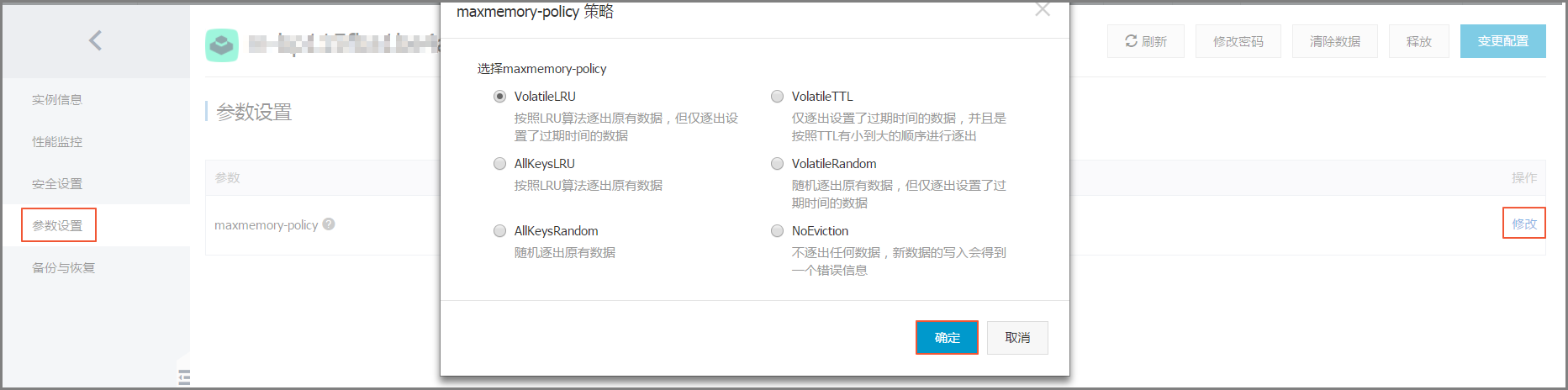
You can set the data eviction policy of Memcache on the Parameter settings page. For detailed operations, see Parameter settings.
Backup and recovery
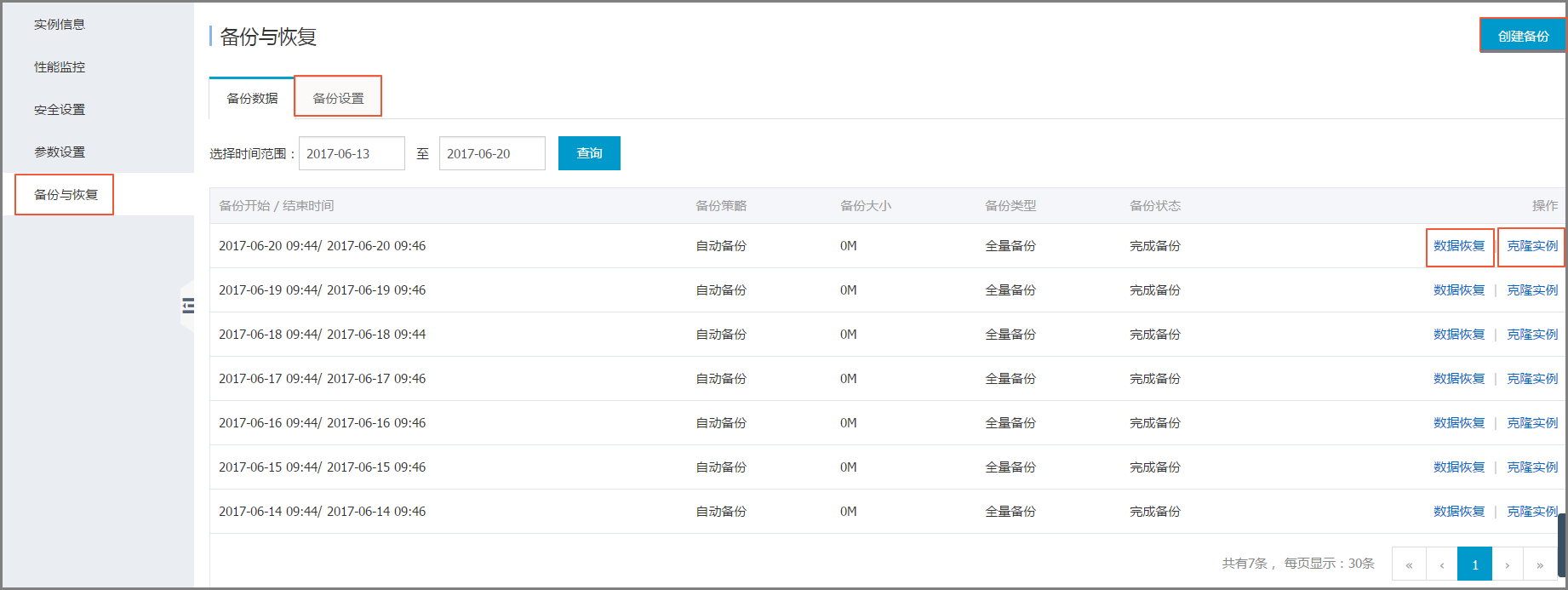
You can create backups, perform data restoration, and clone instances on the Backup and recovery page. Additionally, you can set the time for automatic backups. For detailed operations, see Backup and recovery.