Codeup imports Git data from external repositories. This guide covers importing a code repository from a third-party platform through the Codeup console.
What gets imported
Codeup imports the Git data of a repository, including source code, commit history, branches, and tags. Data specific to the source platform, such as member permissions and merge requests, is not imported.
Prerequisites
Before you begin, ensure that you have:
Access to the Codeup console
A source repository accessible from the public internet
An access token for the source platform. See Get access token
Supported source platforms
Codeup supports importing from the following sources:
Self-managed GitLab
Generic URL (any Git repository with an HTTP clone URL)
Use Codeup-CLI instead of the console for the following scenarios:
Full migration of a self-hosted GitLab instance
Self-hosted services inaccessible from the internet
Repositories larger than 1 GB
Bulk migration of hundreds of repositories
Console-based imports may encounter timeouts due to large data volumes or network constraints.
Procedure
Step 1: Select the source platform
Log on to the Codeup homepage and click Import Repository in the upper-right corner.
Select the target third-party platform.
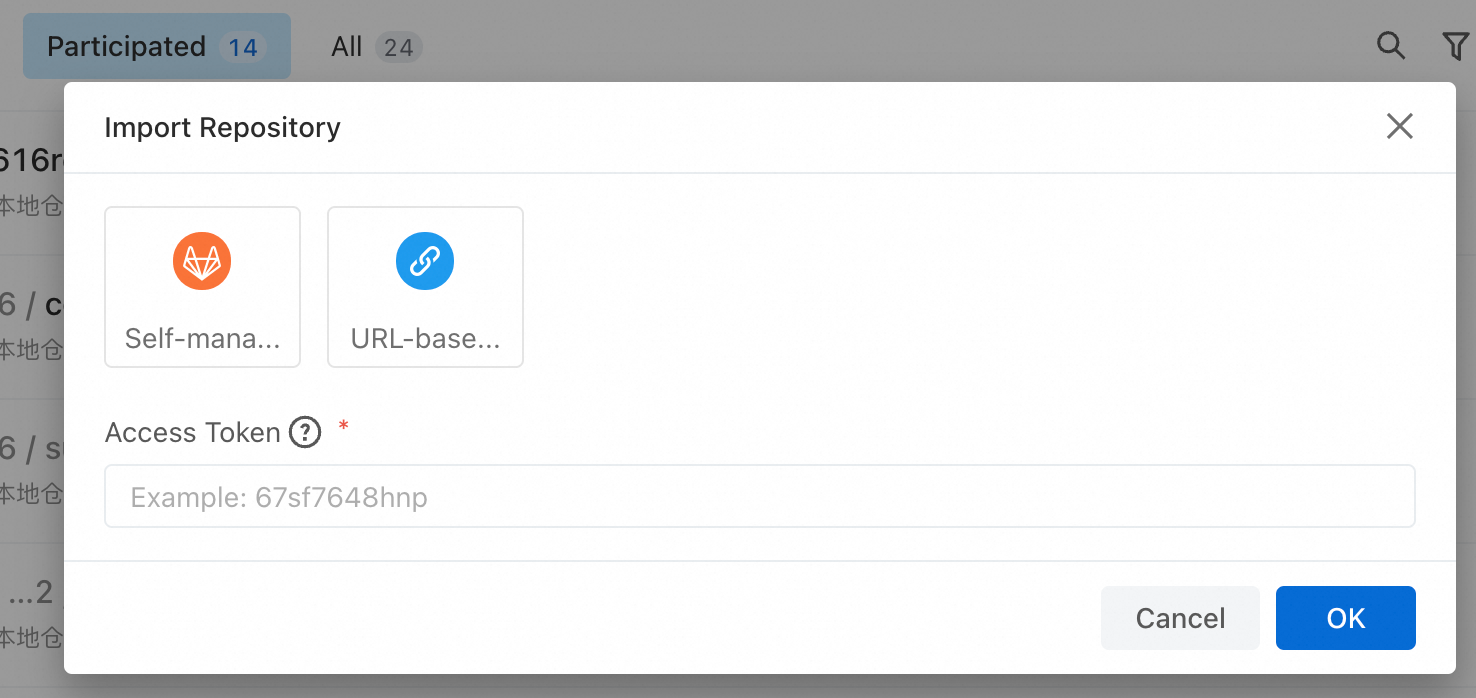
Step 2: Configure authorization
Authorization fields differ depending on the source platform.
Self-managed GitLab
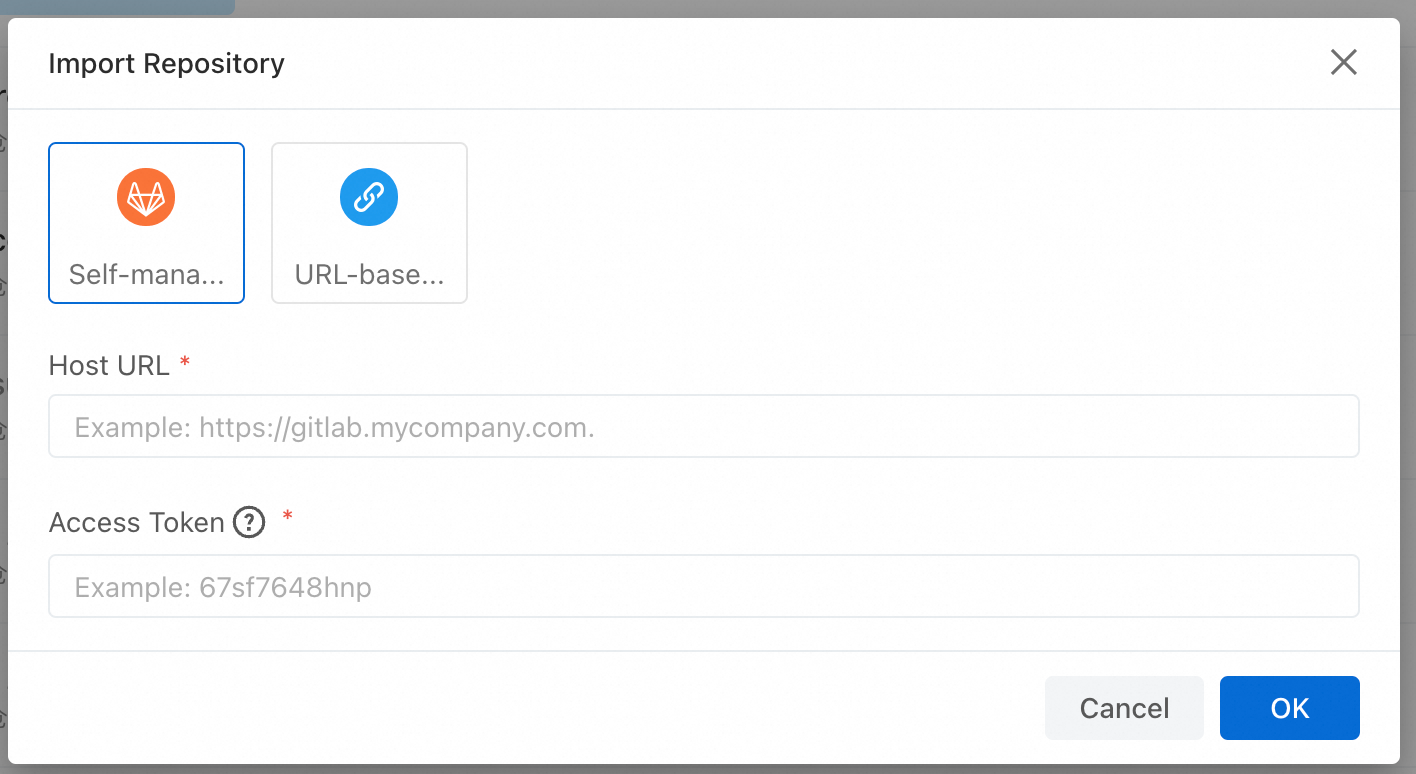
| Field | Description |
|---|---|
| Host URL | Homepage address of your self-managed GitLab instance. Do not include parameters or suffixes beyond the homepage address. Example: https://gitlab.your-company.com |
| Access Token | Token for authenticating with the GitLab instance. See Get access token. |
Generic URL
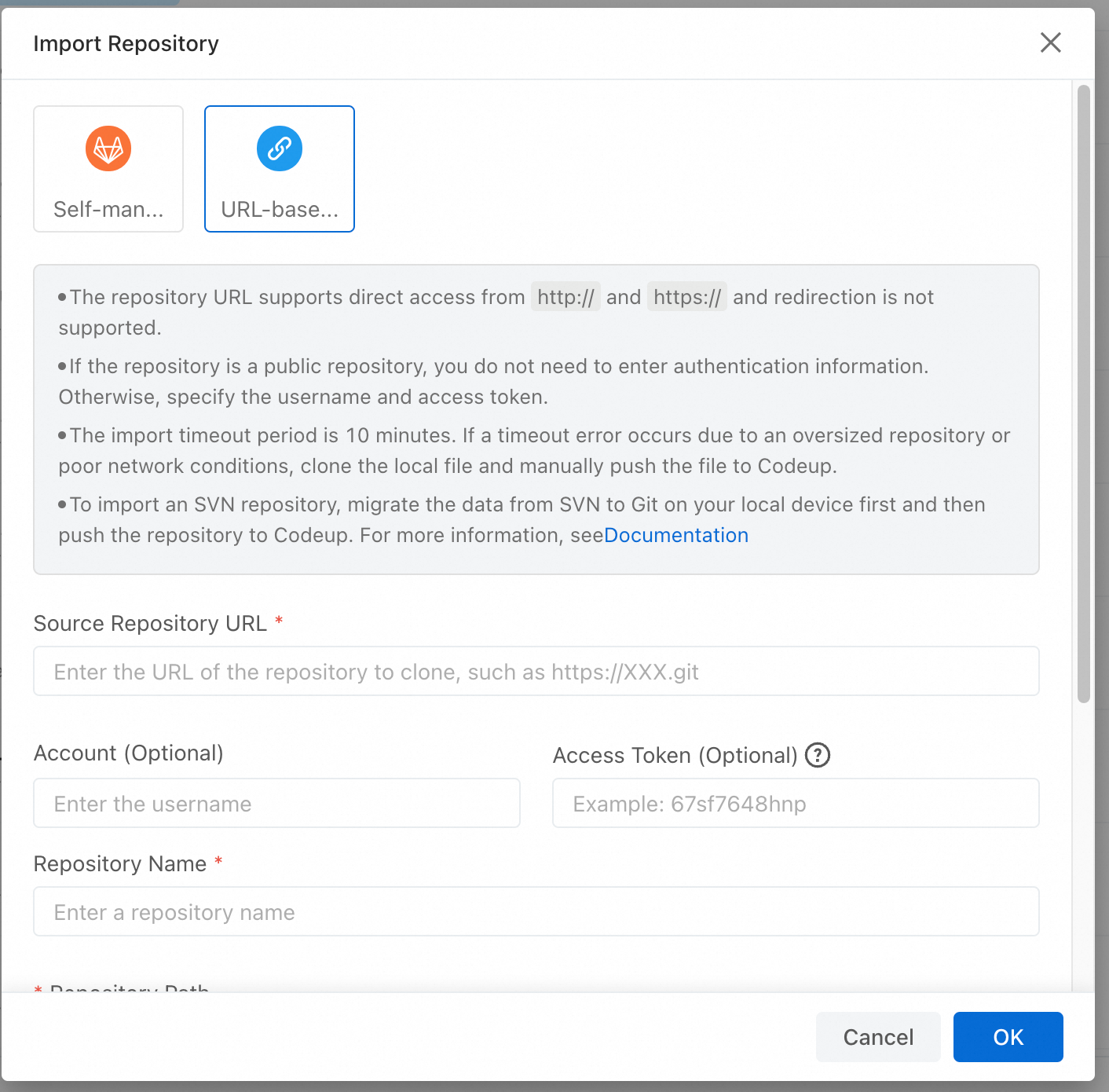
| Field | Description |
|---|---|
| Source Repository URL | HTTP clone URL of the repository. Use the clone URL, not the browser URL. |
| Account | Account used for HTTP cloning on the third-party platform. |
| Access Token | Token for authenticating with the third-party platform. See Get access token. |
Next steps
Configure authentication for push and pull
Codeup requires user authentication for push and pull operations.
For SSH connections, see Configure SSH keys.
Update the remote repository URL
After migration, update the remote URL to point to the new Codeup repository.
Update the URL in your local repository:
# View the current remote URL
git remote -v

# Set the remote URL to the new Codeup clone address
git remote set-url origin <new git clone address from Codeup>
Update repository addresses in third-party systems:
If a third-party platform pushes or pulls code from the repository, update the remote URL on that platform.
If the third-party platform uses HTTPS to access the code repository, configure user authentication on the platform.