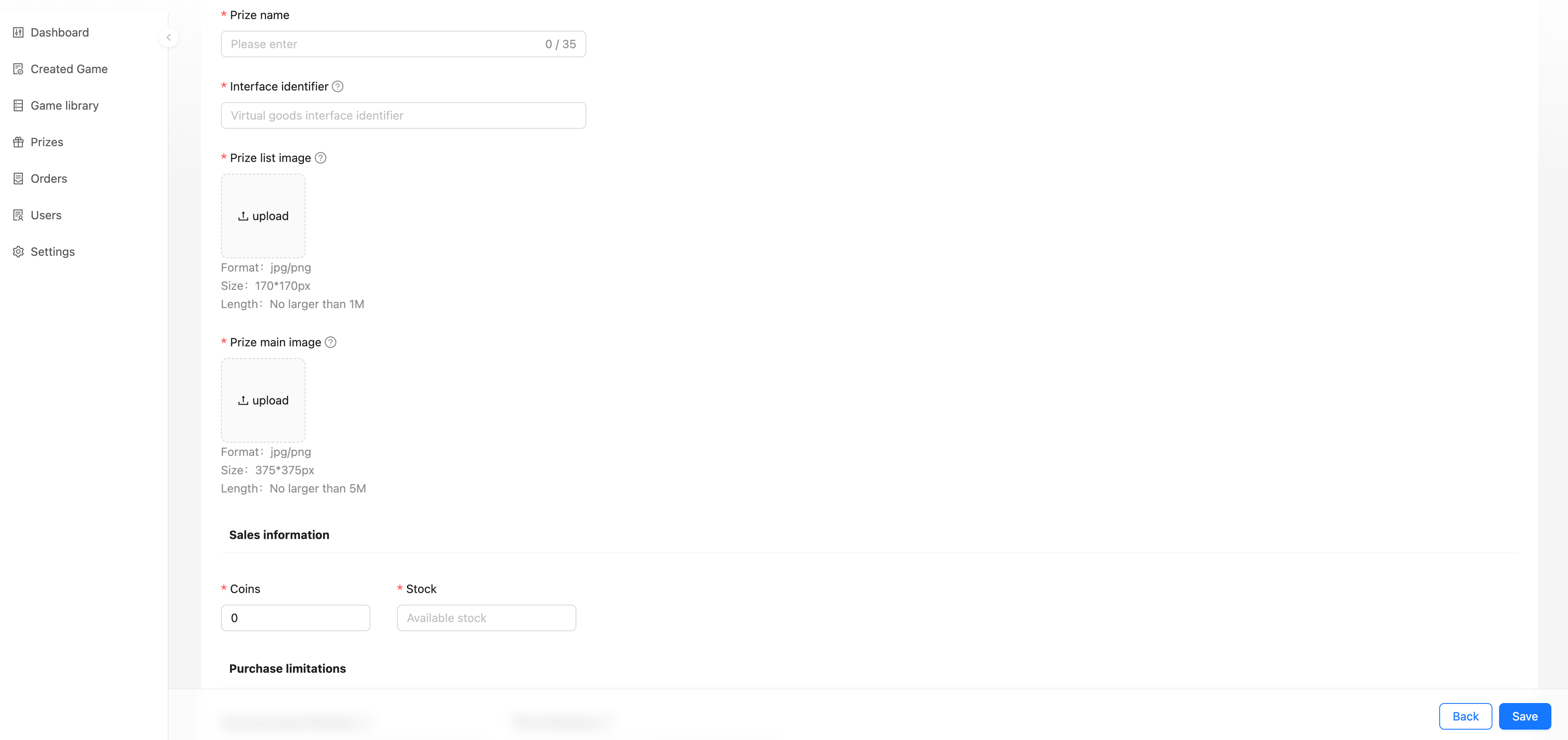
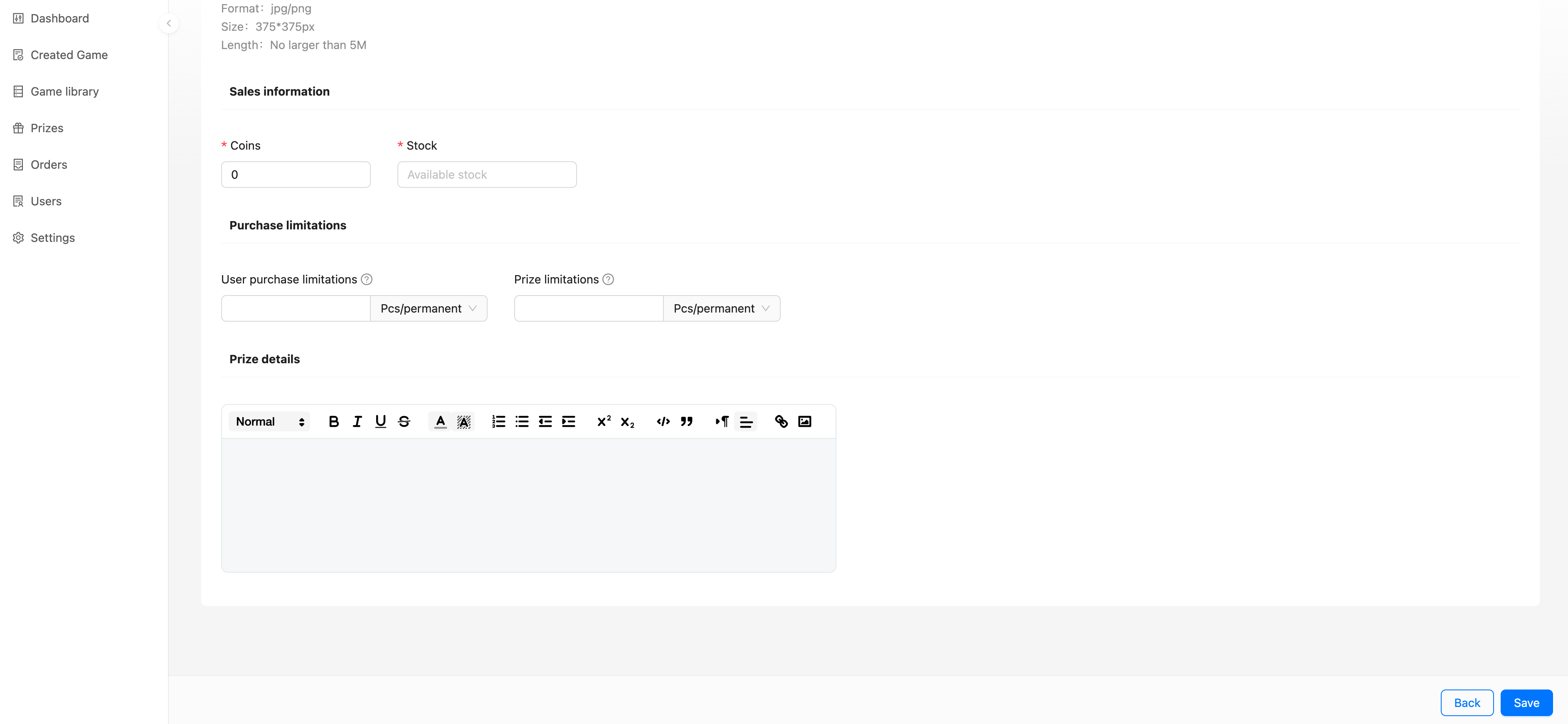
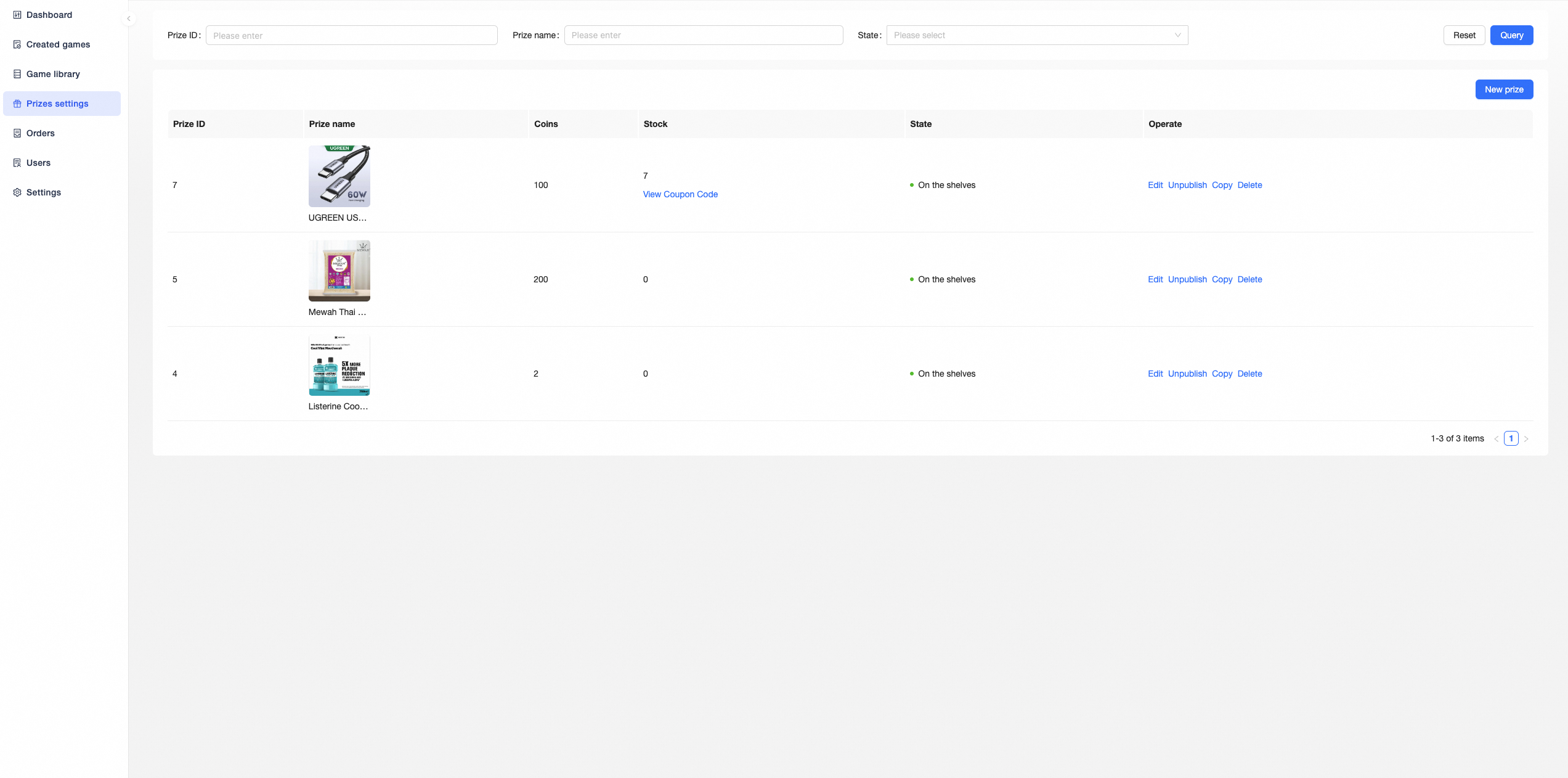
Prizes can be viewed, created, edited, deleted, put on the shelves, and taken off the shelves in「Prizes Settings」.
Coupon Code Prize
Get a coupon code when a user redeems/wins a prize. You need to create a coupon code item first and then add the coupon code.
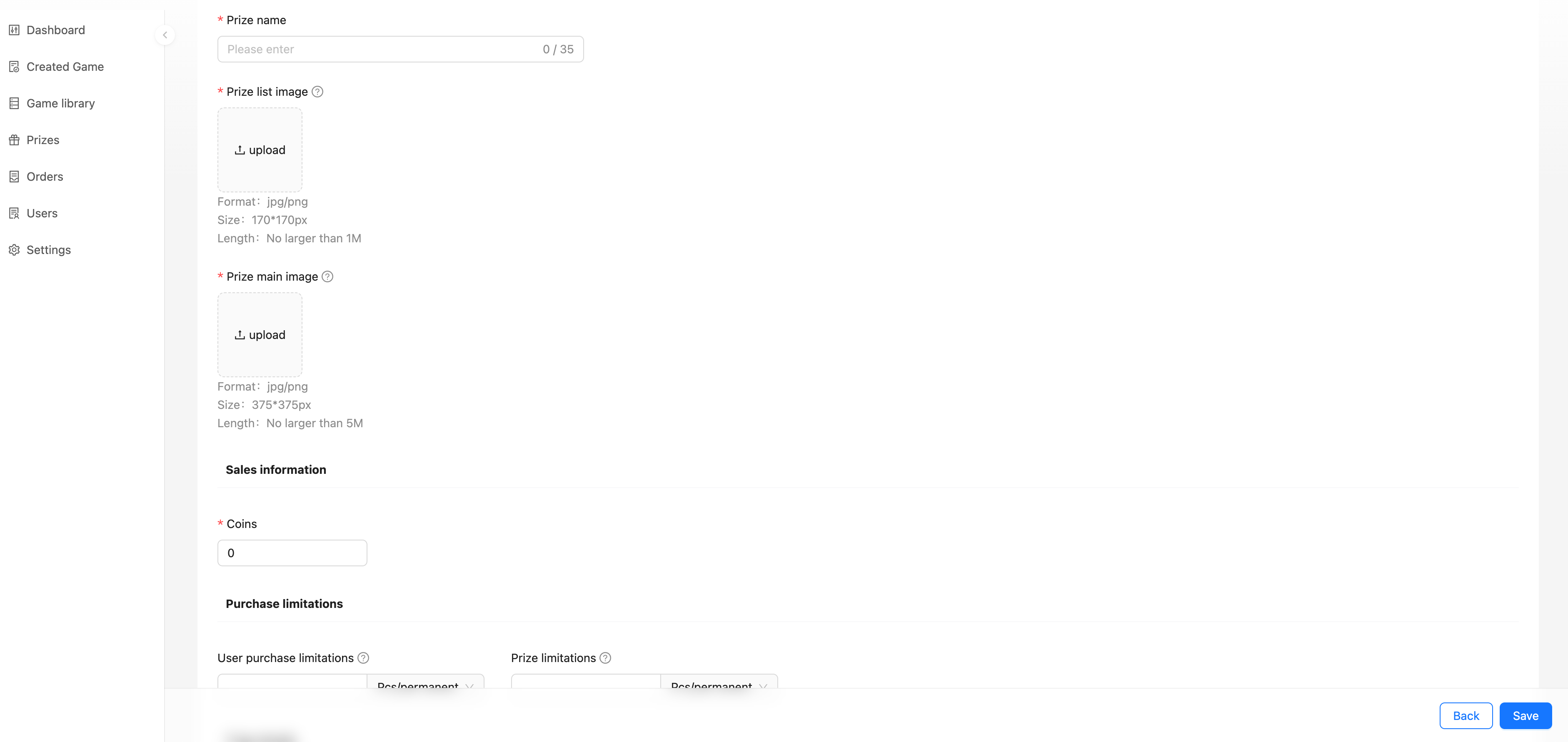
Create/Edit Prize
Prize name: Name of the prize for display
Prize list image: Prize display image in C-end list
Prize main image: Image displayed on the prize details page
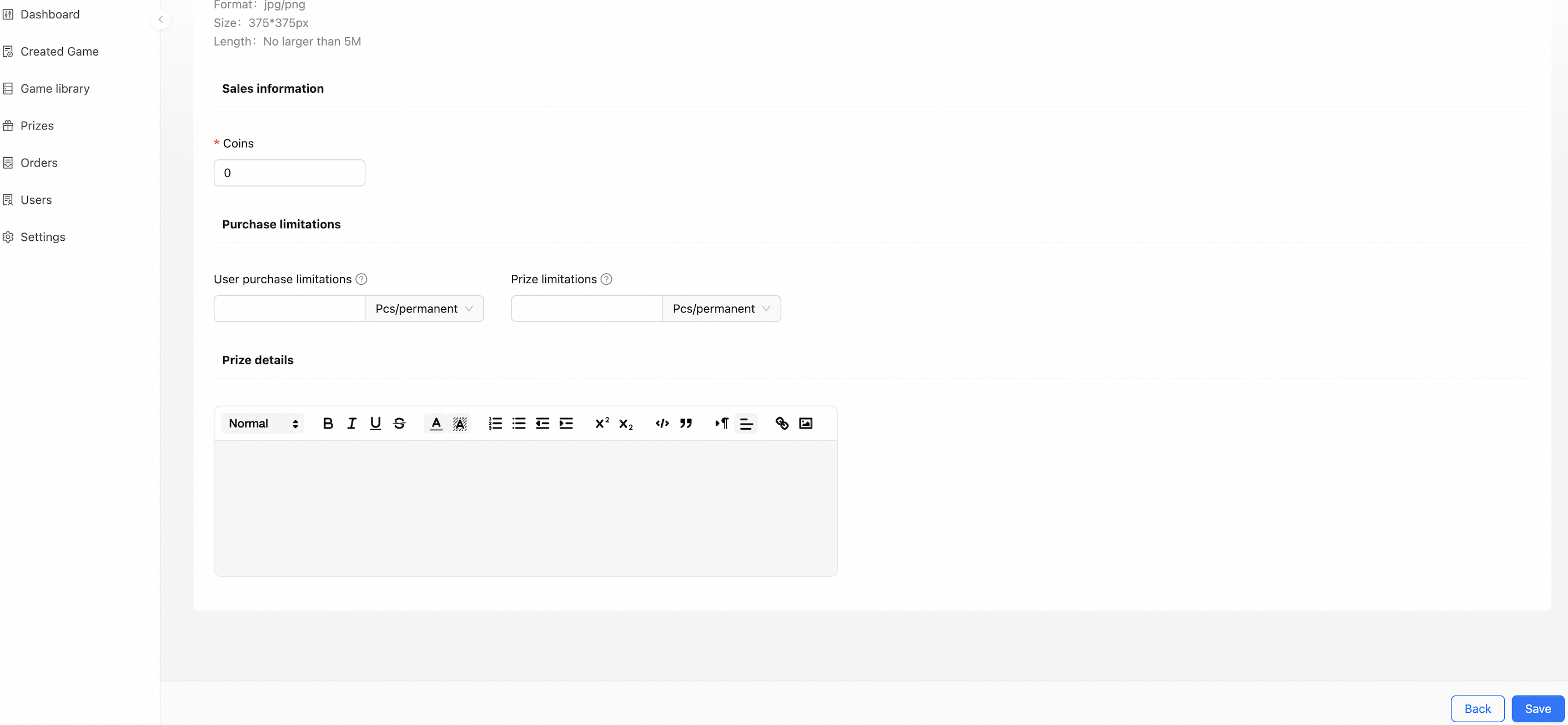
Coins: How many Coins does a user need to consume to redeem
User purchase limitations: How many times can a user redeem daily/weekly/monthly/yearly/permanently
Prize limitations: How many times can this prize be redeemed daily/weekly/monthly/yearly/permanently
Prize details: Detailed description of the prize
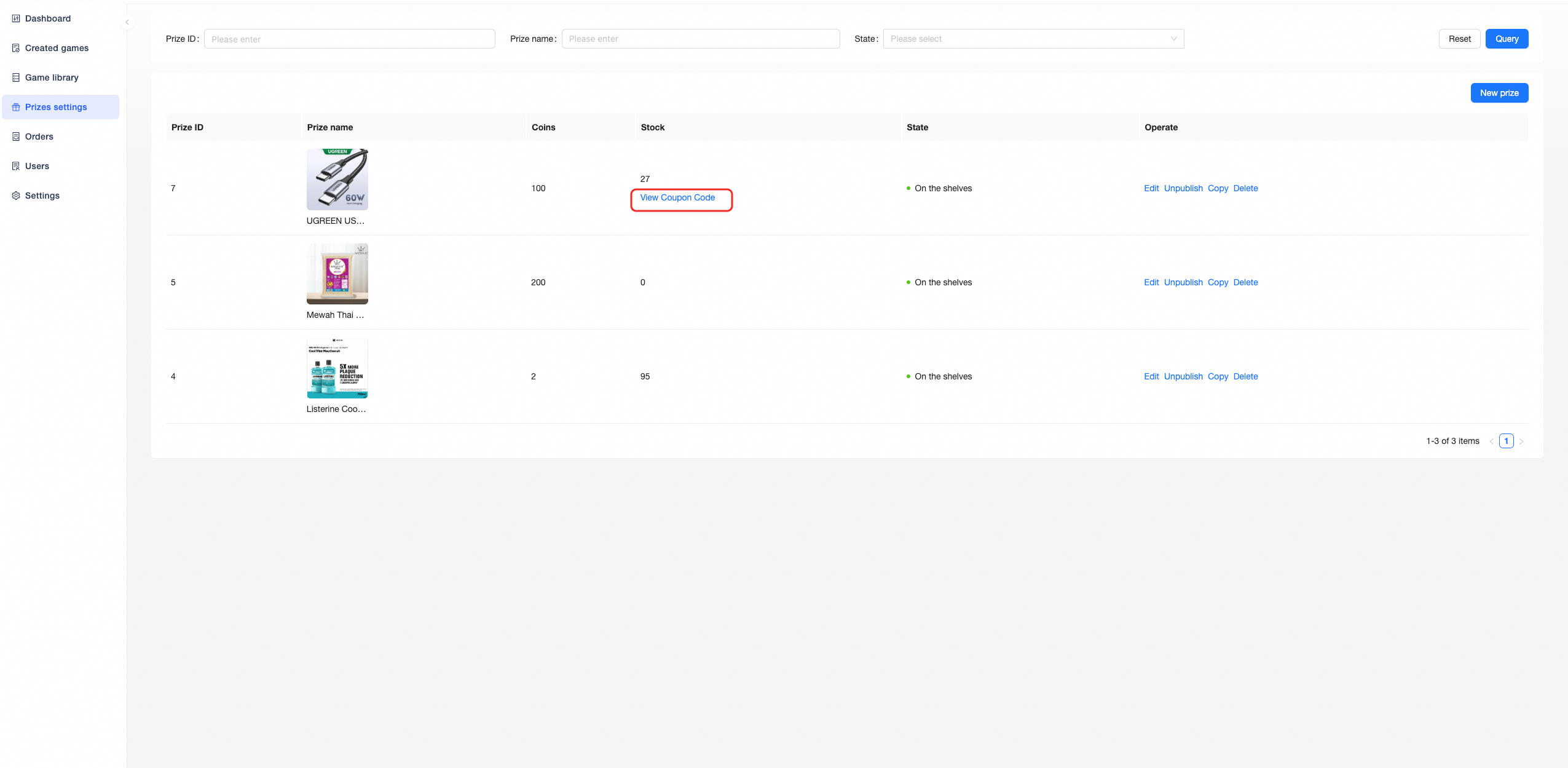
Add/Manage Coupon Code
After creating a prize, click「View Coupon Code」corresponding to the prize in the prize list, you can add the coupon code by system auto-generation or import.
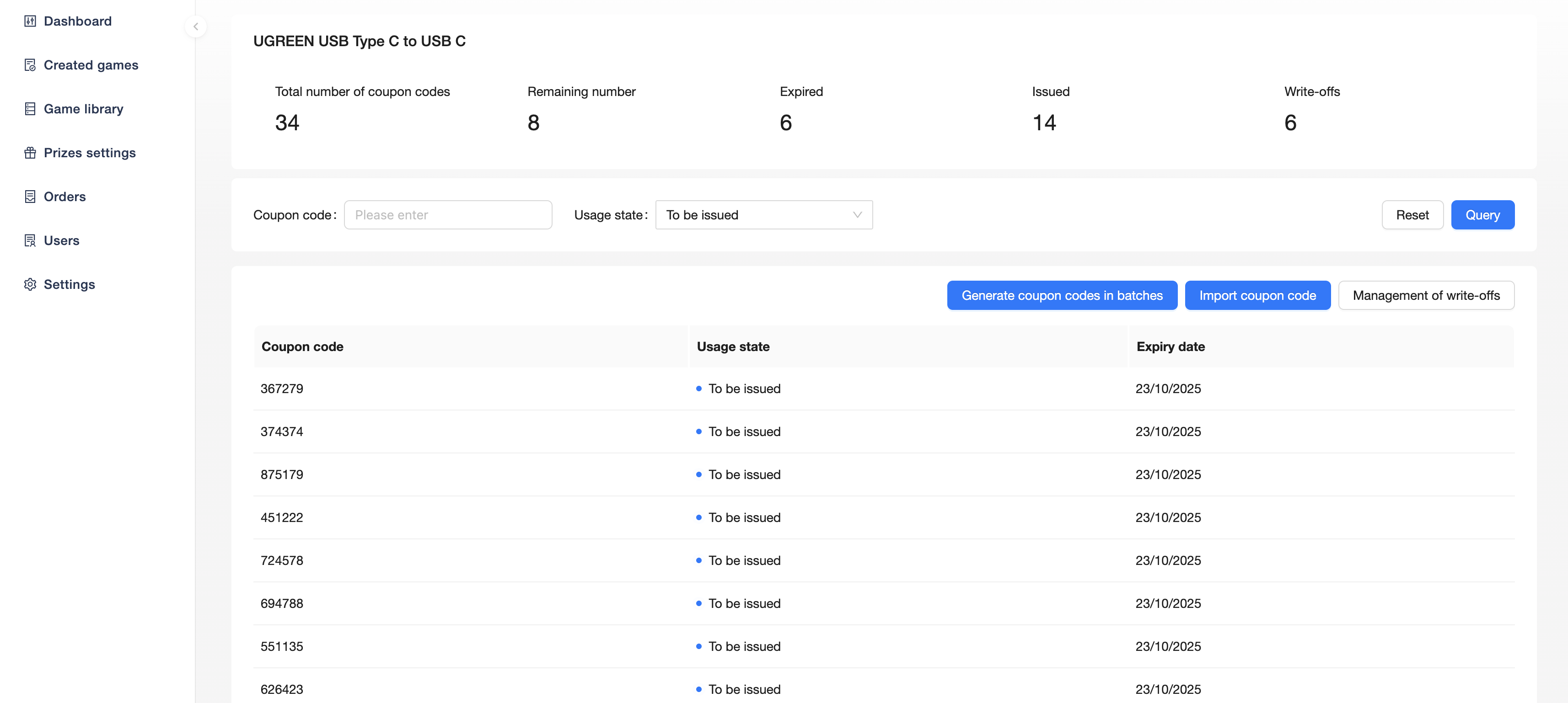
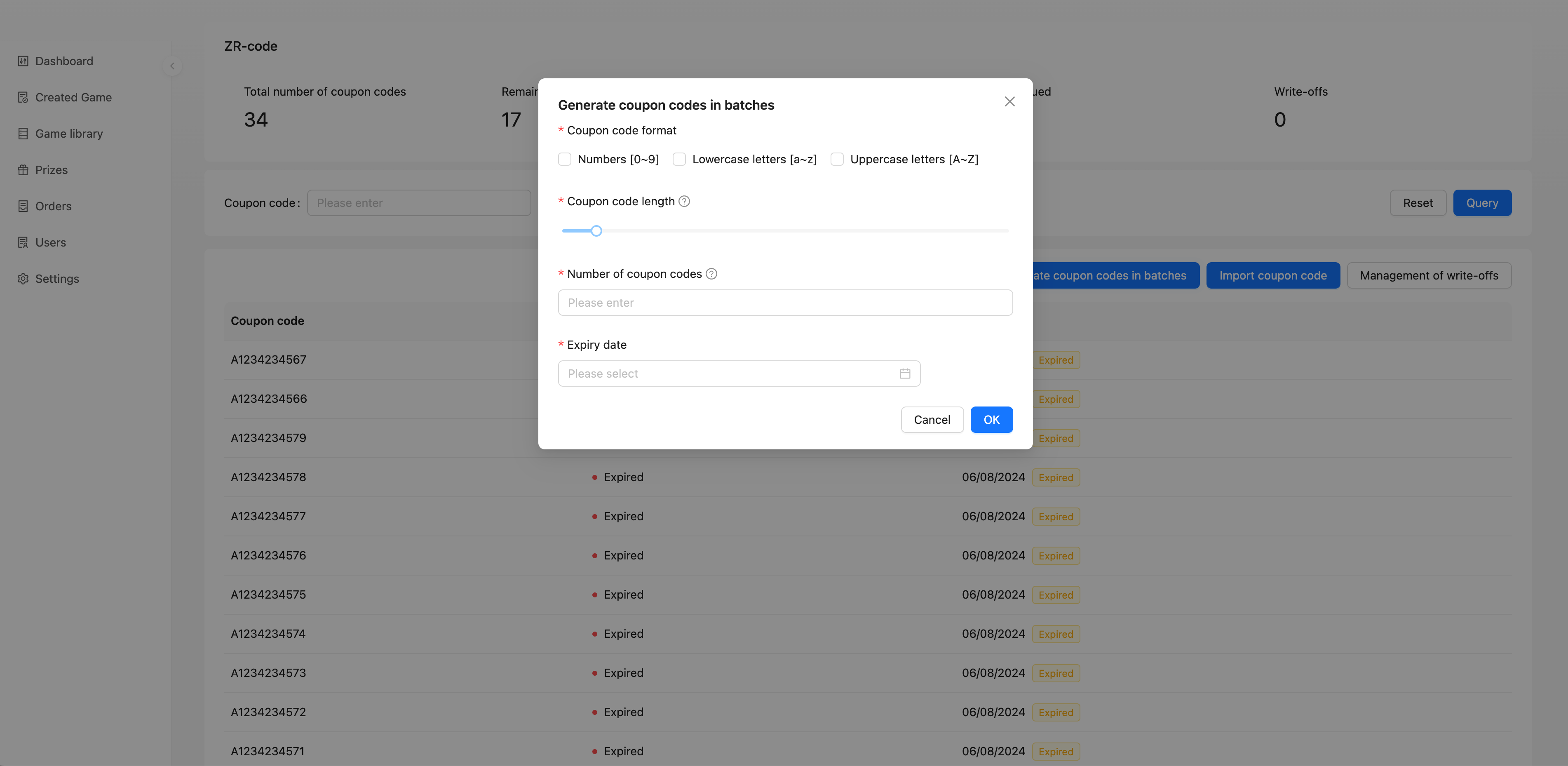
Automatically generated by the system
Coupon code format: Format of the coupon code generated, you can choose
Contains the numbers 0-9
Contains a-z
Contains A-Z
Coupon code length: Length of coupon code generated
Number of coupon codes: Number of coupon codes to be generated
Expiry date: Coupon code expiry date
After all coupon codes in the prize have expired, the user will not be able to redeem/win the prize
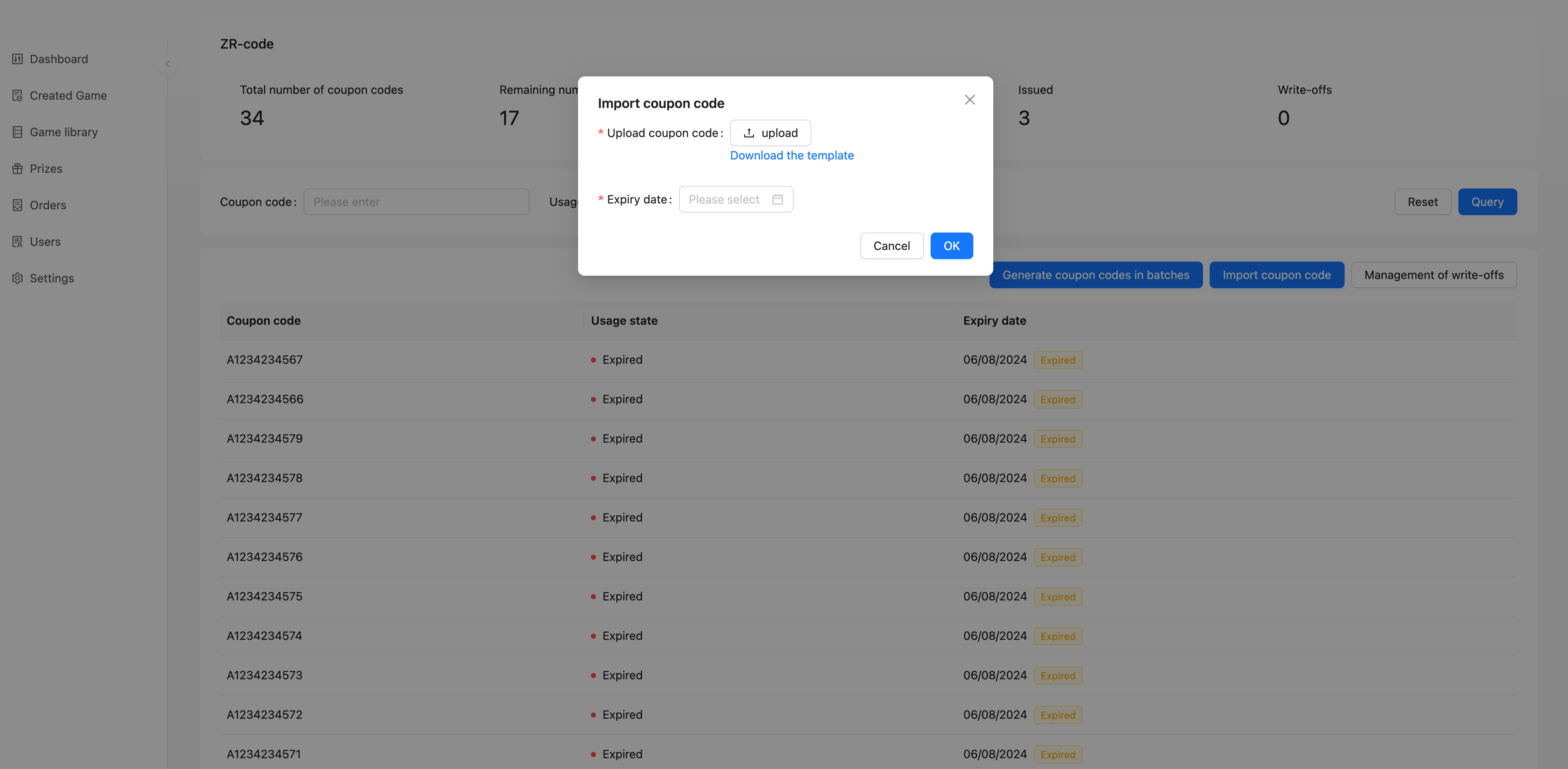
Manual import
Upload coupon code: Upload an Excel file of coupon codes
You can download the template by clicking「Download the template」
Expiry date: Coupon code expiry date
After all coupon codes in the prize have expired, the user will not be able to redeem/win the prize
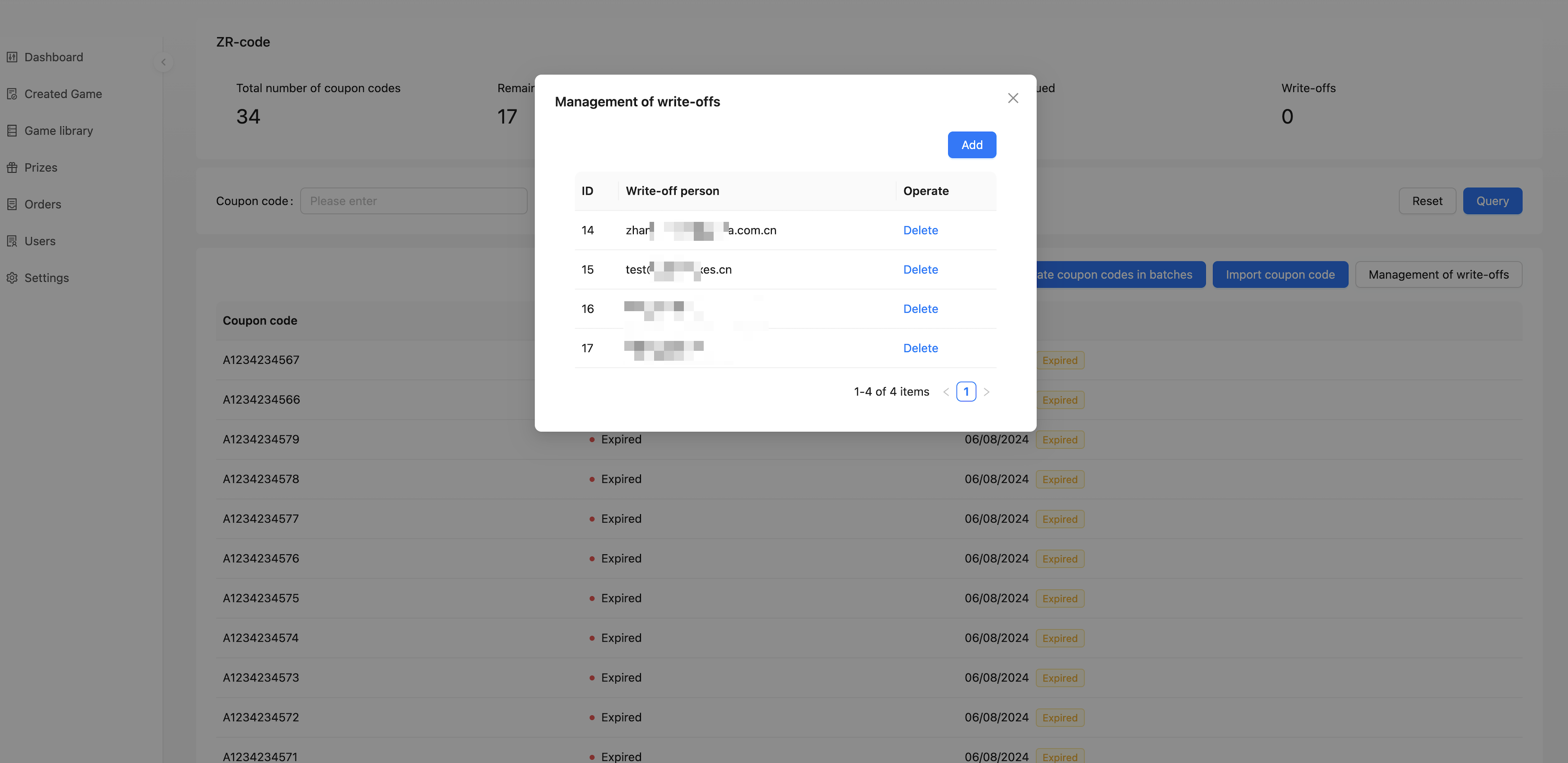
Management of write-off personnel:
Coupon codes can be written off in the system, add employees who can write off the prize, these employees will have the authority to write off the coupon codes in the prize.
Link Prize
Users get a jump link after redeeming/winning a prize, each user gets the same link.
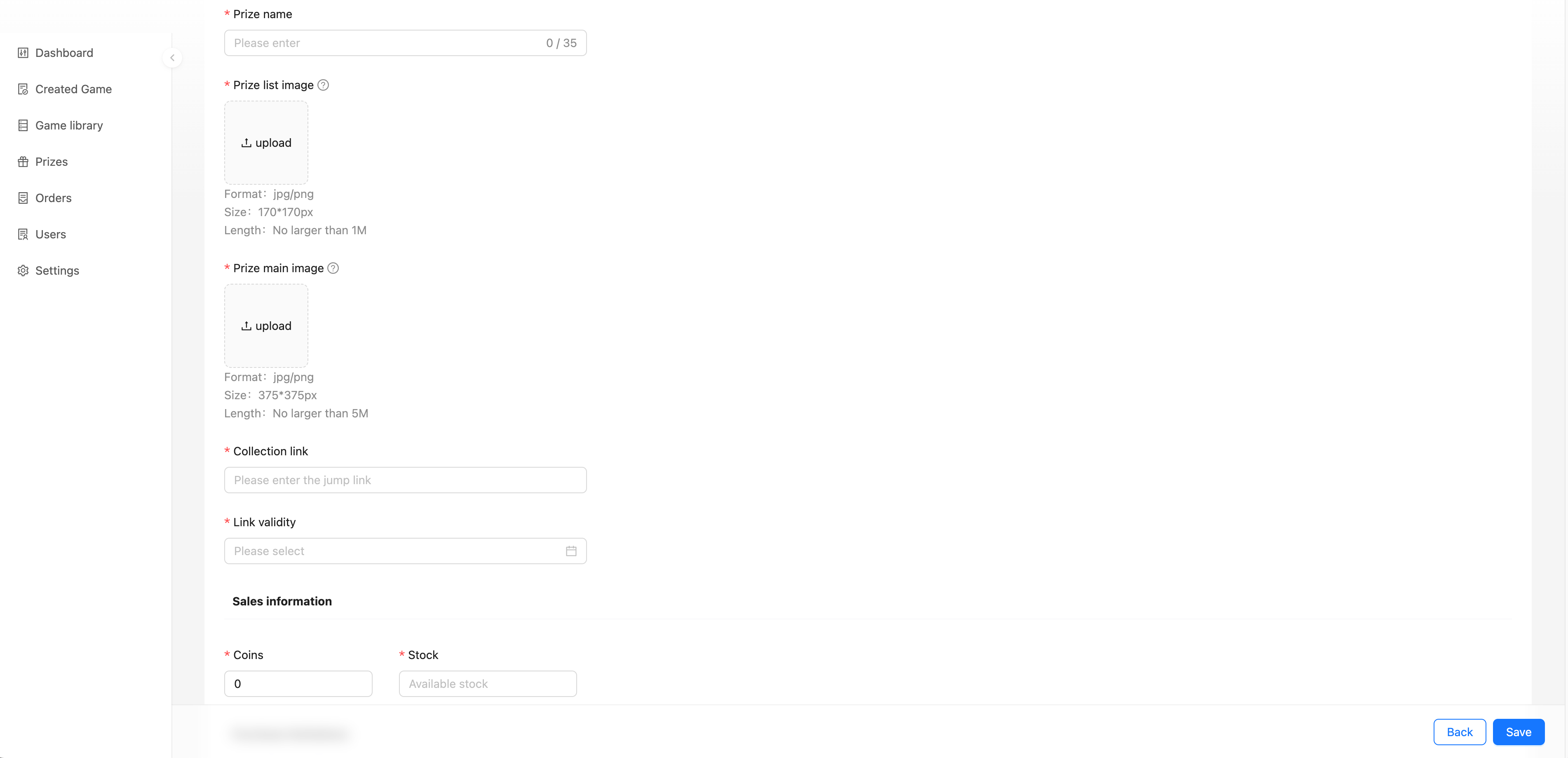
Prize name: Name of the prize for display
Prize list image: Prize display image in C-end list
Prize main image: Image displayed on the prize details page
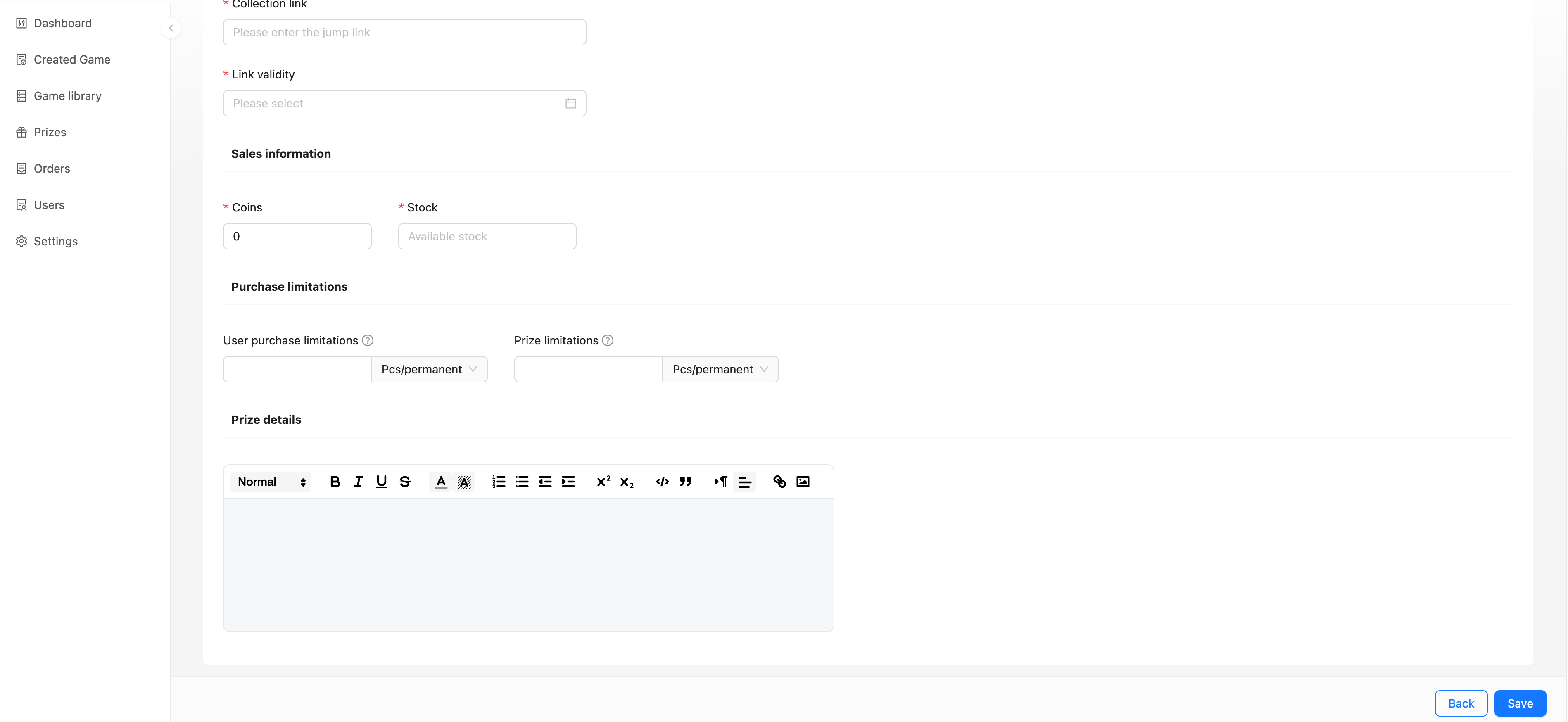
Collection link: Users get the link address.For example, a business voucher page
Link validity: The expiry date of the link, after which the user will not be able to redeem/win the prize
Coins: How many Coins does a user need to consume to redeem
Stock: Inventory of prizes (Pay attention to the inventory quantity filled in. The actual quantity that can be issued is determined by the quantity filled in)
User purchase limitations: How many times can a user redeem daily/weekly/monthly/yearly/permanently
Prize limitations: How many times can this prize be redeemed daily/weekly/monthly/yearly/permanently
Prize details: Detailed description of the prize
Interface Prize
After a user has redeemed/won a prize, a request will be sent to you informing you that a user has won a prize and that you need to handle the subsequent awarding of the prize.
Prize name: Name of the prize for display
Interface identifier: Unique identification of the prize for API interactions
Prize list image: Prize display image in C-end list
Prize main image: Image displayed on the prize details page
Coins: How many Coins does a user need to consume to redeem
Stock: Inventory of prizes (Pay attention to the inventory quantity filled in. The actual quantity that can be issued is determined by the quantity filled in)
User purchase limitations: How many times can a user redeem daily/weekly/monthly/yearly/permanently
Prize limitations: How many times can this prize be redeemed daily/weekly/monthly/yearly/permanently
Prize details: Detailed description of the prize