Troubleshoot authentication failures, configuration changes, and network issues that prevent the data transformation engine from reading source Logstore data.
After the data transformation engine starts, it continuously reads data from the source Logstore in streaming mode.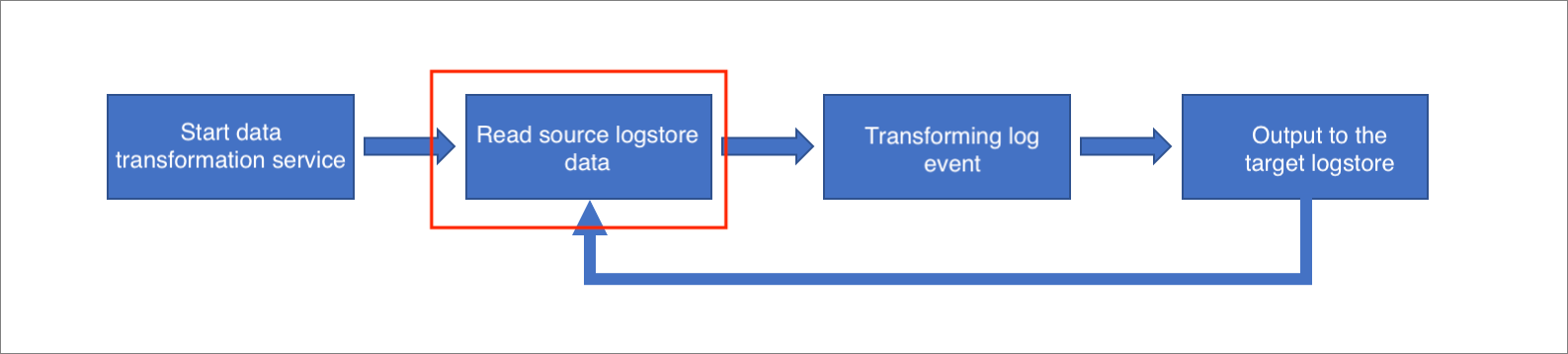
Read errors at this stage indicate that the source Logstore is inaccessible. Common causes include:
-
Invalid or nonexistent AccessKey pair
-
Source Logstore information changed after the job started
-
Network connectivity failure
Error impact: Read errors do not cause data loss.
-
If a read error occurs, the data transformation engine retries the read operation continuously until it succeeds or the job is manually stopped.
-
The engine saves the last successful read position as a checkpoint. After a successful retry, reading resumes from this checkpoint, which prevents data loss or duplication.
Troubleshoot common errors
-
The AccessKey ID or AccessKey secret configured for the source Logstore is invalid, disabled, or deleted.
-
Error message:
{ "errorCode": "Unauthorized", "errorMessage": "AccessKeyId not found: LTAI****************" } { "errorCode": "SignatureNotMatch", "errorMessage": "signature uJfAJbc0ji04gb+cXhh0qWt****= not match" } -
Resolution:
Verify that the AccessKey ID and AccessKey secret specified in the transformation job are correct and active.
-
-
Source Logstore information changed after the job started
The source Logstore configuration was valid when the job started but changed during transformation, invalidating the original settings.
-
Error message:
The source Logstore information can change in the following ways:
-
Someone deleted the source Logstore:
{ "errorMessage": "Logstore [logstore_name] does not exist." } -
Someone rotated or revoked the AccessKey pair for the source Logstore:
{
  "errorCode": "Unauthorized",
  "errorMessage": "AccessKeyId not found: LTAI****************"
}
{
  "errorCode": "SignatureNotMatch",
  "errorMessage": "signature uJfAJbc0ji04gb+cXhh0qWt****= not match"
}
-
-
Troubleshooting:
-
Check whether the source Logstore still exists in the Simple Log Service console.
-
If someone rotated the AccessKey pair, update the transformation job with the new credentials.
-
-
-
Network connectivity failure.
-
Error log:
{ "errorCode": "LogRequestError", "errorMessage": "HTTPConnectionPool(host='your_host', port=80): Max retries exceeded with url: your_url (Caused by NewConnectionError: Failed to establish a new connection: [Errno 11001] getaddrinfo failed'" } -
Troubleshooting:
Verify that the source Logstore endpoint is reachable from the data transformation engine. Check whether any firewall rules or security group settings block the connection.
-
-
No data in the source Logstore.
This issue does not generate an error message. Verify that data is being written to the source Logstore by checking the Logstore preview in the Simple Log Service console. For more information, see Troubleshoot common errors.