A stack group lets you deploy and manage stacks across multiple regions and accounts efficiently and cost-effectively.
Scenarios
Create stacks across accounts
An administrator account creates a stack group, adds multiple destination accounts, and deploys to a single region. ROS creates a stack in that region for each destination account.
Create stacks across regions
An administrator account creates a stack group, adds a single destination account, and deploys to multiple regions. ROS creates a stack in each region for that account.
Create stacks across accounts and regions
An administrator account creates a stack group, adds multiple destination accounts, and deploys to multiple regions. ROS creates a stack in each region for each destination account.
Authorization modes
Resource Orchestration Service (ROS) supports two authorization modes for stack groups: self-managed permissions and service-managed permissions. Both modes allow an administrator account to deploy stacks across accounts and regions from a single region.
Self-managed permissions mode
An administrator account (Account A) creates a stack group in self-managed permissions mode in the Hangzhou region, then deploys stacks for destination accounts (Account B and Account C) in the Hangzhou and Beijing regions.
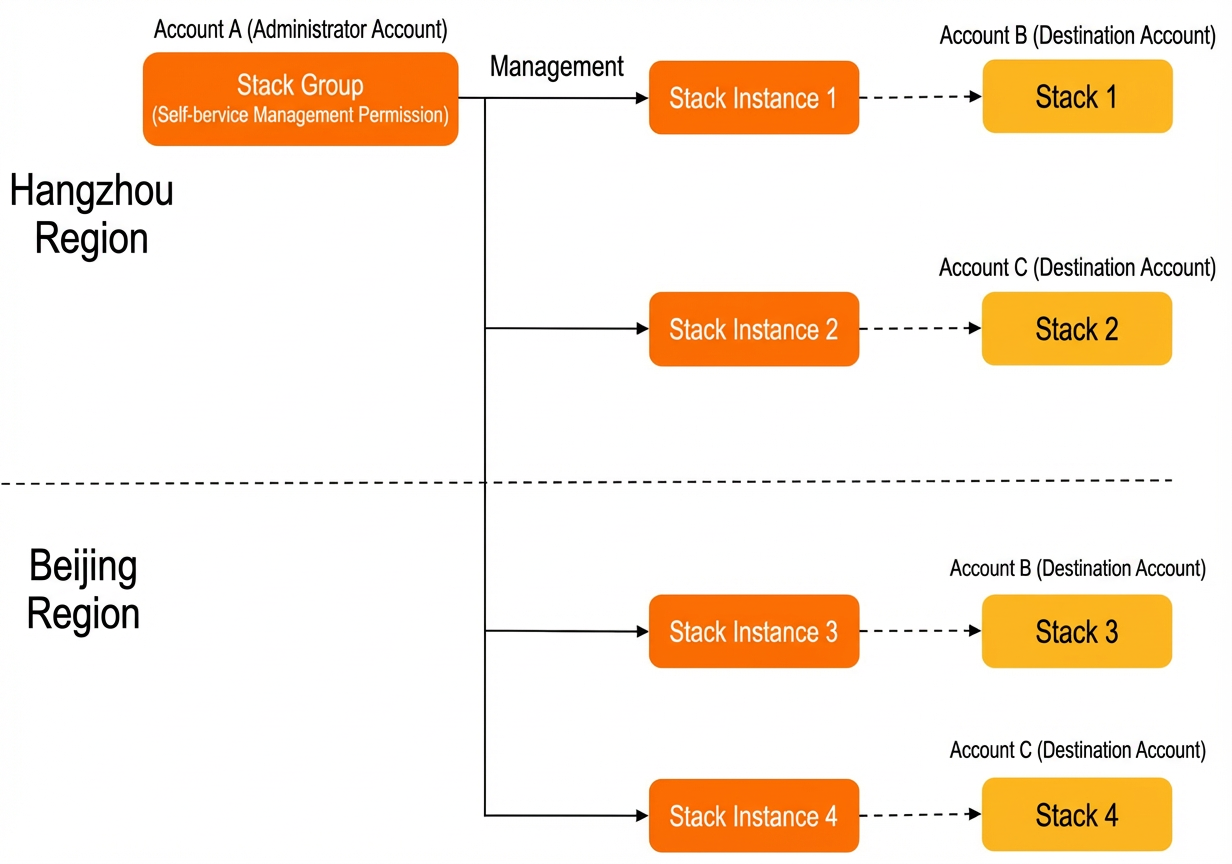
To deploy stacks in self-managed permissions mode:
Service-managed permissions mode
An administrator account (Account A) creates a stack group in service-managed permissions mode in the Hangzhou region. ROS deploys stacks in the Hangzhou and Beijing regions for the folders specified in the resource directory, automatically using all member accounts (Account B and Account C) in those folders as destination accounts.
You can enable automatic deployment when you create a stack group in service-managed permissions mode. When accounts are added to or removed from a folder, ROS automatically creates or deletes the corresponding stack instances.
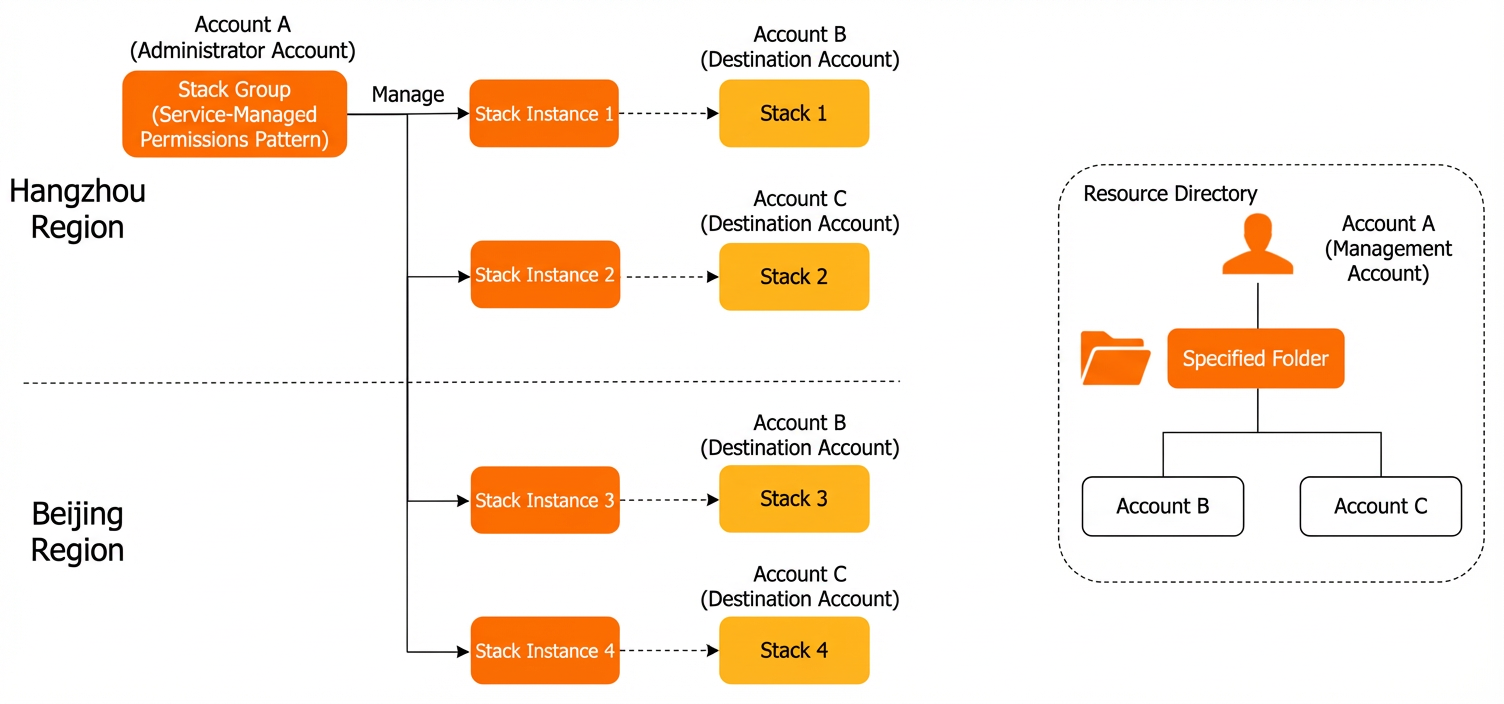
To deploy stacks in service-managed permissions mode:
Basic relationships
Creating a stack group generates stack instances in the specified accounts and regions, each corresponding to a stack. Operations on the stack group (updates, deletions) propagate to the corresponding stack instances and stacks.
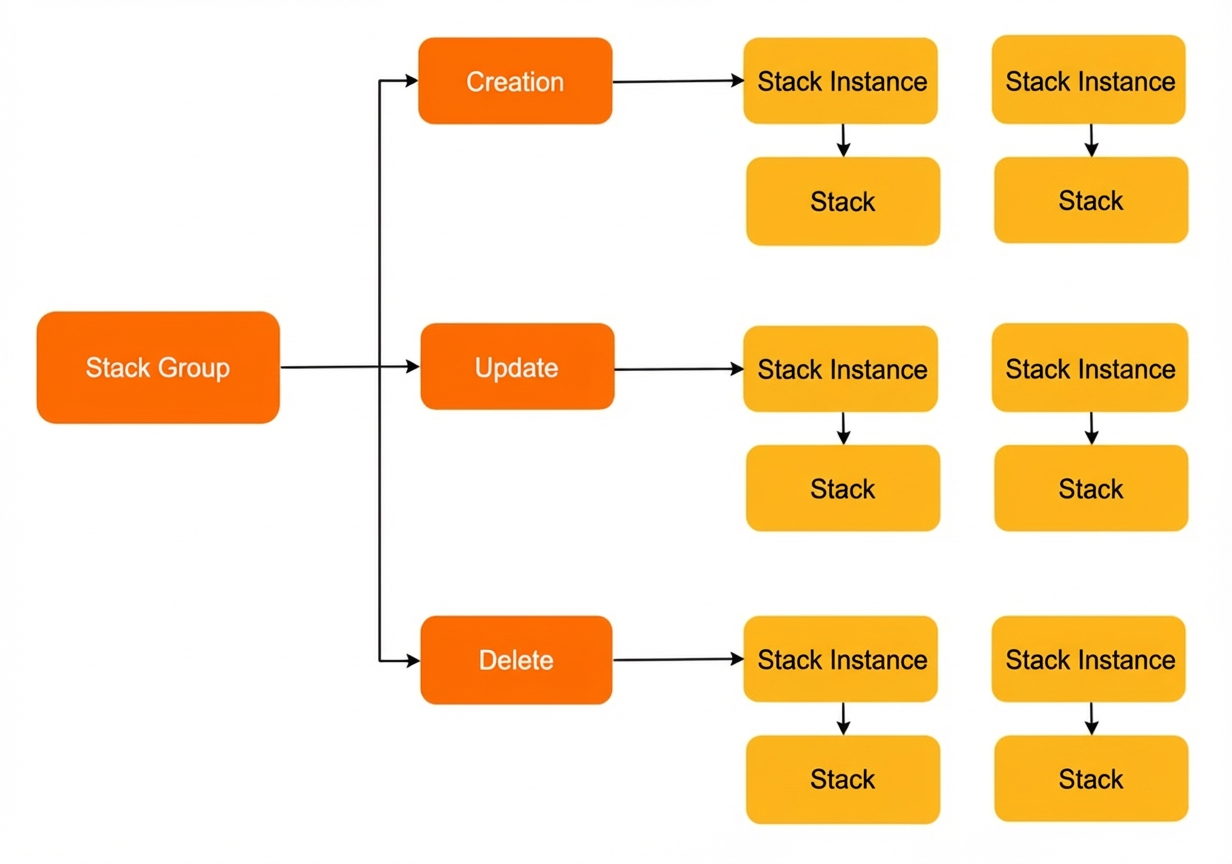
Key relationships:
-
A stack instance belongs to only one stack group.
-
A stack instance corresponds to one or zero stacks.
If stack creation fails, the stack instance exists without a corresponding stack and displays the failure reason.
-
When you delete a stack instance, you can choose to delete or retain its corresponding stack.
-
Deleting a stack directly does not delete the corresponding stack instance.
Terms
|
Concepts |
Description |
|
Stack instance |
A reference to a stack in a destination account that shows deployment status. The administrator account creates stack instances in batches across destination accounts and regions. Each account-region pair maps to one stack instance. |
|
Administrator account |
The account that creates the stack group. In self-managed permissions mode, this is an Alibaba Cloud account. In service-managed permissions mode, this is the management account of a resource directory or a delegated administrator account. |
|
Destination account |
The account in which a stack is created. |