Integrate the Quick Tracking Windows C++ SDK to run A/B testing experiments in your application.
1. Integrate and initialize the SDK
Prerequisites
The Quick Tracking A/B testing SDK does not collect personal information directly. It relies on behavioral data from the Quick Tracking Analytics SDK. Before you begin, make sure you have integrated and initialized the Quick Tracking Analytics Windows C++ SDK. For more information, see Import & Configure SDK.
2. Implement an experiment
2.1 Integrate and initialize the SDK
Initialize the Quick Tracking Analytics SDK synchronously before the A/B testing SDK. The A/B testing SDK requires a server URL for traffic splitting. Contact your operations team to obtain this URL.
Offline import
For import instructions, see Import & Configure SDK Quick Integration.
2.2 Initialize the A/B testing SDK
API function
// Initialize the A/B testing SDK
QTFORPC_API QT_VOID initABTest(QT_CSTR serverUrl, QT_MAP options);
Parameters
|
Parameter |
Type |
Description |
Required |
|
serverUrl |
const char * |
The server URL. |
Yes |
|
options |
const char * |
An attribute parameter provided as a JSON literal string.
|
Yes |
Example
std::string abOptions = R"({
    "experiment_file_path": "D:\\xxxx\\abcache\\ab_cache.txt",
    "update_interval_seconds": 10
})";

qtInterface->initABTest("http://xxxxx", abOptions.c_str());
Enable logging
To enable logging, see the Basic Integration guide for the Quick Tracking Analytics SDK.
2.3 Get experiment variables
After initializing the A/B testing SDK, retrieve experiment variables using one of these API functions:
-
fetchABTestFromCache: Reads from the local cache. Returns the default value if the variable is not cached.
-
fetchABTestFromServer: Ignores the local cache and fetches data directly from the server.
-
fetchABTestFromCacheThenServer: Reads from the local cache first. If the variable is not in the cache, it then fetches data from the server.
Use cases
|
API name |
Scenario |
|
fetchABTestFromCache |
Best for high query performance, but the returned data may not reflect the latest experiment configuration. |
|
fetchABTestFromServer |
Best for time-sensitive experiments that change frequently. This approach may introduce network latency. |
|
fetchABTestFromCacheThenServer |
Recommended for most use cases, as it balances performance with data freshness. It checks the local cache first and queries the server if the variable is not found. |
2.4 API reference
Fetch variable from cache
API function: fetchABTestFromCache
// Fetch an experiment variable from the local cache
QTFORPC_API QT_VOID fetchABTestFromCache(QT_CSTR paramName, QT_CSTR valueType, QT_MAP defaultValue, QT_AB_CB handler);
Parameters
|
Parameter |
Type |
Description |
Required |
|
paramName |
const char * |
The parameter name. |
Yes |
|
valueType |
const char * |
The value type.
|
Yes |
|
defaultValue |
const char * |
The default value.
|
Yes |
|
handler |
void |
The callback function to handle the returned result. |
Yes |
Example
qtInterface->fetchABTestFromCache("y_number", "NUMBER", "1", [](const string &result){
    std::cout << result << std::endl;
});Note: Ensure your business logic handles the default values for the A/B traffic splitting API functions.
Fetch variable from server
API function: fetchABTestFromServer
// Fetch an experiment variable from the server
QTFORPC_API QT_VOID fetchABTestFromServer(QT_CSTR paramName, QT_CSTR valueType, QT_MAP defaultValue, QT_AB_CB handler, QT_INT timeout_seconds);
Parameters
|
Parameter |
Type |
Description |
Required |
|
paramName |
const char * |
The parameter name. Must be a non-empty string. |
Yes |
|
valueType |
const char * |
The value type.
|
Yes |
|
defaultValue |
const char * |
The default value.
|
Yes |
|
handler |
void |
The callback function to handle the returned result. |
Yes |
|
timeout_seconds |
int |
The request timeout in seconds. Default: 3. |
No |
Example
qtInterface->fetchABTestFromServer("y_json", "JSON", R"({"a":1})",  [](const string &result){
    std::cout << result << std::endl;
}, 3);Note: Ensure your business logic handles the default values for the A/B traffic splitting API functions.
Fetch from cache, then server
API function: fetchABTestFromCacheThenServer
// Fetch an experiment variable from the local cache first, then from the server if not found
QTFORPC_API QT_VOID fetchABTestFromCacheThenServer(QT_CSTR paramName, QT_CSTR valueType, QT_MAP defaultValue, QT_AB_CB handler, QT_INT timeout_seconds);
Parameters
|
Parameter |
Type |
Description |
Required |
|
paramName |
const char * |
The parameter name. |
Yes |
|
valueType |
const char * |
The value type.
|
Yes |
|
defaultValue |
const char * |
The default value.
|
Yes |
|
handler |
void |
The callback function to handle the returned result. |
Yes |
|
timeout_seconds |
int |
The request timeout in seconds. Default: 3. |
No |
Example
qtInterface->fetchABTestFromCacheThenServer("y_boolean", "BOOLEAN", "false", [](const string &result){
    std::cout << result << std::endl;
}, 3);Note: Ensure your business logic handles the default values for the A/B traffic splitting API functions.
3. Debug experiment
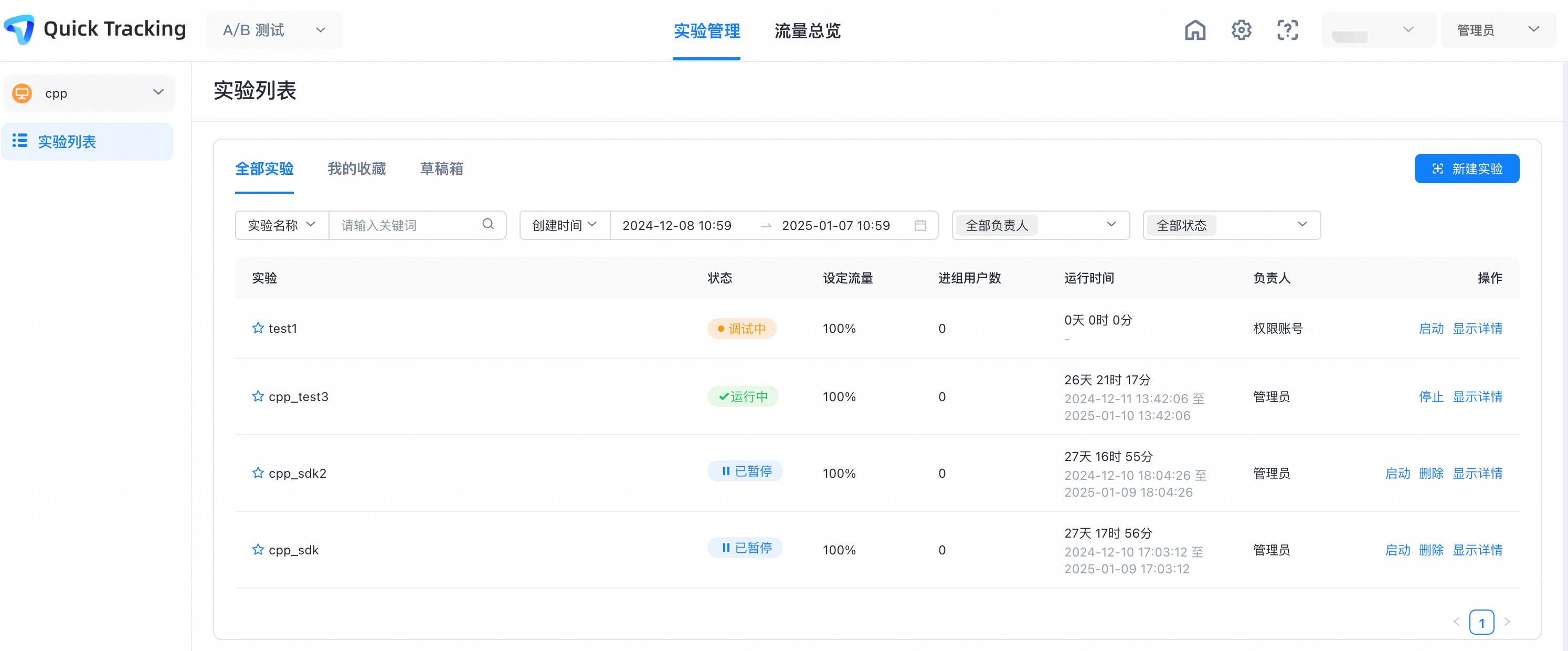
After you enable the experiment: