The Quick App SDK supports common QuickTracking events and properties, such as app launch, app hide, page view, custom events, user profiles, and global properties.
1. Add and configure the SDK
To integrate QuickTracking into your Quick App project, obtain the latest SDK. Download or reference the SDK file from the following URL:
Quick App SDK URL: https://g.alicdn.com/dt-f2e/qt-quickapp-sdk/1.0.0/qt_quickapp.js
-
Log on to the QuickTracking platform. In the management console, navigate to **Data Collection** > **Mini Program SDK Info**.
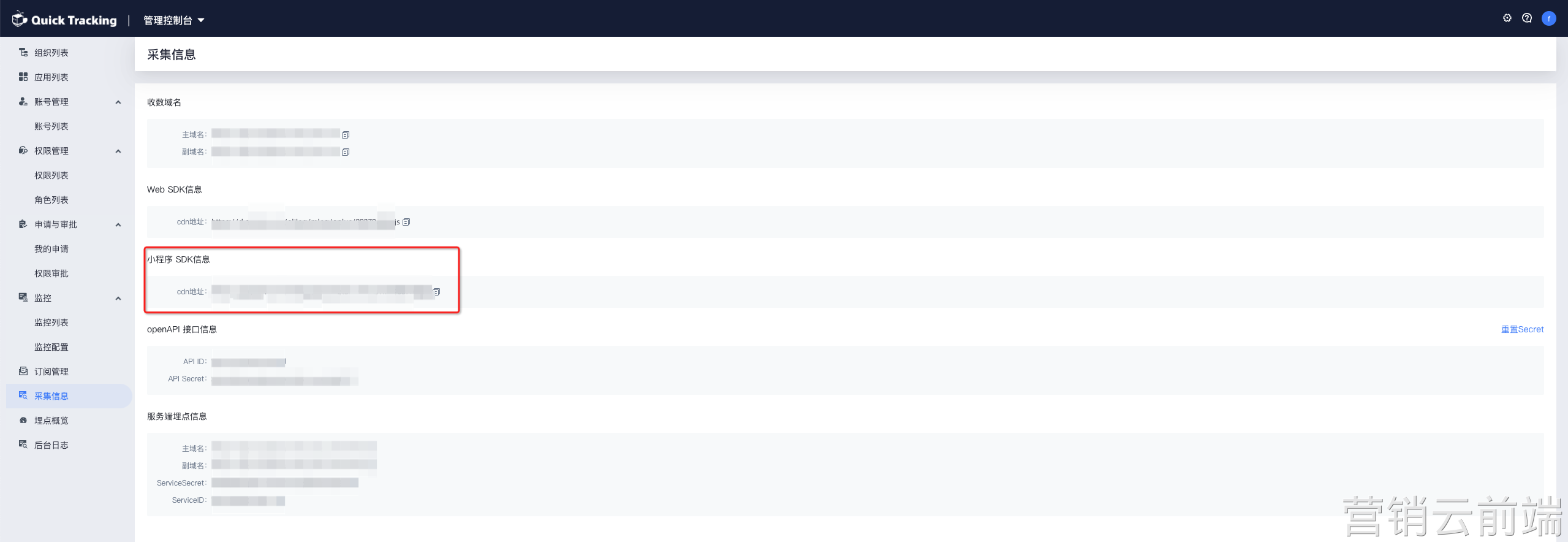
Place the qt_quickapp.js file into the appropriate directory in your project, for example, src/assets/js.
In your application's entry file, app.ux, add the following code:
// Add this to the top of app.ux import qt from './assets/js/qt_quickapp.js'; -
Configure the SDK parameters.
After importing the SDK, call the setParams method to configure the initial settings.
// Add this to the top of app.ux
import qt from './assets/js/qt_quickapp.js';
qt.setParams({
  /************   Required parameters   *************/
  appKey: 'Your app key',
  trackDomain: 'Your tracking domain',
  /************   Optional parameters   *************/
  showLog: true, // Specifies whether to display SDK logs. Set to true to enable or false to disable.
  userId: 'test_user', // The user account. You can also configure this by calling the login API.
  globalproperty: {  // Global properties for events.
    a:1,
    b:2
  }
});
2. Initialize the SDK
After configuring the SDK parameters, call the init method to enable tracking.
// In the onCreate method of the app.ux file
export default {
  onCreate(options) {
    // Initialize the SDK.
    qt.init(); // Registers qt as a global object.
  }
}
3. Add tracking
3.1 App launch event
API: qt.appLaunch(options)
// Call qt.appLaunch() in the onCreate method of the app.ux file.
export default {
  onCreate(options) {
    qt.init();
    qt.appLaunch(options);
  },
  ...
}
3.2 App hide event
API: qt.appHide()
// Call qt.appHide() in the onHide method of the app.ux file.
export default {
	onHide() {
    qt.appHide();
  }
}
3.3 Page view event
API: qt.sendPageStart(properties)
The properties parameter specifies custom event parameters as a flat JSON object. Nested objects are not supported. Values can be strings, numbers, or booleans. If a value is empty, pass an empty string "".
Example:
// Test page: pages/TestPage/index.ux
export default {
  ...
  onShow() {
    qt.sendPageStart({
      page_name: 'test_page', // Predefined field (optional): The page code.
      page_title: 'Page Title', // Predefined field (optional): The page title.
      param1: 'xxx',
      param2: 'xxx'
    });
  }
	...
}
3.4 Custom event
API: qt.sendEvent(eventCode, properties)
eventCode: The code of a custom event, such as a click or impression, registered in the QuickTracking console. The code must be a string of up to 128 English characters.
properties: Custom event parameters as a flat JSON object. Nested objects are not supported. Values can be strings, numbers, or booleans. If a value is empty, pass an empty string "".
Example:
// Test page: pages/TestPage/index.ux
export default {
  ...
  onTestButtonClick() {
  	qt.sendEvent('test_clk', {
      page_name: 'test_page', // Predefined field (optional): The page code.
      page_title: 'Page Title', // Predefined field (optional): The page title.
      param1: 'xxx',
      param2: 'xxx'
    });
  }
	...
}
4. Set global properties
API: qt.setGlobalProperty(properties)
// Method 1
qt.setGlobalProperty({
  param1: '1111',
  param2: 2222,
  param3: true
});

// Method 2
qt.setParams({
	....
  globalproperty: {
    param1: '1111',
    param2: 2222,
    param3: true
  }
});
After this call, the globalproperty object will be { param1: '1111', param2: 2222, param3: true }.
Append a global property
API: qt.appendGlobalProperty(properties)
qt.appendGlobalProperty({
  param4: '4444',
  param5: 55555
});
After this call, the globalproperty object will be:
{ param1: '1111', param2: 2222, param3: true, param4: '4444', param5: 55555 }
5. Set a user account
API: qt.login(userAccountId)
qt.login('user_account_id') // Reports and caches the user account.API: qt.logoff()
qt.logoff() // Clears the cached user account.6. Send a user profile
API: qt.sendUserProfile(userProfileObject)
Note: You must set a user account before sending a user profile.
qt.sendUserProfile({
  name: 'John Doe',
  age: '25',
  level: 'vip3'
});
7. Set multiple ID types
API: qt.setIds(idsObject)
Note: Ensure that each ID key is spelled correctly.
qt.setIds({
  openId: 'xxxx',
  unionid: 'xxxxx',
  androidId: 'xxxxx',
  advertisingId: 'xxxxx',
  phonenumber: 'xxxxx',
  mac: 'xxxxx',
  oaid: 'xxxxx',
  serial: 'xxxxx',
  deviceId: 'xxxxx'
});
For descriptions of each ID field, see the official Quick App documentation.
https://doc.quickapp.cn/features/service/account.html?h=openid
https://doc.quickapp.cn/features/system/device.html?h=deviceId
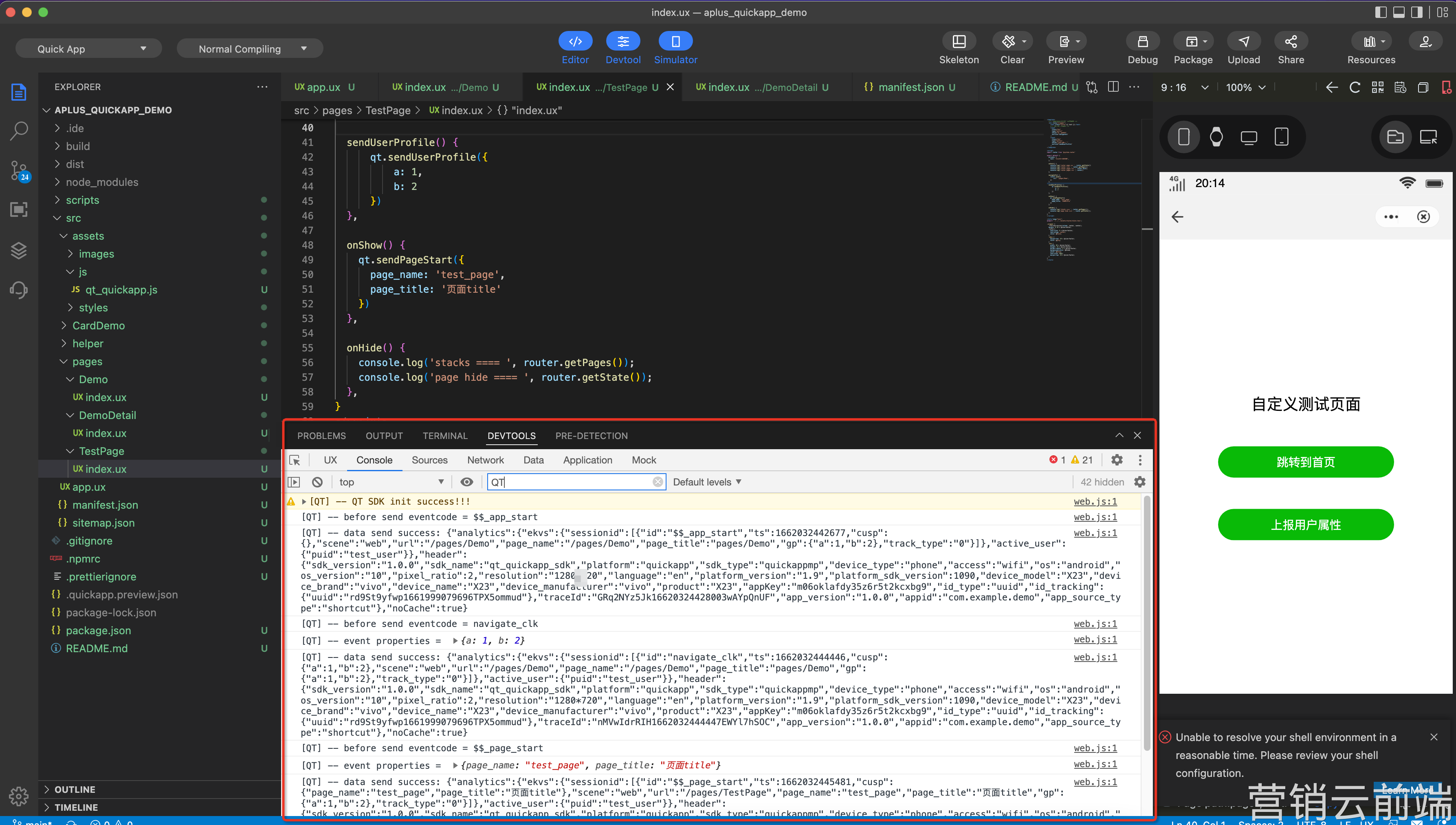
8. View SDK logs
Set the showLog parameter to true in the SDK configuration.
qt.setParams({
  ...
  showLog: true
})
9. Tracking verification
To validate your tracking setup, use the tracking verification feature on the QuickTracking platform. Obtain a debug ID in the format log_xxxx, then add this ID to the SDK parameters to enable log reporting in verification mode.
Add the debugId parameter to enable tracking verification.
// Add this to the top of app.ux
import qt from './assets/js/qt_quickapp.js';
qt.setParams({
  ...
  debugId: 'log_xxxxxxxx', // Used for tracking verification.
  ....
});