The Wait Until component is used to wait for a specified time, or wait for a period of time before entering the next component.
Configuration steps:
Click Wait Until component and configure the components in the panel that appears on the right, as shown in the following figure.
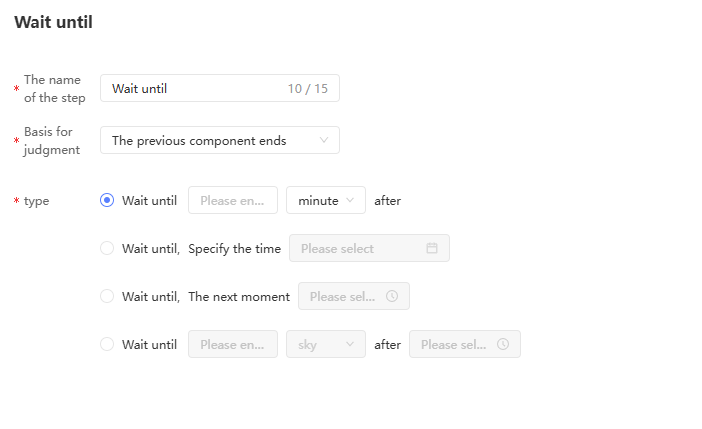
Four wait types are supported:
Wait N minutes, hours, and days.
For example, wait 2 hours.
Wait until the specified time.
For example, you can wait until 12:00 on May 31, 2022.
Wait until the next moment.
For example, wait until the next 12 hours. If it is 9 o'clock at this moment, it will wait until 12 o'clock today. If it is 21 o'clock at this moment, it will wait until 12 o'clock the next day.
Wait for a moment N days, weeks, or months later.
For example: Wait 7 days after 12:00. If it is 9:00 on the 10th, it will wait until 12:00 on the 17th; if it is 21:00 on the 10th, it will wait until 12:00 on the 18th.
Click OK to finish configuration.