The Attribute Judgment component filters users based on the properties of the selected event in the upstream Behavior Event component and routes them to subsequent operations. You can filter users into multiple groups based on different attribute requirements simultaneously.
For example, users who enter the process by following an official account can be routed to different follow-up operations based on the channel from which they followed.
-
User behavior event data is collected by applications such as apps, mini programs, and web pages and reported to Quick Audience. For more information, see Event Reporting (New Version) or Event Management (Old Version).
-
The Attribute Judgment component must be placed immediately after a Behavior Event component.
To configure the Attribute Judgment component, perform the following steps:
-
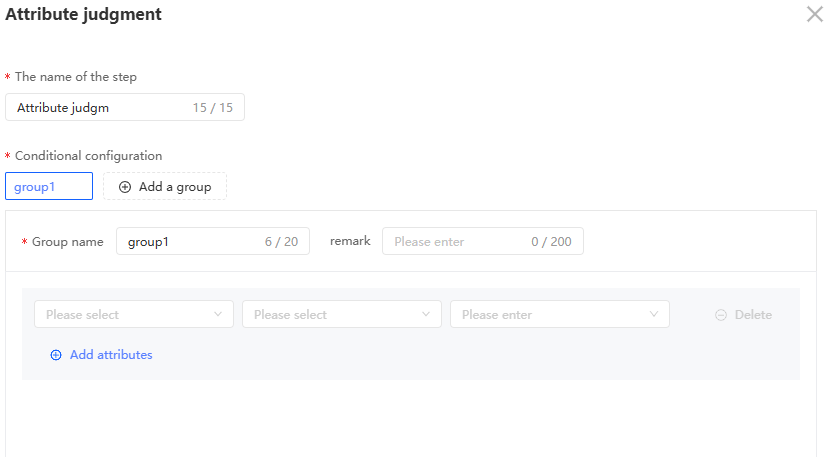
Click the Attribute Judgment component and configure it in the panel that appears on the right.
-
Enter a step name.
-
Configure the property requirements for the group.
-
A default group named Group 1 is created. You can rename the group and add comments.
Click Add Group to add a group. Up to eight groups are supported.
Click a group name to switch to that group.
Hover over the group name to display the Delete button
 .
. -
Each group has a default attribute condition. Select an attribute and configure the filter condition.
Click Add Attribute to add an attribute condition. Multiple conditions support the AND and OR operators. Click the operator text on the left to switch between them.
-
-
Specify whether to enable the Other group. If enabled, an "Other" group is added to capture users who do not match any group's attribute requirements.
-
Click OK.