Go to Workspace > Configuration Management > Data Import Management > Data Import > Table Schema Configuration to view and manage the schema configurations for your imported data tables.
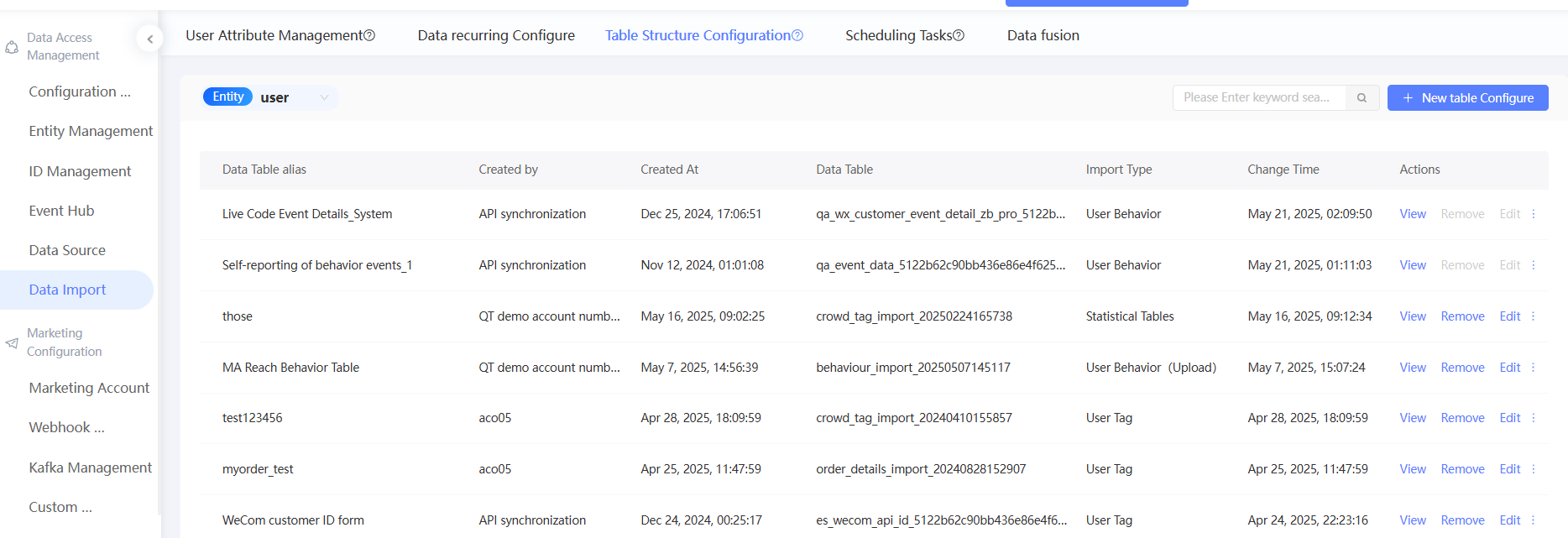
Each table schema configuration supports four operations: view, edit, view scheduling tasks, and remove. Tables created through API sync cannot be edited or removed.
View table schema configurations
Click View to inspect the table schema.
Remove table schema configurations
Click Remove to delete the table schema configuration.
Removal is blocked if the table has an associated audience or an active scheduling task. Delete the associated audience and scheduling task before removing the table.
Edit table schema configuration
Click Edit to modify the schema configuration of the table.
For user tag tables, the user ID field and user ID type cannot be modified after ID Mapping is configured, to maintain system stability.
Disabling the import toggle for a field affects downstream data. The associated audience, custom tag, or RFM/AIPL model may stop updating, and any tag evaluation component that depends on the field may fail to run.
View scheduling tasks
Click  > View Scheduling Task to see the execution history for the table's scheduling task. Click the
  icon to expand the execution status for each run.
For more information about scheduling, see Scheduling tasks. 
Create a relational table
Click > Create Relationship Table. Relational tables define multi-entity associations — for example, linking a user ID to a content ID based on behavioral event attributes — and use those associations to build audience segments.
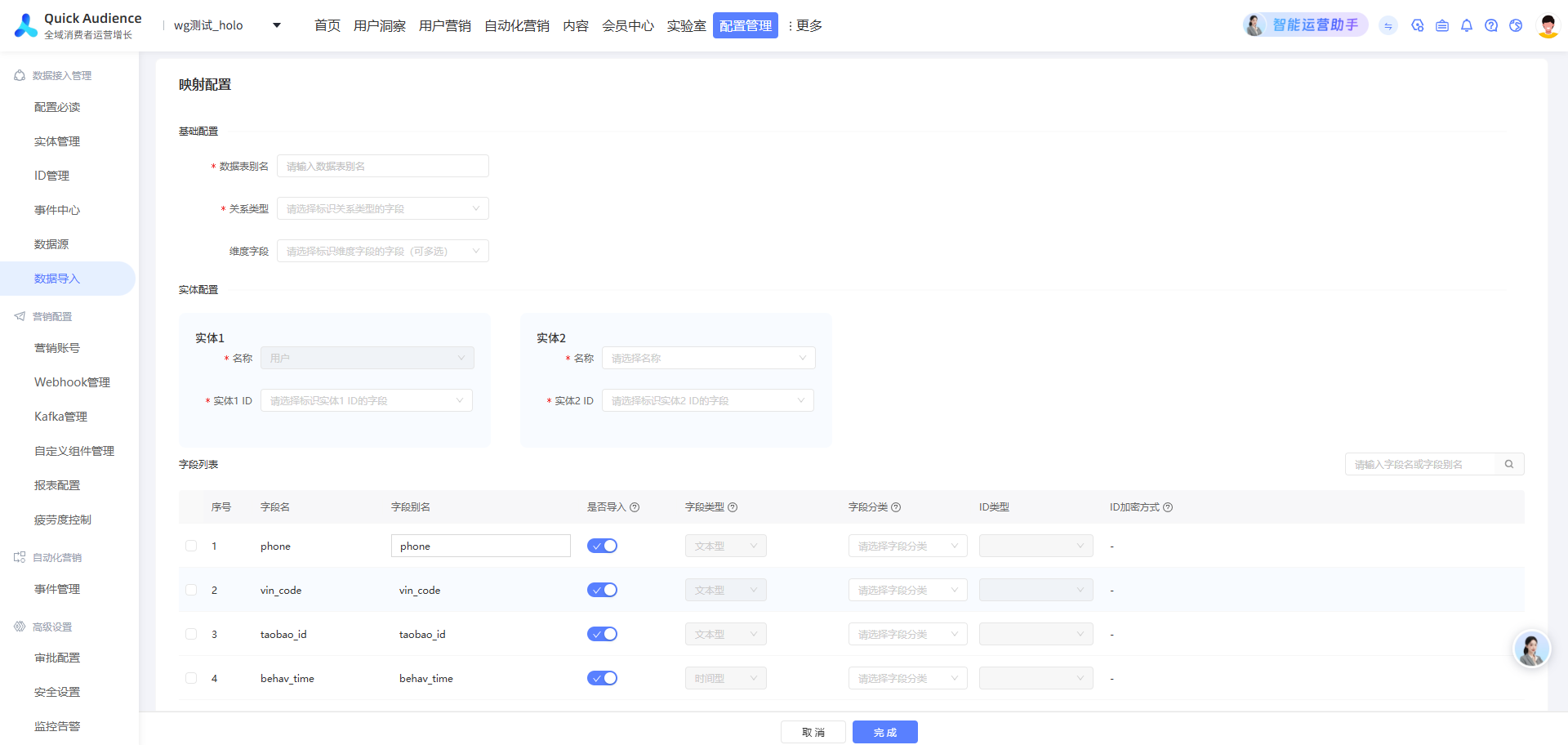
For more information, see Filter relational tables.
FAQ
I didn't create some of the tables in the list. What are they?
Several system processes automatically add tables to the schema configuration list. There are three sources:
-
Custom tag tables — Custom tags of the same type in a workspace are stored in the computing source as a user tag table. The table name matches the custom tag type, and the creator shows as API sync.
Each field corresponds to one custom tag. Field names are set when you create the tag; value types depend on the tag definition. Update times vary by field — trigger a manual update from the Tags page, or set an automatic update policy when creating the tag.
These tables work the same as other user tag tables. Do not edit or delete them. Row-level permissions are not supported.
-
Behavioral event tables and order details tables — Events stored in the workspace are synced to the computing source the day after they are reported. This generates a user behavior table and an order details table. Table names are "QT reported behavioral events," "self-reported behavioral events," and "self-reported order events." The creator shows as API sync.
For field definitions in user behavior tables, see User behavior table data requirements. Attribute field names and metric field names must match the event attribute names. For order details field definitions, see Order details.
These tables work the same as other user behavior and order details tables, but schema edits are not supported.
Data is imported daily and loaded into the analysis source. Tablestore performs ID mapping in real time when event data is received.
-
WeChat marketing and social interaction tables — Modules such as WeChat marketing and social interaction write user data back to the workspace computing source. These tables are automatically added to the schema configuration list and the scheduling task list, with the creator shown as API sync.
The WeChat marketing module returns user tag tables for WeChat Official Account followers. The table alias is the corresponding Official Account name; the underlying table name starts with "es_wechat_fans_".
Social interaction module tables have aliases starting with "social interaction_" and underlying table names starting with "oem_maiscrm_".
These tables can be used for analysis, audience segmentation, and push campaigns. Do not edit or delete their schema configurations or scheduling tasks.
Data is imported on a daily schedule, with ID mapping performed by the computing source before final loading into the analysis source.