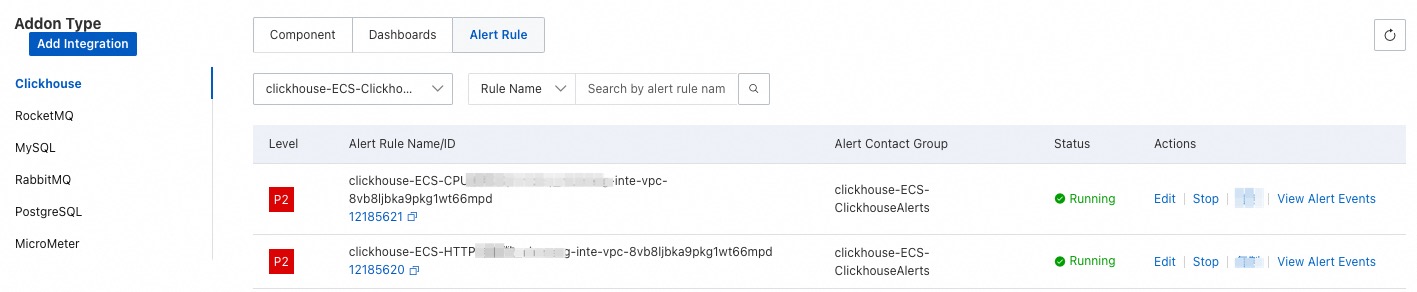
Managed Service for Prometheus pulls performance metrics from ClickHouse based on the parameters you configure, enabling real-time monitoring of its health and performance.
Prerequisites
Container cluster
-
Activate Managed Service for Prometheus. For more information, see Prometheus instance billing.
-
Create a Kubernetes cluster. For more information, see Create an ACK managed cluster.
-
Activate Alibaba Cloud Resource Center. For more information, see Activate Resource Center.
ECS instance
-
You have activated Managed Service for Prometheus. For more information, see Billing of Prometheus instances.
-
You have created an ECS instance. For more information, see Create and use an ECS instance in the console (Express mode).
-
You have enabled Alibaba Cloud Resource Center. For more information, see Enable Resource Center.
Procedure
Log on to the Managed Service for Prometheus console. In the left-side navigation pane, click Integration Center.
-
Click the ClickHouse card and follow the instructions to integrate the component. The following tables describe the parameters.
Container cluster
Parameter
Description
ClickHouse address
The ClickHouse scrape address. Example:
http://clickhouse-simple-01.default:8123.ClickHouse username
The username for the ClickHouse instance.
ClickHouse password
The password for the ClickHouse instance.
Metrics collection interval (seconds)
The interval for collecting monitoring data. The default value is 15.
ECS instance
Parameter
Description
ClickHouse address
The ClickHouse scrape address. Example:
http://clickhouse-simple-01.default:8123.ClickHouse username
The username for the ClickHouse instance.
ClickHouse password
The password for the ClickHouse instance.
Metrics collection interval (seconds)
The interval for collecting monitoring data. The default value is 15.
Custom Tags
Add tags to the metrics of the ECS instance. Then, you can monitor, manage, query, or analyze the metric data in a fine-grained manner when you use tools such as Grafana. For more information, see Add custom tags to ECS instance metrics in a VPC.
NoteA tag key cannot contain special characters used in the Prometheus functionality, such as hyphens (-), periods (.), or percent signs (%).
Tags must be specified in the key-value format required by Prometheus.
View ClickHouse status
The installed component is displayed on the Integration Management page in the Managed Service for Prometheus console. The Integration Management page consists of the Integrated Environments, Integrated Addons, and Query Dashboards tabs, where you can view information such as targets, metrics, dashboards, and alerts.
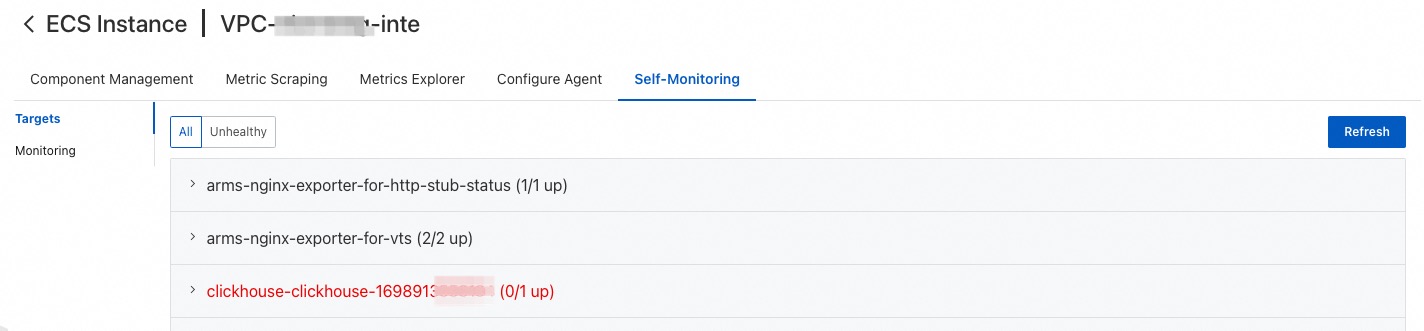
Targets
This tab lists the targets discovered by the default integration job.
Metric scraping
On this tab, you can view metric details and configure which metrics to discard. For more information, see Configure discarded metrics.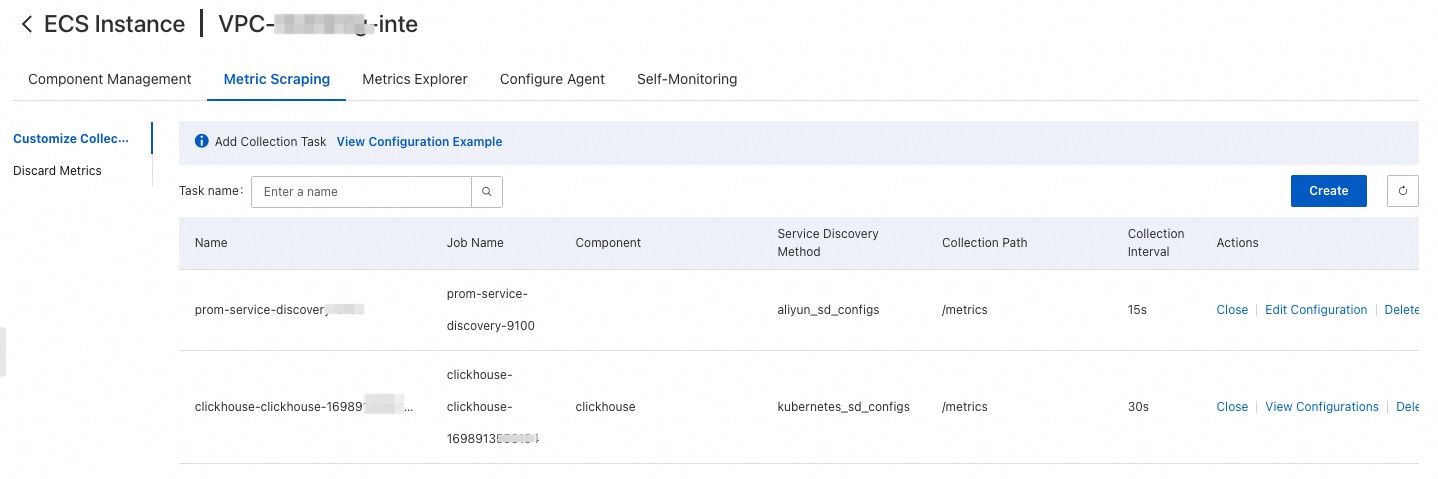
Dashboard
On this tab, click a dashboard name to view the corresponding Grafana dashboard.

Alert rule
This tab displays Prometheus alerts. To create a Prometheus alert rule, see Create a Prometheus alert rule.