.NET
Connect a C# application to a PolarDB for PostgreSQL (Compatible with Oracle) cluster using the PolarDB .NET driver (Npgsql).
Prerequisites
Before you begin, make sure you have:
A database account created for your PolarDB cluster. See Create a database account.
The IP address of your application host added to an IP address whitelist of the cluster. See Configure a whitelist for a cluster.
Background information
.NET is a software framework developed by Microsoft that provides a comprehensive programming environment for building and running applications. The first version of the .NET Framework was released in 2002. It provided a unified programming model and supported multiple programming languages. The .NET Framework has now been extended to support a variety of platforms, including Linux and macOS.
PolarDB supports .NET programs of the following versions: .NET 2.0, .NET 3.5, .NET 4.0, .NET 5.0, .NET 6.0, .NET 7.0, .NET 8.0, .NET Core 3.1, .NET Standard 2.0, and .NET Standard 2.1.
Step 1: Install the driver
Download the DLL files from the table below based on your .NET version and the Npgsql version you need.
For .NET 2.0, 3.5, and 4.0, download bothMono.Security.dllandNpgsql.dll. For all other versions, onlyNpgsql.dllis required.
| .NET version | Npgsql 2.2.7 | Npgsql 5.0.10 | Npgsql 7.0.6.1 | Npgsql 8.0.4.1 |
|---|---|---|---|---|
| .NET 2.0 | Mono.Security.dll Npgsql.dll | |||
| .NET 3.5 | Mono.Security.dll Npgsql.dll | |||
| .NET 4.0 | Mono.Security.dll Npgsql.dll | |||
| .NET 5.0 | Npgsql.dll | Npgsql.dll | ||
| .NET 6.0 | Npgsql.dll | Npgsql.dll | ||
| .NET 7.0 | Npgsql.dll | Npgsql.dll | ||
| .NET 8.0 | Npgsql.dll | |||
| .NET Core 3.1 | Npgsql.dll | Npgsql.dll | ||
| .NET Standard 2.0 | Npgsql.dll | Npgsql.dll | Npgsql.dll | |
| .NET Standard 2.1 | Npgsql.dll Npgsql.EntityFrameworkCore.PostgreSQL.dll | Npgsql.dll | Npgsql.dll |
Entity Framework Core 5.0.10 is included in the .NET Standard 2.1 package for Npgsql 5.0.10. It provides platform support for .NET 2.0 through 7.0.
Step 2: Build the connection string
Connection strings use the keyword1=value; keyword2=value; format and are case-insensitive. Enclose values that contain semicolons (;) in double quotation marks (").
To find your cluster endpoint, see View or apply for an endpoint.
| Parameter | Example | Default | Description |
|---|---|---|---|
| Host | localhost | Required | Cluster endpoint |
| Port | 1521 | 1521 | Port number |
| Database | sampledb | Required | Database name |
| Username | polaruser | Required | Database account name |
| Password | password | Required | Database account password |
| Pooling | true | — | Enable connection pooling |
| Minimum Pool Size | 0 | 0 | Minimum number of connections in the pool |
| Maximum Pool Size | 100 | 100 | Maximum number of connections in the pool |
| Connection Idle Lifetime | 300 | 300 | Seconds before idle connections are closed when the pool exceeds Minimum Pool Size. Unit: seconds. |
| Connection Pruning Interval | 10 | 10 | Interval at which idle connections are released. Unit: seconds. |
Step 3: Connect and run a query
The following example connects to the cluster and queries the current date:
using Npgsql;

var connString = "Host=xxxx;Port=xxxx;Username=xxx;Password=xxx;Database=xxxx";

await using var conn = new NpgsqlConnection(connString);
await conn.OpenAsync();

// Retrieve all rows
await using (var cmd = new NpgsqlCommand("SELECT sysdate FROM dual", conn))
await using (var reader = await cmd.ExecuteReaderAsync())
{
    while (await reader.ReadAsync())
        Console.WriteLine(reader.GetDateTime(0));
}
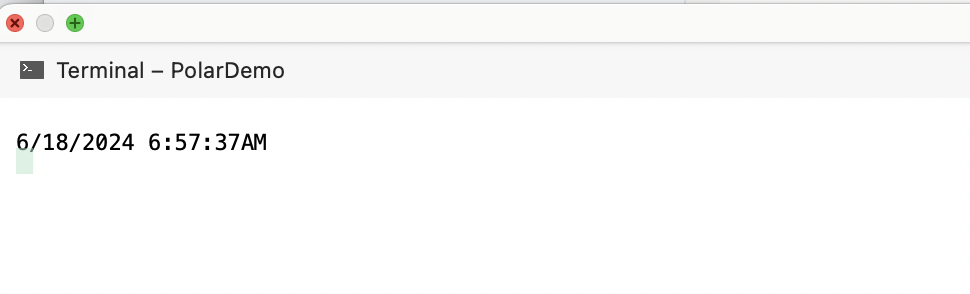
Sample result:
Troubleshooting
After migrating from Oracle, my application can't find table names
All table names in an Oracle database are in uppercase. After migrating the Oracle database to a PolarDB cluster, configured table names cannot be found.
Install the EFCore.NamingConventions package via NuGet, then add UseSnakeCaseNamingConvention() to your DbContext configuration. This automatically converts table and column names to snake case, eliminating the need for explicit annotations.
protected override void OnConfiguring(DbContextOptionsBuilder optionsBuilder)
    => optionsBuilder
        .UseNpgsql(...)
        .UseSnakeCaseNamingConvention();
I get an error when using custom Date type conversions
Change NpgsqlDbType.Date to NpgsqlDbType.Sysdate at the data layer.
Before:
case OracleDbType.Date:
  return NpgsqlDbType.Date;
After:
case OracleDbType.Date:
  return NpgsqlDbType.Sysdate;
Release notes
8.0.4.1 (September 18, 2024)
New: PolarDB 8.0.4.1 is supported. The PolarDB version is compatible with .NET 6.0, .NET 7.0, and .NET 8.0.
7.0.6.1 (August 23, 2024)
New: PL/SQL stored procedures can now be executed without specifying double dollar signs (
$$).Fixed: Built-in database management system (DBMS) objects in metadata were not correctly identified.
Fixed: Data types could not be read due to
ROWID.
7.0.6 (June 19, 2024)
New: PolarDB for PostgreSQL (Compatible with Oracle) 2.0 now supports 64-bit date formats.