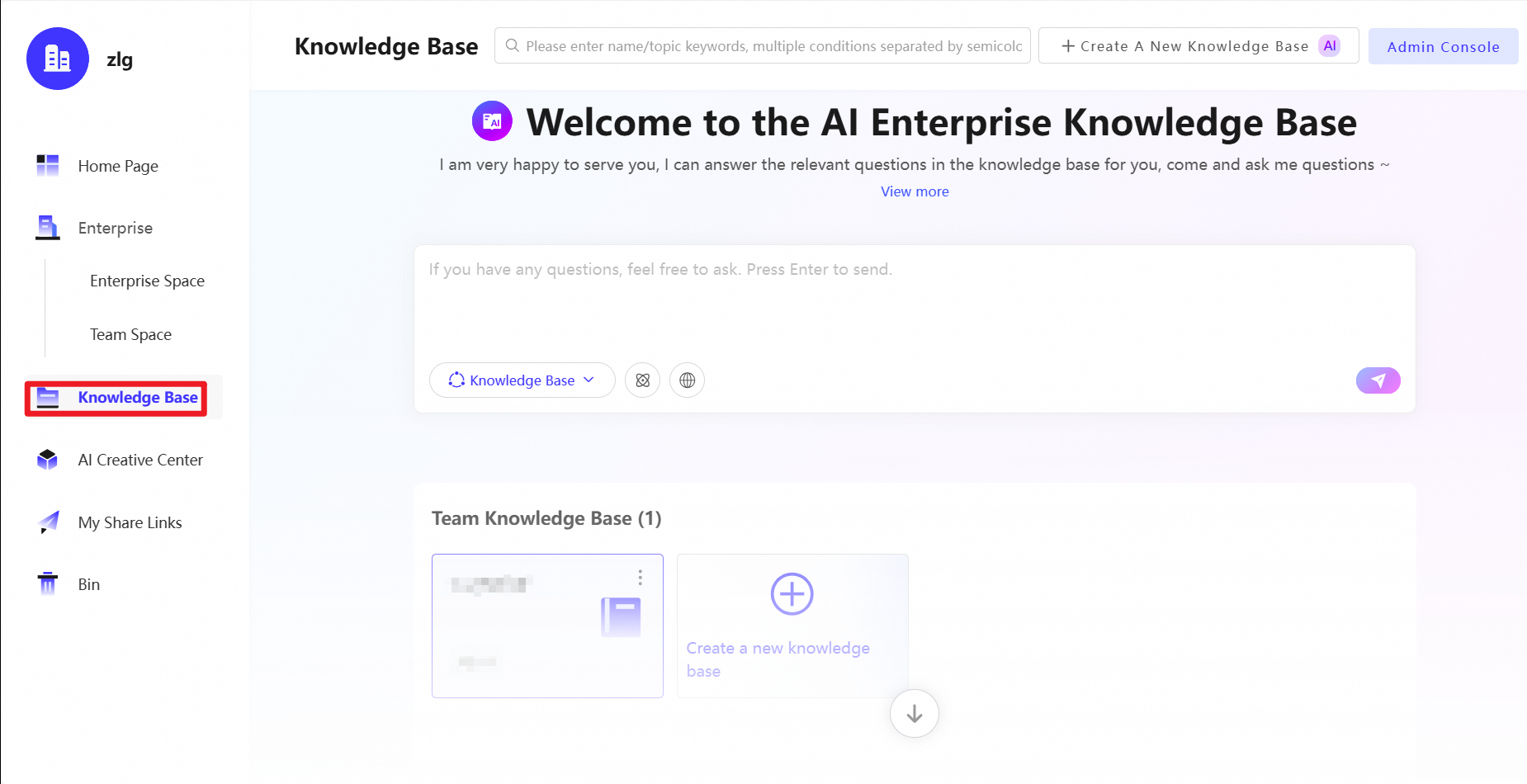
This topic describes how to use the Knowledge Base. Powered by the Tongyi Qianwen large language model, the Knowledge Base uses your enterprise knowledge to provide automatic file categorization, conversational search, conversational reading, and question answering.
Usage notes
This feature is currently available only in the China (Beijing) and Singapore regions.
Prerequisites
You have enabled and managed a knowledge base.
Knowledge Base
Knowledge base access
Log in to Cloud Drive for Enterprises. In the left navigation pane, under Knowledge Base, select a Team Knowledge Base.
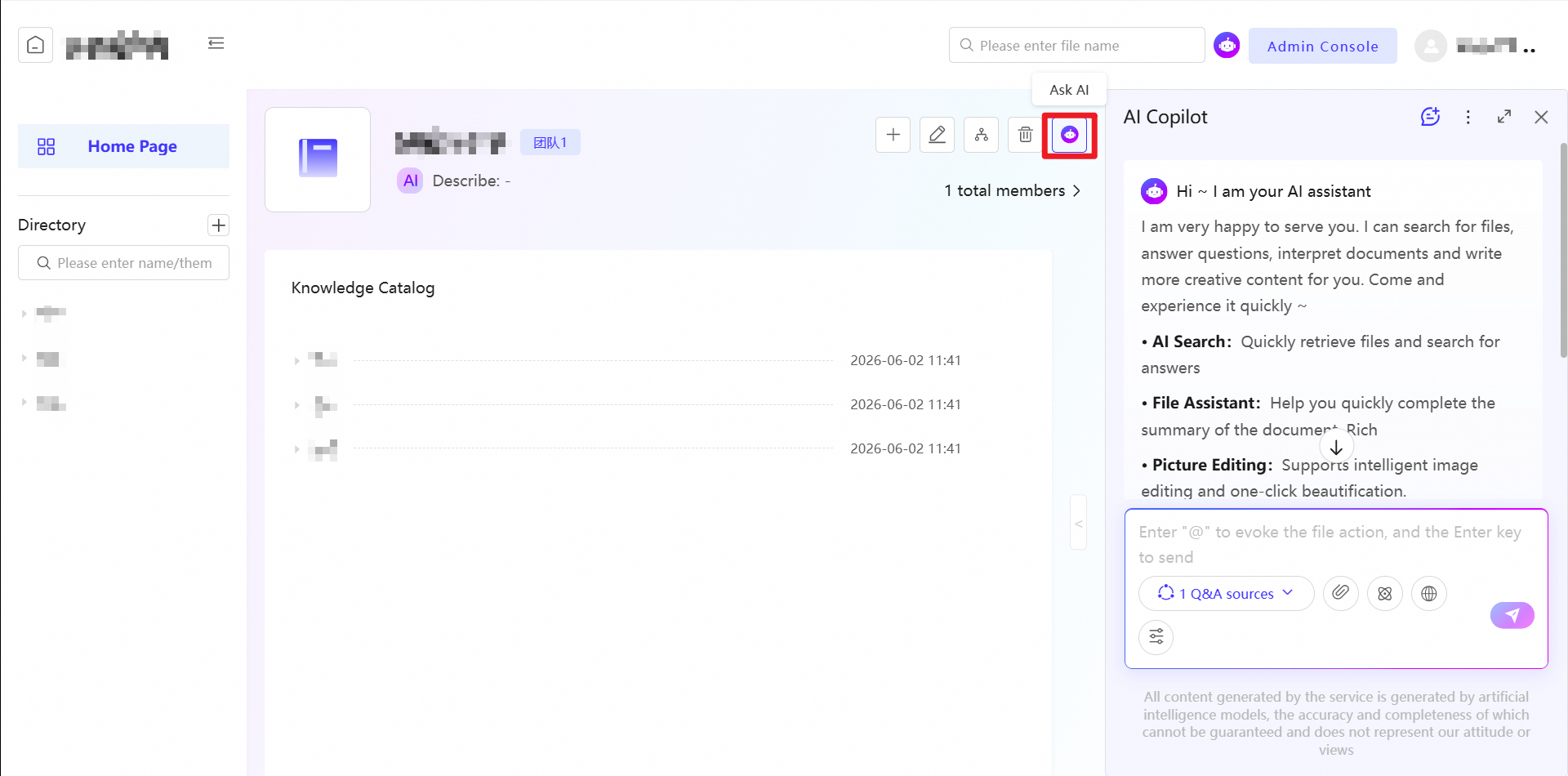
AI Copilot
This feature requires AI Copilot. If AI Copilot is not enabled for your enterprise, see Enable AI Copilot.
On the Knowledge Base homepage, click Ask AI to run AI commands or perform intelligent searches on the Knowledge Base.
Knowledge categories
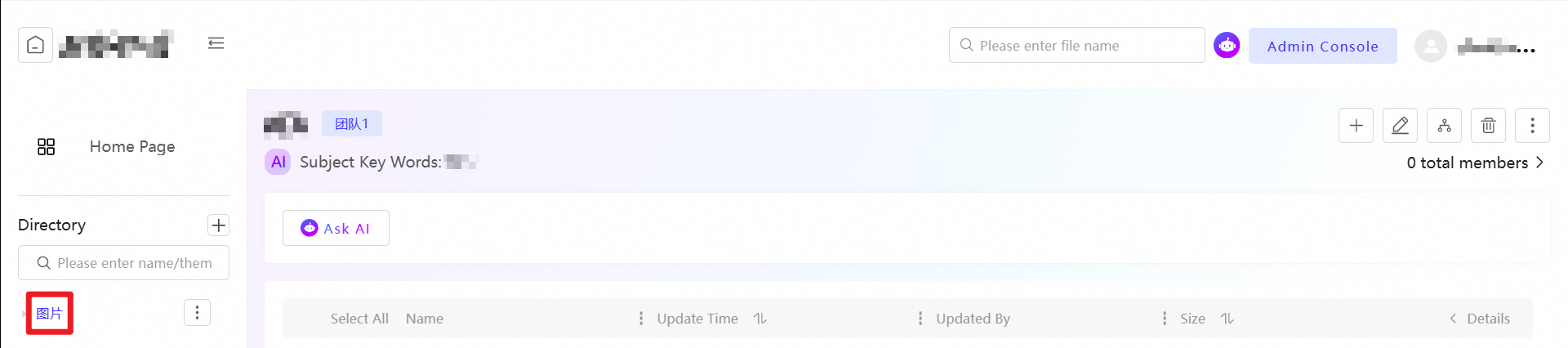
View categorized files
In the Knowledge Catalog on the left, click a category title to view the files in that category.
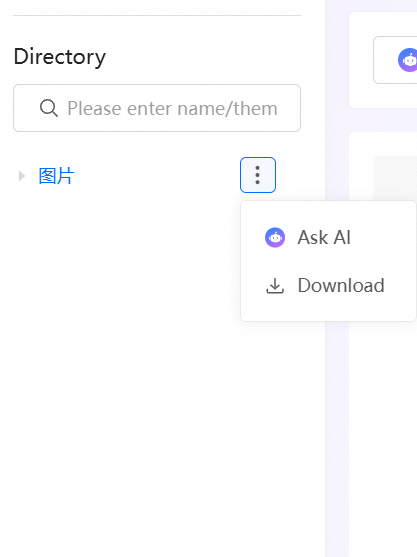
Download category files
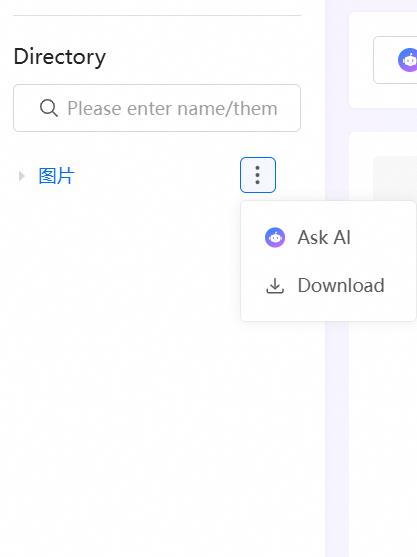
In the Knowledge Catalog on the left, select a knowledge category, click the  icon, and then select download to download all files in that category.
AI Copilot
This feature requires AI Copilot. If AI Copilot is not enabled for your enterprise, see Enable AI Copilot.
In the Knowledge Catalog on the left, select a knowledge category, click the icon, and then select Ask AI to run AI commands or perform intelligent searches on that knowledge category.