The log forwarding feature of Simple Log Service allows you to forward logs of Deep Learning Containers (DLC) jobs from the current workspace of Platform for AI (PAI) to a specific Logstore for custom analysis.
Prerequisites
If you want to configure log forwarding as a RAM user, the AliyunLogFullAccess permission is granted to the RAM user. For more information, see Grant permissions to a RAM user.
Procedure
Go to the Workspace Details page.
In the top navigation bar, select a region.
In the left-side navigation pane, click Workspaces. On the Workspace List page, click the name of the workspace that you want to manage.
Log on to the PAI console.
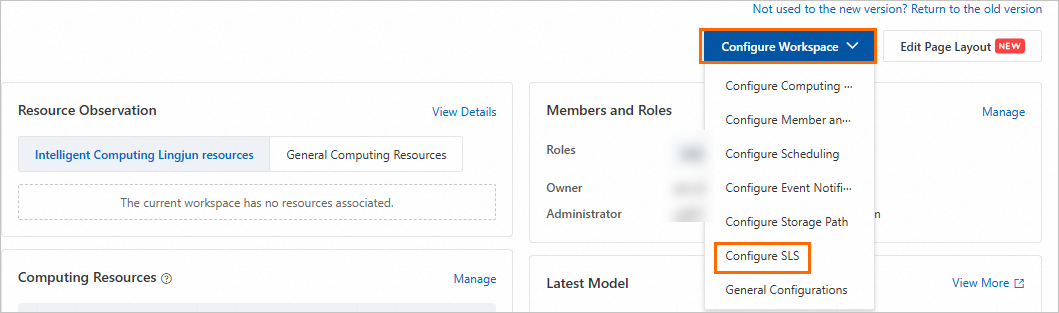
From the Configure Workspace drop-down list on the right, select Configure SLS.
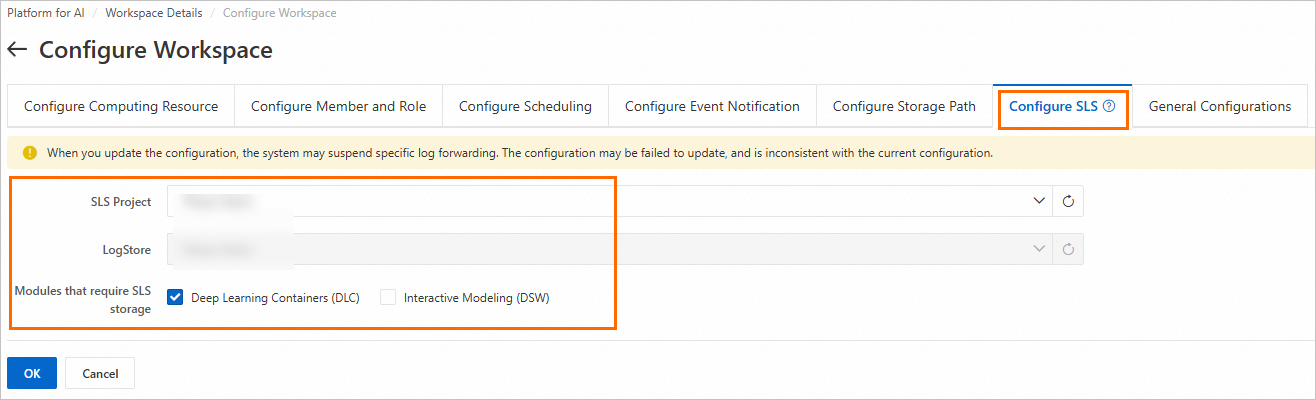
On the Configure SLS page, configure the parameters and click OK.
Parameter
Description
SLSProject
The SLS project. SLS projects are used to isolate and manage resources. If no projects are available in the drop-down list, click Create SLS Project to create a project. For more information, see Manage projects.
LogStore
The SLS Logstore. Logstores are used to collect, store, and query logs. If no Logstores are available in the drop-down list, click Create LogStore to create a Logstore. For more information, see Manage a logstore.
Modules that require SLS storage
Select Deep Learning Containers (DLC).
FAQ
What do I do if no data is available on the page when I configure log forwarding?
Error information
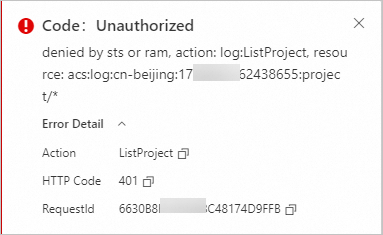
Cause: You do not have the permissions to read the Logstore.
Solution: Go to the RAM console and grant the AliyunLogFullAccess permissions to the RAM user or RAM role. For more information, see Grant permissions to a RAM user.
What do I do if I fail to configure log forwarding?
Error information
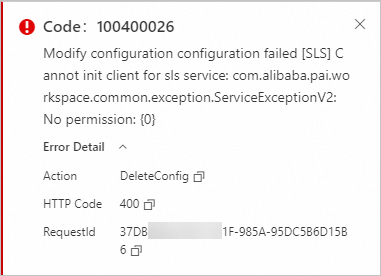
Cause: You do not have the permissions to enable or disable the log forwarding feature of the Logstore.
Solution: Go to the RAM console and grant the Logstore forwarding permissions to the RAM user or RAM role. For more information, see Create custom policies and Grant permissions to a RAM user.
{
 "Version": "1",
 "Statement": [
 {
 "Effect": "Allow",
 "Action": [
 "log:GetProductDataCollection",
 "log:CloseProductDataCollection",
 "log:OpenProductDataCollection"
 ],
 "Resource": "*"
 }
 ]
}