PAI Deep Learning Containers (DLC) supports jobs based on the Ray framework. You can submit Ray training scripts directly to DLC without having to set up a Ray cluster or configure underlying Kubernetes resources. DLC also provides comprehensive logging and metrics monitoring services to help you manage your jobs. This topic describes how to submit a Ray training job.
Prerequisites
If you use the SDK to submit a training job, you must configure your environment variables. For more information, see Install the Credentials tool and Configure environment variables on Linux, macOS, and Windows.
Preparations
Prepare node images
A Ray cluster consists of two types of nodes: Head and Worker. DLC uses the specified node image to create containers for both Head and Worker nodes. After you create a job, DLC automatically builds the Ray cluster. Once the cluster is ready, DLC launches a submitter node that uses the same image to submit your job to the cluster.
The Ray image version must be 2.6 or later and include at least the components in ray[default]. The supported images are as follows:
-
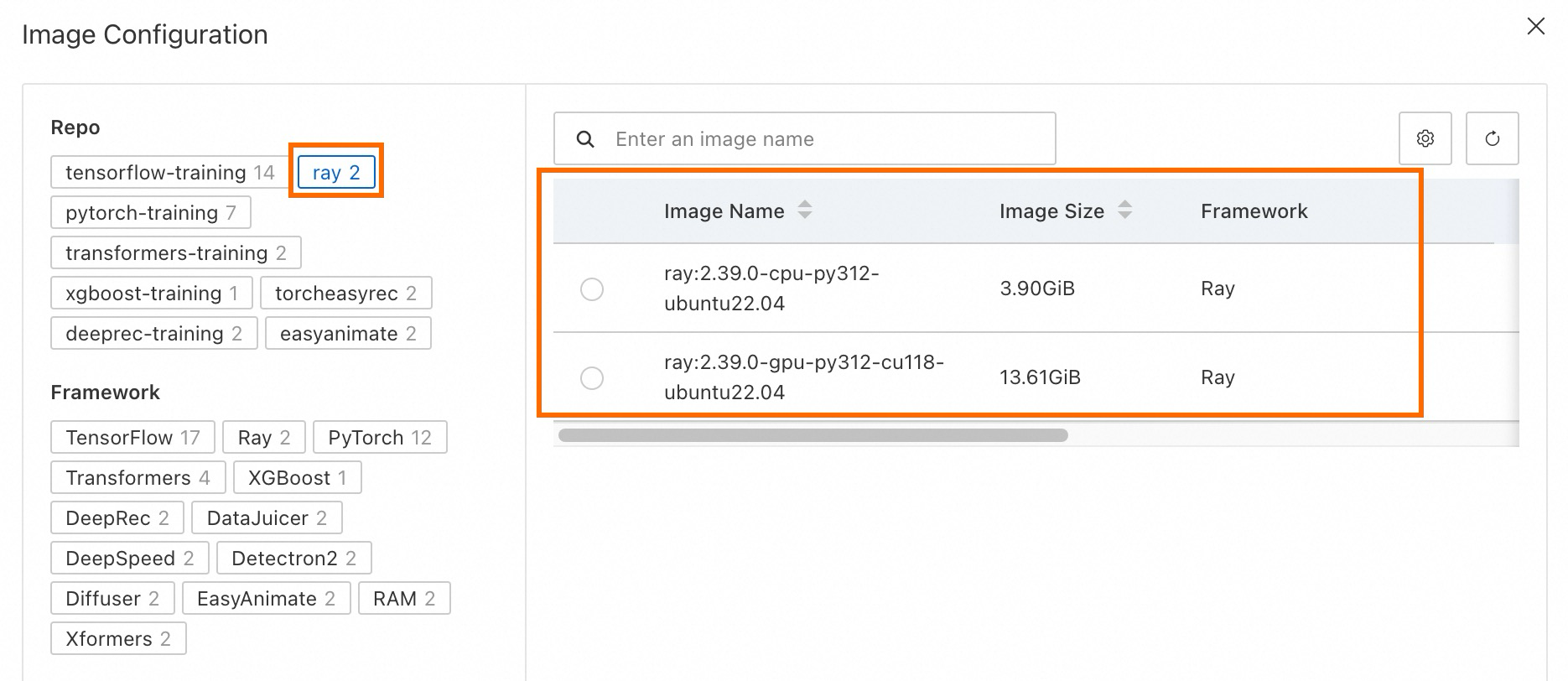
Alibaba Cloud official images: PAI provides official images with basic Ray components preinstalled.
-
Ray community images:
-
We recommend using the Docker image rayproject/ray.
-
You can also use the rayproject/ray-ml image, which includes machine learning frameworks such as PyTorch and TensorFlow.
If you use GPUs, you must provide a CUDA-enabled image. For more information about supported image versions, see the official Docker image documentation.
-
Prepare the start command and script file
The start command for your DLC job is the entrypoint command submitted by ray job submit. You can enter a single-line or multi-line command, such as python /root/code/sample.py, where:
-
sample.py is the Python script to run. You can mount this script into the DLC container using either datasets or code configuration. The following is an example of the script content:
import ray import os ray.init() @ray.remote class Counter: def __init__(self): # Used to verify runtimeEnv self.name = os.getenv("counter_name") # assert self.name == "ray" self.counter = 0 def inc(self): self.counter += 1 def get_counter(self): return "{} got {}".format(self.name, self.counter) counter = Counter.remote() for _ in range(50000): ray.get(counter.inc.remote()) print(ray.get(counter.get_counter.remote())) -
/root/code/is the mount path.
Submit a training job
Submit via the console
-
Go to the Create Job page.
-
Log on to the PAI console. Select a region and a workspace. Then, click Enter Deep Learning Containers (DLC).
-
On the Deep Learning Containers (DLC) page, click Create Job.
-
-
On the Create Job page, configure the following key parameters. For more information about other parameters, see Create a training job.
Parameter
Description
Example value
Environment Information
Node Image
On the Alibaba Cloud Image tab, select a preset Ray official image.
ray:2.39.0-cpu-py312-ubuntu22.04Startup Command
The command to run for this job.
python /root/code/sample.pyThird-party Libraries
Configure Ray’s runtime environment dependencies (runtime_env) by specifying a list of third-party libraries.
NoteIn production environments, we strongly recommend using prebuilt images to avoid job failures caused by installing dependencies at runtime.
No configuration required
Code Builds
Upload your prepared script file to the DLC container using either Online configuration or Local Upload.
Using Local Upload:
-
Sample code file: sample.py.
-
Mount path:
/root/code/.
Resource Information
Source
Select Public Resources or Resource Quota to submit the training job.
Public Resources
Framework
Framework type.
Ray
Job Resource
-
Number of task nodes:
Ray clusters support Head and Worker node types. When configuring resources, set exactly one Head node. The Head node runs only the entrypoint script and does not act as a Ray Worker. Typically, include at least one Worker node, though this is optional. Each Ray job automatically creates a Submitter node to execute the start command. View job logs through the Submitter node’s logs. In subscription jobs, the Submitter node shares a small portion of user resources. In pay-as-you-go jobs, it uses the smallest available resource type.
-
Resource count:
The Logical Resources on Ray Worker nodes match the physical resources you configure when submitting the job. For example, if you configure one GPU node with 8 cards, the default Ray Worker node resource size is also 8 GPUs.
Match resource configuration to your job’s needs. Prefer fewer large nodes over many small ones. Allocate at least 2 GiB memory per node, and increase memory as the number of tasks or actors grows to avoid out-of-memory (OOM) errors.
-
Node count: 1 for both Head and Worker.
-
Resource specification: ecs.g6.xlarge.
-
-
After you configure the parameters, click OK.
Submit via SDK
-
Install the Python DLC SDK.
pip install alibabacloud_pai_dlc20201203==1.4.0 -
The following sample code shows how to submit a DLC Ray job:
#!/usr/bin/env python3

from alibabacloud_tea_openapi.models import Config
from alibabacloud_credentials.client import Client as CredClient

from alibabacloud_pai_dlc20201203.client import Client as DLCClient
from alibabacloud_pai_dlc20201203.models import CreateJobRequest

region_id = '<region-id>'
cred = CredClient()
workspace_id = '12****'

dlc_client = DLCClient(
    Config(credential=cred,
           region_id=region_id,
           endpoint='pai-dlc.{}.aliyuncs.com'.format(region_id),
           protocol='http'))

create_job_resp = dlc_client.create_job(CreateJobRequest().from_map({
    'WorkspaceId': workspace_id,
    'DisplayName': 'dlc-ray-job',
    'JobType': 'RayJob',
    'JobSpecs': [
        {
            "Type": "Head",
            "Image": "dsw-registry-vpc.<region-id>.cr.aliyuncs.com/pai/ray:2.39.0-gpu-py312-cu118-ubuntu22.04",
            "PodCount": 1,
            "EcsSpec": 'ecs.c6.large',
        },
        {
            "Type": "Worker",
            "Image": "dsw-registry-vpc.<region-id>.cr.aliyuncs.com/pai/ray:2.39.0-gpu-py312-cu118-ubuntu22.04",
            "PodCount": 1,
            "EcsSpec": 'ecs.c6.large',
        },
    ],
    "UserCommand": "echo 'Prepare your ray job entrypoint here' && sleep 1800 && echo 'DONE'",
}))
job_id = create_job_resp.body.job_id
print(f'jobId is {job_id}')
Where:
-
region_id: The ID of the Alibaba Cloud region. For example, the ID for China (Hangzhou) is cn-hangzhou.
-
workspace_id: The ID of the workspace. You can find the ID on the workspace details page. For more information, see Manage workspaces.
-
Image: Replace <region-id> with the ID of your Alibaba Cloud region. For example, the ID for China (Hangzhou) is cn-hangzhou.
-
For more information about using the SDK, see Python SDK.
Submit via CLI
-
Download the DLC client and complete user authentication. For more information, see Preparations.
-
The following sample command shows how to submit a DLC Ray job:
./dlc submit rayjob --name=my_ray_job \
  --workers=1 \
  --worker_spec=ecs.g6.xlarge \
  --worker_image=dsw-registry-vpc.<region-id>.cr.aliyuncs.com/pai/ray:2.39.0-cpu-py312-ubuntu22.04 \
  --heads=1 \
  --head_image=dsw-registry-vpc.<region-id>.cr.aliyuncs.com/pai/ray:2.39.0-cpu-py312-ubuntu22.04 \
  --head_spec=ecs.g6.xlarge \
  --command="echo 'Prepare your ray job entrypoint here' && sleep 1800 && echo 'DONE'" \
  --workspace_id=4****
For more information about CLI configuration options, see Submit command.
FAQ
Q: Why did my Ray job time out due to slow environment preparation?
-
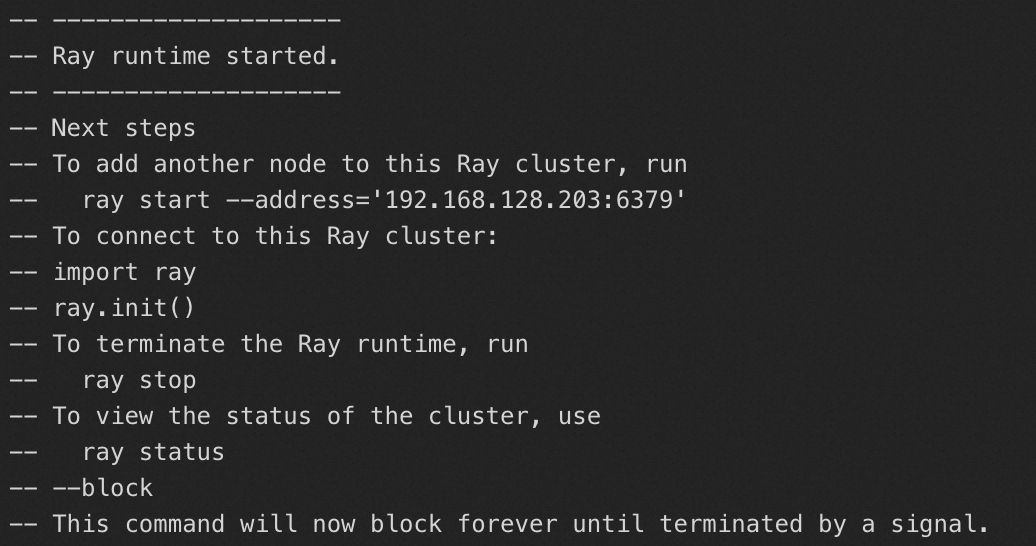
Check the logs of the Head node to verify that the Ray environment started normally. If the environment failed to start, Ray is unavailable on the instance. In this case, you must prepare a runtime image that supports Ray. For more information, see the Preparations section.
-
Check the event logs of the Head node. If you see an error such as “Readiness probe failed...”, the image may be missing dependencies required for the readiness check. To resolve this issue, you can reinstall the ray[default] components using pip or conda in the original image, or rebuild your image based on an official Ray image.