Install PAI-Megatron-Patch image in DLC or DSW to accelerate distributed Transformer training.
Prerequisites
-
GPU-accelerated instance
-
GPU driver version 460.32 or later
Install in DLC
Deep Learning Containers (DLC) is a cloud-native training platform that supports custom images, distributed training, and multiple frameworks.
DLC supports custom images for PAI-Megatron-Patch. After installation, run large-scale distributed training on multi-GPU servers.
-
Log on to the PAI console.
-
In the left-side navigation pane, click Workspace List. On the Workspace List page, click a workspace.
-
In the left-side navigation pane, choose Model Development and Training > Deep Learning Containers (DLC). Click Create Job.
-
Configure these parameters. For other parameters, see Create a training job.
-
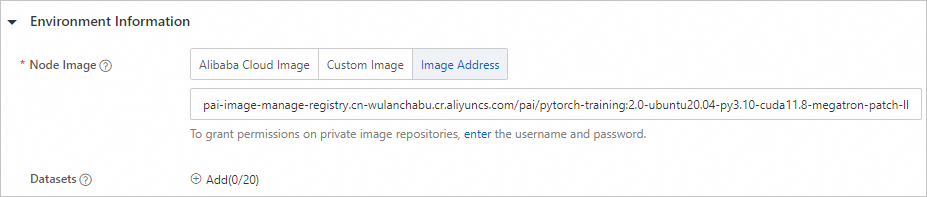
Environment Information: Set Node Image to Image Address. Enter this address:
pai-image-manage-registry.cn-wulanchabu.cr.aliyuncs.com/pai/pytorch-training:2.0-ubuntu20.04-py3.10-cuda11.8-megatron-patch-llm -
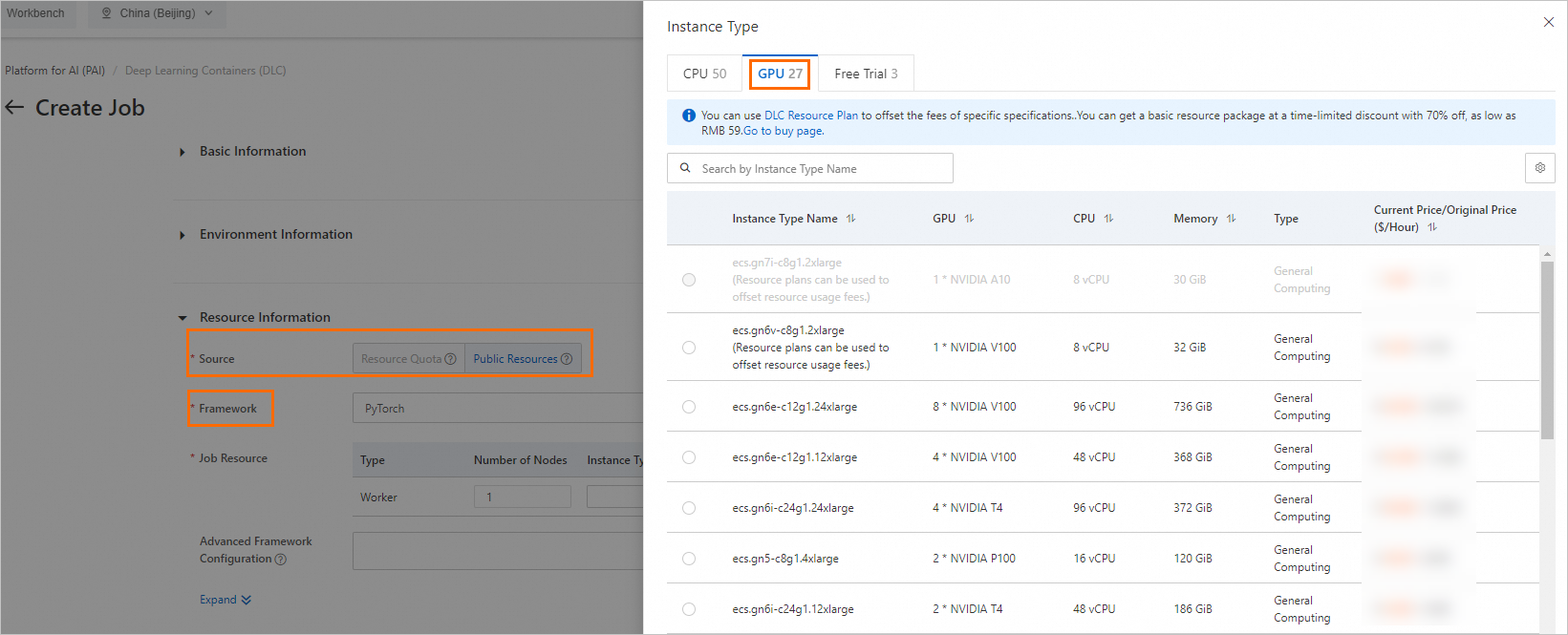
Resource Information:
-
Set Framework to PyTorch.
-
Job Resource: In Resource Specification column, click
 , then select a GPU-accelerated node type and specifications.
-
-
-
Click OK.
Install in DSW
Data Science Workshop (DSW) is a cloud-based development environment that integrates JupyterLab and supports custom plug-ins.
DSW supports custom images. After installation, debug PAI-Megatron-Patch training acceleration programs.
-
Log on to the PAI console.
-
In the left-side navigation pane, click Workspace List. On the Workspace List page, click a workspace.
-
In the left-side navigation pane, choose Model Development and Training > Data Science Workshop (DSW). Click Create Instance.
-
Configure these parameters. For other parameters, see Create a DSW instance.
-
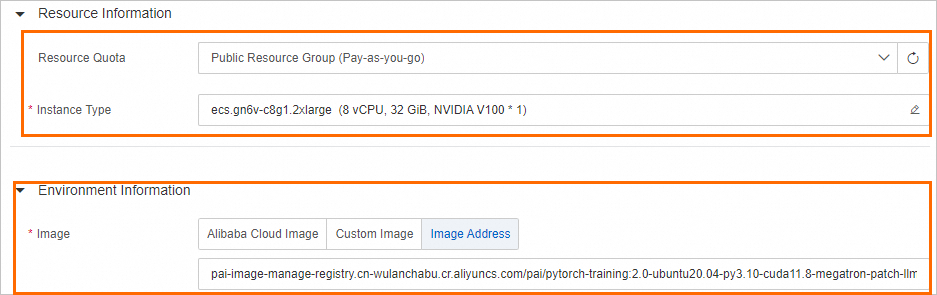
Resource Quota: Select Public Resources (Pay-as-you-go).
-
Resource Specification: Click
 , then select a GPU-accelerated instance specification.
 -
Image: Enter this address:
pai-image-manage-registry.cn-wulanchabu.cr.aliyuncs.com/pai/pytorch-training:2.0-ubuntu20.04-py3.10-cuda11.8-megatron-patch-llm
-
-
Click OK.
What to do next
Find training examples in the examples folder of PAI-Megatron-Patch repository.